|
This message has been sent to subscribers of the Provider Hub Newsletter. If someone forwarded you this email, we encourage you to subscribe directly.
Read this newsletter in:
Welcome to the Provider Hub Newsletter, published by the State of Minnesota Provider Hub team! We’re glad you’re here.
In this edition of the newsletter, you’ll find:
This fall, the Provider Hub team announced the regional order by which family child care licensing will launch in the online tool.
We’re using the economic development regions, maintained by the Department of Employment and Economic Development (DEED), to group counties for the phased launch across the state. Family child care licensing in the Provider Hub will launch in phases in the following order:
Initial launch: Becker, Cass, Crow Wing, Douglas, Hubbard, Morrison, Stevens, Todd and Wadena (These counties partner with Sourcewell to provide family child care licensing services.)
Then region 4, West Central counties: Clay, Grant, Otter Tail, Pope, Traverse and Wilkin
Followed by region 8, Southwest counties: Cottonwood, Jackson, Lincoln, Lyon, Murray, Nobles, Pipestone, Redwood and Rock
Region 2, Headwaters counties: Beltrami, Clearwater, Lake of the Woods and Mahnomen
Region 7E, East Central counties: Chisago, Isanti, Kanabec, Mille Lacs and Pine
Region 6E, Southwest Central counties: Kandiyohi, McLeod, Meeker and Renville
Region 1, Northwest counties: Kittson, Marshall, Norman, Pennington, Polk, Red Lake, and Roseau
Region 9, South Central counties: Blue Earth, Brown, Faribault, Le Sueur, Martin, Nicollet, Sibley, Waseca and Watonwan
Region 7W, Central counties: Benton, Sherburne, Stearns and Wright
Region 3, Arrowhead counties: Aitkin, Carlton, Cook, Itasca, Koochiching, Lake and St. Louis
Region 6W, Upper Minnesota Valley counties: Big Stone, Chippewa, Lac qui Parle, Swift and Yellow Medicine
Region 10, Southeast counties: Dodge, Fillmore, Freeborn, Goodhue, Houston, Mower, Olmsted, Rice, Steele, Wabasha and Winona
Ending with region 11, Twin Cities counties: Anoka, Carver, Dakota, Hennepin, Ramsey, Scott and Washington
Review the complete fall 2025 update — emailed Nov. 10 to family child care providers — for more details, including current timeline information and how providers can continue to get information and prepare for the launch.
Back to top
Are you a provider who currently uses or will use the Provider Hub? Do you want to share your experiences? Complete this form to let us know.
The Provider Hub team regularly does research and testing with providers to inform how we’re building and improving the online tool.
After you complete the Feedback Opportunities Interest Form, your name and contact information is added to a roster. The Provider Hub team then uses this roster to contact providers as research and testing needs come up.
The form asks for some details about your program and what types of research you may be interested in (surveys, interviews, workshops). This information helps us match feedback opportunities with providers.
Thank you for offering your time and expertise!
Back to top
Our goal is for Provider Hub users to get the help they need when they need it. Learning libraries are collections of resources organized by topic that:
Current learning libraries
Basics — help getting started and completing tasks with success
Technology Resources — lists the technology you need to use the online tool, and resources to help you get it
User Access — help getting Provider Hub users the access they need to support your program in the online tool
Licensing/certification — resources designed for licensed and certified child care centers to help you understand and navigate licensing/certification in the tool:
Great Start Compensation Support Payment Program — resources designed to help you complete program requirements in the tool and receive payments efficiently and successfully:
Where to find them
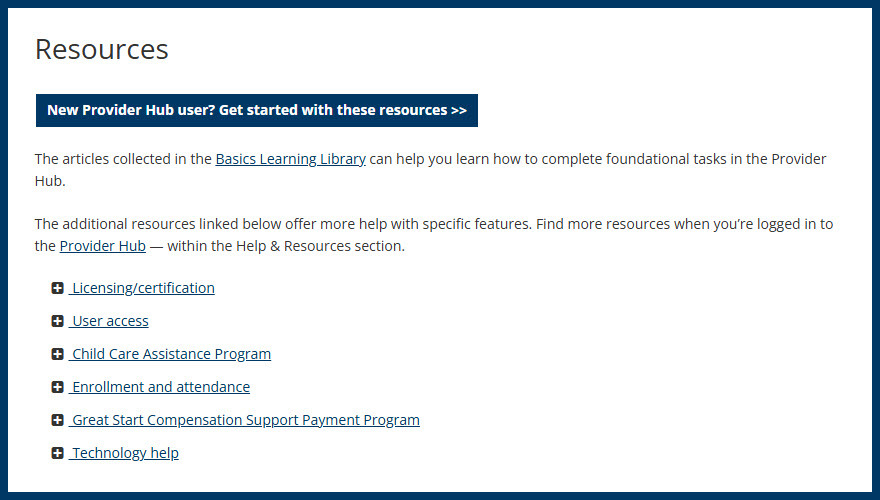
In addition to the direct links above, find these learning libraries in the Resources section of Provider Hub webpage.
Resources section on the Provider Hub webpage
They’re searchable, too, from Help & Resources when you’re logged in to the online tool.
Who they're for
Share your thoughts
Have you used the learning libraries? Are they helpful? What resources do you need that you’re not yet finding? Let us know at providerhub@state.mn.us!
Since first featuring these learning libraries in the August newsletter, the Provider Hub team has created and refreshed several of these collections and continues to build more based on feedback from users.
Back to top
The Product Success team — the group of local experts here to help you find success with the Provider Hub — share two tips based on recent conversations with users:
No longer going to be your program’s Authorized Agent?
Before an Authorized Agent leaves the program, submit a change request in the Provider Hub to assign the replacement Authorized Agent.
These articles show you how:
Need to change room capacity?
Submit a Room Usage change request to request a different capacity for one of your program’s rooms. If, when doing so, you see any red boxes, be sure to open each outlined room and select the service type.
This article can help: Licensed Child Care Centers | Request a Room Usage Change.
Connect with the team
If you need assistance with these or other tasks in the Provider Hub, call 651-431-6075 or submit a case when you’re logged in. We respond to cases Monday through Friday between 8 a.m. and 4:30 p.m.
If someone isn’t available when you call, please leave a message, including as much of the following as possible:
We don’t receive information from callers who don’t leave a voicemail. So, any information you leave in a message helps us return your call effectively and efficiently.
Whether you leave a message or submit a case online, we aim to respond to cases within 24 hours — this may vary depending on the number of cases we’re receiving.
Back to top
The Provider Hub team will host our next online, public information session Tuesday, Jan. 20 from 6 to 7 p.m.
Anyone interested in learning more about the Provider Hub is welcome to attend. Topics may include recent and upcoming Provider Hub improvements, tips for using the online tool effectively and new or updated resources. Attendees are welcome to submit questions during the session.
Please register in advance. If you have access needs (for example, an interpreter), please register two weeks before the event.
Couldn’t make the November session? Review the recording of the previous Provider Hub Information Session hosted Nov. 18, as well as the handout: English (PDF), español (PDF), Soomaali (PDF) and Hmoob (PDF).
Back to top
We made improvements to the Provider Hub Oct. 22 and Nov. 19. Updates included:
-
Changed the colors of some text and decorative elements across the online tool to increase the color contrast and support accessibility/readability
- Replaced references to “child care” with “social service” on both the Provider Hub homepage and parts of the new application process to account for future license types
-
Resolved issue that was occurring when providers reported a bank account beginning with a zero on new Child Care Assistance Program (CCAP) registrations and change requests
Check out the October release notes and November release notes for details on these updates and more.
NEW — Provider Hub users with Delegated Authority access were emailed the November release notes (not just Authorized Agents of licensed child care centers and Center Operators of certified child care centers). In future release notes, we plan to continue delivering release notes to this wider group of users who are frequently in the online tool.
Back to top
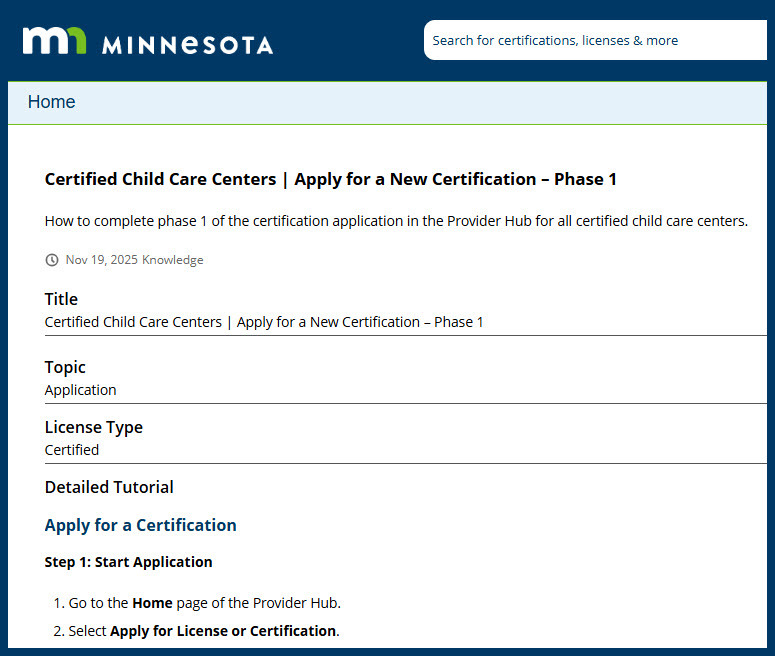
In addition to updated learning libraries, certified child care centers can now get step-by-step instructions for completing phase 1 of the application in the Provider Hub: Apply for a New Certification – Phase 1
Apply for a New Certification (Phase 1) article — English version
Back to top
The Provider Hub is an online tool for social service providers to apply for and manage licenses, funding and participation in other government programs.
We continue to improve the online tool and build new features. As we do so, more providers will get access. Check out the Provider Hub webpage for details on current availability.
Back to top
This newsletter shares general information about the Provider Hub for both current and future users of the online tool, as well as other interested folks. We send a new Provider Hub Newsletter about every two months. Find previous editions on the Provider Hub webpage.
We don’t intend for the newsletter to replace information sent directly to specific groups —such as alerts for current Provider Hub users or onboarding information for future users. We’ll keep sending those separately.
Share this newsletter with others
Know others who may be interested in receiving news about the Provider Hub? Forward this email and encourage them to subscribe to the newsletter directly.
Back to top
|