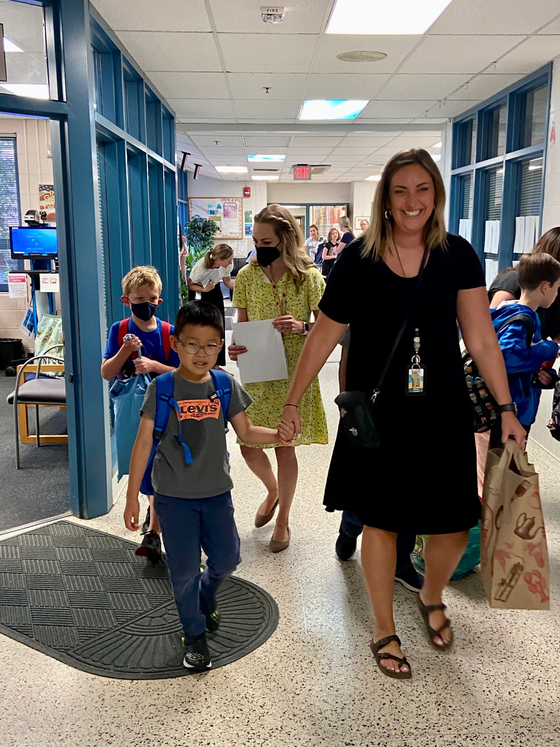
Wow, what a week! We are thrilled to welcome our new families and returning families to Mosaic for a new, exciting school year! It was wonderful to see so many parents and kids at Open House. All of our Mustangs are so excited to be in school and are ready to learn, give and thrive. We are 950 Mustangs strong!
We appreciate your support in preparing your child for the school year. You can help us by adjusting bedtime and developing healthy routines to support your child’s learning. Thank you also for encouraging reading throughout the summer and every night during the school year.
We are looking forward to an outstanding school year! We’re committed to focusing on the positive and making Mosaic a place of joy.
Sincerely,
Mahri Aste, Ed. D.
Principal
Mosaic Elementary
First day of school!

Back to School Night
A quick reminder about Back to School Night on Wednesday, August 31 at 6:30PM for grades K-3 and Wednesday, September 7 at 6:30PM for grades 4-6. The teacher presentation will be virtual using the Zoom platform. Your child’s teacher will send you a link next week. The sessions will be recorded to watch at your convenience if you are unable to view on these dates.
If Zoom is not installed on your device, it can be downloaded at the link below or from your Device’s App store: https://zoom.us/download
Additional Resources:
Technology Support for Families (scroll to the Zoom section)
Navigating Zoom
How Parent/Guardian(s) Join Zoom Meetings
|

Beginning of the Year Forms
Welcome to the 2022-2023 school year! Please complete the forms we need to start off the year. Parents are welcome to send forms in with their child, drop forms off at the school, or complete them online. If you have questions about any of the information on this page, please call the office at 703-937-1600.
The Digital Resource Consent form can be filled out online. We need your consent for your student to access some important digital resources used for classwork on their school-issued device.
|

Kiss and Ride Procedures
Please follow the procedures below to help make Kiss and Ride safe and efficient.
- Please pull forward to the stop sign before loading and unloading.
- Parents should not get out of their cars in the Kiss and Ride lane.
- Our staff and patrols will open car doors to assist students getting in and out of vehicles at Kiss and Ride.
- The Kiss and Ride lane is only one lane, so please be patient and do not pass other cars. This is for everyone’s safety.
- Students should exit and enter the right side of the car, closest to the sidewalk.
- Parents are asked not to use Kingsbridge as a Kiss and Ride because of safety risks. We have over 100 students that cross Kingsbridge and using this as a drop-off/ pick-up area puts many children at risk.
Thank you for your assistance and patience when driving.
|

Schoology Tips
Schoology is our learning management system (LMS). Teachers will use Schoology to post their classroom materials online; to provide a safe forum for students to discuss their ideas and collaborate on projects; and to assign and collect homework electronically. It helps students stay organized and it keeps the class connected.
Parent Accounts
A Schoology Parent Account gives you access to:
- Your child’s classes.
- Your child’s upcoming assignments.
- School, class, and group announcements.
To access Schoology, parents will need to have an active SIS/ParentVUE account.
More information on how to login and use Schoology is available online.
|
Technology Ready
Students in K-6 have been assigned a computer. Teachers will be helping students reset their FCPS passwords and log onto their laptops.
What will your child do with their FCPS device?
- Students will be issued an FCPS device for school use. Your child's teacher will communicate expectations should students need access to the device at home. Please review the Student Device Guidelines with your child.
- Students should tell their teacher if they have laptop troubles as soon as possible. The teacher will reach out to the Technology Team for support.
- Families that do not have any internet access at home can request a MiFi by emailing their child's teacher.
Additional Tech Resource information:

Upcoming Events
August 30th- PTA meeting IN PERSON 6:30p.m. Mosaic library
August 31st- Back to School Night: Grades K-3 6:30PM (virtual via Zoom)
September 2-5 - SCHOOL CLOSED - Labor Day Weekend
September 7 - Back to School Night: Grades 4-6 6:30PM (virtual via Zoom)
|
|