If you do not already have a MyWisconsin ID, you will need to create one and then take steps to link your new MyWisconsin ID account with the account you have been using to access the ETPL Provider Portal (your WIEXT account).
How will my login to Wisconsin's ETPL Provider Portal change?
Both new and existing portal users must create a MyWisconsin ID, as it will be required to log in to the ETPL Provider Portal going forward. When you go to log in to the ETPL Provider Portal, you will notice that the logon screen in the portal looks different now (see screenshot, below).
If you do not already have a MyWisconsin ID, you must first create one and then link it to the WIEXT account you have been using to access the ETPL Provider Portal.
Instructions to create a MyWisconsin ID:
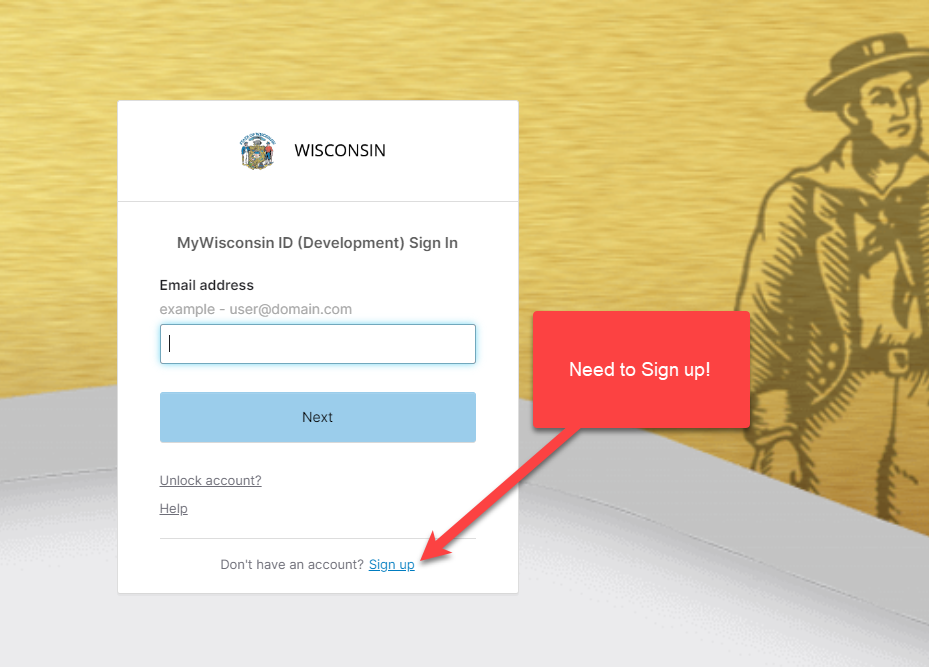
1. On the ETPL Provider Portal homepage (https://dwd.wisconsin.gov/ETPL) click the orange “Login” button at the top right hand corner of the page.
|
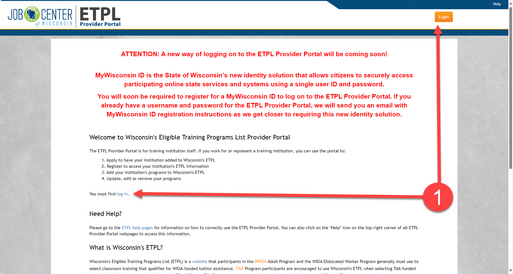 |
- You will be navigated to the MyWisconsin ID Sign In page.
2. Create a MyWisconsin ID by clicking on the "Sign Up" link. Remember, the username and password that you have been using to access the ETPL Provider Portal (your WIEXT account) is not a MyWisconsin ID.
3. Complete the fields to set up your MyWisconsin ID.
- You will need to enter First Name, Last Name, and Email.
4. Verify your email.
5. Choose and enter a password.
6. Set up a Multi-Factor Authentication Method
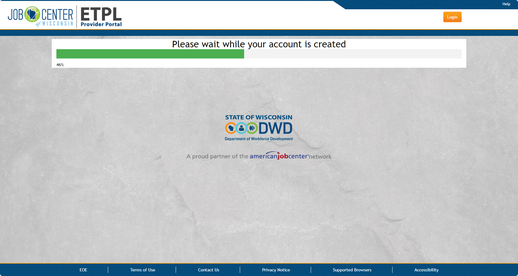
You will be redirected to the ETPL portal after a brief wait while your account is created.
To link your previous credentials to your new credentials
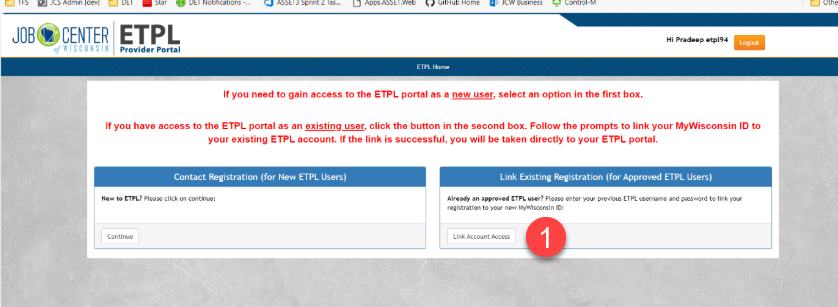
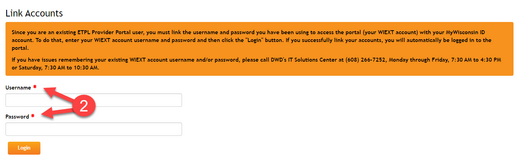
1. In the ETPL Provider Portal, choose the Link Existing Registration option.
2. Enter your old username and password (WIEXT credentials). Click the "Login" button.
3. Enter your WIEXT username and password. Click the "Login" button.
- If unsuccessful, you will be notified of the error.
Remember, you will no longer be able to log in to ETPL Provider Portal using the username and password you have been using to access the portal. Please follow the instructions outlined above as soon as possible.
Who do I contact if I have questions during this process?
If you have issues creating a MyWisconsin ID account, please call the Department of Administration's (DOA) MyWisconsin ID Account Service Desk at (608) 471-6667 at any time.
If you have issues remembering your existing WIEXT account username and/or password, please call DWD's IT Solutions Center at (608) 266-7252, Monday through Friday, 7:30 AM to 4:30 PM or Saturday, 7:30 AM to 10:30 AM.
|