|
Having trouble viewing this email? View it as a Web page.
The migration to the new, cloud version of Cartegraph OMS has been completed.
Users will be required to use the new version of OMS.
New Web link - https://cgweb18.eamclassic.opengov.com/auburnwa
New Mobile App - https://apps.apple.com/us/app/cartegraph-asset-management/id6446785241
If you have any questions about these changes, please contact mweiss@auburnwa.gov.
How to sign into the new web version
How to setup the new mobile app
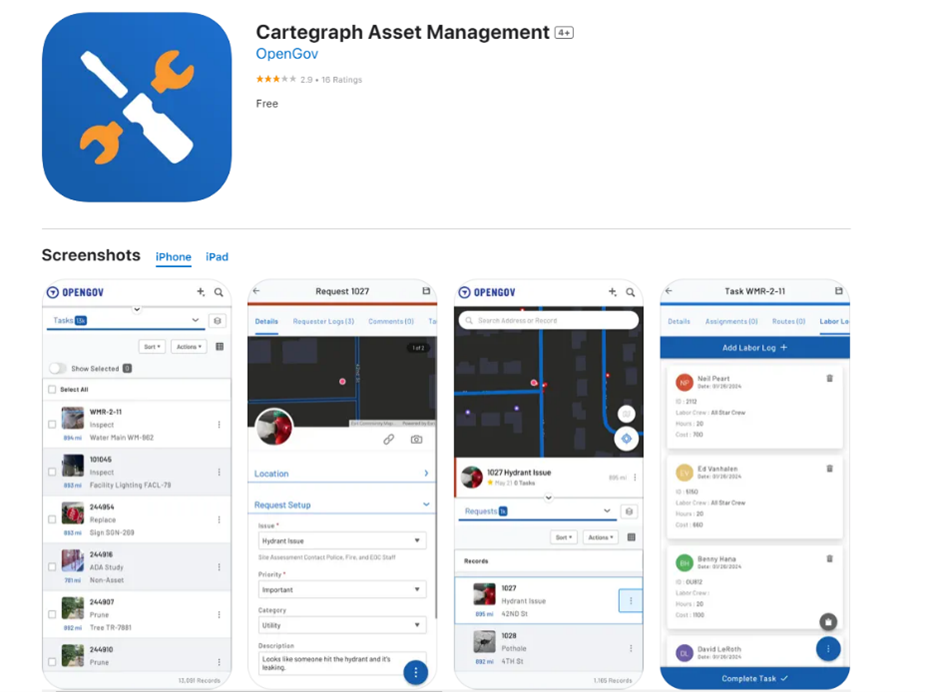
The new mobile app has been pushed to your phone. If you do not see it, please download it from the app store. The app is below or click this link on your city cell phone or iPad - https://apps.apple.com/us/app/cartegraph-asset-management/id6446785241
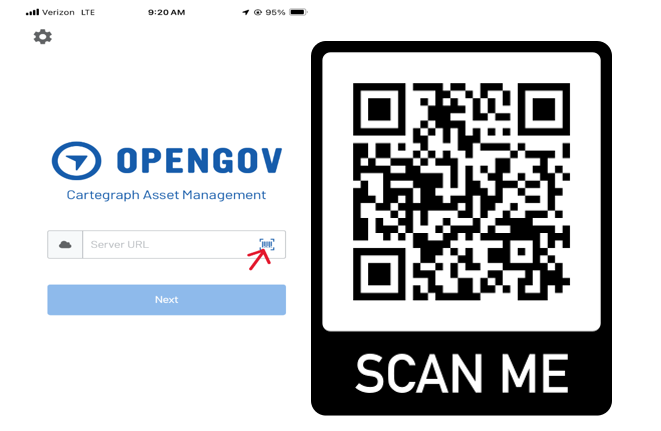
- Once you open the app it will ask you for the server URL. You can either type in the URL https://cgweb18.eamclassic.opengov.com/auburnwa or you can simply scan the QR code below. You can click the barcode icon in the server URL box. It will open a scanner and then just scan the QR code below.
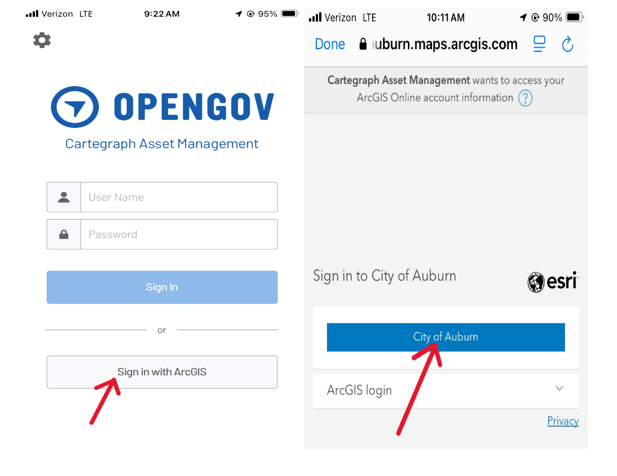
- Click on Sign in with ArcGIS, then click City of Auburn
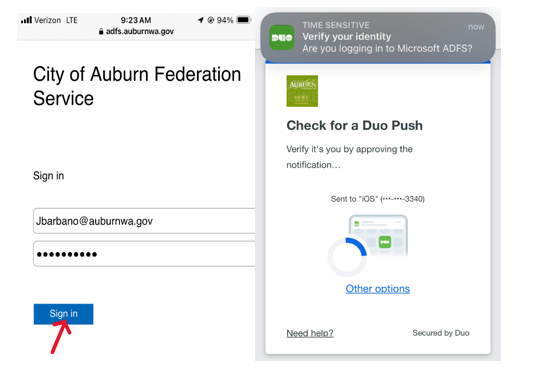
- Type in your city email and password. Then click sign in. You will now get a DUO push to accept and then you will be logged in to the mobile app.
If you have any questions, please contact mweiss@auburnwa.gov.
|