|
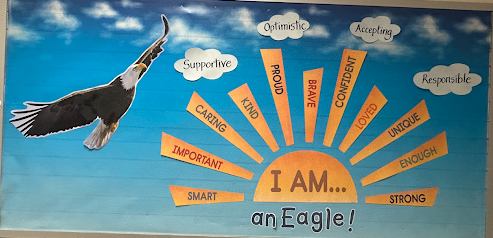
SEES Eagles can S.O.A.R. in many ways!
English | Español | አማርኛ | 中文 | 한국어 | Tiếng Việt | العربية | فارسی | اردو
Dear Springfield Estates Families,
This week, we completed our schoolwide learning about the four attributes of SOAR: being Supportive, Optimistic, Accepting, and Responsible. We ended by focusing on responsibility and the choices students can make each day to care for themselves, others, and our school community.
This weekend, ask your child: How do you SOAR at school, and how can you SOAR at home? We would love for students to see that these values can guide them wherever they go.
Thank you for helping our Eagles SOAR!
Warmly,
April Martin, Principal & Kassandra Flading, Assistant Principal
Dates & Reminders
-
Sept. 15-Oct. 15: National Hispanic American Heritage
-
Sept. 30: Cardboard Challenge. SEES Cafeteria. Pre-registration required. Spectators are welcome from 7:00 p.m. to 7:30 p.m.
- Oct. 2: National Custodian Appreciation Day
- Oct. 5-9: SEES Book Fair Week.
- Oct. 8: Curriculum Night and Family Night at the Book Fair.
-
Oct.12: School Planning Day for Staff (Student Holiday)
-
Oct. 21: Early Release Wednesday 3-hour Release - 1:05 p.m.
-
Oct 22: PTA Meeting and Bingo. Details coming soon.
-
Oct. 30: End of First Quarter 2-hour Early Release - 2:05 p.m.
In this Edition
- Superintendent Community Conversations
- ABA Training Calendar
- New Menu Items
- Annual Special Education Family Conference
- SR&R Due
- Set Screen Time Limits and Monitor Online Activity With Lightspeed
- New ParentVUE App
- Digital Literacy for Families
- Traffic Safety
Superintendent Community Conversations
Join Superintendent Dr. Michelle Reid for a Community Conversation. Students, families, staff, and community members are invited to ask questions, share concerns, and discuss what matters most to them. Everyone is welcome! Click on the date to register for any of the following events:
-
Monday, September 28, at 6:30 p.m., at Riverside Elementary School
-
Monday, October 19, at 6:30 p.m., at Spring Hill Elementary School
-
Monday, October 26, at 6:30 p.m., at Beech Tree Elementary School
-
Thursday, October 29, at 6:30 p.m., at North Springfield Elementary School
-
Friday, November 13, at 6:30 p.m., at Powell Elementary School
Registration is not required, but it helps with planning.
Learn About Applied Behavior Analysis and Teaching New Skills at Home
All family members and caregivers are invited to attend monthly Applied Behavior Analysis (ABA) Family Training to learn how to support and teach students with autism and related disorders. No registration is needed.
Virtual trainings take place at 10 a.m. and 7 p.m. Join the session. Upcoming topics include:
- Autism and ABA Overview on Wednesday, October 14. (It is highly recommended that you attend this session before any future sessions.)
- Prioritizing Skills to Teach at Home on Wednesday, November 18.
- Toilet Training on Wednesday, December 9.
- Managing Challenging Behaviors at Home on Wednesday, January 13.
- Communication: a Foundation for Independence on Wednesday, February 10.
Visit the ABA webpage for a full list of classes. Need an interpreter? Contact Stephanie Watkins two weeks before the training at 571-423-4110 or sawatkins@fcps.edu.
Fall into Flavor With FCPS’ New Breakfast and Lunch Menu
FCPS’ new September and October menu items are packed with classic favorites and fresh global inspiration. Check our new online menu system to see when you can try new recipes based on student feedback, and developed by FCPS’ executive chef and team of food and nutrition experts.
Menu items include:
- Breakfast items such as honey chicken biscuits, guava pastelitos (whole-grain pastries filled with tropical guava fruit), and roasted apple parfaits, made with vanilla yogurt and homemade granola.
- Lunch items such as crunchy beef or fiesta tacos, ramen bowl with diced chicken or hard-boiled egg, beef or vegan banh mi burger, and southwest fiesta soup with corn chips.
Stay up to date on FCPS menus and nutrition news by subscribing to the Food and Nutrition Services newsletter.
Annual Special Education Family Conference: Registration Open, Call for Volunteers
Join us for the annual Special Education Family Conference: Connected Communities, Thriving Students on Saturday, November 14, at Hayfield Secondary School.
Families, educators, and community members are invited to this no-cost, in-person event to connect, learn, and explore available special education services, supports, and resources. Lunch will be provided for all participants.
How to Get Involved
Visit the Special Education Family Conference webpage for more information. Email SpecialEdFamilyConf@fcps.edu with any questions.
Review and Sign SR&R by September 30
The FCPS Student Rights and Responsibilities (SR&R) booklet explains expectations for student behavior and adult responses to enhance school safety and to create a fair, equitable, and supportive school environment. We encourage families to discuss these expectations with their child(ren).
Families should review the SR&R and sign the acknowledgement form by Wednesday, September 30, either by logging into SIS ParentVUE or by signing and returning the Signature Sheet.
Cellphones and Personal Devices
Students may only use a personal device if it is required as part of a necessary accommodation in the student’s Individualized Education Program (IEP) or Section 504 Plan. A principal or the principal’s designee may approve a limited, course-specific exception for students enrolled in a specialized class when the curriculum requires a technology tool or software that isn’t available on a standard FCPS-issued device. Learn more on the FCPS website.
Understanding the Acceptable Use Policy
FCPS provides students with digital tools and devices to support their learning, encourage easy collaboration, and help students learn how to interact with technology safely. The FCPS Acceptable Use Policy (AUP) guides how these technologies are used both inside the classroom and at home. By following the AUP, students learn how to become not just users of technology, but responsible and ethical digital citizens with critical real-world skills such as:
-
Responsible Communication and Conduct: Communicating respectfully and using technology appropriately.
-
Digital Footprint Awareness: Understanding online actions can have lasting effects on a student’s reputation, future opportunities and relationships, career prospects, and safety.
-
Data Privacy and Security: Learning how online safety can protect their digital work and personal information, and guard against cybersecurity risks.
-
Self-Regulation: Learning to manage digital distractions to stay focused when needed.
-
Accountability: Understanding that they are responsible for how they use FCPS technology and digital resources.
Learn more about digital citizenship at FCPS.
Set Screen Time Limits and Monitor Online Activity With LightspeedThe free Lightspeed Parent Portal makes it easy for you to see and manage how your child uses their FCPS-issued device outside of school hours. New Lightspeed Parent Portal features for this school year include:
-
Schedules: Pause or restrict internet access during specific times, such as during homework time, family dinners, weekends, or bedtime.
-
Web Rules: Block specific websites you don’t want your child accessing at home.
Be sure to check your email (subject line: “Filter Portal Weekly Report”) each Sunday for the Lightspeed Student Online Activity Report, a weekly summary of the websites your child has visited. Learn more about Lightspeed Parent Reports.
New ParentVUE Mobile App Is HereThe new ParentVUE mobile app is available in the Apple and Google App stores. This new app provides parents and caregivers with a more secure sign-in. Families must download the new app by December 2026 to ensure they have continued mobile access to their ParentVUE account. The previous app will be deactivated at the end of 2026.
In the new app, families can enroll in multi-factor authentication (MFA) for FCPS Single Sign-On. While enrollment is optional, we strongly recommend that everyone enable this security feature. Learn more about installing the new ParentVUE app. Parents needing assistance should submit a Parent Support Request.
Digital Literacy Resources for FamiliesAs part of FCPS’ continued support for digital literacy, families can access lesson materials that introduce the concepts students will explore throughout the school year. These resources include student lessons and supporting materials organized by grade level. Resources will be shared on a quarterly basis through Schoology.
The All Parent/Guardian Course is available in Schoology through a parent or guardian account. Schoology and ParentVUE use the same login credentials. Families who need assistance can review How Do I Log in to and Access Schoology? or watch the brief walkthrough on the Schoology Snippets page.
Families can also learn more about FCPS guidance and practices on the Educational Technology in FCPS webpage.
Traffic Safety Near Our School
We understand that families may need to drive their children to school from time to time. If you need to, please familiarize yourself with our school’s kiss-and-ride procedures for the safety of all children and staff.
Please drop off or pick up your students in the designated areas. Students should not be dropped off or picked up in other areas around the school or in nearby neighborhoods. Please also avoid parking in neighborhoods or double parking in front of our school if you intend to walk your child to school. This can increase the number of students walking through busy intersections and create traffic hazards for other drivers and families trying to get to school.
Please follow all signs and directions posted at our school, on public roads, or provided by school staff or crossing guards, and avoid making U-turns. Most of all, always — ALWAYS — drive slowly near our school. The safety of all our students is one of our top priorities!!
The Fairfax County Police Department has additional safety tips for families, including ways to keep walkers safe and what to do about scooters, bicycles, and e-scooters.
|