|
English | Español | አማርኛ | 中文 | 한국어 | Tiếng Việt | العربية | فارسی | اردو
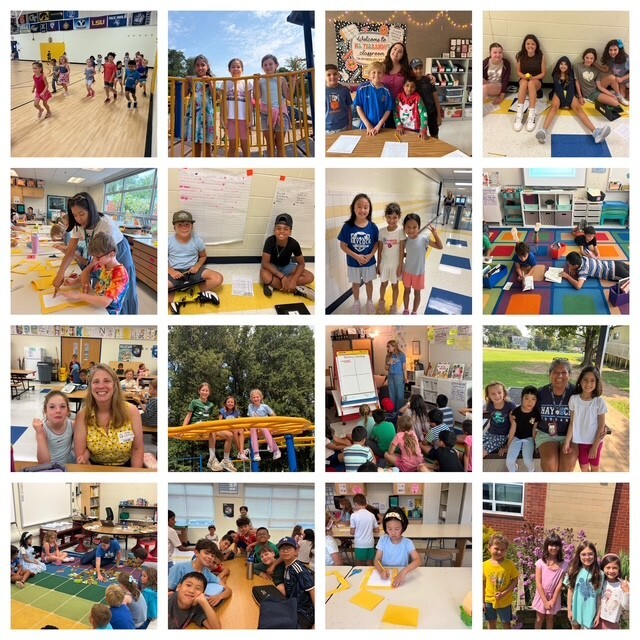 A great first week at Haycock! 🐾❤️ Our Cougars are off to an amazing start! 🎉
Dear Haycock Families,
We had an awesome first week, and we’re excited to keep the momentum going in Week 2! We only have a four-day week with the upcoming holiday, but there’s still plenty to look forward to.
I’ve been amazed by the many ways our teachers have worked to build community in their classrooms. Students are already becoming familiar with classroom routines and structures. And I’ve seen so many smiling faces during my classroom visits. I’m excited to see even more learning and growth as we move through the year.
Back-to-School Night is this Wednesday! We’re excited to connect with you and share information about each classroom’s programming. Below is more information about the session times. You may park in our lots, on the street, or in the Rodef Shalom parking lot off of Westmoreland Street.
Beginning after Labor Day, we will distribute student ID cards to all fourth through sixth grade students who ride the school bus or use FCPS transportation services. ID cards will be given to students in their classrooms. Please make sure your child’s ID card is attached to their backpack or kept inside it and brought to the bus each day. Students should begin tapping their cards when they board and exit the bus.
Only students who use FCPS transportation services will receive a student ID card at this time.
We appreciate your patience as bus drivers check students in. This process may require some additional time at each bus stop. Our transportation team is working hard to minimize potential delays.
Please don't forget to visit our PTA website and join our wonderful PTA! Visit www.haycockpta.org or email haycockpta@gmail.com for more info.
Let’s make our second week awesome and then we can celebrate our four-day weekend!
With appreciation for your partnership,
Jeremy Ferrara, Principal jcferrara1@fcps.edu
Heather Boyd, AP HABoyd@fcps.edu
Krystal Styles, AP krstyles@fcps.edu
Important Upcoming Dates
September 2 Back to School Night
- Classroom teachers will present the same information at both sessions, and specialists will be in the gym for both sessions.
- Session 1- 6:00 to 6:40
- Transition- 6:40 to 6:50
- Session 2- 6:50 to 7:30
The Back to School Night presentations are for parents and guardians not students.
September 4 - 7 Labor Day Break
September 21 Student Holiday
September 24 AAP Family Information Night 6PM- 7PM
September 30th- First 3-hour Early Release Day
FCPS Calendar: 2026-27
Important Haycock Reminders
Personal Devices & Smartwatches Reminder
As we begin the school year, we want to remind families of FCPS expectations regarding personal electronic devices during the school day.
For all grade levels, personal devices must be turned off and stored in students’ backpacks for the entire school day (bell to bell). This includes:
- Cell phones
- Smartwatches and watches with smart features
- AirPods, earbuds, and headsets
- Smart glasses
- Other devices or accessories connected to a phone
Please note that this includes smartwatches at the elementary level. Even if a smartwatch is primarily used as a watch, if it has additional smart features, it must be turned off and stored in the student’s backpack during the school day.
Thank you for helping us minimize distractions and maintain a learning environment where students can stay focused and engaged throughout the day.
Reminder for Families Who Opted Out of Algebra I Honors
Families who previously opted their child out of Algebra I Honors for 6th grade should be aware that beginning Thursday, September 4, only students who are new to FCPS may be considered for new enrollment in Algebra I Honors.
If you are reconsidering your decision to opt out, please contact the school before September 4th.
Parent Volunteers in the Library:
Hello!
I'm Mrs. Cater, the new librarian at Haycock! I'm excited to welcome parent volunteers back to the library. If you are interested in shelving books and/or helping students find books during checkout, please email me: alvanhartenc@fcps.edu with your name, email address, and a regular time that you could come to the library every week, biweekly, or monthly. Thank you! I look forward to meeting you!
Kindergarten Color Days
Please join Kindergarten by wearing special colors on the following days:
- Tuesday, August 25th - Brown Day
- Wednesday, August 26th - Red Day
- Thursday, August 27th - Yellow Day
- Friday, August 28th - Blue Day
- Monday, August 31st - Green Day
- Tuesday, September 1st - Purple Day
- Wednesday, September 2nd - Orange Day
- Thursday, September 3rd - Pink Day
Haycock ES First Day Information Packets
Every student’s parent or guardian must visit the Haycock ES First-Day Information page to complete the following mandatory forms, accessible via the link above:
- Parent Digital Consent System
- Student Rights and Responsibilities Information
- Cougar Woods Permission Form
We are currently at a 64% completion rate. Thank you for your time and support!
Wait Until 8th Pledge:
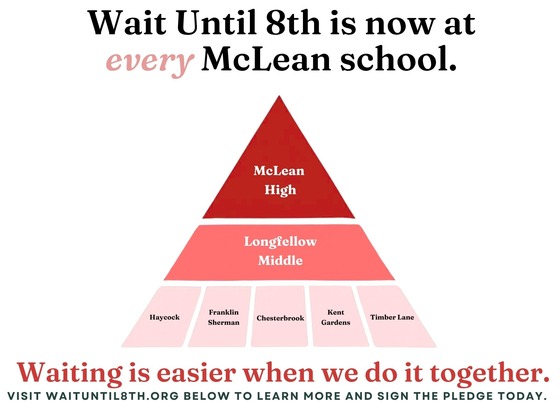
Wait Until 8th is a growing local and national movement empowering parents to come together and delay giving children a smartphone until high school. More than 400 McLean families -- including 172 Haycock families -- have already signed the Wait Until 8th pledge, and all McLean pyramid elementary schools have launched campaigns to support the effort. Parents who want to sign the pledge while still staying connected with their children can consider basic call/text phones or watches as great alternatives to a smartphone. Learn more at Wait Until 8th and sign the pledge to connect with other Haycock families in your child's grade.
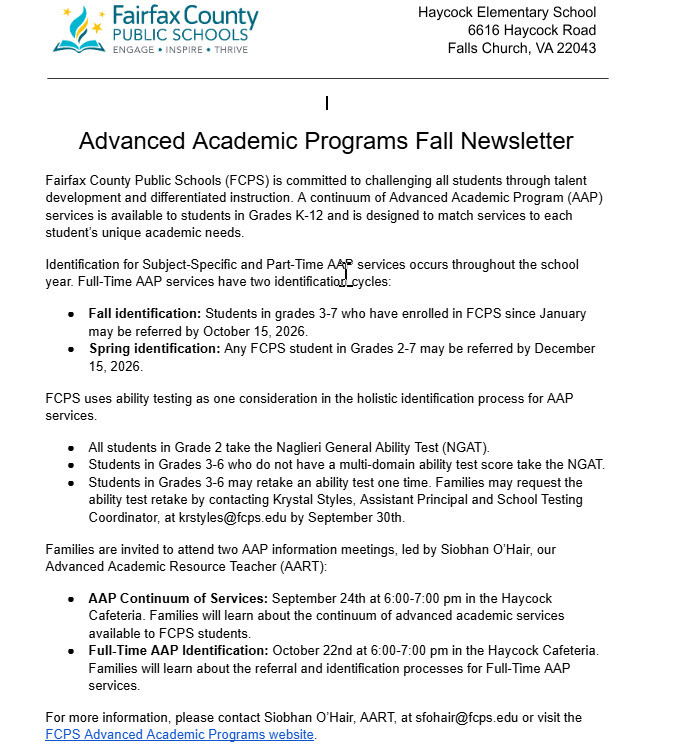
Haycock AAP Newsletter
Haycock PTA Updates
Help the PTA Treat Our Teachers & Staff! 🍽️
Wednesday, September 2nd
Back-to-School Night is a long and busy evening for our amazing teachers and staff. The PTA helpfully provides them with dinner before the evening gets underway and is asking our school community to help make it happen!
Contributing to the dinner is a simple way to show our teachers & staff how much we value all they do for our students and families. Sign up to contribute here:
https://www.signupgenius.com/go/10C0A4AA8A828A2FF2-65312150-2026
Thank you for helping us take care of the people who take such great care of our kids!
💗FCPS Cares
Take a moment to acknowledge and affirm a Haycock staff member when they go above and beyond in demonstrating care and dedication that ensures every one of our students is seen, heard, and valued. FCPS Cares.
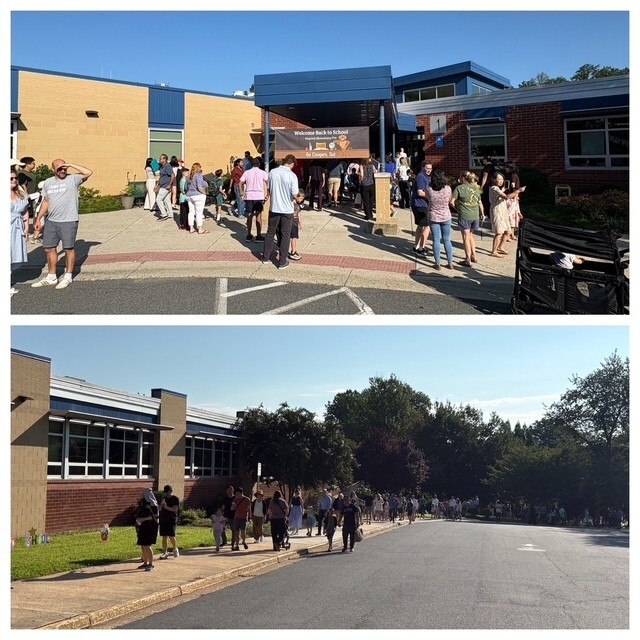 The first-day anticipation was real! 🥰❤️ Did you catch the FCPS Welcome Back to School video? You might recognize a few of our Haycock Cougars in the footage! 🐾🎥
|