|
Good afternoon, Cedar Lane Community!
🎉We have officially completed our first week of the 2026–2027 school year! It has been wonderful to see our hallways filled with energy, reconnecting friends, and enthusiastic learners. Our students and staff have done an outstanding job establishing routines, building classroom communities, and setting a positive tone for the months ahead. Thank you to all of our families for your partnership in making this opening week such a resounding success.
As we settle into our daily school routines, we want to share a brief reminder regarding personal electronic devices.
In accordance with the new School Board requirement approved on July 16th, students may only use FCPS-issued devices for school-related digital activities during the instructional day.
-
The Requirement: Students may not use personal electronic communication or computing devices during the school day—including personal laptops, tablets, smartwatches, smartphones, and similar devices.
-
(Recommendation) Home Storage: To support a focused, distraction-free learning environment, it is recommended but not required that students leave their personal devices, including cell phones, laptops, and tablets, at home during the school day. If students choose to bring any devices with them to school, they will need to remain put away in a secure location during the school day.
We greatly appreciate your support and cooperation in helping our students follow these guidelines as we build strong, focused learning habits together.
Have a restful and relaxing weekend, and we look forward to another great week ahead!
With gratitude for a wonderful start,
The Staff of Cedar Lane School
Contents:
- Thursday, August 27 ⇒ SAT/PSAT Accommodation Request Forms Due (Multilingual Learners)
- Friday, September 4 - Monday, September 7 ⇒ Labor Day Weekend (No School)
- Wednesday, September 9 ⇒ Cedar Lane's Back to School Night
- Monday, September 21 ⇒ Yom Kippur (No School)
Student ID Cards for Cedar Lane Bus Riders
We will begin distributing student ID cards to all our students who ride the school bus or use FCPS transportation services.
ID cards will be distributed starting next Monday, 8/31/26. If a student does not receive an ID card, they should see Mrs. Azucar Flores in the main office.
ID cards should be brought to the bus each day. Ask your child to put their student ID card away until the end of the day.
Students who have student ID cards should begin tapping as they board and exit the bus. Only students who use FCPS transportation services will be provided with a student ID card at this time.
We ask for your patience! Bus drivers are checking in students and may need some extra time at each bus stop while they do this. The transportation team is working hard to minimize any potential delays.
Learn more about the bus navigation and student ID cards.
Everything You Need to Do in SIS ParentVUE
Are you working your way through back-to-school forms and checklists? Make sure you have a SIS ParentVUE account for your family and log in to find important forms and updates.
- Be among the first to know about weather closings, bus delays, and other critical communications from your school and FCPS by providing your cell phone number and email in ParentVUE. To update your contact information in ParentVUE, click the “Online Packets” tab in the upper right of the screen, then click the “Online Verification/Update” icon.
- Submit daylong absences by clicking “Report Absence.”
If you do not have a ParentVUE account, contact your child’s school for an activation code and follow the directions on the SIS ParentVUE Account webpage.
Todo lo que puede hacer en SIS ParentVUE
¿Está completando formularios para el regreso a clases? Asegúrese de tener una cuenta de SIS ParentVUE para usted y su familia e inicie sesión para revisar formularios importantes y actualizaciones.
- Sea de los primeros en recibir información acerca de suspensiones por cuestiones del clima, retrasos de autobuses y otras noticias importantes de su escuela y de FCPS. Para recibir estos mensajes, asegúrese de incluir su número de teléfono celular y correo electrónico en ParentVUE. Para actualizar su información de contacto en ParentVUE, haga click en la pestaña “Online Packets” en la parte superior derecha de la pantalla y luego seleccione el ícono “Online Verification/Update”.
- Si su estudiante no asistirá a la escuela por el día completo, puede reportar la ausencia en ParentVUE haciendo click en “Report Absence”.
- Revisar los registros de vacunación de su estudiante y enviar actualizaciones en caso de que sea necesario. Visite la página web Como enviar documentación de vacunación para ver instrucciones paso a paso.
Si no tiene una cuenta de ParentVUE, comuníquese con la escuela de su estudiante para solicitar un código de activación y siga las instrucciones en el sitio web Cuenta de SIS ParentVUE.
Cedar Lane Families- We Need Your Support 💙
Cedar Lane is more than a school- it’s a community that believes in our students and celebrates their successes, big and small.
The Cedar Lane PTSA helps provide opportunities and experiences that aren’t always covered by the school budget, and we can only do it with the support of our Cedar Lane families.
💙 Support Our No-Fuss Fundraiser
We aren’t asking anyone to sell wrapping paper, popcorn, or candles. No races or galas. Just a simple way to directly support our students.
Your donations help fund senior scholarships, field trips, student celebrations and special lunches, technology and academic resources, Cedar Fest, staff appreciation, and much more.
Sometimes the little things make the biggest difference- a special lunch that says “we noticed your hard work,” a field trip that creates a new experience, or a scholarship that tells a graduate “we believe in your future.”
Every gift, at any amount, makes a difference.
💙 Donate via Venmo: @Cedar-Lane
Checks can be made payable to Cedar Lane PTSA and sent to Cedar Lane School, 101 Cedar Lane SW, Vienna, VA 22180.
Membership is another easy way to show your support for Cedar Lane — and joining does not mean committing to meetings or volunteering!
Parents/Guardians: $15 | Students: $10
Join here: https://forms.gle/NgAb7bMhM7nHGaC79
If cost is a concern, please contact Ms. Min — we never want the fee to prevent anyone from joining.
Thank you for helping us make Cedar Lane a place where our students feel supported, celebrated, and believed in. 💙
Questions? jmmin1@fcps.edu | 703-208-2420
Remember to Complete Permission Forms for School Resources
Families can now easily grant consent for their children to access a variety of school resources through the Parent Digital Consent system. This online tool can be accessed using your SIS ParentVUE account login. Parents can easily opt their child in or out of a variety of resources, including online educational tools, school counseling services, and more.
Visit the Parent Digital Consent webpage to access the system. Watch this video to see how to use the tool.
No olvide completar los formularios de autorización para recursos escolares.
Las familias ahora pueden autorizar fácilmente el acceso de sus estudiantes a diversos recursos escolares a través del sistema de Consentimiento Digital para Padres. Puede acceder a esta herramienta en línea con los datos de inicio de sesión de su cuenta de SIS ParentVUE. Los padres pueden autorizar o rechazar fácilmente el acceso de sus estudiantes a distintos recursos como recursos educativos en línea, servicios de consejería escolar y muchos más.
Visite la página de Consentimiento Digital para Padres para acceder al sistema. Vea este video para aprender a utilizar la herramienta.
Transportation Patience and Safety
Thank you for your patience as we all get used to new routines this school year.
If your child’s bus is delayed, you may access the Bus Delay Notification System or use the Here Comes the Bus mobile app to receive the delayed bus report. Email messages will be sent to announce significant bus delays. Please contact the Transportation Office at (703) 249-7100 with any additional questions. For concerns after 5:30 p.m., contact the FCPS Office of Safety and Security at 571-423-2000.
Update your contact information in SIS ParentVUE to make sure you receive email messages about bus delays.
Paciencia y Seguridad en el Transporte
Muchas gracias por su paciencia mientras todos nos acostumbramos a las nuevas rutinas de este año escolar.
Si el autobús de su hijo está retrasado, los padres pueden acceder el sistema de notificaciones de retrasos de autobuses o usar la aplicación móvil Here Comes the Bus para recibir el reporte de retraso de autobuses. Para reportar retrasos considerables de autobuses se enviará un correo electrónico. Contáctese con la Oficina de Transporte llamando al (703) 249-7100 si tienen preguntas adicionales. Para cualquier preocupación después de horas (después de las 5:30 p.m.), comuníquese con la Oficina de Seguridad llamando al 571-423-2000.
Para asegurarse de que recibirán mensajes de correo electrónico cuando haya un retraso de autobuses, actualicen su información de contacto en SIS ParentVUE.
교통 관련 안전 및 양해 사항
새 학기 새로운 루틴에 적응할 수 있도록 기다려 주셔서 감사합니다.
학생의 버스가 지연되는 경우 학부모는 버스 지연 알림 시스템에 연결하시거나 Here Comes the Bus 모바일 앱을 사용하여 버스 지연 보고를 받으실 수 있습니다. 심각한 버스 지연을 알리는 이메일 메시지가 전송됩니다. 추가 질문이 있는 경우 교통 사무소에 (703) 249-7100 로 문의하세요. 근무 시간 이후(오후 5시 30분 이후) 우려 사항이 있는 경우 안전 및 보안팀(571-423-2000)으로 문의하세요.
버스 지연에 대한 이메일 메시지를 받으려면 학생 정보 시스템 ParentVUE에서 연락처 정보를 업데이트하세요.
 Have Children in Multiple FCPS Schools? 🏫
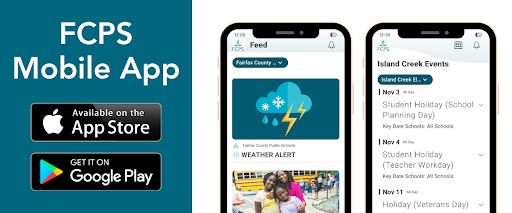
The FCPS mobile app lets you follow updates from all your children's schools in one place! Simply open the app, tap the teal pull-down menu, then tap the gear icon and select every school you want to follow. See this video of how to follow your school.
Find out about more features of the app. Download the app from the Apple App Store or Google Play Store.
¿Tiene estudiantes en diferentes escuelas de FCPS? 🏫
La aplicación móvil de FCPS le permite seguir las novedades de todas las escuelas de sus hijos en un solo lugar. Simplemente abra la aplicación, toque el menú desplegable de color verde azulado, luego toque el ícono del engranaje y seleccione todas las escuelas que desea seguir. Vea este video sobre cómo seguir a su escuela.
Aprenda acerca de las demás funciones de la aplicación móvil y cómo pueden hacer más sencillo mantenerse al día con la información de sus hijos y escuelas. Descárguela desde la Apple App Store o Google Play Store.
FCPS News
In case you missed it in FCPS This Week, the school division shared updates on the following topics:
- Everything You Need to Do in SIS ParentVUE
- Permission Forms for School Resources
- Follow Multiple Schools in the App
Read FCPS This Week to learn more about these topics. If you are not already receiving this weekly newsletter, please sign up today.
Novedades de FCPS
En caso de que no haya visto el boletín Esta Semana en FCPS, la división escolar compartió novedades sobre los siguientes temas:
- Todo lo que necesita hacer en SIS ParentVUE
- Formularios de autorización para recursos escolares
- Cómo seguir a varias escuelas en la aplicación móvil.
Lea Esta Semana en FCPS para que conozca más acerca de estos temas. Si aún no recibe este boletín semanal, por favor, suscríbase hoy.
|