|
English | Español | አማርኛ | 中文 | 한국어 | Tiếng Việt | العربية | فارسی | اردو
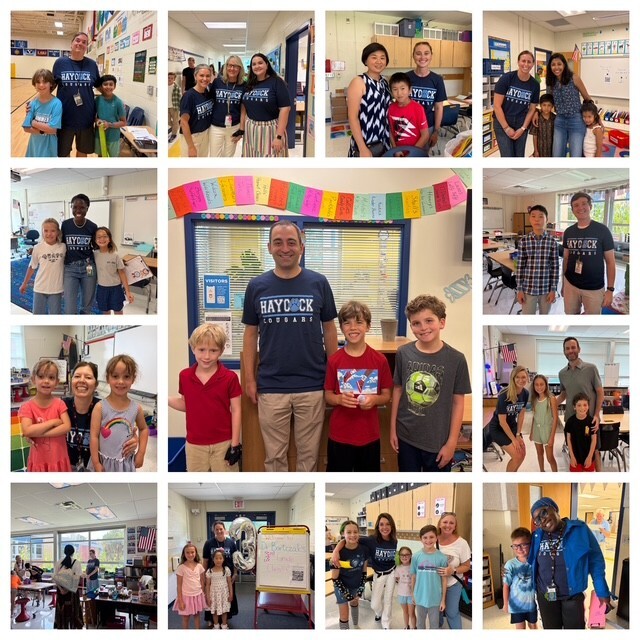 It was wonderful welcoming our Haycock families to Open House on Thursday! ❤️🐾 We loved seeing students meet their teachers and get excited for the year ahead!
Dear Haycock Families,
Good Afternoon Haycock Community,
Happy first day of school! We had a super, awesome, amazing first day. I hope your child came home with something wonderful to share.
I told my own children to tell me about one friend they made on their first day, so hopefully your child can do the same. Here are some questions you can ask instead of, “How was your day?”
What made you laugh today?
Who did you sit next to at lunch?
What is your teacher’s name, and what are they like?
What was the best part of your day?
Who did you play with at recess?
Did anything surprise you today?
I hope everyone had a great first day of school. We’re looking forward to an amazing year together!
Please don't forget to visit our PTA website and join our wonderful PTA! Visit www.haycockpta.org or email haycockpta@gmail.com for more info.
With appreciation for your partnership,
Jeremy Ferrara, Principal jcferrara1@fcps.edu
Heather Boyd, AP HABoyd@fcps.edu
Krystal Styles, AP krstyles@fcps.edu
Important Upcoming Dates
September 2 Back to School Night
- Classroom teachers will present the same information at both sessions, and specialists will be in the gym for both sessions.
- Session 1- 6:00 to 6:40
- Transition- 6:40 to 6:50
- Session 2- 6:50 to 7:30
The Back to School Night presentations are for parents and guardians not students.
September 4 - 7 Labor Day Break
September 21 Student Holiday
September 30th- First 3-hour Early Release Day
FCPS Calendar: 2026-27
Important Haycock Reminders
Personal Devices & Smartwatches Reminder
As we begin the school year, we want to remind families of FCPS expectations regarding personal electronic devices during the school day.
For all grade levels, personal devices must be turned off and stored in students’ backpacks for the entire school day (bell to bell). This includes:
- Cell phones
- Smartwatches and watches with smart features
- AirPods, earbuds, and headsets
- Smart glasses
- Other devices or accessories connected to a phone
Please note that this includes smartwatches at the elementary level. Even if a smartwatch is primarily used as a watch, if it has additional smart features, it must be turned off and stored in the student’s backpack during the school day.
Thank you for helping us minimize distractions and maintain a learning environment where students can stay focused and engaged throughout the day.
Kindergarten Color Days
Please join Kindergarten by wearing special colors on the following days:
- Tuesday, August 25th - Brown Day
- Wednesday, August 26th - Red Day
- Thursday, August 27th - Yellow Day
- Friday, August 28th - Blue Day
- Monday, August 31st - Green Day
- Tuesday, September 1st - Purple Day
- Wednesday, September 2nd - Orange Day
- Thursday, September 3rd - Pink Day
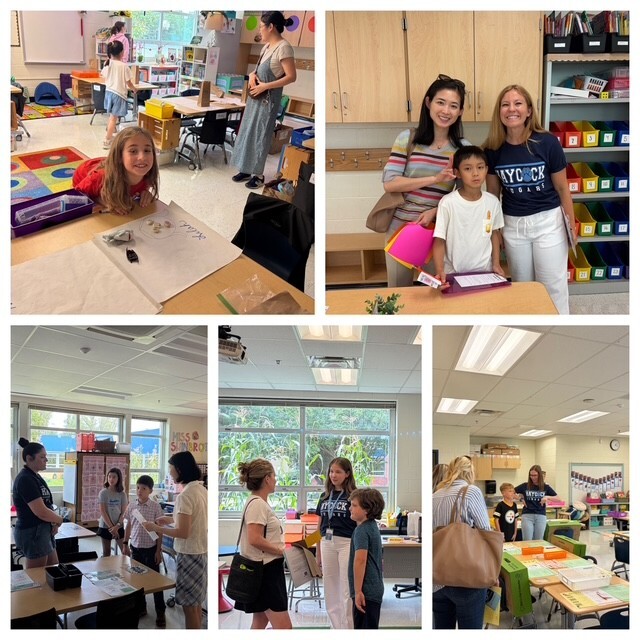 📸 More Open House candids! So many smiles, hugs, and happy reunions! ❤️🐾
Help Your Child Navigate the Lunch Line
Check out some tips to help your child get through the lunch line quickly and have more time to eat:
- Teach your child their student ID number to receive meals at school.
- Sign up for and add money to MySchoolBucks to purchase meals at school.
- Apply for free and reduced-price meals. Students who were approved for free and reduced-price meals last year are eligible for the first 30 days of school this year (or until a new application is processed). Families should submit a new application as soon as possible, so eligible students continue to receive meals at no cost.
If your child has any food allergies, learn how to submit accommodations for dietary restrictions and allergens.
Access menus for breakfast, lunch, and other school meals, as well as allergen and nutrition information.
You Can Manage Student Web Access at Home
At Haycock, we acknowledge that parents are our students' first and most important teachers. Parents now have greater control over their child’s FCPS-issued device outside of school hours through Lightspeed Parent Portal.
In addition to monitoring weekly internet activity, parents can now also customize web access at home on FCPS devices through Lightspeed using Schedules and Web Rules.
With Schedules, you can set tailored times to automatically pause or restrict internet access. This makes it easier to enforce rules around homework time, family dinners, weekends, or bedtime.
In Web Rules, you can create Custom Block Lists to block specific, individual websites they do not want your child accessing at home. This allows parents greater control over what is happening online, under their own roof.
These new custom controls take effect at home, outside of school hours, and when the device is off the FCPS network. They will not override standard district filtering policies during the instructional day.
SEL Screener Parent/Guardian Notification:
The Fall Social and Emotional Learning (SEL) Screener will be administered to students in grades 3 through 12 in October. Students use the SEL Screener twice a year to share their perspectives on how well their school and community help them develop skills they need to succeed. The screener works by asking questions or presenting statements that students can think about and respond to. This gives students a way to share how well their school community makes them feel valued, included, and supported.
After each screening, results are available in the Documents tab of SIS ParentVUE and mailed to families without a ParentVUE account. For more information, including SEL Screener questions and opt-out information, please visit the Social-Emotional Learning (SEL) Screener webpage.
Family Information Line Available in Nine Languages
Parents/caregivers who speak Amharic, Arabic, Chinese, English, Farsi, Korean, Spanish, Urdu, or Vietnamese may call a telephone information line for general information about FCPS. View the list of phone numbers.
Follow FCPS on WhatsApp
Is WhatsApp one of the ways you stay connected with family, friends, and your community? Now you can use it to stay connected with FCPS, too.
Follow the new FCPS WhatsApp Channel for helpful information and reminders throughout the school year, including important announcements, upcoming dates, tips for families, and more.
FCPS News
In case you missed it in FCPS This Week, the school division shared updates on the following topics:
Get Ready for Day One With the FCPS App!
Learn About School Meals
Managing Technology at Home
Read FCPS This Week to learn more about these topics. If you are not already receiving this weekly newsletter, please sign up today.
Haycock PTA Updates
Help the PTA Treat Our Teachers & Staff! 🍽️
Wednesday, September 2nd
Back-to-School Night is a long and busy evening for our amazing teachers and staff. The PTA helpfully provides them with dinner before the evening gets underway and is asking our school community to help make it happen!
Contributing to the dinner is a simple way to show our teachers & staff how much we value all they do for our students and families. Sign up to contribute here:
https://www.signupgenius.com/go/10C0A4AA8A828A2FF2-65312150-2026
Thank you for helping us take care of the people who take such great care of our kids!
💗FCPS Cares
Take a moment to acknowledge and affirm a Haycock staff member when they go above and beyond in demonstrating care and dedication that ensures every one of our students is seen, heard, and valued. FCPS Cares.
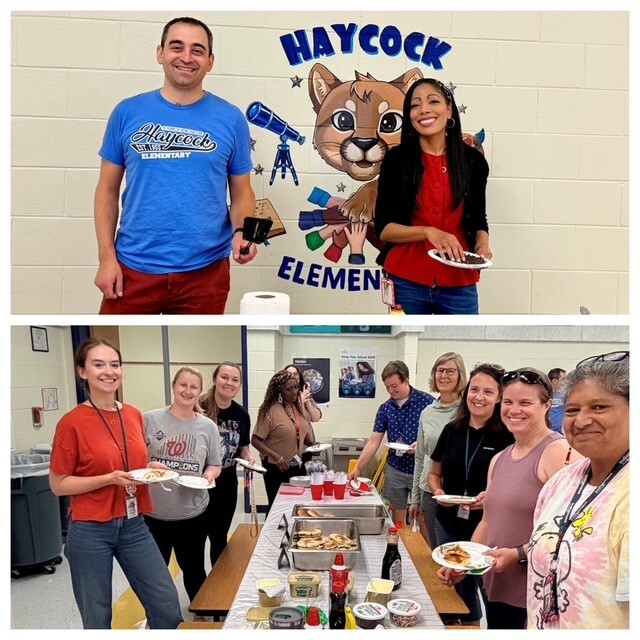 🥞 An annual Haycock tradition! Principal Ferrara and AP Styles kicked off the final Friday before students returned by making pancakes for our amazing teachers! 🐾❤️
|