|
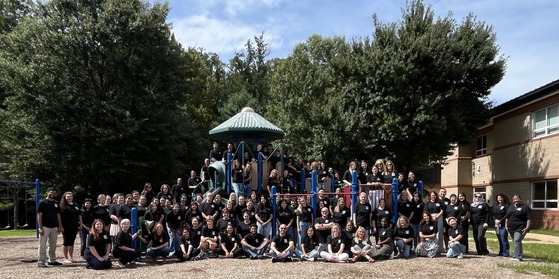
Welcome to the 2026–2027 school year! The EV Crew is excited to work with our students and families!
Dear Eagle View Families,
It was wonderful seeing so many of you at Open House! We loved meeting our new students and families and reconnecting with returning families. We are excited to open our doors to students on Monday, August 24, at 9:00 a.m.
As we begin the school year, please keep these reminders in mind:
- For safety reasons, please say goodbye to your child outside the school building. On the first day only, Kindergarten families may walk their children to their classrooms. Our staff will be available throughout the building to help all students get to class safely.
- Please make sure your child’s teacher knows how your child will be going home each day.
- Please expect dismissal and transportation delays during the first week as we practice our routines and make sure everyone gets home safely.
- During the first couple of weeks, students will practice cafeteria expectations and routines. Family members are welcome to join their students for lunch beginning Monday, September 14. We will share additional information before that date.
Please mark your calendar for our Back-to-School Family Picnic on Friday, August 28, from 5:30–7:00 p.m. Bring your own food and enjoy time together with our Eagle View community. We will share a Give Back link in the coming days for families who would like to preorder pizza.
We are looking forward to a wonderful school year!
Sincerely,
KJ An
Principal
The first day of school, Monday, August 24, is just around the corner! Check out these back-to-school tips to make sure your child gets off to a great start.
Also find out what will be new this school year.
Check out some tips to help your child get through the lunch line quickly and have more time to eat:
- Teach your child their student ID number to receive meals at school.
- Sign up for and add money to MySchoolBucks to purchase meals at school.
-
Apply for free and reduced-price meals. Students who were approved for free and reduced-price meals last year are eligible for the first 30 days of school this year (or until a new application is processed). Families should submit a new application as soon as possible, so eligible students continue to receive meals at no cost.
If your child has any food allergies, learn how to submit accommodations for dietary restrictions and allergens.
Access menus for breakfast, lunch, and other school meals, as well as allergen and nutrition information.
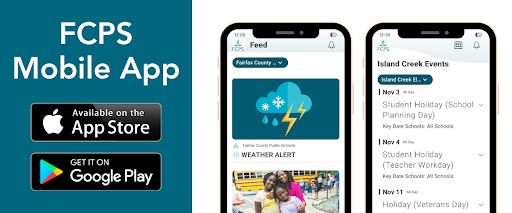 As we gear up for the first day of school, make sure you have the FCPS mobile app downloaded! It's the quickest way to check the school year calendar, view lunch and breakfast menus, find school contacts, and jump to ParentVUE or Schoology from your phone.
Download the app from the Apple App Store or Google Play Store.
At Eagle View, we acknowledge that parents are our students' first and most important teachers. Parents now have greater control over their child’s FCPS-issued device outside of school hours through Lightspeed Parent Portal.
In addition to monitoring weekly internet activity, parents can now also customize web access at home on FCPS devices through Lightspeed using Schedules and Web Rules.
With Schedules, you can set tailored times to automatically pause or restrict internet access. This makes it easier to enforce rules around homework time, family dinners, weekends, or bedtime.
In Web Rules, you can create Custom Block Lists to block specific, individual websites they do not want your child accessing at home. This allows parents greater control over what is happening online, under their own roof.
These new custom controls take effect at home, outside of school hours, and when the device is off the FCPS network. They will not override standard district filtering policies during the instructional day.
Customize Your Lightspeed Settings
All parents should be receiving weekly Lightspeed Online Student Activity Report emails. To set up these new features, click the “Log in or Register” button at the bottom of your weekly Lightspeed Online Student Activity Report email.
Visit the FCPS Lightspeed Parent Portal Guide for more information. If you have additional questions, submit a Parent Technology Support Ticket.
Parents are encouraged to discuss internet boundaries with their children so that they can understand the reasoning behind any limits and the differences between access at home and at school. Get tips on talking to your children about technology safety.
The Fall Social and Emotional Learning (SEL) Screener will be administered to students in grades 3 through 12 in October. Students use the SEL Screener twice a year to share their perspectives on how well their school and community help them develop skills they need to succeed. The screener works by asking questions or presenting statements that students can think about and respond to. This gives students a way to share how well their school community makes them feel valued, included, and supported.
After each screening, results are available in the Documents tab of SIS ParentVUE and mailed to families without a ParentVUE account. For more information, including SEL Screener questions and opt-out information, please visit the Social-Emotional Learning (SEL) Screener webpage.
AUGUST
8/24: First Day of School
8/28: Eagle View Family Picnic (5:30 PM)
SEPTEMBER
9/4-9/7: Labor Day Holiday (No School)
9/21: Yom Kippur (holiday, No School)
9/23: Back to School Night (6:00-7:30 PM)
|
Want a quick way to recognize an employee or team? Share an FCPS CARES! Families, colleagues, and students are all invited to submit. The FCPS CARES is automatically sent to the recipient(s) and their supervisor, and is posted on fcps.edu. Additionally, each month one school in our region wins a staff celebration from HR. We encourage our community to show our staff that their hard work is appreciated!
|
Quick Links
|