|
Providing students and parents with important updates and reports of events and happenings in the middle school.
Happy first day of school, Rams!
See the complete school year calendar.FCPS parents, students, and staff members are invited to share their favorite pictures or videos from the first day of school on social media using the hashtag #FirstDayFairfax.
Follow FCPS and your school on social media to see photos and videos throughout the school year!
Student ID Cards for Robinson Bus Riders
We will begin distributing student ID cards to all our students who ride the school bus or use FCPS transportation services.
Students will receive their ID Card in their 4th period advisory class.
Students who have student ID cards should begin tapping as they board and exit the bus. Only students who use FCPS transportation services will be provided with a student ID card at this time.
We ask for your patience! Bus drivers will begin checking in students next week and may need some extra time at each bus stop while they do this. The transportation team is working hard to minimize any potential delays.
Learn more about the bus navigation and student ID cards.
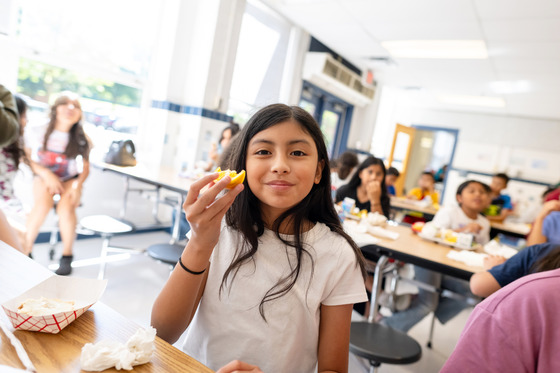
Help Your Child Navigate the Lunch Line
Check out some tips to help your child get through the lunch line quickly and have more time to eat:
- Teach your child their student ID number to receive meals at school.
- Sign up for and add money to MySchoolBucks to purchase meals at school.
-
Apply for free and reduced-price meals. Students who were approved for free and reduced-price meals last year are eligible for the first 30 days of school this year (or until a new application is processed). Families should submit a new application as soon as possible, so eligible students continue to receive meals at no cost.
If your child has any food allergies, learn how to submit accommodations for dietary restrictions and allergens.
Access menus for breakfast, lunch, and other school meals, as well as allergen and nutrition information.
You Can Manage Student Web Access at Home
At Robinson Secondary, we acknowledge that parents are our students' first and most important teachers. Parents now have greater control over their child’s FCPS-issued device outside of school hours through Lightspeed Parent Portal.
In addition to monitoring weekly internet activity, parents can now also customize web access at home on FCPS devices through Lightspeed using Schedules and Web Rules.
With Schedules, you can set tailored times to automatically pause or restrict internet access. This makes it easier to enforce rules around homework time, family dinners, weekends, or bedtime.
In Web Rules, you can create Custom Block Lists to block specific, individual websites they do not want your child accessing at home. This allows parents greater control over what is happening online, under their own roof.
These new custom controls take effect at home, outside of school hours, and when the device is off the FCPS network. They will not override standard district filtering policies during the instructional day.
Customize Your Lightspeed Settings
All parents should be receiving weekly Lightspeed Online Student Activity Report emails. To set up these new features, click the “Log in or Register” button at the bottom of your weekly Lightspeed Online Student Activity Report email.
Visit the FCPS Lightspeed Parent Portal Guide for more information. If you have additional questions, submit a Parent Technology Support Ticket.
Parents are encouraged to discuss internet boundaries with their children so that they can understand the reasoning behind any limits and the differences between access at home and at school. Get tips on talking to your children about technology safety.
SEL Screener Parent/Guardian Notification
The Fall Social and Emotional Learning (SEL) Screener will be administered to students in grades 3 through 12 in October. Students use the SEL Screener twice a year to share their perspectives on how well their school and community help them develop skills they need to succeed. The screener works by asking questions or presenting statements that students can think about and respond to. This gives students a way to share how well their school community makes them feel valued, included, and supported.
After each screening, results are available in the Documents tab of SIS ParentVUE and mailed to families without a ParentVUE account. For more information, including SEL Screener questions and opt-out information, please visit the Social-Emotional Learning (SEL) Screener webpage.
💻 Catch Up on Your Child’s Classwork in Schoology
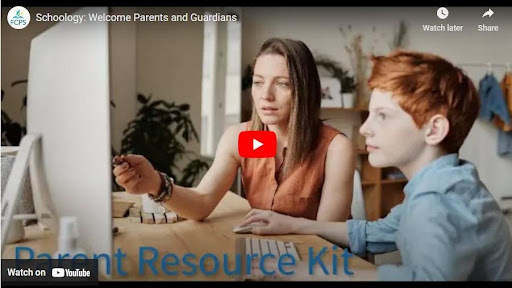
Teachers use Schoology to post their classroom materials online; to provide a secure forum for students to discuss their ideas and collaborate on projects; and to assign and collect homework electronically. It helps students stay organized, and it keeps the class connected.
A Schoology Parent Account gives you access to:
- Your child’s classes.
- Your child’s upcoming assignments.
- School, class, and group announcements.
To access Schoology, parents will need to have an active SIS/ParentVUE account. Get more information on how to login and use Schoology.
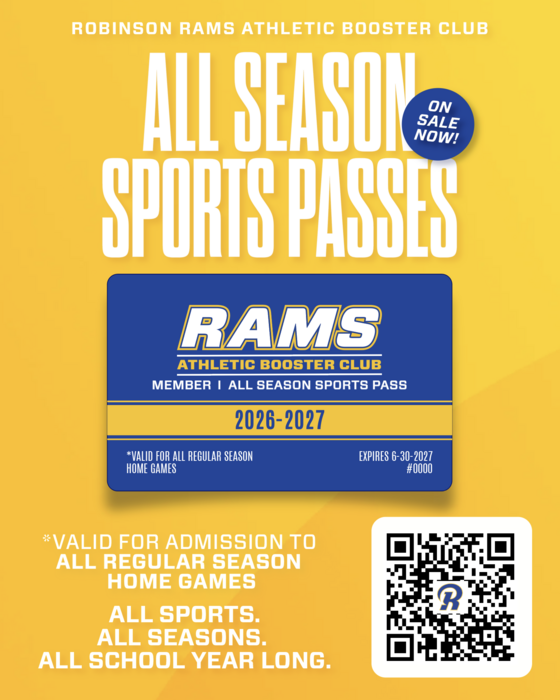 Get your hands on the RAMS ALL SEASON SPORTS PASS today! All seasons. All sports. All year long.
Your pass gets you FREE admission to all regular season home games throughout the school year — and it pays for itself in as little as 8 games (significant savings over paying at the gate)!
Even better, your purchase includes membership in the Robinson Rams Athletic Booster Club (RRABC), helping provide critical support to Rams Athletics through:
-Equipment & uniforms
-Field & facility maintenance
-Student-athlete scholarships
👉 Scan the QR code or visit: https://forms.gle/3okNUwK7WeV3nrdWA
📍 Pick up your pass at: • Fall Rambilee — Tuesday, August 11 • Ram Rally — Thursday, August 20
Can’t make either event? No problem — we’ll mail it to you! 📬
⭐ Purchased a 2-year pass last year? Your 2026-2027 pass(es) will be available for pickup at Rambilee or Ram Rally.
Questions? Email membership@robinsonathleticsboosters.com
Picture Dates
Middle School Pictures: September 2nd and 3rd
Makeup Pictures: October 8th and 9th
MS Clubs & Activities Program
 After-School Activities
The after-school program will begin September 14th.
Whether your student wants to join sports, get help with homework, create and compete in STEM clubs, play video games, or attend special events—there is something for everyone!
Key Highlights:
- Free Programs!
-
Bus Transportation: Available 3 days a week.
-
Full Schedule & Details: Will be available in September!
Action Needed: Complete Registration Today!
Even if your student isn't sure they want to participate right away, we strongly encourage every family to complete the registration form now.
-
No obligation: Registering does not require your child to attend.
-
Be prepared: Completing this form ensures your student is cleared to join in on any activity, any time during the school year!
👉 Click Here to Complete the Registration Form
Thank you for helping us prepare for a fantastic school year!
For questions regarding the After-School program, please email Courtney Molle.
Follow this link to access PTSO website

Important updates and resources from the student services department.
The Student Services staff is here to help you in any way we can. Please note that students cannot leave class or lunch to see their counselor without an appointment and a pass. If they need assistance, we encourage them to email our Student Services staff to request an appointment. If there is an emergency, their teacher will call the subschool office for assistance.
7th grade counselors by student last name:
A-K – Ms. Markenson dmmarkenson@fcps.edu
L-Z Ms. Hall sshall@fcps.edu
8th grade counselors by student last name:
A-K – Mr. Herendeen neherendeen@fcps.edu
L-Z – Ms. Lyons jalyons@fcps.edu
School Psychologist – Emily Dietz (egdietz@fcps.edu)
School Social Worker – Kailyn Slade (krslade@fcps.edu)
Registrar and Student Information Assistant – Melanie Knowlton (maknowlton@fcps.edu)
Family Liaison - Carla Quiroga-Anello (cquirogaanel@fcps.edu)
Director of Student Services – Katy Frank (kmfrank@fcps.edu)
Please reach out to any of us if you have any questions.
Helpful Resources
RMS Administration
Malicia Braxton: 8th Grade Assistant Principal | MYBraxton@fcps.edu
Chris Powell: 7th Grade Assistant Principal | CSPowell@fcps.edu
Carly Zook: Special Education Assistant Principal | CJZook@fcps.edu
Katy Frank: Director, Student Services | kmfrank@fcps.edu
Courtney Molle: After-School Program Specialist | cemolle@fcps.edu
|