Table of Contents
-
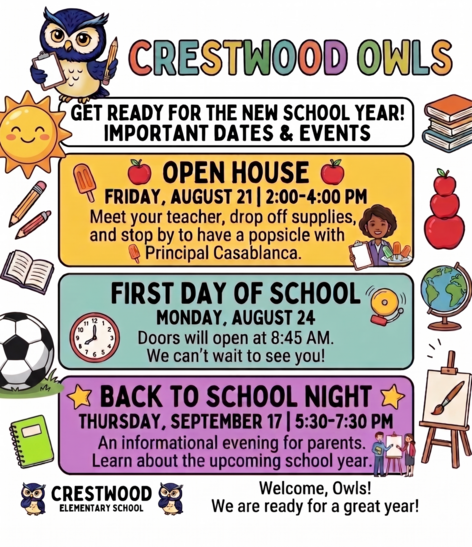
Monday, August 24: First Day of School
-
Thursday, September 17: Back to School Night 5:30 - 7:30 pm
View the FCPS 26-27 School Year Calendar here.
|
Principal's Message
Dear Crestwood Families,
Welcome to an exciting new school year at Crestwood Elementary! We are thrilled to bring our theme to life: "Climbing to New Heights Together. Every Child. Every Day." Our Owls are the heartbeat of our school, and we cannot wait to see their shining faces back in our hallways!
We look forward to greeting our students and families tomorrow. Doors will open at 8:45 am. Parents and caregivers are welcome to walk the students to class on Monday and Tuesday.
📋 FCPS Student Rights & Responsibilities (SR&R)
Families are encouraged to review the updated FCPS Student Rights and Responsibilities (SR&R) document. More information and helpful details regarding these updates are listed in the newsletter below.
⏰ Setting Up for Success
As we count down these final summer days, now is a great time to start getting back into healthy bedtime and morning schedules. Arriving on time every day helps our Owls start their morning with confidence and stay ready to learn!
Thank you for your partnership and for being such a wonderful part of our Crestwood community. Together, we are going to make this an extraordinary school year!
Warmly,
Ms. Casablanca
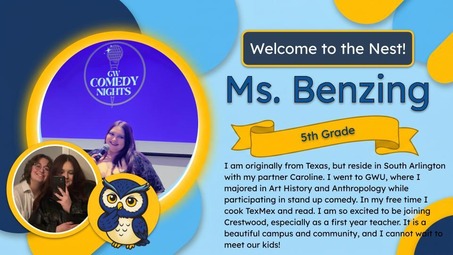
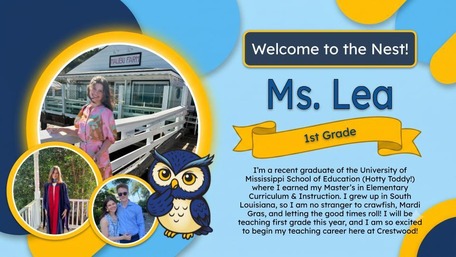
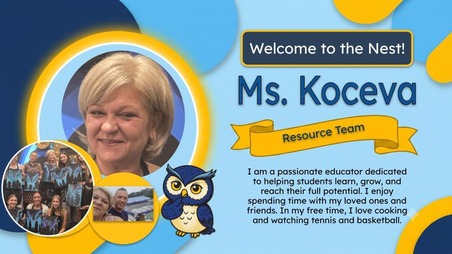
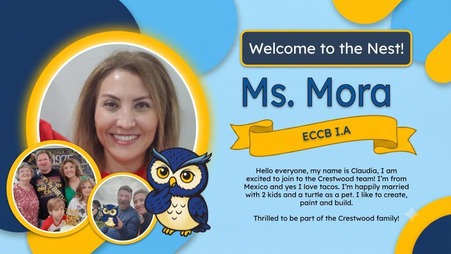
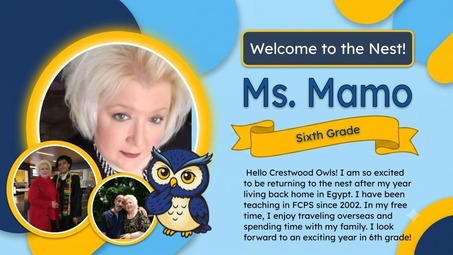
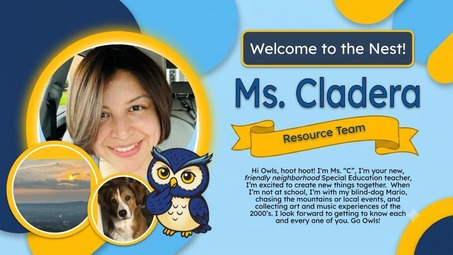
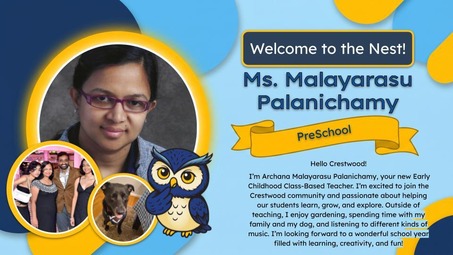
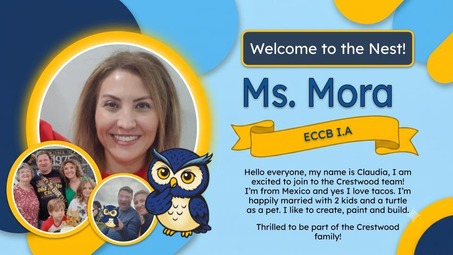
Welcome to the Nest!
We are super excited to welcome some awesome new teachers to the Crestwood Elementary family! Our new teachers bring so much energy and passion to our school, and we know they are going to do amazing things for our students. We can’t wait for all of our students and families to get to know them this year.
Please help us give a big, warm Crestwood Owl welcome to our newest team members when you see them around campus!
First-Day Ready
Be First-Day Ready
The first day of school, Monday, August 24, is just around the corner! Check out these back-to-school tips to make sure your child gets off to a great start.
Also find out what will be new this school year.
SR&R Updates
Understanding Student Rights and Responsibilities Updates: New Universal Grade Matrices for Families
Families are encouraged to review the updated FCPS Student Rights and Responsibilities (SR&R) document, which explains expectations for student behavior and adult responses in order to enhance school safety and to create a fair, equitable, and supportive school environment.
Updates for the 2026-27 school year include new Universal Grade Matrices (UGMs). UGMs are charts that show behavior expectations and school responses by grade level (K-3, 4-8, and 9-12). These at-a-glance resources (in Appendix D of the SR&R) are designed to make it easier for parents and caregivers to understand how schools respond to different types of behavior concerns.
Visit the SR&R webpage for more information and to review additional updates to the SR&R for the 2026-27 school year.
Student Device Updates
New Requirement for Student Device Use During the School Day
Starting this school year, students must use FCPS-issued devices for school-related digital activities during the instructional day. This is in accordance with a new School Board requirement, approved on July 16, which states that students may not use personal electronic communication or computing devices, including personal laptops, tablets, smartwatches, smartphones, and similar devices.
Students may only use their personal device if it is required as part of a necessary accommodation in the students’ Individualized Education Program (IEP) or Section 504 Plan. A principal or the principal’s designee may approve a limited, course-specific exception for students enrolled in a specialized class when the curriculum requires a technology tool or software that isn’t available on a standard FCPS-issued device.
Families can help support this requirement by reminding students to bring their FCPS-issued device each day and use it for all school-related digital activities unless an approved exception applies.

School Meals
Help Your Child Navigate the Lunch Line
Check out some tips to help your child get through the lunch line quickly and have more time to eat:
- Teach your child their student ID number to receive meals at school.
- Sign up for and add money to MySchoolBucks to purchase meals at school.
-
Apply for free and reduced-price meals. Students who were approved for free and reduced-price meals last year are eligible for the first 30 days of school this year (or until a new application is processed). Families should submit a new application as soon as possible, so eligible students continue to receive meals at no cost.
If your child has any food allergies, learn how to submit accommodations for dietary restrictions and allergens.
Access menus for breakfast, lunch, and other school meals, as well as allergen and nutrition information.
|
Schoology
💻 Catch Up on Your Child’s Classwork in Schoology
Teachers use Schoology to post their classroom materials online; to provide a secure forum for students to discuss their ideas and collaborate on projects; and to assign and collect homework electronically. It helps students stay organized, and it keeps the class connected.
A Schoology Parent Account gives you access to:
- Your child’s classes.
- Your child’s upcoming assignments.
- School, class, and group announcements.
To access Schoology, parents will need to have an active SIS/ParentVUE account. Get more information on how to login and use Schoology.
|
Student IDs/Bus Tracking
New Student ID Cards and Bus Navigation System
FCPS is launching a new bus navigation system, which includes student ID cards for students who ride the bus. Students will use the cards to tap on and off the bus, helping FCPS and families know exactly which students are riding which buses.
Learn more about the new system and how it will improve route efficiency, safety, and transparency with families. Check out the frequently asked questions for families.
Family Academy
Building a Brighter Future, Together: FCPS Family Academy
The FCPS Family Academy is where families can learn and get support for their child’s school journey.
We know that parents and caregivers are critically important in their child’s education. The Family Academy lists classes, webinars, workshops, and programs offered by FCPS to help you support your child's needs and learning at home. The Family Academy also includes information about resources available to help every family ensure their child has what they need to succeed.
Visit the Family Academy webpage. Check out its catalog for upcoming classes, workshops, and webinars to help families learn about FCPS, parenting, early literacy, and how to partner with schools.
Family Information Phone Lines
Family Information Line Available in Nine Languages
Parents/caregivers who speak Amharic, Arabic, Chinese, English, Farsi, Korean, Spanish, Urdu, or Vietnamese may call a telephone information line for general information about FCPS. View the list of phone numbers.
FCPS on WhatsApp
Follow FCPS on WhatsApp
Is WhatsApp one of the ways you stay connected with family, friends, and your community? Now you can use it to stay connected with FCPS, too.
Follow the new FCPS WhatsApp Channel for helpful information and reminders throughout the school year, including important announcements, upcoming dates, tips for families, and more.
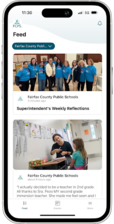
FCPS Mobile App
Get Ready for Day One with the FCPS App! 🎒
As we gear up for the first day of school, make sure you have the FCPS mobile app downloaded! It's the quickest way to check the school year calendar, view lunch and breakfast menus, find school contacts, and jump to ParentVUE or Schoology from your phone.
Download the app from the Apple App Store or Google Play Store.
|
Immunizations
Update Your Child’s Immunizations and Records
Please check with your healthcare provider as soon as possible to make sure your child is up-to-date on the immunizations required by the state of Virginia. Prior to the start of school on Monday, August 24, please submit your child’s immunization documentation. If your child has an appointment to receive their required immunizations after August 24, please submit an Immunization Action Plan to confirm the appointment.
You can check your child’s immunization compliance and submit their immunization record in SIS ParentVUE. Records may also be delivered to a school’s front office. If needed, families may also provide other immunization documentation including a healthcare provider’s written statement of a permanent or temporary medical exemption or a notarized Religious Exemption Form. Please visit the FCPS How to Submit Immunization Documentation webpage for step-by-step instructions on how to submit each of these items.
Immunization Events for FCPS Students
FCPS, in partnership with Inspire Health Alliance, will be providing school-required immunizations and optional flu shots for all FCPS students, ages 18 and under, with no out-of-pocket costs. Multiple events will take place at designated FCPS locations. Additional dates will be made available throughout the school year. Parents or guardians may view upcoming events and schedule an appointment for their student. Participation is voluntary.
Additional immunization resources are also available.
SEL Screener
SEL Screener Parent/Guardian Notification
The Spring Social and Emotional Learning (SEL) Screener will be administered to students in grades 3 through 12 in October. Students use the SEL Screener twice a year to share their perspectives on how well their school and community help them develop skills they need to succeed. The screener works by asking questions or presenting statements that students can think about and respond to. This gives students a way to share how well their school community makes them feel valued, included, and supported.
After each screening, results are available in the Documents tab of SIS ParentVUE and mailed to families without a ParentVUE account. For more information, including SEL Screener questions and opt-out information, please visit the Social-Emotional Learning (SEL) Screener webpage.
District News/In Case You Missed It (ICYMI)
FCPS News
In case you missed it in FCPS This Week, the school division shared updates on the following topics:
- Get Ready for Day One With the FCPS App!
- Learn About School Meals
- Managing Technology at Home
Read FCPS This Week to learn more about these topics. If you are not already receiving this weekly newsletter, please sign up today.
|