|
Important Dates:
Feb 02: Beginning of 3rd Quarter - Students Return (Weather Permitting)
Feb 16: President's Day (No School)
Feb 17: Teacher Workday (No School for Students)
Feb 18: Ash Wednesday - Start of Lent
Feb 18: Beginning of Ramadan
February:
- Black History Month
- American Heart Month
- National Cancer Prevention Month
- Jewish Disability Awareness and Inclusion Month
Let's all be kind to one another.
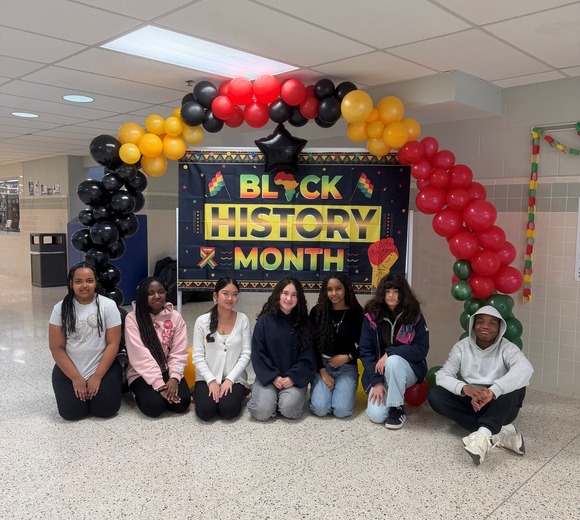
Black History Month Display
Thank you to our wonderful student leaders for their contribution to the Black History Month display.
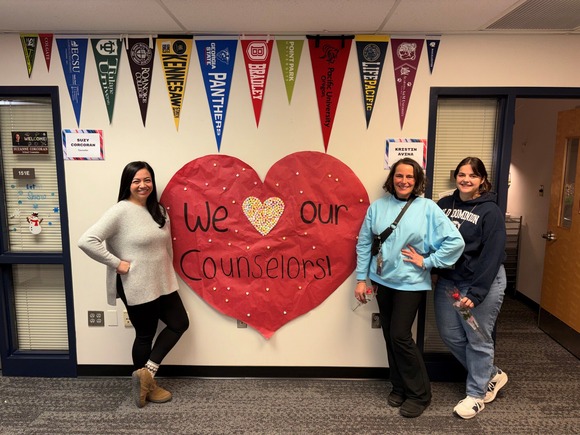
Counselor Appreciation Week
Thank you to our wonderful counselors for all of the care they provide to our students. You are truly appreciated and our school community is fortunate to have you.
Ramadan and Meal Kits
Ramadan - February 18 - March 19, 2026
Friday, February 28 marks the beginning of Ramadan, a month that is observed by a large number of students, families, and staff in the Key community.
In alignment with FCPS regulations and expectations, Key MS ensures that students and staff of all religious backgrounds have reasonable accommodation and access to meditation and silent reflection spaces within the school building. Students whose religious beliefs require them to pray at a specific time that coincides with instructional time can be accommodated with written parental permission.
To provide permission for your child, please complete this Google form. If you cannot access the form, please reach out to your child’s counselor to get a paper copy of the form.
Student Fasting Meal Kits
From February 18 to March 19, 2026, a Virginia Department of Education (VDOE) waiver allows students fasting during the school day to request take-home meal kits. These kits include a complete school breakfast and lunch to be eaten after the school day ends.
Important Meal Kit Information:
- Kits are charged based on a student’s meal status (Free, Reduced, or Paid).
- Students may claim one breakfast and one lunch kit per day.
- Students who eat a meal at school during the day are not eligible for a take-home kit on the same day.
- Kits are distributed at the end of the school day. Students must pick up their own kits; adults are not permitted to collect them.
Parents or guardians must submit a weekly request form via the FCPS FNS website by the deadlines:
-
February 11, 2026 for week of February 18, 2026
-
February 16, 2026 for the week of February 23, 2026
-
February 23, 2026 for the week of March 2, 2026
-
March 2, 2026 for the week of March 9, 2026
-
March 9, 2026 for the week of March 16, 2026
Forms must be submitted on time to receive meal kits for the following week.
Meal Kits for Fasting Students
From February 18 to March 19, students who are fasting during the day can take school meals home. These kits include one breakfast and one lunch to be eaten after the school day ends.
Families must fill out a request form each week for every student who wants a kit. The first deadline is Wednesday, February 11, for the week of February 16. Please note other important details below:
-
Cost: Meals are charged just like a normal school day.
-
Pickup: Students must grab their kits at the end of the school day.
-
Menu: Kits include school meals that are easy to heat at home.
Visit the Food and Nutrition webpage for forms, deadlines, and other information. Please contact the Office of Food and Nutrition Services with any questions at FCPSFNS@fcps.edu or 703-813-4800.
-
Comidas para Estudiantes que Están en AyunoEntre el 18 de febrero y el 19 de marzo, aquellos estudiantes que estén observando ayuno durante el día podrán llevar a casa las comida escolares. Estas comidas incluyen un desayuno y un almuerzo que pueden comer una vez que el día termine.
Las familias deben llenar una solicitud cada semana, por cada estudiante para quien pidan estas comidas. La primera fecha límite para llenarla es el miércoles 11 de febrero, la cual cubre la semana del 16 de febrero.
-
Costo: Las comidas cuestan lo mismo que se cobra en un día normal de clases.
-
Recolección: Los estudiantes deben recoger las comidas al final del día de clases.
-
Menú: Las comidas incluyen alimentos que son fáciles de recalentar en casa.
Visité la página web de Alimentación y Nutrición para que encuentre las planillas de solicitud, conozca las fechas topes para enviarlas y halle más información. Por favor, si tiene preguntas, contacte a la Oficina de los Servicios de Alimentación y Nutrición escribiendo a la dirección FCPSFNS@fcps.edu o llamando al 703-813-4800.

Key MS Sports Information
Attention Parents!!
If you would like your student to participate in Middle School Track, your student must be registered through the MS Sports Registration Link for Spring 2026.
MS Sports Registration Link for Spring 2026.
Again, as always, students are not allowed to practice with the school until all of the initial Big 3 steps below are complete and correctly submitted.
-
Online Registration- filled in by the family for each student. (siblings completed separately for everything)
-
PPE- NEW Forms- Families need to turn in at least pages 1,2,3.
-
ANY physical done on or after July 1st, 2025, must be on the NEW forms. Old forms dated before July 1st, 2025, will not be accepted
- (Additional information and guidance here. Please read)
-
Emergency Care Form- Same form. No Changes. Fresh form must be completed for every student- every season.
|
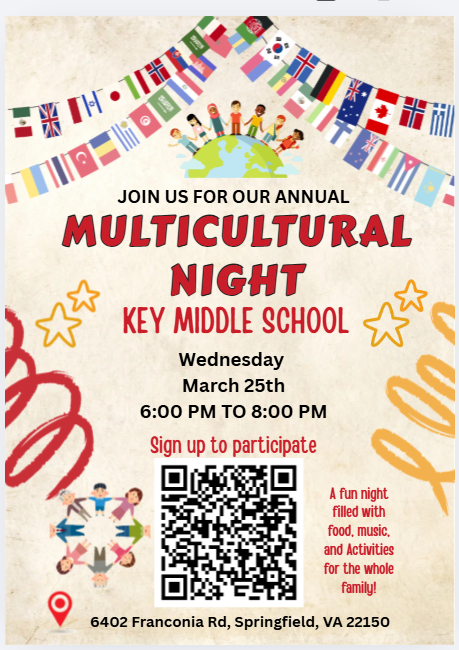
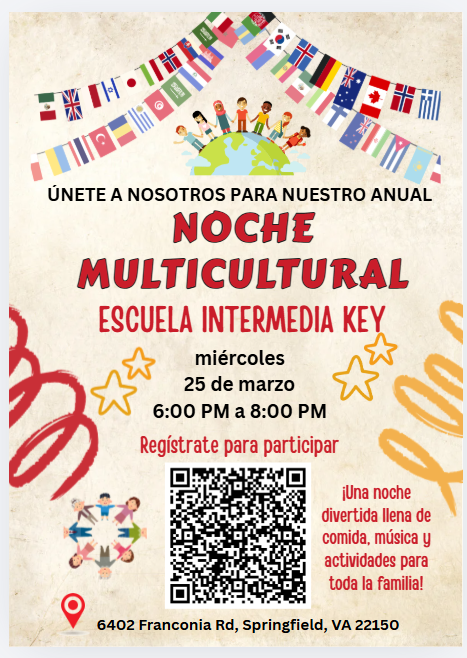
Key MS Multicultural Night Info
Celebrate Our School’s Cultural Diversity at Key Middle School!
When: March 25th. From 6-8 pm at Key Middle School
Join us for a Multicultural Night, an exciting evening where students, families, and staff come together to explore and celebrate cultures from around the world. Enjoy a vibrant experience featuring cultural booths, food, arts and crafts, music, and live performances and more that reflect the richness of our school community.
We encourage everyone to participate. This event is a wonderful opportunity for our students and families to learn about one another, build connections, and celebrate what makes our community unique. Families are welcome to represent their country, state, heritage, or cultural background.
Four Ways to Participate: Use the QR code on the flyer or the participant sign-up form below.
Cultural Booth: Host or participate in a booth that showcases an aspect of your culture, such as traditions, clothing, history, food, or customs.
Cultural Food/Dish: Share a traditional dish or snack that represents your culture.
Art & Craft Workshops: Lead a hands-on workshop featuring cultural arts and crafts such as origami, henna-inspired art, cultural heritage art or other creative ideas.
Performance & Demonstration: Share your culture through music, dance, storytelling, poetry, or other live demonstrations. Students, families, and staff are all welcome to participate.
Deadline to register: March 1st, 2026
If you would like to host a booth, provide food, lead a workshop, or participate in a performance, please sign up by answering the questions in the attached form. All questions are required; However, if a question does not apply to you, please select, or enter “N/A".
Participation Sign-Up Form
https://forms.gle/id1BXYWo4s2VUgc7A
Thank you for making this event a memorable experience! We can’t wait to celebrate the diversity, creativity, and unity of the Key Middle School community together!
 |
 |
Cell Phone Policy Reminder
-
Help Keep Key MS Phone-Free!
Please remind your student that cell phones and personal devices (AirPods, earbuds, headsets, other items connected to the internet) must be off and away for the entire school day (bell to bell). Cell phones are also not permitted to be used as an instructional tool.
FCPS’ cell phone policy helps students stay focused, safe, and engaged at school. Visit FCPS’ cell phone policy webpage for more information and answers to frequently asked questions, including consequences for cell phone policy violations and exceptions for students with medical conditions or IEP/504 plans.
If you need to contact your student during the school day, please call our front office at (703) 313-3900.
¡Ayúdenos a Mantener Key MS Libre de Celulares!
Por favor, recuérdale a su estudiante que los teléfonos celulares y dispositivos personales (como airpods, earbuds, audífonos, u otros aparatos conectados a internet) deben estar apagados y guardados durante todo el día de clases (del timbre de entrada hasta el de salida). Los teléfonos celulares tampoco están permitidos para ser usados como herramienta instruccional.
La política de FCPS sobre teléfonos celulares ayuda a los estudiantes a mantenerse enfocados, seguros e involucrados en la escuela. Visite nuestra página web de la política sobre teléfonos celulares para que encuentre más información y respuestas a las preguntas comunes, incluyendo también las consecuencias a las violaciones a la política sobre teléfonos celulares, las excepciones dadas a estudiantes que tengan alguna enfermedad o que estén en planes IEP/504, y más.
Si necesita contactar a su estudiante durante el día de clases, por favor llame a nuestra oficina principal al (703) 313-3900.
|
2026 CTE Summer Academy
CTE (Career and Technical Education) Summer Academy is a weekly enrichment program that allows students to dive deeper into CTE program areas, and encourages skill development and career exploration.
Students choose 4 classes each week they participate and learn new content, discover interests, and build their skills.
-
Eligibility: Current 6 to 11 graders
-
Time - 8:30 am to 2 pm* *Early drop off begins at 7:30 am; after care ends at 5 pm
New to 2026! We’re offering after care!
-
Location - Robinson SS
- Transportation from select FCPS schools is provided!
-
Cost - $300 per week Back for 2026 programs, we will be offering tuition assistance. More information on our webpages.
- Dates -
- Week 1: July 6 - 10
- Week 2: July 13 - 17
- Week 3: July 20 - 24
- Week 4: July 27 - 31
New to 2026! We’re offering a 4th week of our programs!
- Different weekly offerings; weekly themes and class offerings can be found on our webpages!
Students will choose four (4) classes each week to build their own specialized summer learning program. Courses are available in all CTE program areas: Business and Information Technology, Family and Consumer Sciences, Health and Medical, Marketing, Technology and Engineering, and Trade and Industrial.
Classes offered through CTE Summer Academy are introductory and do not require previous knowledge of the content.
For the list and schedule of classes being offered, please visit our webpage!
Registration is open from February 2 to June 5, 2026.
Students can register online by visiting the CTE Summer Academy webpage and clicking on the register button.
Visit the CTE Summer Academy webpage: bit.ly/FCPS_CSA for more information!
For questions, please contact Beth Mehr at bgmehr@fcps.edu
FCPS App
-
More News and Updates on-the-Go With the FCPS AppGone are the days of digging through emails or hunting for bookmarks. The FCPS app provides a custom experience that is both powerful and easy to use. Here’s how it makes life easier:
-
Customized for Your Family: Do you have students at two (or more!) schools? You can "follow" multiple schools to get a feed of news, notices, and events.
-
No Sign-In Required: Access essential content like district-wide announcements, live updates, and school calendars instantly. There’s no password to remember, and no login is required.
-
Real-Time Notifications: Get push notifications for urgent updates including weather announcements.
-
Everything in One Place: From bell schedules and staff directories to athletic event locations and school menus, the app is a central hub for all things FCPS.
To ensure every family stays informed, the app supports automatic translation for more than 100 languages. Learn more about the app or download it today from the Apple App Store or Google Play Store.
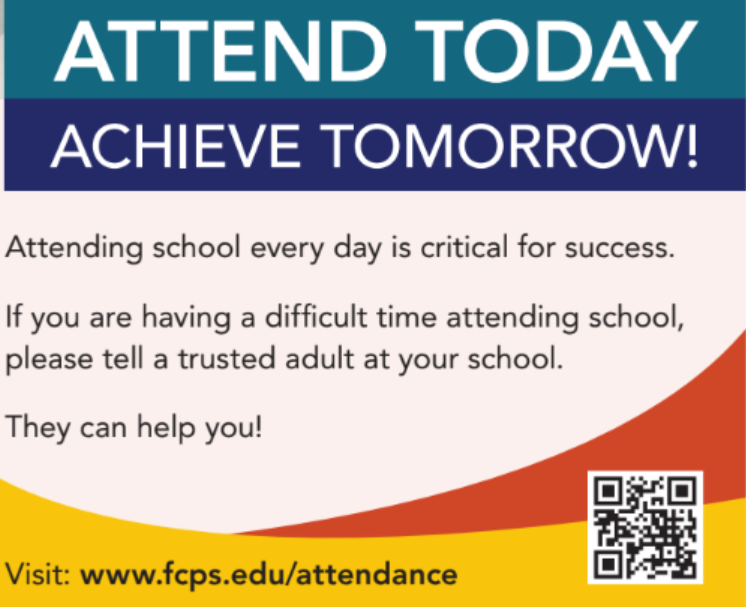
School Attendance
Digital Consent Form
✅ Remember to Complete Permission Forms for School ResourcesFamilies can easily grant permission for their children to access a variety of school resources through the Parent Digital Consent system. Opt your child in or out of a variety of online educational tools and choose how student information is managed.
Please visit the Parent Digital Consent webpage today to access the system. Watch this video to see how to use the tool
✅ Recuerde Completar los Formularios de Permiso para los Recursos EscolaresLas familias pueden fácilmente darles permiso a sus niños para que tengan acceso a una variedad de recursos usando el sistema “Parent Digital Consent” o sistema Digital de Consentimiento Parental. Allí usted puede decidir si su hijo participa (opt. in) o no en varias herramientas educativas en línea y también elegir cómo se maneja la información de los estudiantes.
Visite la página web “Parent Digital Consent” para que puedan acceder al sistema. Mire este video para ver cómo usar esta herramienta.
SIS ParentVUE
Everything You Need to Do Through SIS ParentVUE
Don’t forget your back-to-school forms and checklists! Make sure you have a SIS ParentVUE account for your family and log in to find important forms and updates.
If you do not have a ParentVUE account, contact your child’s school for an activation code and follow the directions on the SIS ParentVUE Account webpage.
☑️ Update Contact Information
Be among the first to know about weather closings, bus delays, and other critical communications from your school and FCPS by providing your cell phone number and email in SIS ParentVUE. To update your contact information in SIS ParentVUE, click the “Online Packets” tab in the upper right of the screen, then click the “Online Verification/Update” icon.
Parents/caregivers who do not have a ParentVUE account should contact their school for an activation code to create an account, or print and complete the Emergency Care Information Form and submit it to our front office.
☑️ Submit Absences
Parents/caregivers can submit daylong absences through SIS ParentVUE. Log in to the platform and click “Report Absence.” Partial day absences and changes of transportation should still be reported directly to your school’s front office.
☑️ Review and Submit Immunization Forms
Parents/caregivers can check their child’s immunization compliance and submit immunization records in SIS ParentVUE. Records may also be delivered to our front office.
If needed, families may also provide other immunization documentation including a health care provider’s written statement of a permanent or temporary medical exemption or a notarized Religious Exemption Form.
Please visit the FCPS How to Submit Immunization Documentation webpage for step-by-step instructions on how to submit each of these items.
Todo lo que Usted Puede Hacer con SIS ParentVUE
¡ Adelántese en revisar y completar los formularios y listas para el regreso a clases! Asegúrese de tener su cuenta de SIS ParentVUE para que usted y su familia encuentren planillas y actualizaciones importantes.
Si no tiene una cuenta en SIS PARENTVUE, contacte con la escuela de su hijo y pida un código de activación y siga las instrucciones en la página web de su Cuenta de SIS ParentVUE.
☑️ Actualice su Información de Contacto
Manténgase al tanto de cuando se cierran las escuelas por el clima severo, retrasos en los autobuses y otras comunicaciones críticas de su escuela y FCPS proporcionando su número de teléfono celular y correo electrónico en SIS ParentVUE. Para actualizar su información de contacto, haga clic en la pestaña “Online Packets”, ubicada arriba ala derecha de la pantalla, luego haga clic ern el ícono de “Online Verification/Update”.
Aquellos padres y tutores que no tengan una cuenta en ParentVUE deberían contactar a su escuela y pedir un código de activación para crearla, o imprimir y llenar la planilla “Formulario de Información para Atención de Emergencia” y enviarla a la escuela de su niño.
☑️ Envíe las Ausencias
Los padres pueden enviar las ausencias de días completos a través de SIS ParentVUE. Entre en la aplicación y haga clic en “Report Absence” o Reporte una Ausencia. Las ausencias de días parciales y los cambios en el transporte deben aún ser reportadas a la oficina principal de la escuela.
☑️ Revise y Envíe las Planillas de Vacunación
Los padres y cuidadores pueden revisar el cumplimiento con las vacunas obligatorias y enviar récords de vacunación de su niño usando SIS ParentVUE. Los récords también pueden entregarse en la oficina principal de la escuela.
Si lo necesitan, las familias podrían también entregar otros documentos de vacunación , incluyendo la declaración de un médico estableciendo una excepción temporal o permanente para alguna vacuna o un “Formulario de Exención Religiosa” notariado.
Por favor visite la página web de FCPS Cómo Enviar Documentos de Vacunación para que encuentre instrucciones paso a paso sobre cómo enviar cada uno de estos documentos.
Schoology
💻 Catch Up on Your Child’s Classwork in Schoology
Teachers use Schoology to post their classroom materials online; to provide a secure forum for students to discuss their ideas and collaborate on projects; and to assign and collect homework electronically. It helps students stay organized, and it keeps the class connected.
A Schoology Parent Account gives you access to:
- Your child’s classes.
- Your child’s upcoming assignments.
- School, class, and group announcements.
Parent accounts will be available after Monday, August 18. To access Schoology, parents will need to have an active SIS/ParentVUE account. Get more information on how to login and use Schoology.
💻 esté al Tanto de las Tareas de su Niño en “Schoology”
Los profesores usan Schoology para publicar en línea sus materiales del aula; ofrecer un foro seguro para que los alumnos discutan sus ideas y colaboren en los proyectos; y para asignar y recibir tareas electrónicamente. Esta plataforma ayuda a los alumnos a mantenerse organizados y mantiene a la clase conectada.Una cuenta Schoology para padres les da acceso a:
- Las clases de su hijo.
- Los deberes que su hijo debe entregar.
- Anuncios de la escuela, de la clase y de los grupos.
Las cuentas para padres estarán disponibles después del 21 de agosto. Para poder tener acceso a Schoology, los padres necesitan tener su cuenta SIS/ParentVUE activa. Pueden encontrar más información sobre cómo iniciar sesión y usar Schoology en internet.
Schoology (스쿨로지)란 무엇인가요?
교사는 Schoology를 사용하여 수업 자료를 온라인으로 게시하고, 학생들이 아이디어를 토론하고 프로젝트에서 공동 작업할 수 있는 안전한 포럼을 제공하며, 숙제를 온라인으로 부여하고 제출받습니다. 이를 통해 학생들은 체계적으로 공부할 수 있고 수업의 연결성을 유지할 수 있습니다.
Schoology 학부모 계정으로 다음을 이용할 수 있습니다:
- 자녀의 수업.
- 자녀의 예정된 숙제.
- 학교, 학급 및 그룹 공지 사항.
학부모 계정은 8월 21일 이후에 사용할 수 있습니다. Schoology를 이용하려면 학부모는 활성된 학생정보시스템인 SIS/ParentVUE의 계정이 있어야 합니다. Schoology 로그인 및 사용 방법에 대한 자세한 내용은 온라인에서 확인할 수 있습니다.
Family Information Phone Lines
Family Information Line Available in Nine Languages
Parents/caregivers who speak Amharic, Arabic, Chinese, Farsi, Korean, Spanish, Urdu, or Vietnamese may call a telephone information line for general information about FCPS. View the list of phone numbers.
☎️ Línea Telefónica de Información para Padres Disponible en Nueve IdiomasPadres/cuidadores que hablan Amárico, Árabe, Chino, Farsi, Coreano, Español, Urdu o Vietnamita pueden llamar a una línea telefónica de información para obtener información general sobre FCPS. Vea la lista de números de teléfono.
☎️ 학부모 정보 전화는 8가지 언어로 제공됩니다.
암하라어, 아랍어, 중국어, 페르시아어, 한국어, 스페인어, 우르두어, 베트남어를 할 줄 아는 보호자는 전화 안내 라인에 전화하여 FCPS에 대한 일반적인 정보를 얻을 수 있습니다. 또한 자녀의 학교와의 의사소통에 대한 지원도 받을 수 있습니다. 전화번호 목록 보기.

Lightspeed
🔍 See Where Your Child Goes Online With Lightspeed
Parents can access their child’s activity on FCPS devices through Lightspeed, the school division’s internet content filtering service. Parents may sign up for a weekly Parent Report, which will provide a list of the top sites their child visited.
The report also offers parents the ability to sign up for the Internet Use Parent Portal. Through the portal, parents may pause their child’s access to the internet on their FCPS device during non-school hours.
Learn more about Lightspeed Parent Reports.
🔍 Monitoree el Uso de Internet Usando el Reporte Parental “Lightspeed”
Los padres pueden revisar la actividad de sus hijos en los dispositivos de FCPS usando “Lightspeed”, el servicio de filtrado del contenido en internet ofrecido por la división escolar. Los padres pueden suscribirse para recibir un Reporte Parental semanal, el cual incluirá una lista de las páginas que sus hijos visitan más frecuentemente.
El reporte también les ofrece a los padres la posibilidad de inscribirse para usar el Portal para Padres del Uso de Internet. A través del mismo, los padres podrían pausar el acceso a internet de sus hijos en los dispositivos de FCPS en las horas fuera del horario escolar.
Conozca más sobre los Reportes Parentales Lightspeed.
|
District News/In Case You Missed It (ICYMI)
FCPS News
In case you missed it in FCPS This Week, the school division shared updates on the following topics:
- How to Get Weather Updates ASAP
- Celebrating Students and Staff
- Kindergarten Open Houses
Read FCPS This Week to learn more about these topics. If you are not already receiving this weekly newsletter, please sign up today.
En caso de que se lo haya perdido en FCPS This Week, la división escolar compartió actualizaciones sobre los siguientes temas y otros:
- Cómo Recibir Rápidamente Actualizaciones sobre el Clima
- Celebrando a Estudiantes y Personal
- Eventos de Puertas Abiertas para Kindergarten
Lea FCPS Esta Semana para aprender más sobre estos temas. Si aún no recibe este boletín semanal, suscríbase hoy mismo.
Key MS Administrative Team
Principal: Drew Campbell | amcampbell1@fcps.edu
Assistant Principal (7th Grade): Shari Peters | sapeters@fcps.edu
Assistant Principal (8th Grade): Shawn D. Brown | sdbrown@fcps.edu
Director of Student Services: Jane Flegal | jcflegal@fcps.edu
|