|
Important Dates:
Jan 19: Martin Luther King, Jr. Holiday (No School)
Jan 28: End of 2nd Quarter, 2 Hour Early Release (12:15 pm dismissal), No After-School Program
Jan 29-30 - No School for Students (Staff Development & Teacher Workday)
January:
Let's all be kind to one another.
 |
|
Key MS Music Department
The deposit for the music department spring trip is due on Friday, January 23rd. Students in Band, Chorus, and Orchestra must have this back in order to participate in the trip. Please contact your child's teacher if you have any questions.
Thanks!
Keith McElroy
Key MS Orchestras
|
Immunization Events
Immunization Events for FCPS Students
FCPS, in partnership with Inspire Health Alliance, will provide school-required immunizations and optional flu shots for all FCPS students with no out-of-pocket costs. Multiple events will take place at designated FCPS locations. Additional dates will be available throughout the school year.
Parents or guardians may view upcoming events and schedule an appointment for their student. Participation is voluntary. View immunization resources on the FCPS website.
Eventos de Vacunación para los Estudiantes de FCPS
FCPS, en asociación con la organización Inspire Health Alliance, estará ofreciendo sin costo alguno vacunas obligatorias para la escuela y vacunas opcionales contra la “flu” o influenza a todos los estudiantes de FCPS. Se realizan múltiples eventos en lugares determinados de FCPS. Se programarán fechas adicionales a lo largo del año escolar. Padres y tutores podrían revisar las fechas de los próximos eventos y programar citas para vacunar a sus estudiantes. La participación es completamente voluntaria.
Hay disponibles recursos adicionales para la vacunación.
County Flu Letter
Healthy Habits to Reduce the Spread of Flu and Other Germs
Fairfax County is seeing very high levels of influenza (flu) illness. Visits to emergency departments and urgent care centers for flu-like illness have increased, especially among children, and multiple flu outbreaks have occurred in our community and school settings.
Consider these tips from the Fairfax County Health Department to help reduce the spread of flu and other germs.
Hábitos Saludables para Prevenir la Propagación de la Influenza y Otros Gérmenes
El Condado de Fairfax ha estado observando altos niveles de casos de enfermedad de la influenza (la “flu”). El número de visitas a las salas de emergencias y centros de cuidados urgentes ha aumentado, especialmente entre niños, además de que múltiples casos de “flu” han ocurrido dentro de nuestras comunidades e instalaciones escolares.
Lea los consejos del Departamento de Salud del Condado de Fairfax para reducir la propagación de la “flu” y de otros gérmenes.
Richard Byrd Library Temporarily Closed
Richard Byrd Library will remain closed to the public for an anticipated five weeks while repairs are made to the facility's heating system.
What You Need To Know
- During the closure, library customers are encouraged to visit one of our 21 other locationsto attend programs, retrieve materials and utilize services. Nearby branches include Pohick Regional Libraryand John Marshall Library.
- Due dates for items checked out from Richard Byrd Library have been extended until February 17, 2026, as a courtesy.
- Please note: Items may not be returned to Richard Byrd Library during the closure; but can be accepted at any of our other 21 locations.
Customers With Holds
- New holds cannot currently be selected for pickup at Richard Byrd Library.
- All customer holds that were available at Richard Byrd Library will be moved to Pohick Regional Library (6450 Sydenstricker Rd). These items will be available for pickup Wednesday, December 17 through Wednesday, December 31 at 5 p.m.
- All other holds currently in the system designated for pickup at Richard Byrd Library will be automatically changed to Pohick Regional Libraryfor the duration of the closure. Please note this location on future e-mail notifications.
Any customers wishing to pick up their requested material at a different branch may change the designated pickup location or suspend their holds by accessing their account.
Action Required: Impact Aid Survey
✅ Please Return Your Federal Impact Aid Survey
FCPS is asking all families to complete a Federal Impact Aid Survey. The form is available in SIS ParentVUE under Online Packets, which is in the upper right corner of the screen after logging in. Please complete the survey as soon as possible.
Our school will provide paper forms to families who have not completed the survey in ParentVUE. For more information, please visit the Federal Impact Aid Survey page or watch this video about why Impact Aid matters.
Register for ParentVUELearn how to activate your SIS ParentVUE account, so you can easily submit your survey and have access to other helpful information about your child’s education at FCPS.
Spanish:
✅ Entregue su Encuesta de Asistencia por Impacto Federal
FCPS les está solicitando a todas las familias que completen la “Federal Impact Aid Survey” o Encuesta sobre la Asistencia de Impacto Federal. Esta planilla está disponible en SIS ParentVUE en la sección “Online Packets” o Paquetes Online, la cual está ubicada en la esquina superior derecha de la pantalla, una vez que haya entrado a la aplicación. Por favor, complétela tan pronto como le sea posible.
Las escuelas entregarán estas planillas a aquellas familias que no la hayan completado en ParentVUE. Para encontrar más información, visite la página del Federal Impact Aid Survey o mire el video acerca de por qué la asistencia por impacto es importante.
Regístrece para Acceder a ParentVUE
Aprenda cómo activar su cuenta de SISParentVUE, para que pueda fácilmente entregar su encuesta y para que acceda a otra información útil sobre la educación de su niño en FCPS.
FCPS App
- 📱 Download the New FCPS Mobile App!
The FCPS mobile app offers a customized platform to help keep families connected and informed, directly from their smartphones. You can download the Fairfax County Public Schools mobile app by going to the Apple App Store or Google Play Store and searching for “FCPS.”
With the app you can:
-
Stay up-to-date: Get the latest news from FCPS.
-
View school calendars: See events, activities, holidays, and early dismissals.
-
Check school menus: See what’s for lunch and breakfast today, tomorrow, or next week.
-
Tap to contact: Quickly call attendance lines or email school staff.
-
Access key links: Jump to ParentVUE, Schoology, and the FCPS website in one tap.
Users can access updates and content without having to sign in, making it easy for everyone to stay informed.
Learn more about the new mobile app, including feedback from parents TeAndra Nelson and Roy Dykes.
Cell Phone Policy
Did Your Student Get a New Phone or Device?
For a distraction-free start to the New Year, please remind your student about FCPS' policy for cell phones and personal devices. This policy helps students focus, interact more with their peers and teachers, and build independent problem-solving skills.
Visit FCPS’ cell phone policy webpage for more information and answers to frequently asked questions, including:
- Exceptions for students with medical conditions or IEP/504 plans.
- Cell phone use on buses and field trips.
- Consequences for cell phone policy violations.
If you need to reach your student during the school day, please call our main office.
Form Checklist
✔️ Checklist of Important Forms
The multiple school forms parents and caregivers receive during the first weeks of school can feel overwhelming, but each one helps set your child up for a successful school year.
If you do not have a SIS ParentVUE account, please contact our front office for an activation code and follow the directions on the SIS ParentVUE Account webpage.
🩹 Immunization Requirements
Please check with your health care provider as soon as possible to make sure that your child is up to date on the immunizations required by the state of Virginia. Starting Tuesday, November 18, students who have not provided proof of immunization will not be allowed to attend school.
You may check your child’s immunization compliance and submit their immunization record in SIS ParentVUE. Records may also be delivered to our front office. Find more information on immunizations.
📋 Permission Forms
Families can easily grant permission for their children to access a variety of school resources through the Parent Digital Consent system. Parents can opt their child in or out of resources, including online educational tools, school counseling services, and tutoring services. They can also change how student information is managed.Visit the Parent Digital Consent webpage to access the system. Watch a video to see how to use the tool.
Student Rights and Responsibilities (SR&R)
The SR&R document explains expectations for student behavior and adult responses. Parents using SIS ParentVUE will be prompted to sign the document when logging in to that platform. A printable version of the document with a signature sheet is available on the SR&R webpage. This form should be signed and returned to our front office by Tuesday, September 30.
✔️ Lista de Formularios Importantes
La cantidad de formularios que los padres o cuidadores reciben durante la primera semana de clases puede llegar a ser sobrecogedor, pero cada una de ellas ayudará a que su hijo esté preparado para alcanzar el éxito.
Si usted no tiene una cuenta en SIS ParentVUE, por favor contacte a la oficina principal de la escuela de su hijo y pida un código de activación para la cuenta que debe abrir, luego siga las direcciones que encontrará en la página web de su Cuenta en SIS ParentVUE.
🩹 Requisitos de Vacunación
Tan pronto como pueda, por favor revise junto a su médico si su hijo está al día con las vacunas exigidas en el estado de Virginia. A partir del martes 18 de noviembre, aquellos estudiantes que no tengan pruebas de que han sido vacunados no podrán asistir a clases.
Usted puede revisar si su niño cumple con las vacunas requeridas, y enviar sus récords de vacunación a través de SIS ParentVUE. Estos récords también pueden ser entregados en la oficina principal de su escuela. Encuentre más información sobre inmunizaciones.
📋 Formularios de Autorización
Las familias pueden fácilmente darles permiso a sus niños para que tengan acceso a una variedad de recursos usando el sistema “Parent Digital Consent” o sistema Digital de Consentimiento Parental. Allí usted puede decidir si su hijo participa (opt. in) o no (opt out) en el uso de recursos, servicios de consejería y servicios de tutoría escolar. También puede elegir cómo se maneja la información de su estudiante.
Visite la página web del Consentimiento Digital de los Padres para que puedan acceder al sistema. Mire este video para ver cómo usar esta herramienta.
Derechos y Responsabilidades de los Estudiantes (SR&R, por sus siglas en inglés)El documento de SR&R explica cuáles se esperan que sean los comportamientos de los estudiantes y cuáles las respuestas de los adultos. Los padres que usen SIS ParentVUE recibirán una notificación para que firmen este documento cuando entren en la aplicación. Una versión para ser impresa, que incluye una hoia para su firma, estará disponible en la página web de SR&R. Esta planilla deberá ser firmada y entregada en la oficina principal de la escuela antes del martes 30 de septiembre.
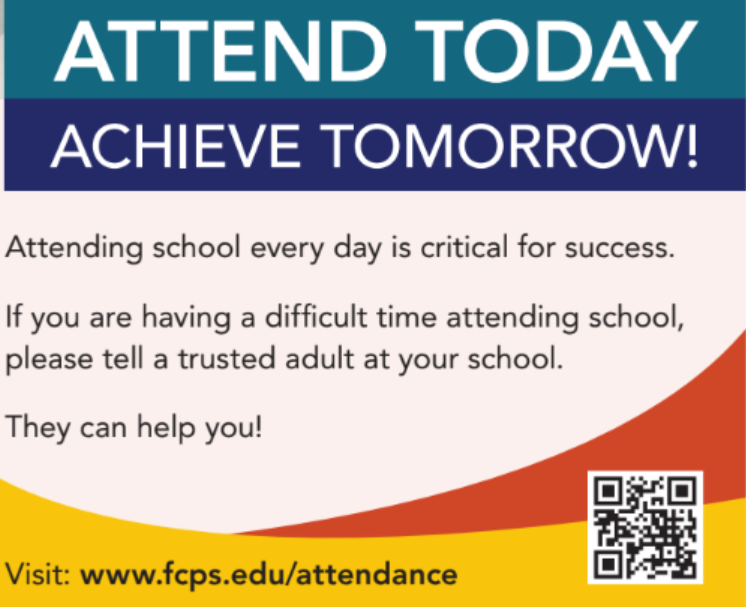
School Attendance
Digital Consent Form
✅ Remember to Complete Permission Forms for School ResourcesFamilies can easily grant permission for their children to access a variety of school resources through the Parent Digital Consent system. Opt your child in or out of a variety of online educational tools and choose how student information is managed.
Please visit the Parent Digital Consent webpage today to access the system. Watch this video to see how to use the tool
✅ Recuerde Completar los Formularios de Permiso para los Recursos EscolaresLas familias pueden fácilmente darles permiso a sus niños para que tengan acceso a una variedad de recursos usando el sistema “Parent Digital Consent” o sistema Digital de Consentimiento Parental. Allí usted puede decidir si su hijo participa (opt. in) o no en varias herramientas educativas en línea y también elegir cómo se maneja la información de los estudiantes.
Visite la página web “Parent Digital Consent” para que puedan acceder al sistema. Mire este video para ver cómo usar esta herramienta.
SIS ParentVUE
Everything You Need to Do Through SIS ParentVUE
Don’t forget your back-to-school forms and checklists! Make sure you have a SIS ParentVUE account for your family and log in to find important forms and updates.
If you do not have a ParentVUE account, contact your child’s school for an activation code and follow the directions on the SIS ParentVUE Account webpage.
☑️ Update Contact Information
Be among the first to know about weather closings, bus delays, and other critical communications from your school and FCPS by providing your cell phone number and email in SIS ParentVUE. To update your contact information in SIS ParentVUE, click the “Online Packets” tab in the upper right of the screen, then click the “Online Verification/Update” icon.
Parents/caregivers who do not have a ParentVUE account should contact their school for an activation code to create an account, or print and complete the Emergency Care Information Form and submit it to our front office.
☑️ Submit Absences
Parents/caregivers can submit daylong absences through SIS ParentVUE. Log in to the platform and click “Report Absence.” Partial day absences and changes of transportation should still be reported directly to your school’s front office.
☑️ Review and Submit Immunization Forms
Parents/caregivers can check their child’s immunization compliance and submit immunization records in SIS ParentVUE. Records may also be delivered to our front office.
If needed, families may also provide other immunization documentation including a health care provider’s written statement of a permanent or temporary medical exemption or a notarized Religious Exemption Form.
Please visit the FCPS How to Submit Immunization Documentation webpage for step-by-step instructions on how to submit each of these items.
Todo lo que Usted Puede Hacer con SIS ParentVUE
¡ Adelántese en revisar y completar los formularios y listas para el regreso a clases! Asegúrese de tener su cuenta de SIS ParentVUE para que usted y su familia encuentren planillas y actualizaciones importantes.
Si no tiene una cuenta en SIS PARENTVUE, contacte con la escuela de su hijo y pida un código de activación y siga las instrucciones en la página web de su Cuenta de SIS ParentVUE.
☑️ Actualice su Información de Contacto
Manténgase al tanto de cuando se cierran las escuelas por el clima severo, retrasos en los autobuses y otras comunicaciones críticas de su escuela y FCPS proporcionando su número de teléfono celular y correo electrónico en SIS ParentVUE. Para actualizar su información de contacto, haga clic en la pestaña “Online Packets”, ubicada arriba ala derecha de la pantalla, luego haga clic ern el ícono de “Online Verification/Update”.
Aquellos padres y tutores que no tengan una cuenta en ParentVUE deberían contactar a su escuela y pedir un código de activación para crearla, o imprimir y llenar la planilla “Formulario de Información para Atención de Emergencia” y enviarla a la escuela de su niño.
☑️ Envíe las Ausencias
Los padres pueden enviar las ausencias de días completos a través de SIS ParentVUE. Entre en la aplicación y haga clic en “Report Absence” o Reporte una Ausencia. Las ausencias de días parciales y los cambios en el transporte deben aún ser reportadas a la oficina principal de la escuela.
☑️ Revise y Envíe las Planillas de Vacunación
Los padres y cuidadores pueden revisar el cumplimiento con las vacunas obligatorias y enviar récords de vacunación de su niño usando SIS ParentVUE. Los récords también pueden entregarse en la oficina principal de la escuela.
Si lo necesitan, las familias podrían también entregar otros documentos de vacunación , incluyendo la declaración de un médico estableciendo una excepción temporal o permanente para alguna vacuna o un “Formulario de Exención Religiosa” notariado.
Por favor visite la página web de FCPS Cómo Enviar Documentos de Vacunación para que encuentre instrucciones paso a paso sobre cómo enviar cada uno de estos documentos.
Schoology
💻 Catch Up on Your Child’s Classwork in Schoology
Teachers use Schoology to post their classroom materials online; to provide a secure forum for students to discuss their ideas and collaborate on projects; and to assign and collect homework electronically. It helps students stay organized, and it keeps the class connected.
A Schoology Parent Account gives you access to:
- Your child’s classes.
- Your child’s upcoming assignments.
- School, class, and group announcements.
Parent accounts will be available after Monday, August 18. To access Schoology, parents will need to have an active SIS/ParentVUE account. Get more information on how to login and use Schoology.
💻 esté al Tanto de las Tareas de su Niño en “Schoology”
Los profesores usan Schoology para publicar en línea sus materiales del aula; ofrecer un foro seguro para que los alumnos discutan sus ideas y colaboren en los proyectos; y para asignar y recibir tareas electrónicamente. Esta plataforma ayuda a los alumnos a mantenerse organizados y mantiene a la clase conectada.Una cuenta Schoology para padres les da acceso a:
- Las clases de su hijo.
- Los deberes que su hijo debe entregar.
- Anuncios de la escuela, de la clase y de los grupos.
Las cuentas para padres estarán disponibles después del 21 de agosto. Para poder tener acceso a Schoology, los padres necesitan tener su cuenta SIS/ParentVUE activa. Pueden encontrar más información sobre cómo iniciar sesión y usar Schoology en internet.
Schoology (스쿨로지)란 무엇인가요?
교사는 Schoology를 사용하여 수업 자료를 온라인으로 게시하고, 학생들이 아이디어를 토론하고 프로젝트에서 공동 작업할 수 있는 안전한 포럼을 제공하며, 숙제를 온라인으로 부여하고 제출받습니다. 이를 통해 학생들은 체계적으로 공부할 수 있고 수업의 연결성을 유지할 수 있습니다.
Schoology 학부모 계정으로 다음을 이용할 수 있습니다:
- 자녀의 수업.
- 자녀의 예정된 숙제.
- 학교, 학급 및 그룹 공지 사항.
학부모 계정은 8월 21일 이후에 사용할 수 있습니다. Schoology를 이용하려면 학부모는 활성된 학생정보시스템인 SIS/ParentVUE의 계정이 있어야 합니다. Schoology 로그인 및 사용 방법에 대한 자세한 내용은 온라인에서 확인할 수 있습니다.
Family Information Phone Lines
Family Information Line Available in Nine Languages
Parents/caregivers who speak Amharic, Arabic, Chinese, Farsi, Korean, Spanish, Urdu, or Vietnamese may call a telephone information line for general information about FCPS. View the list of phone numbers.
☎️ Línea Telefónica de Información para Padres Disponible en Nueve IdiomasPadres/cuidadores que hablan Amárico, Árabe, Chino, Farsi, Coreano, Español, Urdu o Vietnamita pueden llamar a una línea telefónica de información para obtener información general sobre FCPS. Vea la lista de números de teléfono.
☎️ 학부모 정보 전화는 8가지 언어로 제공됩니다.
암하라어, 아랍어, 중국어, 페르시아어, 한국어, 스페인어, 우르두어, 베트남어를 할 줄 아는 보호자는 전화 안내 라인에 전화하여 FCPS에 대한 일반적인 정보를 얻을 수 있습니다. 또한 자녀의 학교와의 의사소통에 대한 지원도 받을 수 있습니다. 전화번호 목록 보기.

Lightspeed
🔍 See Where Your Child Goes Online With Lightspeed
Parents can access their child’s activity on FCPS devices through Lightspeed, the school division’s internet content filtering service. Parents may sign up for a weekly Parent Report, which will provide a list of the top sites their child visited.
The report also offers parents the ability to sign up for the Internet Use Parent Portal. Through the portal, parents may pause their child’s access to the internet on their FCPS device during non-school hours.
Learn more about Lightspeed Parent Reports.
🔍 Monitoree el Uso de Internet Usando el Reporte Parental “Lightspeed”
Los padres pueden revisar la actividad de sus hijos en los dispositivos de FCPS usando “Lightspeed”, el servicio de filtrado del contenido en internet ofrecido por la división escolar. Los padres pueden suscribirse para recibir un Reporte Parental semanal, el cual incluirá una lista de las páginas que sus hijos visitan más frecuentemente.
El reporte también les ofrece a los padres la posibilidad de inscribirse para usar el Portal para Padres del Uso de Internet. A través del mismo, los padres podrían pausar el acceso a internet de sus hijos en los dispositivos de FCPS en las horas fuera del horario escolar.
Conozca más sobre los Reportes Parentales Lightspeed.
|
District News/In Case You Missed It (ICYMI)
FCPS News
- In case you missed it in FCPS This Week, the school division shared updates on the following topics:
- Superintendent Updates on Boundaries and AI
- Healthy Habits to Avoid Illness
- Access Schoology to Support Your Child
Read FCPS This Week to learn more about these topics. If you are not already receiving this weekly newsletter, please sign up today.
Key MS Administrative Team
Principal: Drew Campbell | amcampbell1@fcps.edu
Assistant Principal (7th Grade): Shari Peters | sapeters@fcps.edu
Assistant Principal (8th Grade): Shawn D. Brown | sdbrown@fcps.edu
Director of Student Services: Jane Flegal | jcflegal@fcps.edu
|