|
Important Dates:
Aug 21 & 22: Laptop Distribution
Sept 4: Back to School Night - 5:00pm - 8:00pm
-
August:
- National Back to School Month
- Black Business Month
- National Immunization Awareness Month
Let's all be kind to one another.
Campbell's Corner
Greetings Key Families,
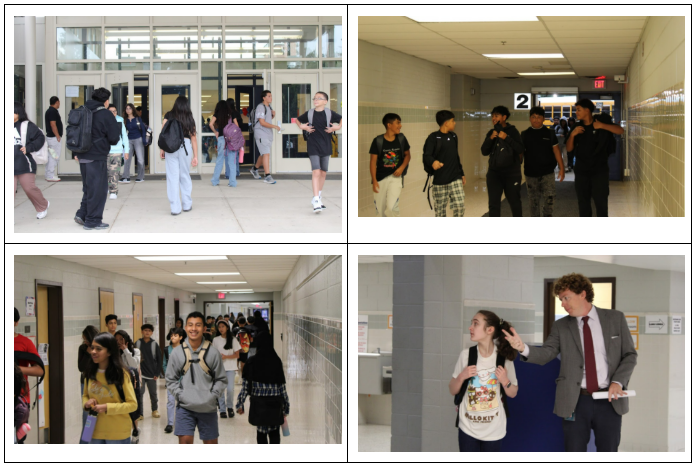
We had a fantastic first week here at Key MS! Students have successfully found their classes and are already hard at work, learning new things in all their classes. Students also reviewed important procedures and expectations, organized their schoolwide AVID binders, received laptops and chargers, and practiced opening their lockers. We even had our first fire drill, which was a huge success. I’m very proud of our students for how they have started the year, and I’m looking forward to a great school year. Please take some time this weekend to celebrate such a strong start to the year!
Sincerely,
Drew Campbell
Principal | Key Middle School
703-313-3900
Follow me on Twitter!
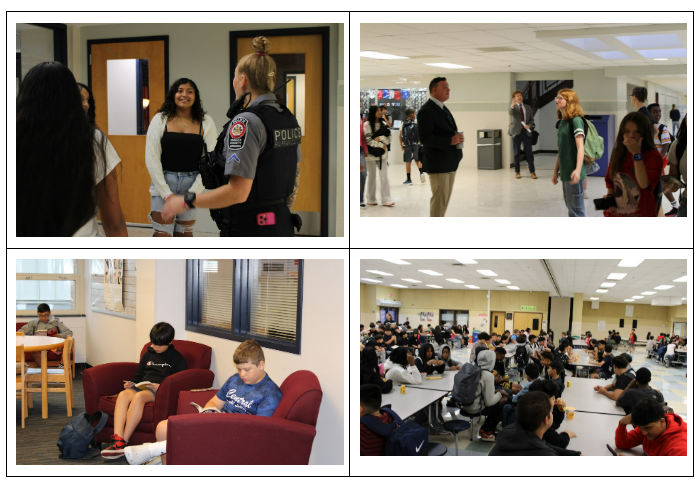
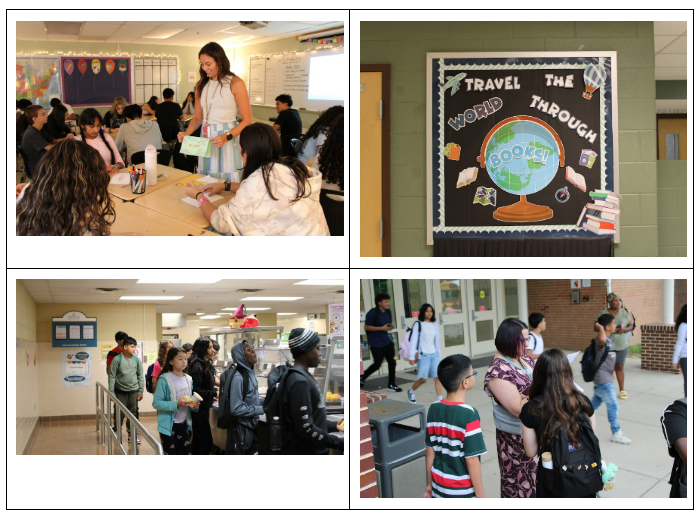
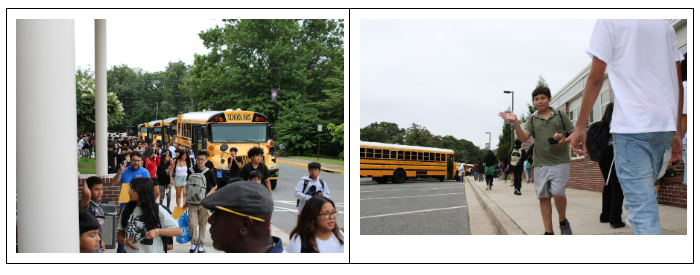
First Week Photos
It's great to see so many of our students excited to be back in school!

Save the Date
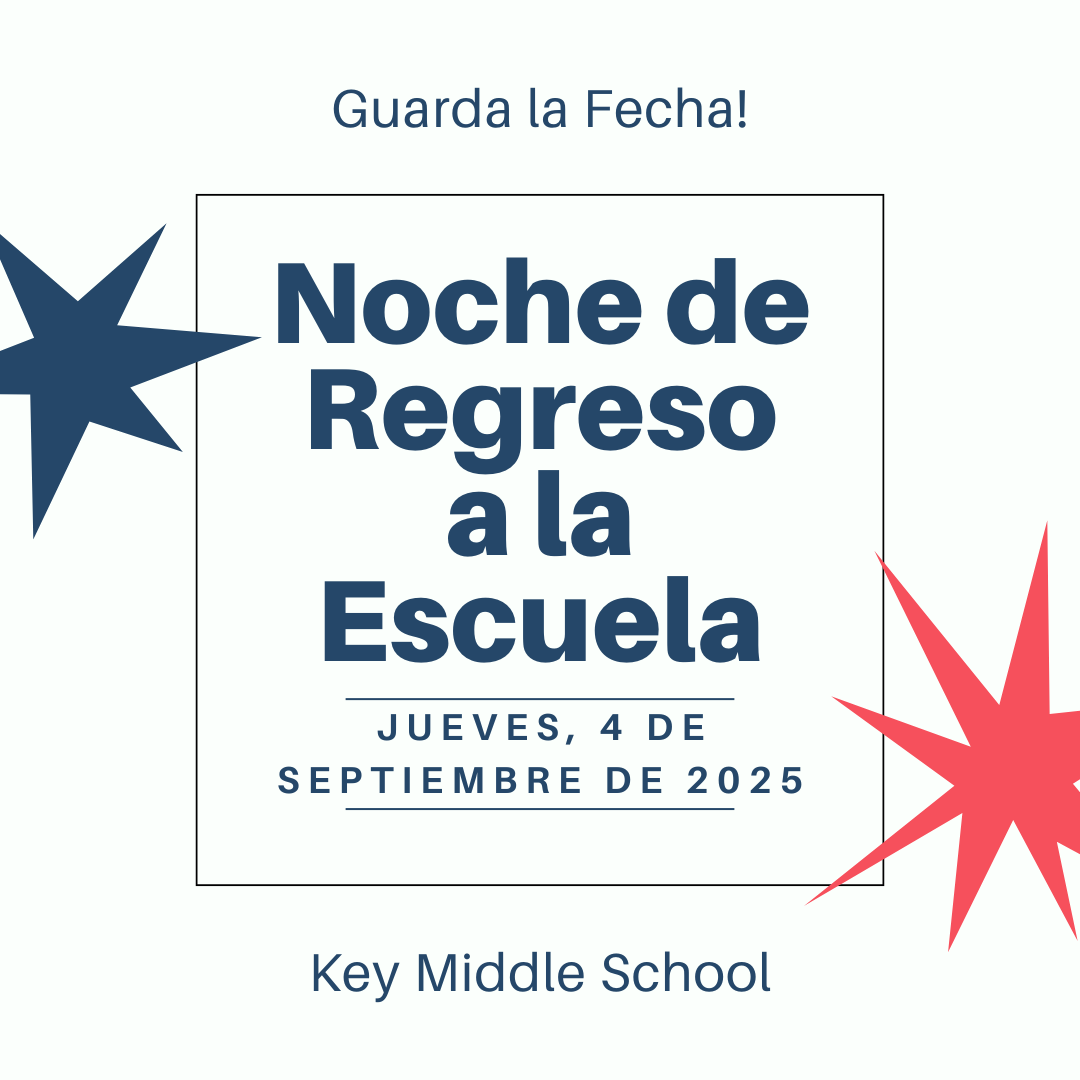
Key MS Back to School Night
Thursday, September 4, 2025
5:00 pm - 8:00 pm
Please join us for Back-to-School Night on Thursday, September 4, 2025! The evening’s events include a chance to walk through your child’s schedule and meet their teachers, learn about Key MS resources, and more! This year, we have an exciting new addition to the event, Connect and Create: The Key MS STEM and Literacy Launch, with lots of engaging activities for students and families to explore!
We look forward to seeing you there as we kick off the 2025-2026 school year!
|


Volunteer FCPS
Ensuring Student Safety: Register for Volunteer FCPS
At Key MS, our volunteers are a vital part of our school community. We deeply value the time and care they give to our students.
Recent updates to our volunteer process focus on one primary goal: keeping students safe.
These updates — such as checks against the sex offender registry and, in some cases, criminal background checks — are safety measures that will help us maintain a secure and supportive learning environment for every student in our care.
We encourage all our parents and community members interested in supporting our students by volunteering at school to visit Volunteer FCPS, click “Learn More,” and then “Sign Up.” After you create a profile, you will view an orientation video and complete a volunteer application.
Volunteer FCPS ensures a safe, consistent, and welcoming environment at all of our schools. All volunteers must be registered in Volunteer FCPS. This includes individuals who volunteer to chaperone on field trips, work at book fairs, and help out regularly in classrooms, libraries, or cafeterias. Volunteers who work unsupervised with students will also be required to undergo a background check.
We understand these changes may seem disruptive, especially for long-time volunteers. Our intent is to ensure that our students feel safe and supported with each and every person they encounter at school.
As a reminder, all volunteers — and visitors to a school — are required to sign in by scanning their ID at our visitor kiosk. Visit the Volunteer FCPS Frequently Asked Questions page to learn more.
|
SIS ParentVUE
Everything You Need to Do Through SIS ParentVUE
Don’t forget your back-to-school forms and checklists! Make sure you have a SIS ParentVUE account for your family and log in to find important forms and updates.
If you do not have a ParentVUE account, contact your child’s school for an activation code and follow the directions on the SIS ParentVUE Account webpage.
☑️ Update Contact Information
Be among the first to know about weather closings, bus delays, and other critical communications from your school and FCPS by providing your cell phone number and email in SIS ParentVUE. To update your contact information in SIS ParentVUE, click the “Online Packets” tab in the upper right of the screen, then click the “Online Verification/Update” icon.
Parents/caregivers who do not have a ParentVUE account should contact their school for an activation code to create an account, or print and complete the Emergency Care Information Form and submit it to our front office.
☑️ Submit Absences
Parents/caregivers can submit daylong absences through SIS ParentVUE. Log in to the platform and click “Report Absence.” Partial day absences and changes of transportation should still be reported directly to your school’s front office.
☑️ Review and Submit Immunization Forms
Parents/caregivers can check their child’s immunization compliance and submit immunization records in SIS ParentVUE. Records may also be delivered to our front office.
If needed, families may also provide other immunization documentation including a health care provider’s written statement of a permanent or temporary medical exemption or a notarized Religious Exemption Form.
Please visit the FCPS How to Submit Immunization Documentation webpage for step-by-step instructions on how to submit each of these items.
Todo lo que Usted Puede Hacer con SIS ParentVUE
¡ Adelántese en revisar y completar los formularios y listas para el regreso a clases! Asegúrese de tener su cuenta de SIS ParentVUE para que usted y su familia encuentren planillas y actualizaciones importantes.
Si no tiene una cuenta en SIS PARENTVUE, contacte con la escuela de su hijo y pida un código de activación y siga las instrucciones en la página web de su Cuenta de SIS ParentVUE.
☑️ Actualice su Información de Contacto
Manténgase al tanto de cuando se cierran las escuelas por el clima severo, retrasos en los autobuses y otras comunicaciones críticas de su escuela y FCPS proporcionando su número de teléfono celular y correo electrónico en SIS ParentVUE. Para actualizar su información de contacto, haga clic en la pestaña “Online Packets”, ubicada arriba ala derecha de la pantalla, luego haga clic ern el ícono de “Online Verification/Update”.
Aquellos padres y tutores que no tengan una cuenta en ParentVUE deberían contactar a su escuela y pedir un código de activación para crearla, o imprimir y llenar la planilla “Formulario de Información para Atención de Emergencia” y enviarla a la escuela de su niño.
☑️ Envíe las Ausencias
Los padres pueden enviar las ausencias de días completos a través de SIS ParentVUE. Entre en la aplicación y haga clic en “Report Absence” o Reporte una Ausencia. Las ausencias de días parciales y los cambios en el transporte deben aún ser reportadas a la oficina principal de la escuela.
☑️ Revise y Envíe las Planillas de Vacunación
Los padres y cuidadores pueden revisar el cumplimiento con las vacunas obligatorias y enviar récords de vacunación de su niño usando SIS ParentVUE. Los récords también pueden entregarse en la oficina principal de la escuela.
Si lo necesitan, las familias podrían también entregar otros documentos de vacunación , incluyendo la declaración de un médico estableciendo una excepción temporal o permanente para alguna vacuna o un “Formulario de Exención Religiosa” notariado.
Por favor visite la página web de FCPS Cómo Enviar Documentos de Vacunación para que encuentre instrucciones paso a paso sobre cómo enviar cada uno de estos documentos.
Transportation Patience and Safety
Thank you for your patience as we all get used to new routines this school year. We appreciate our families following Kiss and Ride procedures and being patient while waiting for your children’s buses.
If your student’s bus is delayed, you may access the Bus Delay Notification System or use the Here Comes the Bus mobile app to receive the delayed bus report. Email messages will be sent to announce significant bus delays. Please contact the Transportation Office at (703) 446-2150 with any additional questions. For concerns after 5:30 p.m., contact the FCPS Office of Safety and Security at 571-423-2000.
Update your contact information in SIS ParentVUE to make sure you receive email messages about bus delays.
-
Spanish:Paciencia y Seguridad en el TransporteMuchas gracias por su paciencia mientras todos nos acostumbramos a las nuevas rutinas de este año escolar. Apreciamos que nuestras familias sigan los procedimientos de Kiss and Ride, y que sean pacientes cuando esperan a los autobuses de sus hijos. Si el autobús de su hijo está retrasado, los padres pueden acceder el sistema de notificaciones de retrasos de autobuses o usar la aplicación móvil Here Comes the Bus para recibir el reporte de retraso de autobuses. Para reportar retrasos considerables de autobuses se enviará un correo electrónico. Contáctese con la Oficina de Transporte llamando al (703) 446-2150 si tienen preguntas adicionales. Para cualquier preocupación después de horas (después de las 5:30 p.m.), comuníquese con la Oficina de Seguridad llamando al 571-423-2000.
Para asegurarse de que recibirán mensajes de correo electrónico cuando haya un retraso de autobuses, actualicen su información de contacto en SIS ParentVUE.
새 학기 새로운 루틴에 적응할 수 있도록 기다려 주셔서 감사합니다. Kiss and Ride와 더불어 자녀의 버스를 대기하면서 기다려주신 가족 여러분께 감사드립니다.
학생의 버스가 지연되는 경우 학부모는 버스 지연 알림 시스템에 연결하시거나 Here Comes the Bus 모바일 앱을 사용하여 버스 지연 보고를 받으실 수 있습니다. 심각한 버스 지연을 알리는 이메일 메시지가 전송됩니다. 추가 질문이 있는 경우 교통 사무소에 [phone number] 로 문의하세요. 근무 시간 이후(오후 5시 30분 이후) 우려 사항이 있는 경우 안전 및 보안팀(571-423-2000)으로 문의하세요.
버스 지연에 대한 이메일 메시지를 받으려면 학생 정보 시스템 ParentVUE에서 연락처 정보를 업데이트하세요.
Schoology
💻 Catch Up on Your Child’s Classwork in Schoology
Teachers use Schoology to post their classroom materials online; to provide a secure forum for students to discuss their ideas and collaborate on projects; and to assign and collect homework electronically. It helps students stay organized, and it keeps the class connected.
A Schoology Parent Account gives you access to:
- Your child’s classes.
- Your child’s upcoming assignments.
- School, class, and group announcements.
Parent accounts will be available after Monday, August 18. To access Schoology, parents will need to have an active SIS/ParentVUE account. Get more information on how to login and use Schoology.
💻 esté al Tanto de las Tareas de su Niño en “Schoology”
Los profesores usan Schoology para publicar en línea sus materiales del aula; ofrecer un foro seguro para que los alumnos discutan sus ideas y colaboren en los proyectos; y para asignar y recibir tareas electrónicamente. Esta plataforma ayuda a los alumnos a mantenerse organizados y mantiene a la clase conectada.Una cuenta Schoology para padres les da acceso a:
- Las clases de su hijo.
- Los deberes que su hijo debe entregar.
- Anuncios de la escuela, de la clase y de los grupos.
Las cuentas para padres estarán disponibles después del 21 de agosto. Para poder tener acceso a Schoology, los padres necesitan tener su cuenta SIS/ParentVUE activa. Pueden encontrar más información sobre cómo iniciar sesión y usar Schoology en internet.
Schoology (스쿨로지)란 무엇인가요?
교사는 Schoology를 사용하여 수업 자료를 온라인으로 게시하고, 학생들이 아이디어를 토론하고 프로젝트에서 공동 작업할 수 있는 안전한 포럼을 제공하며, 숙제를 온라인으로 부여하고 제출받습니다. 이를 통해 학생들은 체계적으로 공부할 수 있고 수업의 연결성을 유지할 수 있습니다.
Schoology 학부모 계정으로 다음을 이용할 수 있습니다:
- 자녀의 수업.
- 자녀의 예정된 숙제.
- 학교, 학급 및 그룹 공지 사항.
학부모 계정은 8월 21일 이후에 사용할 수 있습니다. Schoology를 이용하려면 학부모는 활성된 학생정보시스템인 SIS/ParentVUE의 계정이 있어야 합니다. Schoology 로그인 및 사용 방법에 대한 자세한 내용은 온라인에서 확인할 수 있습니다.
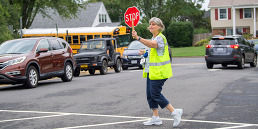
Crossing Guard Job Opportunity
Help Keep Students Safe — Become a Crossing Guard. Dependable and caring adults are needed to serve as crossing guards, helping students safely bike and walk to and from our schools. This is a great opportunity for retirees, stay-at-home parents, or anyone looking to make a difference in their community. Crossing guards will earn $16.50 per hour and receive bonus time: Work 30 minutes before and 30 minutes after school for a total of one hour a day and earn $33.00.
The Fairfax County Police Department has engaged a company, ACMS, to recruit crossing guards. Please visit their website to learn more and apply.
|
Family Information Phone Lines
Family Information Line Available in Nine Languages
Parents/caregivers who speak Amharic, Arabic, Chinese, Farsi, Korean, Spanish, Urdu, or Vietnamese may call a telephone information line for general information about FCPS. View the list of phone numbers.
☎️ Línea Telefónica de Información para Padres Disponible en Nueve IdiomasPadres/cuidadores que hablan Amárico, Árabe, Chino, Farsi, Coreano, Español, Urdu o Vietnamita pueden llamar a una línea telefónica de información para obtener información general sobre FCPS. Vea la lista de números de teléfono.
☎️ 학부모 정보 전화는 8가지 언어로 제공됩니다.
암하라어, 아랍어, 중국어, 페르시아어, 한국어, 스페인어, 우르두어, 베트남어를 할 줄 아는 보호자는 전화 안내 라인에 전화하여 FCPS에 대한 일반적인 정보를 얻을 수 있습니다. 또한 자녀의 학교와의 의사소통에 대한 지원도 받을 수 있습니다. 전화번호 목록 보기.

Lightspeed
🔍 See Where Your Child Goes Online With Lightspeed
Parents can access their child’s activity on FCPS devices through Lightspeed, the school division’s internet content filtering service. Parents may sign up for a weekly Parent Report, which will provide a list of the top sites their child visited.
The report also offers parents the ability to sign up for the Internet Use Parent Portal. Through the portal, parents may pause their child’s access to the internet on their FCPS device during non-school hours.
Learn more about Lightspeed Parent Reports.
🔍 Monitoree el Uso de Internet Usando el Reporte Parental “Lightspeed”
Los padres pueden revisar la actividad de sus hijos en los dispositivos de FCPS usando “Lightspeed”, el servicio de filtrado del contenido en internet ofrecido por la división escolar. Los padres pueden suscribirse para recibir un Reporte Parental semanal, el cual incluirá una lista de las páginas que sus hijos visitan más frecuentemente.
El reporte también les ofrece a los padres la posibilidad de inscribirse para usar el Portal para Padres del Uso de Internet. A través del mismo, los padres podrían pausar el acceso a internet de sus hijos en los dispositivos de FCPS en las horas fuera del horario escolar.
Conozca más sobre los Reportes Parentales Lightspeed.
|
Cell Phone Policy
FCPS’ Cell Phone Policy: Why It Matters
FCPS’ cell phone policy helps students focus, learn, and engage. When students put their phones away, they have more face-to-face interactions with their peers and teachers and more opportunities to develop resilience and problem-solving skills. Please remind your child that:
-
Cell phones and personal devices (airpods, earbuds, headsets, other items connected to the internet) must be off and away for the entire school day (bell to bell).
-
Smart watches that serve a dual purpose may be worn, but the phone features (texting, Internet viewing, and calls) are to be off when phone use is prohibited.
If you need to reach your child during the school day, please call our main office at (703) 313-3900.
La Política de FCPS con los Teléfonos Celulares: Por qué es Importante
La política de FCPS con los teléfonos celulares ayuda a los estudiantes a concentrarse, a aprender y a involucrarse. Cuando los estudiantes guardan sus celulares, tienen más interacciones cara a cara con sus compañeros y los maestros tienen más oportunidades para desarrollar sus habilidades de resiliencia y de resolución de problemas. Por favor, recuérdale a su hijo que:
-
Teléfonos celulares y otros dispositivos personales (“Aripods”, “earbuds”, audífonos, otros dispositivos conectados a la internet) deben estar apagados y guardados todo el día escolar (desde el timbre de entrada hasta el de salida).
-
Relojes inteligentes o “Smart watches” que tienen distintos propósitos pueden usarse, pero las funcionalidades relacionadas con el celular (textos, navegación internet y llamadas), deben estar apagadas mientras el uso del teléfono esté prohibido.
Si usted necesita comunicarse con su niño durante el día escolar, por favor llame a la oficina principal (703) 313-3900.
|
Secondary Grading Updates
💯 Secondary Grading Updates
There will be new secondary grading policies in 2025-26. The goal of these changes is to increase consistency and clarity of grading practices. Learn about middle and high school grading policy updates.
💯 Actualizaciones al Proceso de Calificación en Educación Secundaria
Habrá nuevas políticas para asignar calificaciones para las escuelas secundarias en el año 2025-2026. La meta de estos cambios es mejorar la consistencia y claridad de las prácticas usadas para asignar calificaciones. Conozca más sobre las actualizaciones a las políticas de calificación en las escuelas media y secundaria.
District News/In Case You Missed It (ICYMI)
FCPS News
In case you missed it in FCPS This Week, the school division shared updates on the following topics:
- Everything You Need to Do Through SIS ParentVUE
- Transportation Patience and Safety
- Help Your Child Navigate the Lunch Line
Read FCPS This Week to learn more about these topics. If you are not already receiving this weekly newsletter, please sign up today.
En caso de que se lo haya perdido en FCPS This Week, la división escolar compartió actualizaciones sobre los siguientes temas y otros:
- Todo lo que Usted Puede Hacer con SIS ParentVUE
- Paciencia y Seguridad con el Transporte
- Ayude a su Niño a Navegar la Fila del Almuerzo
Lea FCPS Esta Semana para aprender más sobre estos temas. Si aún no recibe este boletín semanal, suscríbase hoy mismo.
|