|
August 23 - First Day of School - Bell Schedule 9:10 am - 3:55 pm
September 3 - School Holiday
September 6 - Labor Day - No School
September 21 - Back to School Night
If you are driving your child to/from Cardinal Forest, you must use the Kiss and Ride loop for everyone’s safety
Kiss & Ride is located on the left side of Cardinal Forest ES when you are facing the building. The front loop of Cardinal Forest ES is for buses only.
Your child’s booster seat should be on the passenger side of the car, if possible, so that Cardinal Forest staff can help your child exit your vehicle
At no time is it ever safe to park in the parking lot and walk your child through the parking lot traffic, or through the bus loop! Children follow the example of adults, and other children may see you doing this.
As we prepare for children to come to school and go home on buses this fall, we ask you to be aware of possible adjustments to routes and schedules. A national bus driver shortage is impacting FCPS, and some routes may be longer or occasionally delayed as we work through the situation. Cardinal Forest Elementary School will keep you informed of changes as soon as information is available. Your patience and understanding as we make adjustments is appreciated.
Please find out more about bus routes on our website and download the Here Comes the Bus mobile app.
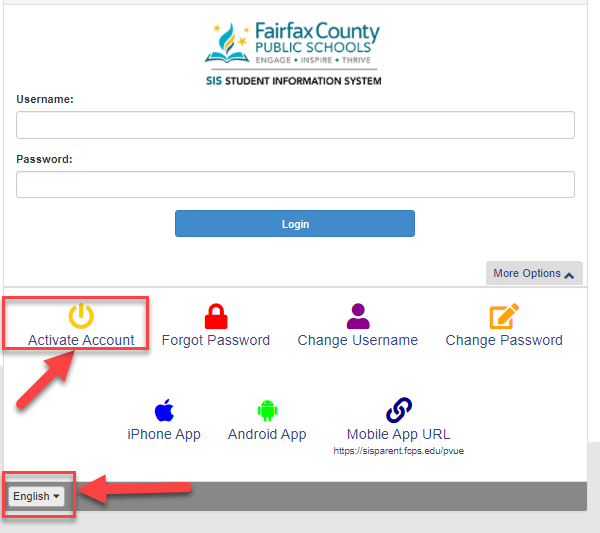
Use Activation Code to create ParentVUE account
Once you receive activation letter, your SIS Parent account will provide you with online access to update emergency contact information, connect with the school and teachers through Schoology, and review grades.
Only one request needed per family needed as your account will allow you access to all of your children’s information. Please note that the page is available in multiple languages (see image below)
ParentVUE Login
Students, families, and staff throughout FCPS and in our school community will use Schoology (prounounced /SKOO-luh-jee/) as our learning management system.
Here is what you need to know now:
- You need a SIS/ParentVUE account to log in to Schoology
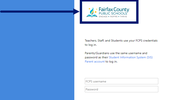
- Use your SIS/ParenVUE login information to login it Schoology. Look for the FCPS logo to make sure you are on the right login page.
Want to Learn More About Schoology?
|