Key MS Families
The Thomas Jefferson HSST PTSA will host its diversity event Saturday, May 15. See the details below.

AVID Interviews 2021-2022 SY
AVID Interviews for 2021-2022 are happening for our rising 8th grade students on Tuesday, May 18th and Thursday, May 20th. If your child applied to AVID, they received an email from Ms. Samudre on Thursday, May 13th with their interview information. Best of luck to next year’s 8th grade AVID class!
If you have any questions, please contact Amy Samudre, AVID Counselor at AJSamudre@fcps.edu and Laura Midgal, AVID Coordinator at LAMigdal@fcps.edu.
|
Thomas Jefferson HSST PTSA Diversity Event for Aspiring TJ Candidates
Hello Key MS Community,
Here is the link to the diversity event posted on the Thomas Jefferson HSST PTSA website:
https://tjptsa.com/2021-05-15-tj-ptsa-diversity-committee-stem-enrichment-parent-student-workshop/.
The TJ PTSA Diversity Committee is pleased to announce it will be hosting a virtual event on 15 May 2021, an online virtual conference featuring several area STEM education providers, including those that offer free and reduced fee services for low-income households. The purpose of this event is to inform the community of those services available for aspiring TJ candidates currently in Elementary and Middle School.
Some of the key providers at this event include:
Ø Black Student Fund
Ø Girls Who Math
Ø Junior Scholars
Ø Humanitas4All
Ø Huntington Learning Center
Ø Dr. Eddie Neal
Ø Cathy Colglazier
Ø And more…….
Event Details
When: May 15, 2021 08:00 AM – 4:00PM EST
Register in advance for this meeting:
https://zoom.us/meeting/register/tJ0ocOGspj0iGNbRRum6ZFebdy22lLcAVpLR
After registering, you will receive a confirmation email containing information about joining the meeting.
Dr. Harry Jackson
TJ PTSA Diversity Committee
703-488-8432
diversitychairs@tjptsa.rog
Emergency Broadband Benefit Program
The Federal Communications Commission (FCC) has announced that the $3.2 billion Emergency Broadband Benefit Program will launch on May 12. This federal program will provide a $50/month ($75/month on tribal lands) subsidy for the cost of internet service for select individuals for 6 months. The list of Virginia's participating broadband providers can be found - here.
Eligible households can sign up for the program directly through their broadband provider or online. For more information and to sign up, visit the program website - https://getemergencybroadband.org/
About the Emergency Broadband Benefit
The Emergency Broadband Benefit will provide a discount of up to $50 per month towards broadband service for eligible households and up to $75 per month for households on qualifying Tribal lands. Eligible households can also receive a one-time discount of up to $100 to purchase a laptop, desktop computer, or tablet from participating providers if they contribute more than $10 and less than $50 toward the purchase price. The Emergency Broadband Benefit is limited to one monthly service discount and one device discount per household.
Who Is Eligible for the Emergency Broadband Benefit Program?
A household is eligible if a member of the household meets one of the criteria below:
- Has an income that is at or below 135% of the Federal Poverty Guidelines or participates in certain assistance programs, such as SNAP, Medicaid, or Lifeline;
- Approved to receive benefits under the free and reduced-price school lunch program or the school breakfast program, including through the USDA Community Eligibility Provision in the 2019-2020 or 2020-2021 school year;
- Received a Federal Pell Grant during the current award year;
- Experienced a substantial loss of income due to job loss or furlough since February 29, 2020 and the household had a total income in 2020 at or below $99,000 for single filers and $198,000 for joint filers; or
- Meets the eligibility criteria for a participating provider's existing low-income or COVID-19 program.
When Can I Sign Up for the Benefit?
As of May 12, 2021, eligible households will be able to enroll in the program to receive a monthly discount off the cost of broadband service from an approved provider. Eligible households can enroll through an approved provider or by visiting GetEmergencyBroadband.org.
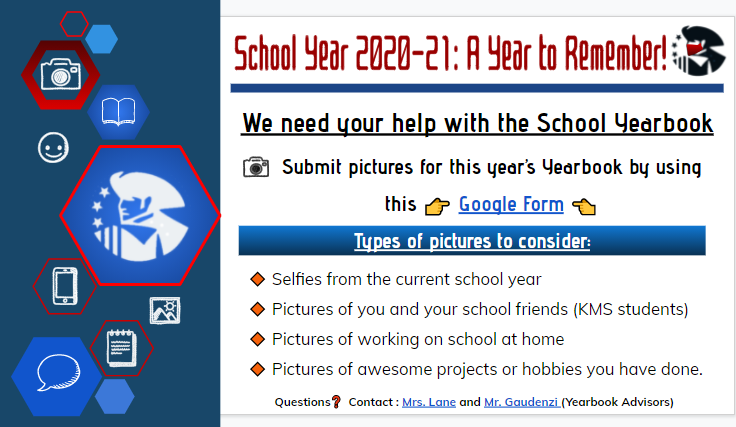
Click the image below to submit pictures for the 2020 - 2021 yearbook.
LEWIS HS PTSA BOARD MEMBERS NEEDED FOR 2021-22 SCHOOL YEAR
Volunteers are needed to serve on the PTSA Board for the 2021-22 school year. Positions needed to fill are:
- President
- Vice President
- Secretary
- Treasurer
Serving on the PTSA Board is a great way to be involved at Lewis High School. PTSA members look to the Board for leadership in creating partnerships within your community and fostering an environment where family engagement is encouraged and respected.
Make a difference at Lewis High School - serve on the PTSA Board!
For more information on each position go to:
https://www.pta.org/local-leader-kit/leadership/get-organized
Contact Liz McGhan, lewisptsapresident@gmail.com
|
SOL Schedule Updates
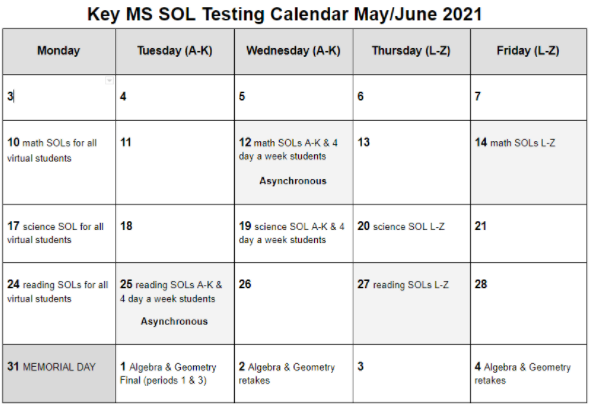
SOLs are fast approaching. Below are our planned testing days for our virtual and in-person students. Students should bring their charged FCPS laptop, their charger, a pencil, and a book to read to all testing sessions. All electronic devices (phones) will need to be turned off and stored or turned in to the teacher in the testing room.
As we get closer to the testing dates, we will be communicating bus transportation information. and testing locations to students through their @fcpsschools.net email.
May 12 and May 25 will be asynchronized learning days for virtual students in order to test all of the students in the building. Virtual students should check each Google Classroom for the day and complete all assignments.
Testing Schedule
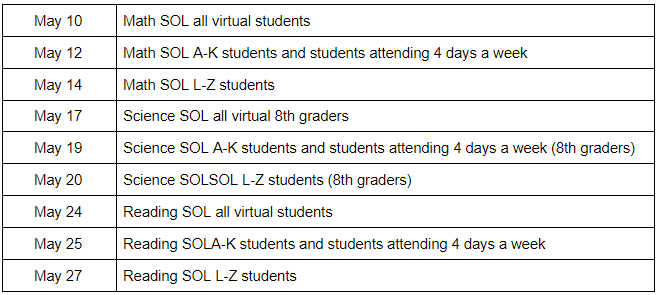
SOL Calendar
SOL Testing Laptop Preparation
To check your device’s health:
- Restart (not shutdown) your FCPS device
- Log in to your computer and wait 5 minutes
- After 5 minutes, locate the FCPSOn Health Check icon on your desktop and double click on it
- On the “Installed Applications” screen, the application titled Pearson TestNav Client should be GREEN. If it is, then your computer is ready for testing!
- If Pearson TestNav Client is RED, then you will need to reinstall it.
- To install the newest version, go to the Windows search box and type Software Center then click on it to open.
- In the Software Center, find TestNav 8 and click on it to open.
- Click the Reinstall button to update the application.
- Once it has installed, restart your computer.
- Run the FCPSOn Health Check again to make sure that Pearson TestNav Client is now GREEN. If it is, then your computer is ready to go! If it is not, then please submit a Student Help Ticket or come to our drive-up clinic on Monday, May 3rd from 12-2pm.
*a slideshow with visuals for these directions is available at https://keyms.fcps.edu/announcements/sol-testing-info-spring-2021
Laptop Clinic
On Monday May 3rd from 12:00-2:00 PM we will have a laptop clinic. Bring your FCPS laptop to Key to resolve any issues with the laptop. Please bring the laptop and charger to this clinic. This is for all Key students.
Technology Support
Students needing technology support should continue to:
1.Restart your computer - this solves many basic issues.
2.Contact your teacher for support.
3.Try these:
Input Needed: Key MS Vision, Mission, and Core Values
What is the purpose of Key Middle School?
What does success for Key Middle School look like? What could be the impact of our success?
What would you like for our school to become?
Answer these questions and more as you provide insights to guide our new mission, vision, and core values as a school community. It is really important that we hear from all stakeholders – students, former students, staff, families of students, and friends of Key are all encouraged to provide their input.
Take 10 minutes and let us know your thoughts by completing the following survey: tinyurl.com/KeyVision
|

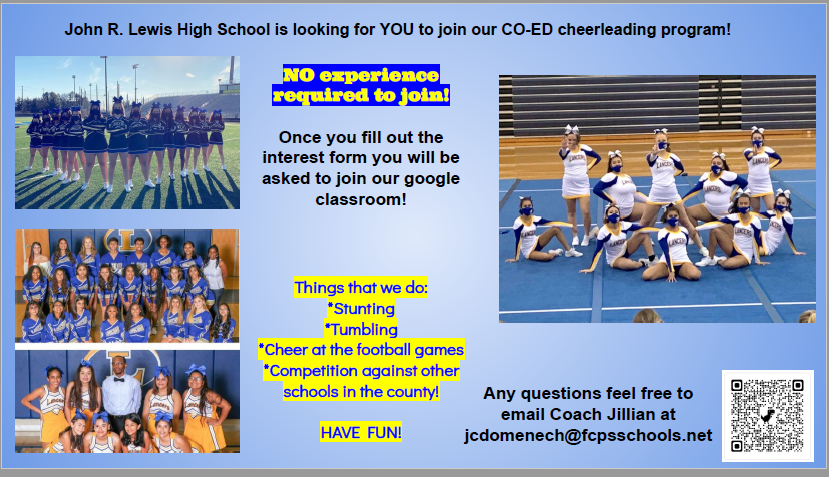
FCPS Orientation Webinar for Parents
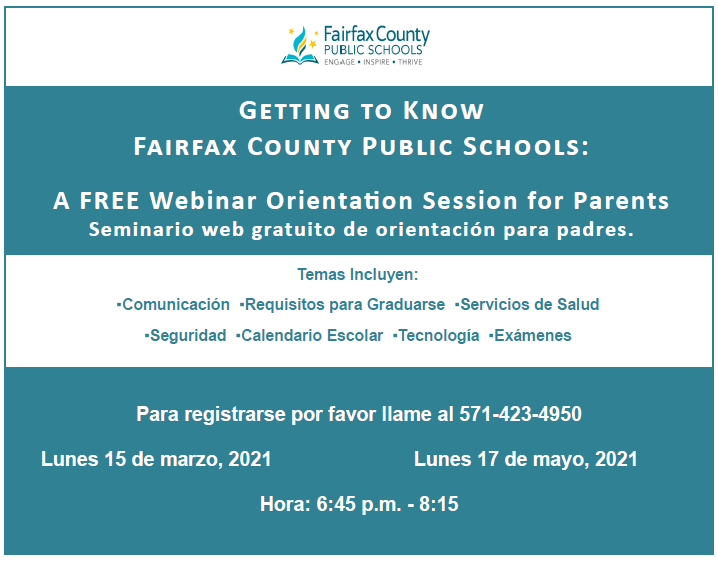
After School Program 4th Quarter Schedule
HERE is the 4th quarter schedule for the Key MS After School program. There are many fun and engaging opportunities for everyone.
 |
|
Key MS YouTube Channel
Take a look at the Key MS YouTube Channel to see the Virtual Orientation Return 2 Learn videos.
Our YouTube Channel has been updated with two new videos from AP Tillman.
|
Calendar 2021
May 2021
17- Science SOL for virtual students
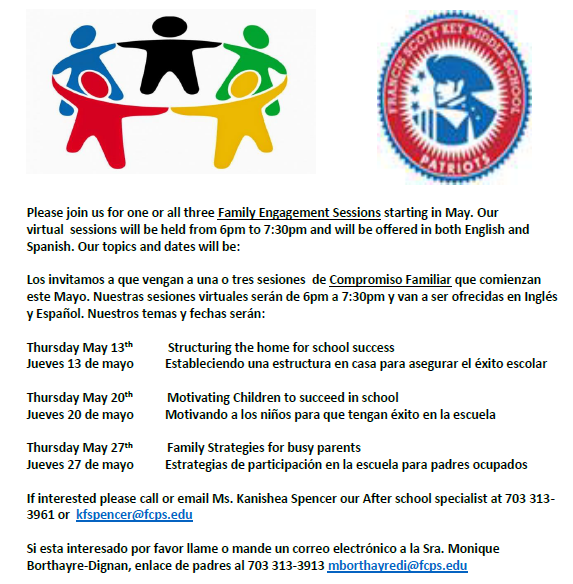
17- Family Engagement Series @ 2:30pm
19-20 Science SOL
20- Parent Engagement Series: Motivating children to succeed in school @ 6pm
24- Reading SOL for virtual students
25- Asynchronous Day
25 and 27- Reading SOL
25- Key MS Career Day @ 2:30-4:30
25- PTA Meeting @ 6pm
27- Parent Engagement Series: Family strategies for busy parents @ 6pm
28- Last day of After School Programs
31- Memorial Day – No school
June 2021
2 and 4- Algebra and Geometry retakes
8- Election Day - Virtual for ALL students
11- Last day of school – Early Release
|