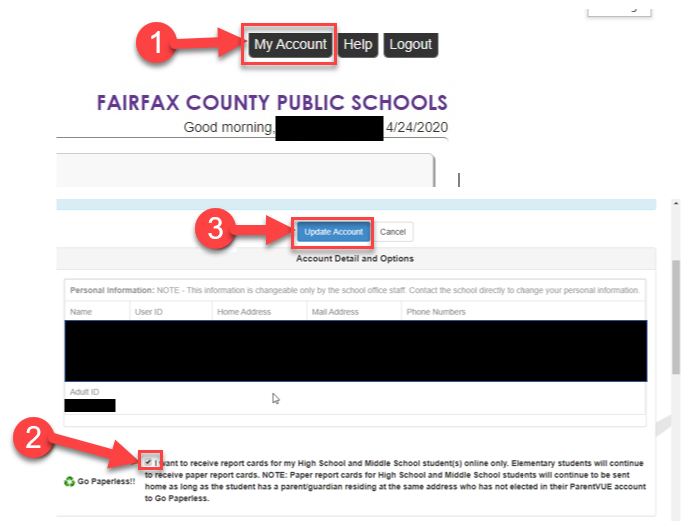
“Go Paperless” Progress Report Option
Please help save trees and postage costs by opting in to receive “Paperless” Report Cards
- Parents and/or guardians will need to log into ParentVUE, then go to “My Account” and select "Go Paperless."
- All parents and/or guardians who live with the student and share the same address must have a SIS ParentVUE account and must select the paperless option to prevent mailing of the printed progress reports.
- The “Go Paperless” option will apply to all their associated students, no matter what school level.
- If the associated parent and/or guardian has already selected “Go Paperless” for their secondary student, the option will now apply to any ES siblings as well.
- Please note that you can print the Progress Report from ParentVUE if you want.
|