TIPS FOR ONLINE LEARNING SUCCESS
 |
|
Dedicate a space for your child to do their work.
The computer needs to be on a level surface. (Laptops should not be used on your child’s lap.)
Everyone can see where your child is working when their camera is on
|
 |
|
Students can email teachers through their Gmail account.
(studentID@fcpsschools.net).
Your child may also use this email to reach out to their counselor and other school staff.
Parent emails will not go through fcpsschools.net
|
 |
|
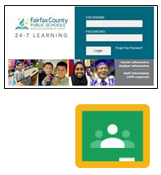
Check for assignments and announcements in
FCPS 24-7 Learning
or
Google Classroom
|
 |
|
Help your child stick to a schedule.
Have your child follow the schedule for meeting with teachers. Your child may use the other days to complete assigned work and check in when needed.
|
TECHNOLOGY TROUBLESHOOTING GUIDE
Accessing FCPS G Suite for Education
What do I need?
Laptop, Wifi and Chrome
How do I login?
Open Google Chrome
Go to www.fcpsschools.net
Enter your child’s 7-digit studentID number and click Next
Enter your child’s FCPS password and click Next
Access Gmail from the 3x3 apps grid in the upper-right
|
Accessing a website
- Refresh the web page. Click on the refresh
- Try using another browser. Chrome, Safari, Microsoft Edge
- Check your Internet connection
|
Accessing Blackboard Collaborate Ultra
What do I need?
Laptop, Wifi and Chrome
How to join a session?
Your child will get an email with the link to their
FCPS Gmail (fcpsschools.net) account.
Make sure they check the class listed, save or star the email and be sure not to share the email as it contains a personal link.
|
Connecting to the internet
- Disconnect, then reconnect to the Internet
- Restart your device
|
| |
|
NEED TECHNOLOGY HELP?
Try one of the options below.
Check with your school technology specialist (TSSpec) or teacher for help.
If you are having difficulty and need technology support please
enter a request using the Family Tech Support online portal: https://itweb.fcps.edu/itsupport/
Call one of our FCPS Parent Information Phone Lines for assistance.
Amharic (አማርኛ): 571-423-4957
Arabic ( ): 571-423-4952 ): 571-423-4952
Chinese ( ): 571-423-4953 ): 571-423-4953
Farsi ( ): 571-423-4954 ): 571-423-4954
Korean ( ): 571-423-4951 ): 571-423-4951
Spanish ( ): 571-423-4950 ): 571-423-4950
Urdu ( ): 571-423-4955 ): 571-423-4955
Vietnamese ( ): 571-423-4956 ): 571-423-4956
|