FCPSOn Laptop Distribution
FCPSOn laptop distributions will take place from August 19th to August 26th from 3:00-6:00PM. Students are grouped alphabetically for each of the distribution days. Please refer to the schedule below to see when you are scheduled to pick up your new FCPS laptop, charger, and protective sleeve.
|
Date and Time
|
Alphabetical Grouping
by Last Name
|
|
Wed, 8-19, 3:00-6:00PM
|
A-C
|
|
Thu, 8-20, 3:00-6:00PM
|
D-H
|
|
Fri, 8-21, 3:00-6:00PM
|
I-L
|
|
Mon, 8-24, 3:00-6:00PM
|
M-P
|
|
Tue, 8-25, 3:00-6:00PM
|
Q-S
|
|
Wed, 8-26, 3:00-6:00PM
|
T-Z
|
• Please have your student come with you as they will be required to register and log into their new computer before taking it home. Parents and/or guardians will drop off their student at station 1 in the front parking loop of Longfellow MS. Parents and/or guardians will then park in the parking lot and wait for their student to come back to their cars to log in and register. Once registration is complete, a staff member will verify successful registration and students will be given a 2020/2021 LMS agenda book before leaving the school.
• For Rising 7th graders – If your student has any FCPS property from their elementary school, please bring those items with you. We are collecting any technology equipment or textbooks/library books that your student may still have.
• For Rising 8th graders – If your student has any FCPS property from Longfellow MS (or another FCPS middle school), please bring those items with you. We are collecting any technology equipment and/or textbooks/library books that your student may still have.
Rationale for Obtaining an FCPS Issued Laptop:
• Tech Support: Tech support is not available for personally owned devices.
• Classroom Management: It is more difficult for teachers to manage their classrooms when students have different devices, with different capabilities and support needs.
• Cost to Repair and Replace Personal Devices: If a student loses or damages a personal device the cost to repair or replace must be paid by the family. The FCPSOn device was chosen to be durable and is designed to be carried back and forth from home and school. The wear and tear of moving between classes and from home to school will be shouldered by the FCPSOn device, rather than a student’s personal device. If a student accidentally damages their FCPSOn device, on site tech support specialists will repair the device as well as provide a loaner, which will ensure learning isn’t interrupted by not having a working device.
• Access to Curricular Software: Some instructional applications require local installation on the device. FCPS license agreements will not allow for installation on personally owned devices. FCPSOn curricular software will be preloaded on FCPSOn laptops or available through APPV. Families will be responsible for cost and installation support of such instructional applications for personally owned devices.
• FCPS Laptops Are Needed for Testing when we are back in the building: FCPS standardized assessments such as SOL testing must be done on a school-issued device. Students will be able to walk into a testing environment ready to go with the FCPSOn device. Schools will still need to provide FCPS devices for testing to students that do not accept the FCPSOn device.
• Wifi and Printer Configuration when we are back in the building: The FCPSOn laptop is already connected to the FCPS wifi network as well as a printer in the school. Students will need to add personally owned devices to the FCPS wifi network and will not have the ability to print at school.
• Separation of School and Personal Information: Having an FCPSOn device and a personal device provides a Digital Citizenship lesson. It teaches students to complete schoolwork on their FCPS laptop and to do personal things, such as shop or play games on their personal device. This separation helps prepare students for being in the work force and complying with an employer mandate to separate work life from personal life.
A few FAQs about the FCPSOn Initiative:
• What is loaded on FCPSOn laptops? Laptops will be preloaded with software and plugins to ensure compatibility with online instruction, testing, and most curriculum software.
• Does a student need to use the laptop with wifi when not on school property? We have installed Google drive sync so students can work on documents offline. Depending on what the assignment requires (watching a video, research, collaborative tools, etc.) they may need to access wifi.
• What if we do not have WiFi internet at home? If families do not have internet access in the home, please contact our Technology Support Specialist, Mr. Brian Eastman at BMEastman@fcps.edu.
• Why can’t we pick up the laptop at any time? We have scheduled staff members to assist with the distribution at the indicated times. There is a required process in order to return any borrowed equipment, check identification, login assistance, etc. that necessitates an assembly line type process. We have scheduled laptop distribution by student last names. If you are unable to pick up your laptop on your designated day, you may also schedule a time on either August 27th or August 28th.
• What resources are available to parents and students to promote good digital citizenship online? The FCPS Website has many resources to support parents. Parents have access to a Customizable Device Contract and Family Media Agreement that will support them as they talk with their children about internet use and set rules that are right for their family.
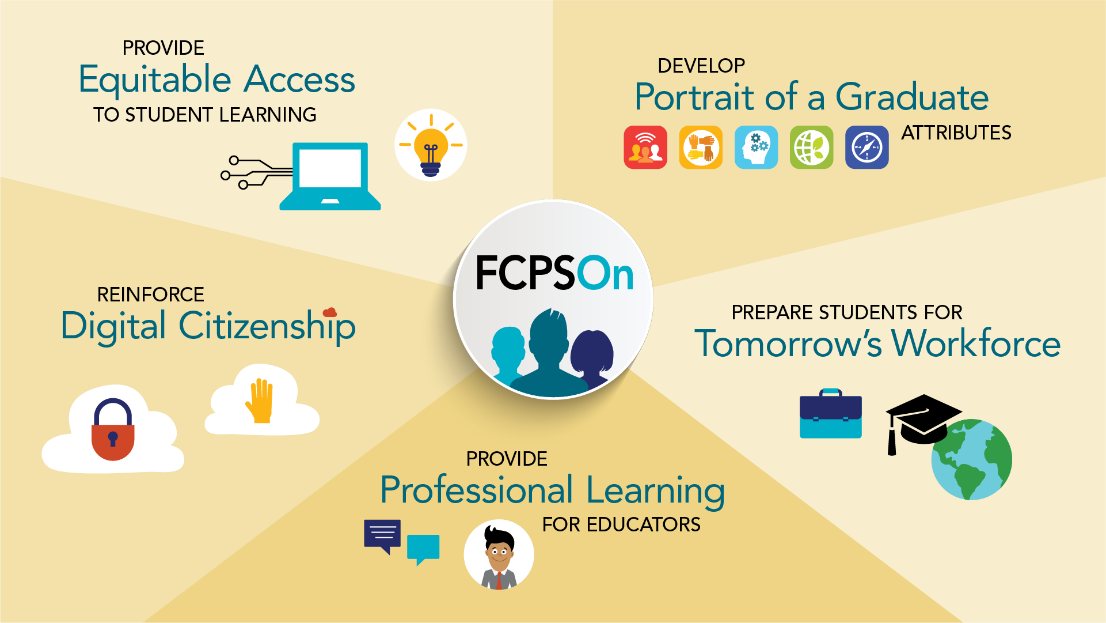
Please click on the graphic below for more information:
|