January Office Hours Recap
Greetings School Certifying Officials (SCOs),
We hope you attended the January Office Hours but if not, the material below provides you with all the information.
We also now have a dedicated playlist to house all Office Hours recordings and specialty webinars.
Please continue the hard work you do for our Service members, Veterans, and beneficiaries. We believe the path to higher education begins with you!
January Office Hours Agenda
Topics covered:
- Veteran Readiness and Employment (VR&E) updates
- Debt Management Center (DMC) updates
- SCO Handbook updates
- Reminder of new uniform applications
- Study Abroad
- The SCO Handbook has been updated to account for the changes to Study Abroad procedures.
Relevant links:
Upcoming Training Event(s): February Office Hours
Please register for only one of the following sessions as they all present the exact same material:
Annual Training Requirements
The SCO Annual Training Requirement video is available on the VBA YouTube Channel. This recording is extremely valuable for new SCOs and serves as a refresher for those who’ve been in their position for years. We do not cover the slides during Office Hours anymore.
Watch the SCO Annual Training Requirements video.
Relevant links:
Annual SCO training requirements
Fiscal Year 2024 Training Calendar
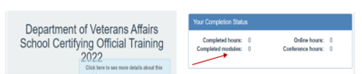
SCO Training Portal - You can view the number of training modules and training hours you’ve completed here in the Your Completion Status table.
FY 2024 New Certifying Official Training Requirements
- Institutions of Higher Learning = 10 Modules
- Non-College Degree Facilities = 10 Modules
- On-The-Job and Apprenticeship Training = 1 Module
- Vocational Flight Facilities = 1 Module
- High School Facilities = 1 Module
- Residency Facilities = 1 Module
FY 2024 Continuing Certifying Official Training Requirements
- Institutions of Higher Learning = 4 Modules
- Institutions of Higher Learning with Flight Programs = 4 Modules
- Institutions of Higher Learning with Non-College Degree Programs = 4 Modules
- Non-College Degree Programs Only = 4 Modules
- On-The-Job and Apprenticeship Training = 1 Module
- Vocational Flight Programs = 1 Module
- High School Programs = 1 Module
- Residency Programs = 1 Module
Self-Certification Steps
- Login to the SCO Annual Training Portal.
- Select “Office Hours”, “Conference Sessions”, or “Supplemental Training”.
- Locate the applicable session and select “Begin”.
- Verify you selected the correct training session, then select “continue”.
- Select “Yes, you completed 100%”, then select “Submit”.
- Enter the date of training, then select “Submit”.
- Download your results and retain the certificate.
Congratulations to all the new School Certifying Officials!
Education File Upload Portal
As a reminder, the Education File Upload Portal (https://www.my.va.gov/EducationFileUploads/s/) went live in Fall 2022. The purpose of the portal is to eliminate email correspondence and allow for secure transmission of documents to VA.
To ensure documents are routed appropriately, select the correct radio button for the document(s) you wish to upload. Incorrect selections may delay the processing of the document or deem it invalid.
Compliance documents - If you are submitting documents requested by a surveyor, always select this option. You will be asked for the fiscal year, facility code, and the Unique Identifier (aka Compliance Key). The surveyor will provide this information when requesting documents to perform the compliance review. Both you and the surveyor will receive email notification of the files uploaded.
Other “Acceptable Documents” which are listed below, are indicated by radio buttons. Use this feature to submit the following form(s) to the VA in lieu of email.
- Change of SCO reporting
- EFT and Tax ID updates
- 85/15 reporting
- 35% exemption reporting
- Conflicting interest filing
- Centralized Certification filing
Please do not send the following:
- Approval documents to be reviewed by the State Approving Agency (SAA). Send these documents directly to your SAA.
- Documents or inquiries relating to claims. Send these documents to VA through AskVA.gov.
Additional SCO Resources
Relevant links:
- School Certifying Official Handbook
- School Certifying Officials Resource Page
- GI Bill website
- Dedicated playlist of all Office Hours recordings and specialty webinars
- Office Hours FAQ
- Enrollment Manager FAQ
- Education Liaison Representative points of contact
- State Approving Agencies points of contact
If you have questions or concerns about ID.me or Login.gov you must contact them directly. These systems are not managed by VA.
As a final reminder, you must be enrolled in GovDelivery in order to receive routine communications (such as webinar invites or these office hour notes) from Education Service.
If you have outstanding questions related to this material or if you have suggestions on future Office Hour presentation topics, please contact the National Training Team – Schools.
Most respectfully,
National Training Team (NTT) – Schools
|