|
School Certifying Official,
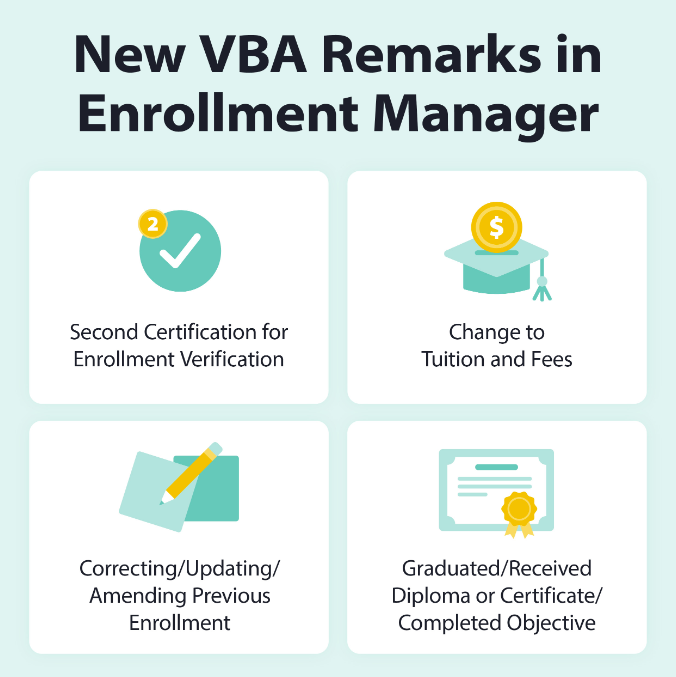
As previously mentioned in July Office Hours, we’ve added to the list of VBA remarks you can choose from, to indicate changes to a student’s enrollment within Enrollment Manager.
When to use the new VBA remarks
Below are scenarios for when to use each remark. These four new VBA Remarks are not required for submission given the updated enrollment already contains this information. However, the following remarks are being provided based on many custom remarks we've received with the same intent. These should be used in place of similar custom remarks you may have entered:
-
Second Certification for Enrollment Verification: You can use this remark when you are verifying attendance/enrollment for a student.
-
Change to Tuition and Fees: You can use this remark when making any updates to tuition and fees; Enrollment Manager will automatically include the tuition and fee updates – there is no need to provide additional details.
-
Correcting/Updating/Amending Previous Enrollment: You can use this remark when making any corrections or updates to an enrollment; Enrollment Manager will automatically include this enrollment update – there is no need to provide additional details.
-
Graduated/Received Diploma or Certificate/Completed Objective: You can use this remark when submitting an enrollment pertaining to graduation or program completion.
Note: Terminations are still required if the student is graduating or completing the end of term or course.
If a remark isn’t available for the change you’ve made, please use the Notes feature and refrain from entering a custom remark to ultimately improve the process of automating enrollments in Enrollment Manager and help deliver education benefits to your students in a timely manner.
Notes are visible for you and all other School Certifying Officials to view. They are not transmitted to Regional Processing Offices (RPOs), Veterans Claims Examiners (VCEs) or VA Central Office but can be viewed by VA employees with access to Enrollment Manager.
For more information about entering VBA remarks, please review the Enrollment Manager User Guide.
Kind regards,
Education Service
|