|
|
Please note the revised hours for the
Customer Experience Group (CEG): 8 a.m. - 5 p.m. ET.
School Certifying Official,
We're excited to share new tips with you as you continue to become familiar with Enrollment Manager. Each tip is designed to help you navigate Enrollment Manager and better support your GI Bill® students.
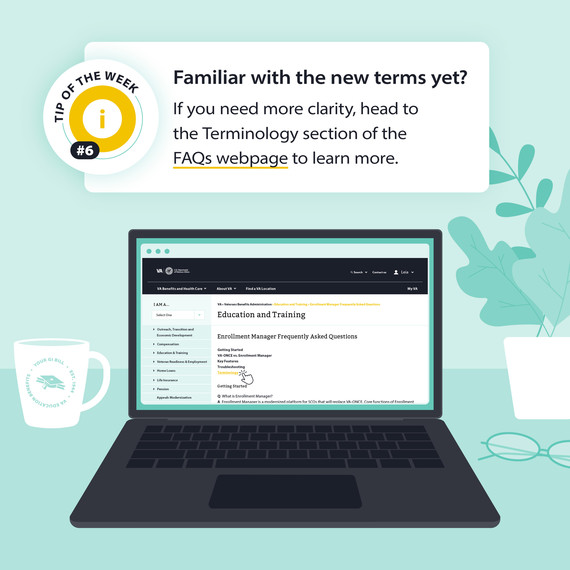
This week, we’re covering the new terms used in Enrollment Manager.
Additional Information:
In Enrollment Manager, you will find new terms such as:
Amendments: Any change made to an enrollment after it is submitted.
Preset enrollments: Previously referred to as standard terms in VA-ONCE, these are term dates on approved school calendar that can be prepopulated.
Vacation period: The official calendar dates of school vacation periods, which are seven or more consecutive days. Used when certifying non-standard enrollment periods for all benefits.
Head to the terminology chart on the frequently asked questions webpage for the full list of new terms in Enrollment Manager.
Reminders about student profile information:
-
If the file number or date of birth (DOB) is incorrect on a student profile, please encourage your student to contact the Education Call Center directly at 888-GIBILL-1 (888-442-4551) to update their profile information.
-
Social Security numbers are not displayed in Enrollment Manager. You cannot search for a student with their social security number.
-
You can search for your students by entering their first name, last name or Student ID. You can search all students by using their first name, middle name, last name, email, phone number or date of birth.
Tips for terminating enrollments:
-
Enrollment Manager does not allow you to delete a draft enrollment. Instead, submit the enrollment and terminate if necessary.
-
When terminating an enrollment, you can't edit an objective.
-
Once an enrollment is terminated, it can no longer be amended. To make changes, you will need to resubmit the enrollment.
-
Check out the terminate an enrollment section in the User Guide for step-by-step instructions.
- IHL - Starts page 131
- NCD - Starts page 164
- OJT/APP - Starts page 189
- Flight - Starts page 235
Q: “How can I view or print a PDF all enrollments/amendments for a student?”
A: Click the ‘View Details’ button on the Enrollment tab for submitted enrollments/amendments which takes you to a ‘View Details’ page where you can view/print. You can also generate detailed reports for enrollments, amendments and certifications based on a weekly date range from the ‘Reports’ tab.
We hope you learned something new from this week's tip. Have any suggestions on helpful content you’d like to see? Let us know in the feedback form.

|
|
 |
|
US Department of Veterans Affairs
Veterans Benefits Administration
1-888-442-4551, TDD: 711
|

Do you have a question or concern about your benefits? Contact us safely and securely with AskVA!
|
|
|
|
|