|
You are receiving this
email because you are a registered user of the USPTO’s Patent Review Processing
System (PRPS). PRPS will be replaced with a new system in the near future.
In order to have access to the new USPTO system you will have to validate
your PRPS user profile. The steps to validate your profile have been
outlined below.
What you need to do:
- PRPS users should ensure that their user profile in
PRPS is updated with their unique email address.
- The email address should be associated with your name
and not another individual’s name or a shared email address.
- This email address will be linked with other USPTO
systems and will become the user identification when logging into USPTO
systems.
If you have any questions or need to reset your current password in PRPS, please email Trials@uspto.gov or contact the Patent Trial and Appeal Board at 571-272-7822.
Login Instructions:
In order to update your
email address, login to the PRPS system
- Go to the “My
Account” tab and click on the “Edit Profile” button:
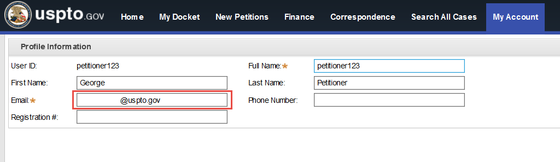
- In the email box, ensure that the user’s email address is correct:
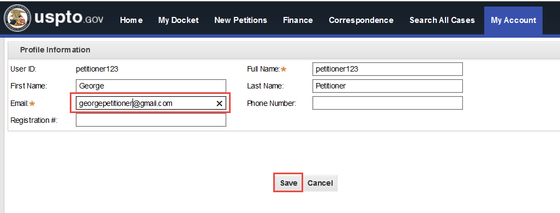
- If not, then update
the email address and click on the “Save” button
|