|
June 8, 2018
Dear Customer:
This Customer Notice is a follow-up to the Customer Notice issued on May 22, 2018, titled NFC Contact Center (NCC) Email Mailbox Closure. As stated in the notice, effective Sunday, June 24, 2018, the NFC Contact Center (NCC) will be transitioning away from accepting customer issue initial reports via email to the NCC email box, nfccontactcenter@nfc.usda.gov. Customers may create tickets for NCC handling directly via the ServiceNow website at https://nfcerp.service-now.com/ess. Additional information about ways to contact the NCC may be found via the NFC Contact Us page.
Creating tickets directly via the ServiceNow self-service portal shortens time for completion and resolution of customer requests. This prevents delays for customers caused by waiting for manual entry of requests received via email. In addition, tickets entered via the self-service portal are able to be tracked throughout their lifecycle by customers and even updated directly by customers as needed.
The ServiceNow customer portal is available 24 hours a day, 7 days a week. Use of the portal enhances security by ensuring that only agency-authorized customers submit issues to the NCC.
Customers should follow the steps outlined below when submitting requests for ABCO and Claims.
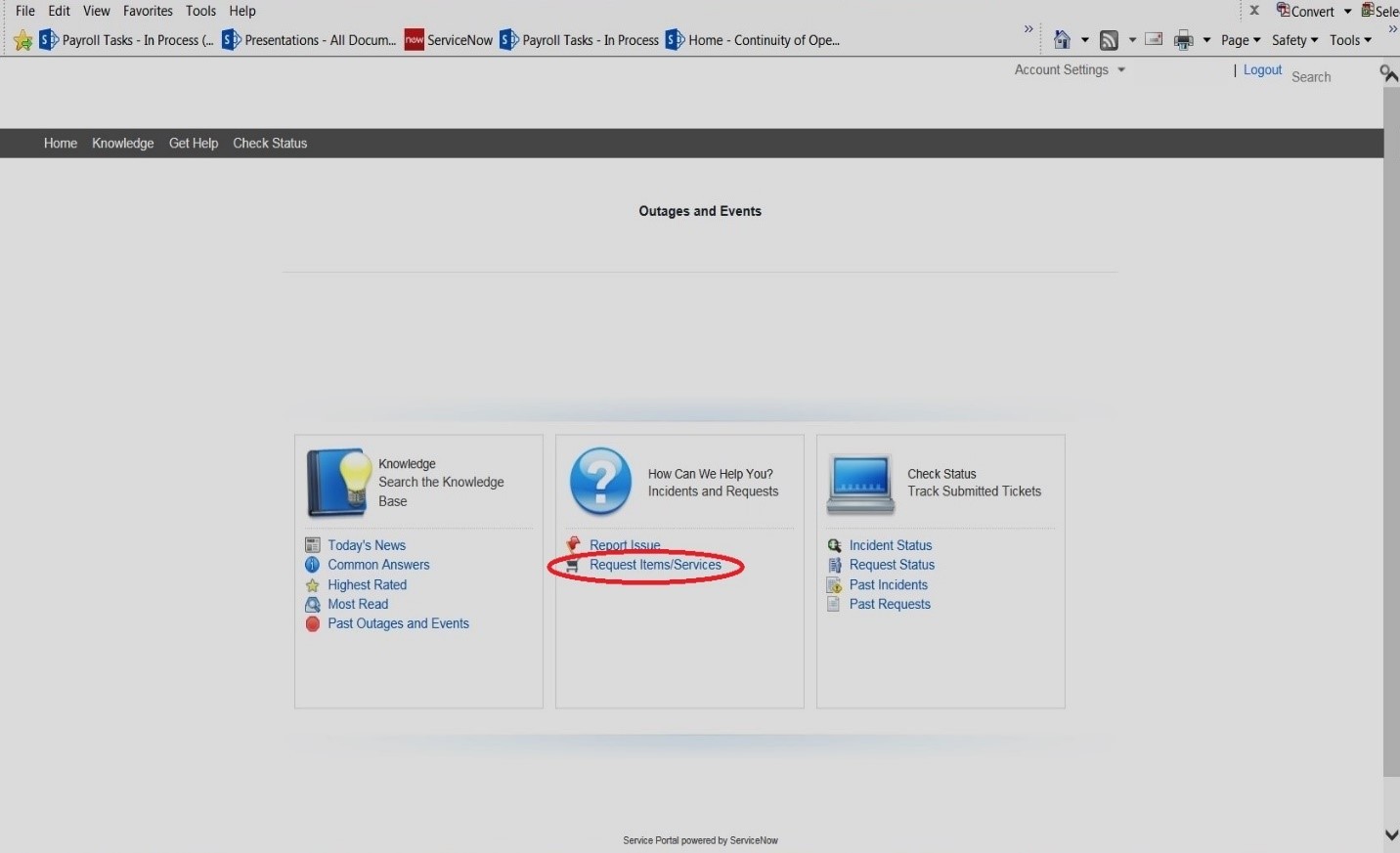
Step 1: From the ServiceNow Customer Portal homepage, select “Request Items/Services” from the “How We Can Help You?” widget in the middle of the dialogue box.
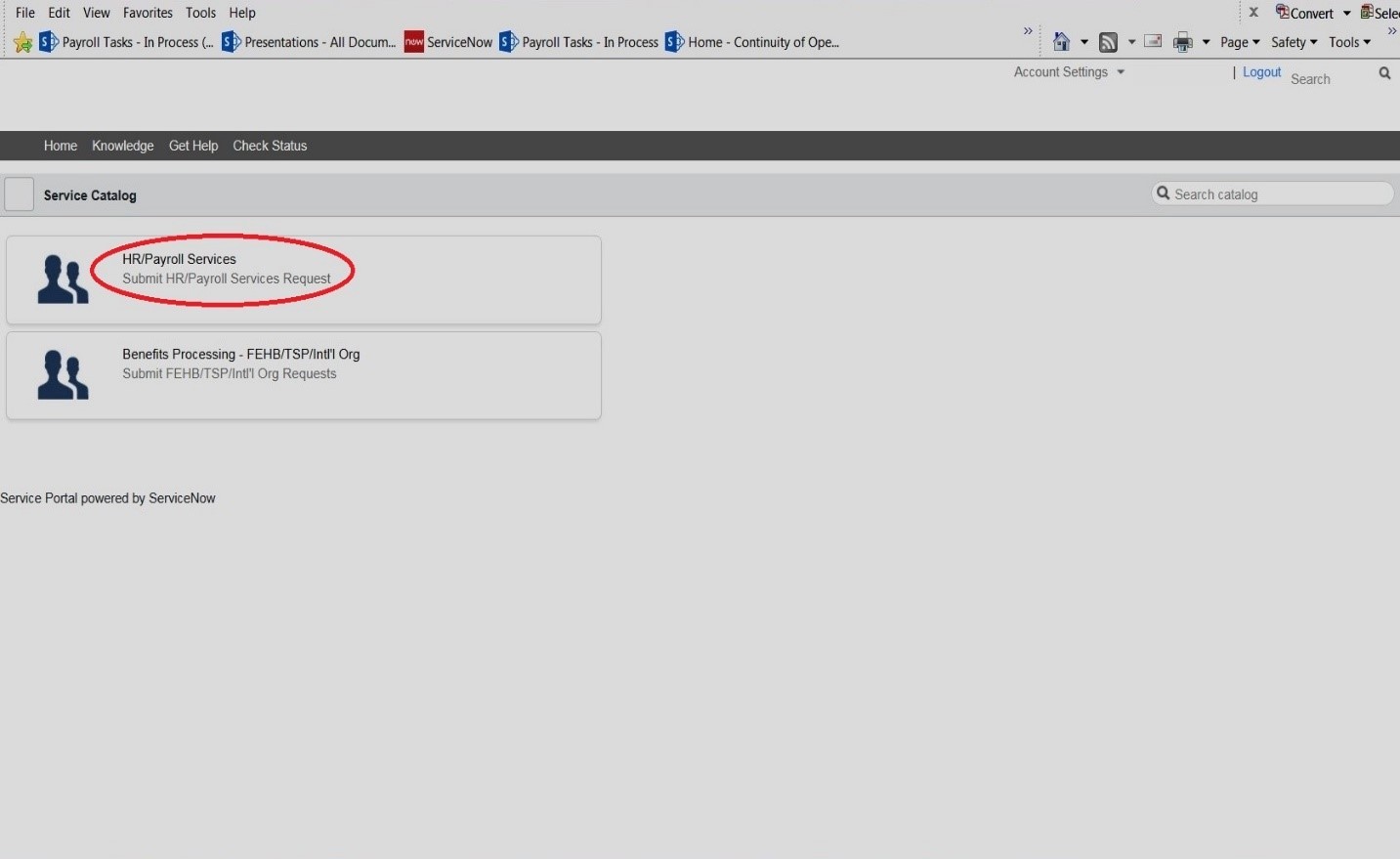
Step 2: The Service Catalog Menu will appear, select “HR/Payroll Services”.
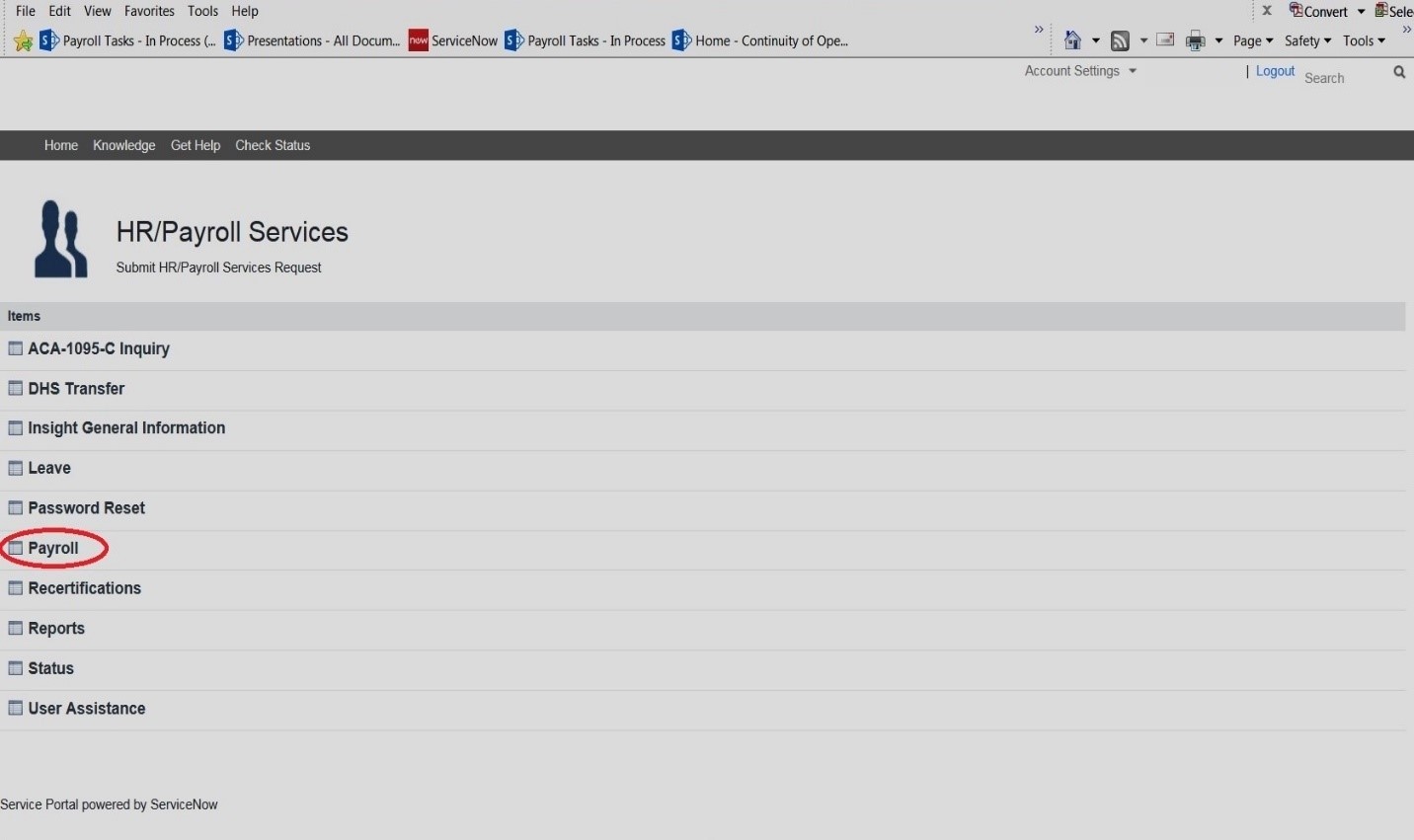
Step 3: The HR/Payroll Services Menu will appear, select Payroll.
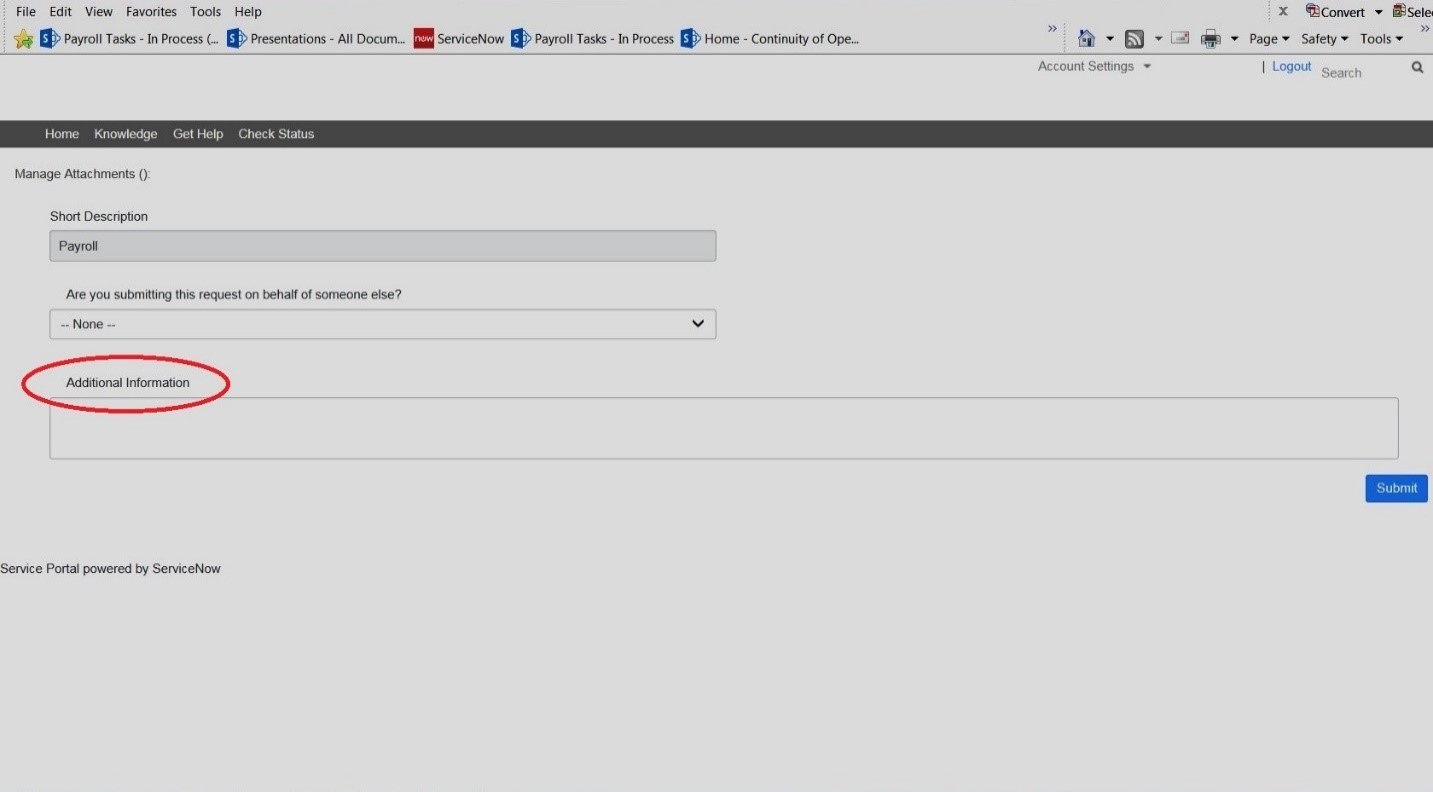
Step 4: The Payroll Service Request will now be visible. Select the appropriate option from the drop down and in the “Additional Information” box (see screen shot below) input the following information:
- Agency
- POI
- Employee’s Name
- Bill Number
- Request Type; i.e. ABCO or Claims
- Action needed; e.g. Hold Request, Waiver Applied for, Waiver Approved, Refund Collections etc.
If the above information is not provided, the NCC will close the ticket due to insufficient information.
Also, to assist in processing the request(s) expeditiously, all attachments should include the employee’s debtor number. Please remember to encrypt the attachment, as any attachment containing PII needs to be encrypted. If PII is transmitted unencrypted the request will be closed due to a PII incident. The following link identifies what is considered PII: https://www.nfc.usda.gov/AdditionalResources/pii.php.
In order to request access to the ServiceNow self-service portal, customers should confirm they are authorized to contact NCC as noted in their TMGT Table 063 Contact Type to contact their Agency Security Officer. Additionally, to request actions related to ABCO, personnel must be established in TMGT 063, Contact Types 12 through 30.
Federal employees with questions concerning this notification should contact their Servicing Personnel Office. Authorized Agency Representatives with questions concerning this notification should contact the NCC at 1-855-NFC-4GOV (1-855-632-4468); via ServiceNow at https://nfcerp.service-now.com/ess/.
|


