Take a Look Inside:
In April, FNS unveiled a new and improved website designed to make finding information about our programs, services, and resources easier. You may have noticed it takes a little more time to find the information you need. Here are a few tips to navigate the new website:
- Visit our website at www.fns.usda.gov. For an optimal viewing experience, use Firefox,
Chrome, or Internet Explorer 11.
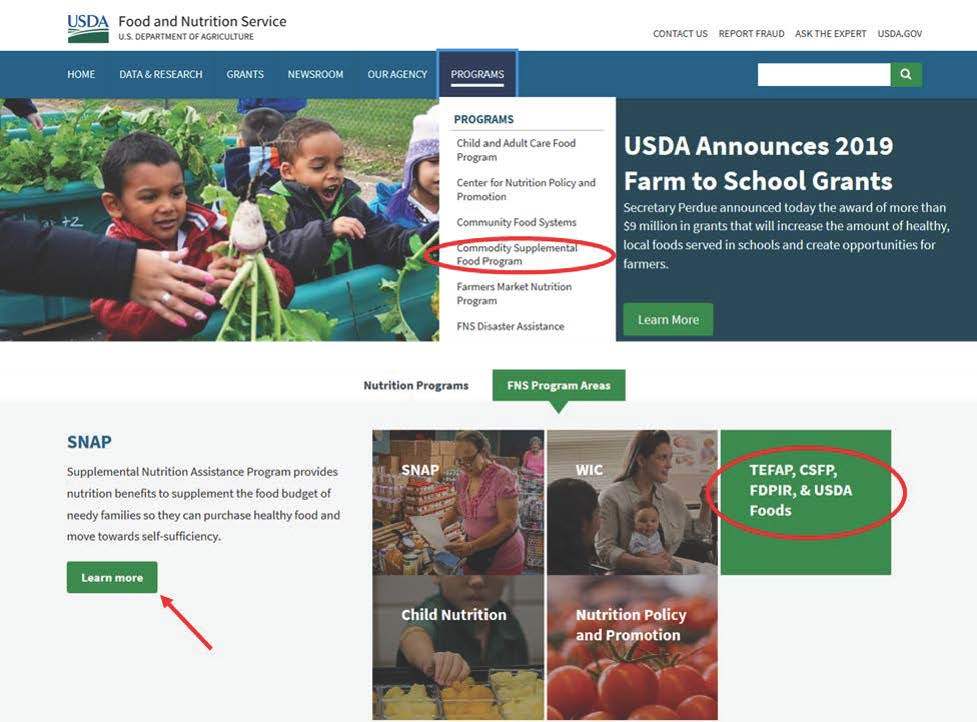
- To find information about a specific program, click the Programs tab in the toolbar to view our list of programs. You can also scroll down to the middle of the page to locate a program by FNS Program Area. TIP: When searching by FNS Program Area, don’t forget to click the Learn More button to view the programs in that selection. The pictures themselves do not act as hyperlinks.
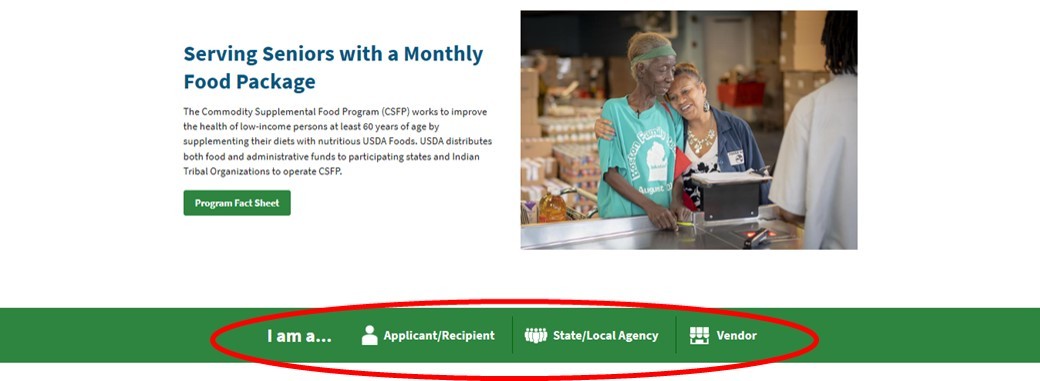
 3. Once on the program page, you can search for information by audience type. If you are an applicant, State agency, or vendor, these pages offer tailored information that is specific to your needs. The example below is from the Commodity Supplemental Food Program (CSFP) homepage.
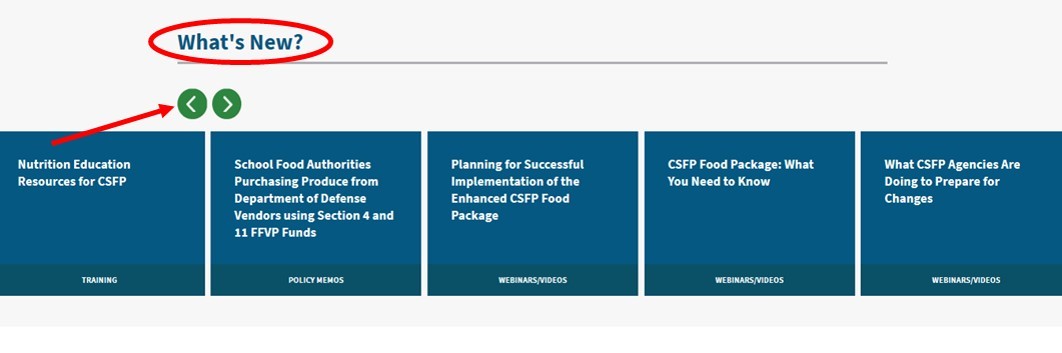
 While on the program page, check out the What’s New section to find information that was recently updated. Click the green arrows to scroll through the list.
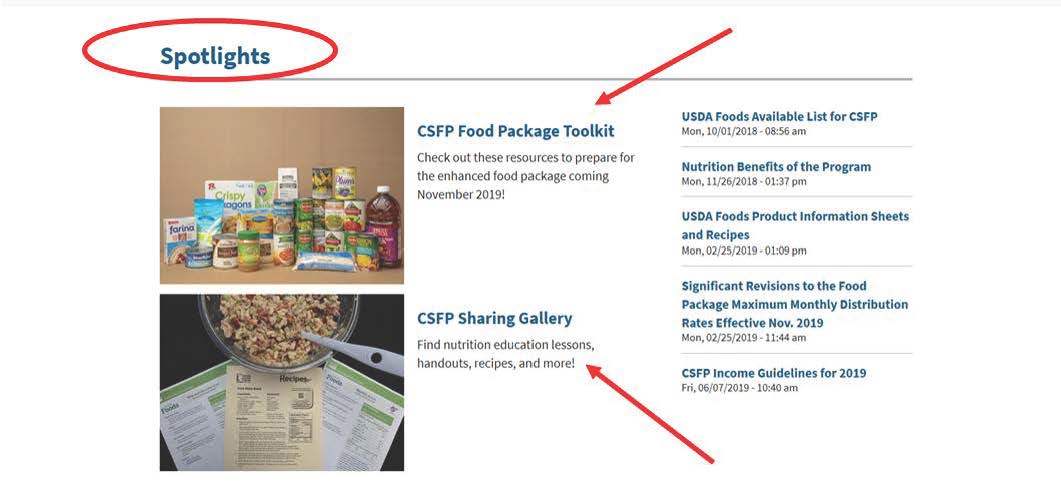
 The Spotlights sections also contains the latest resources and a quick snapshot of the program’s most popular materials.
In this example, the CSFP Food Package Toolkit and CSFP Sharing Gallery are highlighted as program spotlights.
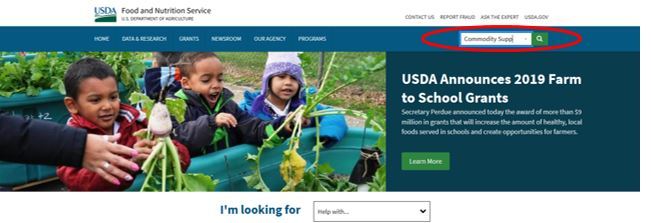
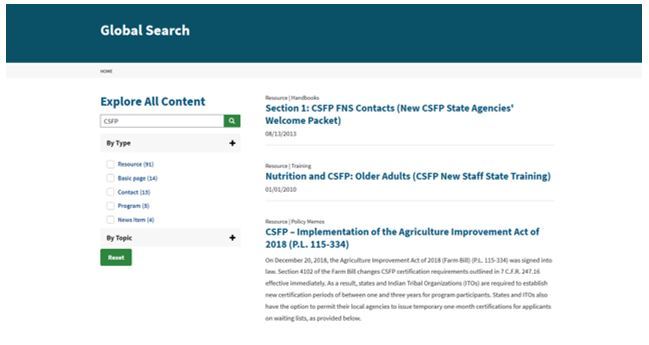
 4. The search function in the blue tool bar is very useful and can be found on any page of the website. Type a few key words in the search field and click the magnifying glass. The website will conduct a global search to retrieve a list of pages related to the key words entered.
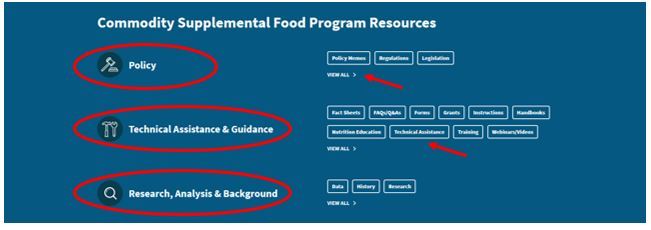
  5. The last section of any program page can be used to find all resources related to the program. Scroll to the bottom of the page to find policies, technical assistance and guidance, and research, analysis and background resources for each program.
Feel free to view all materials in each overall category by clicking the View All button. You can also select a specific sub-category within each overall category to view all of the materials that are specific to that sub-category. For example you could choose to look just at the Legislation sub-category under the Policy Memos category.
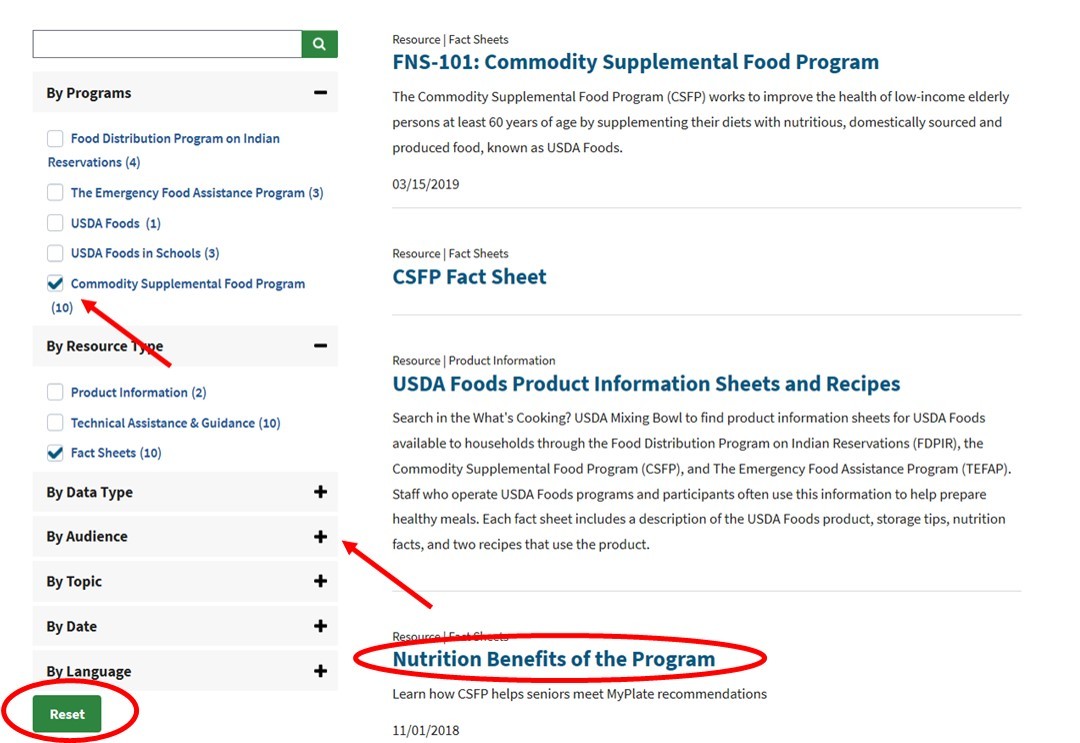
 Once a topic/category has been selected, the website will identify all possible resources in a list with a description. On the left side of the page, additional filters are available to modify your search. Click the + to expand the list of filters. Put a check in the box if you would like the information listed to be filtered even further. The Reset button at the bottom will erase your filters to start a new search.
We hope these tips make finding our resources much easier to locate! If you have any issues locating resources related to USDA Foods in Schools, FDPIR, TEFAP or CSFP, please contact us at USDAFoods@usda.gov.
|