FSA NEWSLETTER -- April, 2025
 In This Issue:
Looking for ways to do business with USDA that saves you time? Look no further than farmers.gov.
When you create an account for the farmers.gov authenticated customer portal, you have access to self-service features through a secure login. Managing your business with USDA’s Farm Service Agency (FSA) and Natural Resources Conservation Service (NRCS) is faster than ever. From e-signing documents, viewing, printing, and exporting maps and receiving notifications of payment disbursements, a farmers.gov authenticated account makes doing business with USDA easy and secure.
What can you do with your farmers.gov account?
- View FSA Farm Loan information including interest payments, loan advances, payment history and paid-in-full/restructured loans.
- Make USDA direct farm loan payments using the Pay My Loan feature.
- Access the Online Loan Application portal.
- View, print and export detailed FSA farm records and farm/tract maps.
- Import precision agriculture planting boundaries, create labels containing crop information, and print both on farm tract maps.
- View and print your FSA-156EZ with farm details
- View and print your Producer Farm Data Report
- View NRCS Disbursements and Farm Loans financial activity from the past 180 days.
- View your land, access NRCS data on your conservation plans, contracts, and planning land units through the Conservation Land Area page.
- View, upload, download and e-sign NRCS documents.
- Request NRCS conservation and financial assistance, including submitting a program application.
- View detailed information on all previous and ongoing NRCS contracts, including the amount of cost- share assistance received and anticipated; and even request contract modifications, report practice completion and request practice certification.
- “Switch Profiles” to act on behalf of your entity or another individual when you have active representative authority on file
If you’d like to see the features in action and learn more about how to use them, check out the 3-5 minute farmers.gov account video tutorials.
How do you create a farmers.gov account?
Visit farmers.gov/account to access information about farmers.gov accounts and sign in to the site’s authenticated portal. You will need a Login.gov account linked to your USDA customer record to access your farmers.gov authenticated site. Customers who are new to USDA should visit Get Started at Your USDA Service Center, then go to farmers.gov/account to create a farmers.gov account.
To create a farmers.gov account you will need:
- A USDA individual customer record — A customer record contains information you have given to USDA to do business with them, like your name, address, phone number, and any legal representative authority relationships. Contact your local USDA Service Center to make sure you have an individual USDA customer record on file and your information is up to date.
- A Login.gov account — Login.gov is a sign-in service that gives people secure online access to participating government programs. You can create a Login.gov account linked to your customer record by following the directions on gov/account.
- Identity Verification — You can choose to verify your identity with Login.gov or in-person at a USDA Service Center.
In addition to the self-service features, farmers.gov also has information on USDA programs, farm loans, disaster assistance, conservation programs and crop insurance.
Using the correct signature when doing business with FSA can save time and prevent a delay in program benefits.
The following are FSA signature guidelines:
- Married individuals must sign their given name.
- Example—Mary Doe and John Doe are married. When signing FSA forms, each must use their given name, and may not sign with the name of their spouse. Mrs. Mary Doe may not sign documents as Mrs. John Doe. For Farm Loan Purposes, spouses may not sign on behalf of the other as an authorized signatory, a signature will be needed for each. For a minor, FSA requires the minor's signature and one from the minor’s parent. There are certain exceptions where a minor’s signature may be accepted without obtaining the signature of one of the parents. Despite minority status, a youth executing a promissory note for a Youth Loan will incur full personal liability for the debt and will sign individually.
Note: By signing a document with a minor, the parent is liable for actions of the minor and may be liable for refunds, liquidated damages, or other penalties, etc.
When signing on one’s behalf the signature must agree with the name typed or printed on the form or be a variation that does not cause the name and signature to be in disagreement. Example - John W. Smith is on the form. The signature may be John W. Smith or J.W. Smith or J. Smith. Or Mary J. Smith may be signed as Mrs. Mary Joe Smith, M.J. Smith, Mary Smith, etc.
FAXED signatures will be accepted for certain forms and other documents provided the acceptable program forms are approved for FAXED signatures. Producers are responsible for the successful transmission and receipt of FAXED information.
Examples of documents not approved for FAXED signatures include:
- Promissory note
- Assignment of payment
- Joint payment authorization
- Acknowledgement of commodity certificate purchase
Spouses may sign documents on behalf of each other for FSA and CCC programs in which either spouse has an interest, unless written notification denying a spouse this authority has been provided to the county office.
Spouses cannot sign on behalf of each other as an authorized signatory for partnerships, joint ventures, corporations or other similar entities. Likewise, a spouse cannot sign a document on behalf of the other in order to affirm the eligibility of oneself.
Any member of a general partnership can sign on behalf of the general partnership and bind all members unless the Articles of Partnership are more restrictive. Spouses may sign on behalf of each other’s individual interest in a partnership, unless notification denying a spouse that authority is provided to the county office. Acceptable signatures for general partnerships, joint ventures, corporations, estates, and trusts must consist of an indicator “by” or “for” the individual’s name, individual’s name and capacity, or individual’s name, capacity, and name of entity.
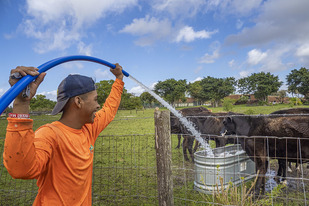
In this Ask the Expert, Tina Mellinger answers questions about Farm Service Agency (FSA) Youth Loans. Tina is a Farm Loan Manager in Ohio and has worked for FSA for 37 years. Her FSA farm loan team makes an average of around 50 loans each year, with around five of those being Youth Loans. Her entire career has been centered around loan-making. At the beginning of her career, she worked for Rural Development making home loans.
Tina grew up on a 50-cow dairy farm in southeastern Ohio. She earned an animal science and ag education degree from the Ohio State University.
To read the full blog, visit farmers.gov/blog/ask-expert-qa-on-youth-loans-with-tina-mellinger.
|
Top of page
USDA Oklahoma State Office
100 USDA
Stillwater, Oklahoma 74074
Farm Service Agency: 405-742-1130
|
| |
|
Deputy State Executive Director
Jaramie Karcher
Jaramie.Karcher@usda.gov
FSA Executive Officer
Janlyn Elwood
Janlyn.Elwood@usda.gov
State Committee Members:
Jerry McPeak, Chairman
Don Schieber
Carly Griffith-Hotvedt
Leon Barrett
Tom Abernathy
|
State Conservationist
Jeanne Jasper
FSA Farm Loan Chief
Larry Daniel
Larry.Daniel@usda.gov
State Office Program Chiefs:
J.D Elwood, Production and Payment Eligibility
Tyler Castonguay, Compliance
Kimberly Haines, Conservation
Madeline Alewine, Public Relations and Outreach
|
| |
|