We work hard all-year-round to protect people from fraud and help those who have been victims.
We also regularly aim to highlight how to spot a scam.
We hope through this newsletter to share current trends, safeguarding advice and other fraud-related news.
This month's edition is taken over by officers from Cumbria Constabulary's Cyber and Digital Crime Unit.
It looks at the online world of phishing and provides you with advice to help keep you safe.
|
What is phishing?
Phishing is when criminals attempt to trick people into doing “the wrong thing” on an email such as clicking a link to a dodgy website or entering their bank details or username and password.
In a typical phishing attack, scammers send fake emails to thousands of people, asking for sensitive information (such as bank details), or containing links to bad websites.
They might try to trick you into sending money, steal your details to sell on, or they may try and access information of the organisation you work for.
Some phishing emails may contain viruses disguised as harmless attachments which activate when they are opened.
Phishing emails are getting harder to spot as some will get past even the most observant users.
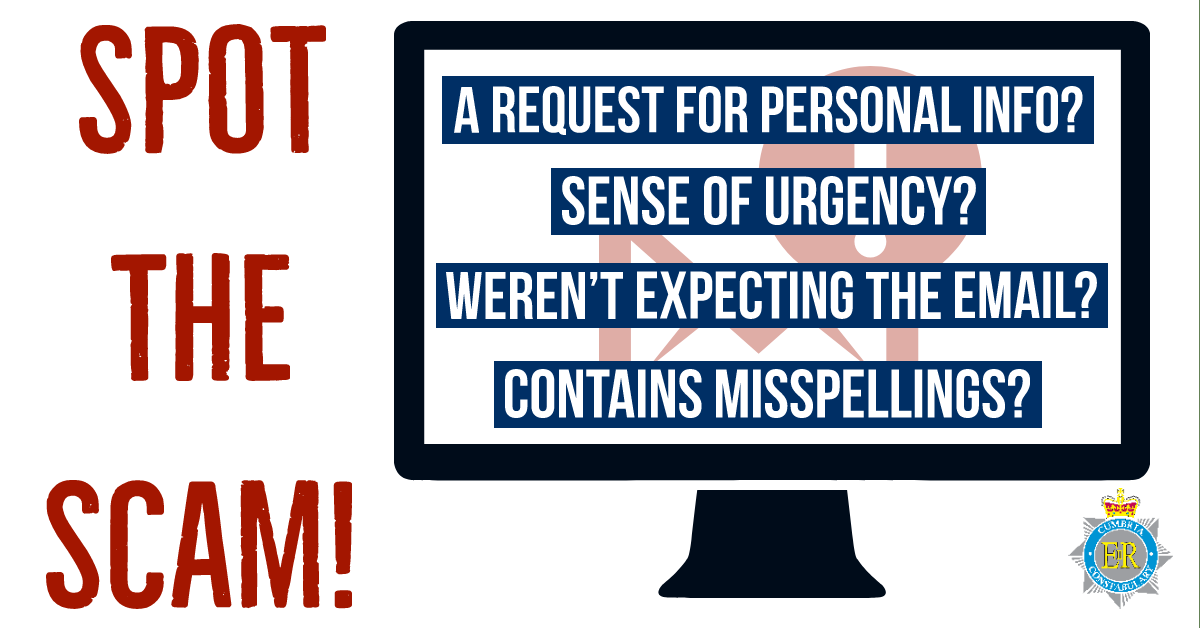
However, many phishing emails still fit the mould of a traditional attack. So look for the following warning signs:
- Many phishing scams originate overseas and often the spelling, grammar and punctuation are poor. Others will try to create official-looking emails and graphics of large organisations. Is the design (and quality) you would expect?
- Is it addressed to you by name? Or does it refer to you as “Dear customer”, “friend” or “colleague”? This can be a sign the sender does not actually know you, and this is part of a phishing scam.
- Does the e-mail contain a veiled threat that asks you to act urgently with a consequence if you do not? Be suspicious of words like “your account will be closed unless you act within 24 hours” or “you have been the victim of crime, click here immediately”.
- Many Phishing emails will follow topical trends, relying on our current interests to lure us in. As we approach winter and with the increase in gas and electricity prices, be wary of phishing emails promoting free winter fuel allowances, or Government payments to assist with our bills.
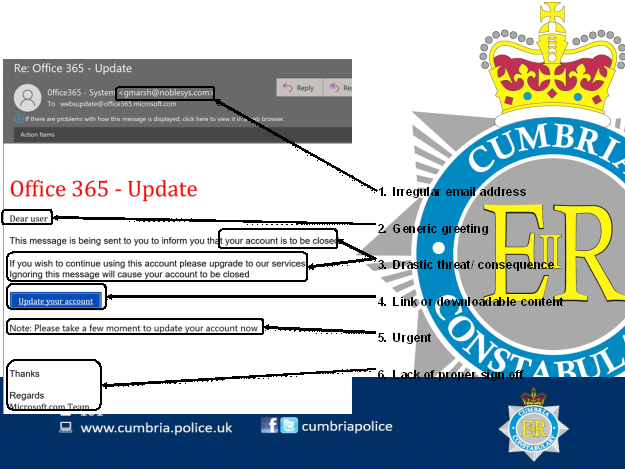
This below is an example of the type of signs to look for:
Remember:
Your bank (or any other official source) should never ask you to supply personal information in an email. If you need to check, call them directly.
If it sounds too good to be true it probably is.
It is most unlikely that an official organisation will offer you such huge rewards or savings on some items or act in a way that is threatening, as is often found in most phishing emails.
If you have received a questionable email you are unsure about, forward it to the National Cyber Security Centre (NCSC’s) suspicious Email Reporting Service (SERS) report@phishing.gov.uk
Since it was launched in April 2020 the service has received more than 10 million reports from the public, resulting in the removal of over 100,000 online scams.
Simply forward the email and then delete it.
Three things you should always ask yourself with every email:
- Who is it from?
- Was I expecting it?
- What is it asking me to do?
If unsure, take five minutes away from the computer or phone, ask yourselves these questions and discuss it with a family member or friend. If any doubt DO NOT act on it.
What if I’ve already clicked?
Most importantly, don’t panic. There are a number of practical steps you can take:
Open your antivirus (AV) software and run a full scan. Follow any instructions given.
If you have been tricked into providing your bank account details, contact your bank straight away and tell them your details may have been compromised.
If you have been tricked into providing your password, you should change that password straight away on that and any other accounts
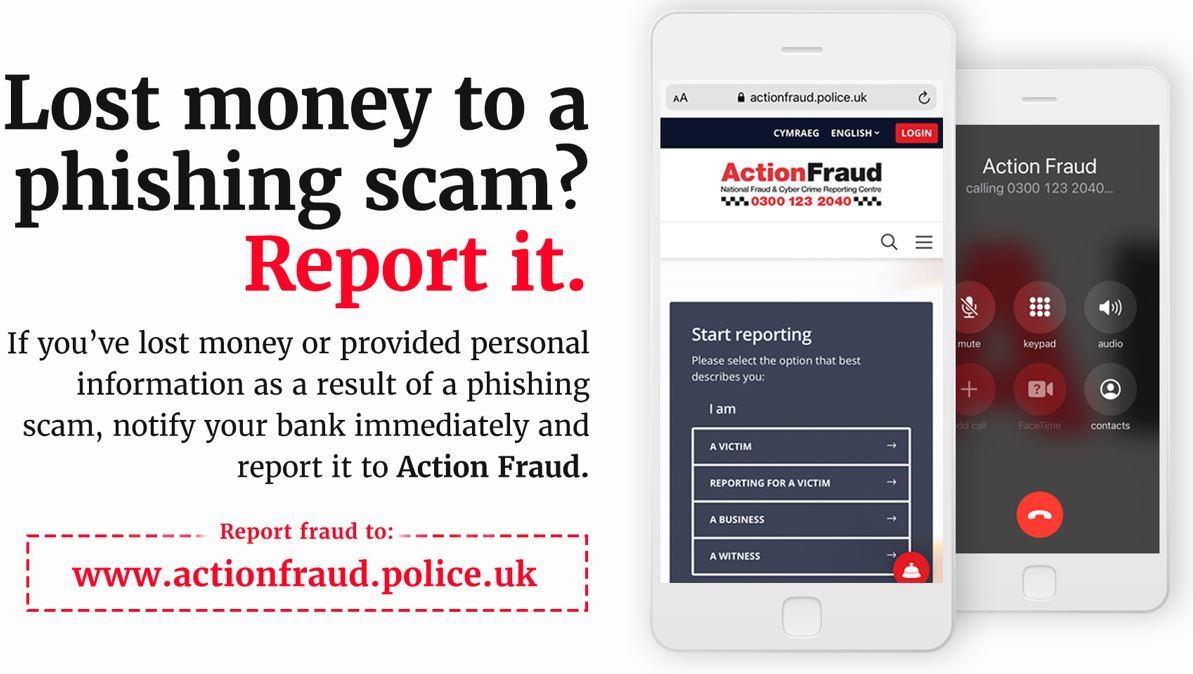
If you have lost money, you need to report it as a crime to Action Fraud. You can do this by visiting www.actionfraud.police.uk
Where else can I get advice?
Some great further advice can be found at the following Take 5 and NCSC websites:
Take Five - To Stop Fraud | To Stop Fraud (takefive-stopfraud.org.uk)
Search Results - NCSC.GOV.UK
Don't fall foul of fraudsters while shopping this festive season
More and more of us are turning to the internet for at least some of our Christmas shopping these days.
At this time of year Black Friday is also proving more and more popular as people seek to bag a bargain.
There are, however, risks associated with online shopping - and you need to take care with what you are buying, from whom, and how you pay for your purchases.
Top tips on staying safe include:
- Ensure that any online retailer unfamiliar to you is reputable by researching them. Establish a physical address and telephone contact details. Remember the best way to find a reputable retailer is via recommendation from a trusted source.
- Remember that paying by credit card offers greater protection than with other methods in terms of fraud, guarantees and non-delivery.
- Double check all details of your purchase before confirming payment.
- Do not reply to unsolicited emails from companies you don’t recognise.
- Before entering payment card details on a website, ensure that the link is secure, in two ways:
- There should be a padlock symbol in the browser window frame, which appears when you attempt to log in or register. Be sure that the padlock is not on the page itself … this will probably indicate a fraudulent site.
- The web address should begin with ‘https://’. The ‘s’ stands for ‘secure’.
- The above indicate only that the link between you and the website owner is secure, and not that the site itself is authentic. You need to do this by carefully checking the address for subtle misspellings, additional words and characters and other irregularities.
- Some websites will redirect you to a third-party payment service. Ensure that these sites are secure before you make your payment.
- Do not pay for goods when using an unsecured Wi-Fi connection.
- Safeguard and remember the password you have chosen for the extra verification services used on some websites, such as Verified by Visa.
- On sites such as Facebook Marketplace, other social media buying and selling platforms and forums, you may encounter requests for payment that are not guaranteed to be safe, meaning that you could lose your money:
- When making a payment to a company or individual, never transfer the money directly into their bank account but use a secure payment site such as PayPal, where money is transferred between two electronic accounts.
- Remember that if a seller asks for payment by PayPal Friends & Family, this will be so that they can avoid PayPal charges, but will deny you any payment protection which PayPal may otherwise provide.
- Check sellers’ privacy policy and returns policy.
- Always log out of sites into which you have logged in or registered details. Simply closing your browser is not enough to ensure privacy.
- Keep receipts.
- Check credit card and bank statements carefully after shopping to ensure that the correct amount has been debited, and also that no fraud has taken place as a result of the transaction.
- Ensure you have effective and updated antivirus/antispyware software and firewall running before you go online.
- Where possible, check that the price listed by the retailer on your browser is the same as that quoted on other people’s browsers, to ensure you are not being monitored and overcharged.
What to do if you have been the victim of fraud
The first thing you should do if you’ve been a victim of fraud is to contact Action Fraud. You can report a fraud via their online fraud reporting tool, or by calling them on 0300 123 2040.
If there is a crime being committed right now or if you are in danger you should call the police on 999.
If debit or credit cards, online banking or cheques are involved, your first step should be to contact your bank or credit card company.
If you have any friends or family who you feel would benefit from receiving this newsletter, please direct them to our website where they can sign up.

|