|
Welcome to Through Care:
Connect. This is our first special edition and we’re focusing on cyber-safety.
What is it, how do I avoid danger and where can I get help?
Please give us feedback
and if you have top tips you’d like to share, use the contact details at the
bottom to talk to the team.
For further information and advice, contact Sherrie McMahon at Through Care.
 Report online abuse
Have you seen something online that makes you feel uncomfortable or you know is wrong?
Find this symbol online or click here to report your concerns to the police.
|
 Cyber what?
The internet is a great place to stay connected, do business, shop, look stuff up and have fun. But it also has dangers and to make the most of it, you need to know how to protect yourself online.
There has been an increase in the number of 18 to 24 year olds being tricked into using their bank accounts to transfer the proceeds of crime. Over 85% of cyber crime is preventable if people were more aware i.e. don’t click on links, updating software, backing up data, having strong passwords, using firewall/virus protection.
“Yeah, but I’m smart. Cyber-crime won't happen to me” is a myth. You're 11 x more likely to fall victim to a cyber-crime than a robbery.
Don’t believe me? Check out this video! You’d be surprised how much information you give out online.
What’s my information used for?
Online grooming, radicalisation, criminal activity (money laundering, fraud), bullying, self-harming, identity theft, revenge porn, blackmail…
Facebook has been in the news recently for allowing user's data to be misused to influence elections. Snapchat allows users to see your location. Are you really in control of your personal information?
How can I check if I’m safe online?
There is a digital PCSO who has a good online presence sending out informative and fun messages. Follow him on Twitter: @WMPDigitalPCSO
Are you a parent or foster carer? Read more articles on social media, advice on talking to children/young people about online safety, self-esteem, addiction to gaming etc.
Back to top
|
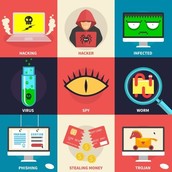
Cyber Vocab
Gen up on the cyber vocab so you know what’s out
there, then read the McAfee top tips for what to do about it.
Adware –
Free downloads which plays games or run programmes that show adverts. Some can
contain Spyware or viruses.
Clickbait –
Text or pictures that tempt you with juicy gossip, exciting news or sensational
stories. Usually disappointing, the content can expose you to malware and
generates income for the website by exposing you to adverts or spam.
Copyright – Copying songs,
films or images from the internet without permission is illegal under Britain's copyright laws.
Fake
News – Spreads information that is deliberately untrue
or misleading in order to damage
an agency, entity, or person, and/or gain financially or politically. The
purpose is to increase readership, online sharing, and Internet click revenue. Similar
to Clickbait.
File-Sharing – Downloading or sharing (illegal) files from friends or across internet
sites can expose you to malware picked up from networks that have poor internet
security. Hackers also set up
fake files on networks with popular downloads that are actually malware in
disguise.
Firewall –
Hardware or software designed to
prevent unauthorised access to a computer or network from another computer or
network.
Hacking – Someone who breaks computer security for malicious reasons,
kudos or personal gain.
Malware – Short for malicious software, refers to a variety of hostile or intrusive software, including computer viruses, worms, Trojan horses, ransomware, spyware, adware, scareware, and other intentionally harmful programs.
Phishing – Method used by criminals to try to get financial or
other confidential information (including user names and passwords) from internet users,
usually by sending an email that looks as though it has been sent by a legitimate
organization (often a bank). The email usually contains a link to a fake
website that looks authentic.
Ransomware – Clicking a link, files
become encrypted and a “ransom” is demanded to retrieve the files. Often one
payment is not enough.
Rogueware/Scareware –
Malware that pretends to be Internet security software. The user is presented
with a pop-up using scare tactics, telling them that their computer is
infected, when in fact, it is not. It will usually contain a link to click for
“cleaning up” the malware, which is just more malware in disguise.
Sexting – when someone
shares sexual, naked or semi-naked images or videos of themselves or others, or
sends sexually explicit messages. Creating or sharing explicit images of a
child is illegal, even if the person doing it is a child. It can expose you to blackmail,
bullying and the attention of predators.
Spamming – Identical messages sent
to thousands of email addresses at once. Spambots obtain valid email addresses
from company web sites, blogs and newsgroups.
Spyware –
Gathers information about you from your hard drive, the websites you visit or
your key strokes, before sending that information to someone else.
Trojan horse – a type of malware that is often disguised as legitimate software. Trojans can be employed by cyber-thieves and hackers trying to gain access to users' systems.
Virus
- Malware that is loaded onto a
computer and then run without the user’s knowledge or knowledge of its full
effects.
Worm – Malware that replicates itself so it can spread to infiltrate other
computers.
Back to top
|
 Sexting
When someone shares sexual, naked or semi-naked images or videos of themselves or others, or sends sexually explicit messages. It can expose you to blackmail, bullying and unwanted sexual attention.
Creating or sharing explicit images of a child is illegal, even if the person doing it is a child.
If you’re under 18 and someone posts an explicit or nude image online you can make a report to the Internet Watch Foundation (IWF). They can contact the website to try and remove it without getting anyone involved.
If someone is trying to pressure you into sexting, download this Zipit app from Childline to help deal with the situation.
And remember, if your ex sent you explicit pics, don't be a wally and post them online. The law changed in 2015 to prosecute for revenge porn, with a maximum sentence of 2 years in prison. Don't keep them, delete them.
|
 Online Grooming
Grooming is when someone builds an online relationship with a young person and tricks them or pressures them into doing something sexual - like sending a naked video or image of themselves. This is wrong.
If it's happening, or has happened to you, we can help you. Nobody should blackmail or pressure you into doing something sexual online. If someone is doing this you're not alone. You can make a report to CEOP. Or speak to a Childline counsellor.
Every situation is different. If someone is an abuser, they might be nice to you, give you their attention and buy you presents. They could do this to try and make you like them. Once you start to trust them more, they might try to start to turn your relationship into something more sexual. The relationship may move from online to offline.
People like this can be very convincing and will try really hard to get you to do what they want. If something doesn't feel right, it's a good idea to tell someone you trust.
If a groomer is trying to get you to share sexual images or do something sexual, often they'll:
Send you lots of messages: This could be really often and they might message you in lots of different ways, for example through Facebook, text messaging and chat rooms.
Ask you to keep your conversations secret: They might ask you not to tell anyone that you're talking to them and say that it's your 'special secret.' They might also ask you if you trust them.
Try to find out more: Ask you who else uses your computer or which room your computer is in, to find out if they could get caught by your parents or carers.
Start sending you sexual messages: This might be really subtle at first. They could start to say nice things about your appearance or your body or ask things like "have you ever been kissed?"
Try to blackmail you: They might try to persuade you to send sexual images of yourself by saying they'll be hurt or upset if you don't. If you've sent images of yourself already, they could threaten to post your images online or show them to people you know if you don't send them more.
Report it
You can report an adult or stranger if they've sent you a sexual message, asked you to send them a sexual message, sent anything that makes you feel uncomfortable or asked you to meet up with them.
|
 Online Porn
Everyone looks at it right? What's the harm?
Well apart from the fact that you're more likely to pick up malware from porn sites, it can also affect your real-life relationships.
Pornography is not real life and a real relationship is about a lot more than sex. Trying to copy what you see online can place unreal expectations on you or your partner. Porn stars are actors playing a part, what they do may not be comfortable or enjoyable offline.
Read Childline's support page for more information about what porn is and why people watch it. The page is for 12yrs + as the language and types of things explained aren't appropriate for younger children.
If you have any personal questions you can ask their expert at: Ask Sam.
|
 Cyber Bullying
While the emotional aspects of bullying continue to be devastating, the internet and social media have changed the way bullying can be experienced. Cyberbullying is bullying that happens online through social, gaming or instant messaging platforms.
Cyberbullying can be linked to depression, anxiety and self- harm. We will always take your seriously and offer non-judgemental support and advice.
If this is affecting you, start by talking to someone. It doesn't have to be your carer, social worker or PA. Try Childline on 0800 1111 for independent advice, or if you're over 19 yrs, contact the Samaritans: 116 123. Both numbers are free.
|
 Disrespect Nobody
There’s a person attached to every body, respect both.
Healthy relationships are all about respecting each other. You should feel loved, safe and free to be yourself - in the real world and the digital one.
Relationships can be confusing and it can be difficult to understand what is and isn’t normal behaviour.
But disrespectful and unacceptable behaviour can come in many forms. It isn’t limited to just physical behaviour; it can also go way beyond that. For example, it’s not OK for someone to try and pressure you into sending a nude pic, or to expect the same things to happen that they’ve seen in a porn film.
If someone makes you do something you don’t want to, makes you feel scared, intimidated or tries controlling you, it’s not acceptable and is never OK.
Read up on the different types of abuse, get advice and have a look at the organisations that can help.
Back to top
|

Experts says that over 85% of cyber-crime is preventable.
Read below for advice to prevent cyber-crime. For the full article and links to tutorials, click here.
1.
Create Complex Passwords. This really is the best way to keep your personal and
financial information safe.
2.
Boost Your Network Security. Use a virtual private network when out and
about – don’t rely on free public unsecured Wi-Fi.
3. Use a Firewall. A firewall is an
electronic barrier that ensures that all of the devices connected to your
network are secured and makes it much harder for hackers to get into your data.
4. Click Smart. Many of today’s online
threats are based on phishing or social engineering (see Glossary). Don’t be
tricked – Remember if it’s too good to be true, it probably is.
5. Be a Selective Sharer. Don't share information that could give away your passwords or help someone impersonate you. Don't damage your reputation with friends and potential employers.
6.
Protect Your Mobile Life. Mobile phones and tablets
can be just as vulnerable to online threats as laptops.
7. Practice Safe Surfing &
Shopping. When shopping online, or visiting websites for online banking,
always make sure that the site’s address start with “https”, instead of just
“http”, and has a padlock icon in the URL field.
8.
Keep up to date. Turn on automatic updates so you have the latest security
patches and make sure that your security software is set to run regular scans.
9. Lookout for the latest
scams. Online threats are evolving all the time, so make sure you know
what to look out for.
10. Keep your guard up. Always be cautious about
what you do online, which sites you visit, and what you share. Backup
your data on a regular basis in case something goes wrong.
Back to top
|

For more information...
Get Safe Online Extensive resources for
professionals, young people and carers.
A series of short videos explaining some of the risks of going online and
providing easy-to-follow advice on how to avoid them.
Parent Zone Information for parents, carers and
professionals –includes articles on social media. Advice on talking to children
and young people about online safety, self-esteem, addiction to gaming etc.
Internet Matters Provides age specific
advice for children and young people going online, offering practical advice on
keeping you safe. Loads of advice and expert Q&A’s.
Think U Know Young person friendly
site, offering advice around personal online safety, looking out for peers and
reporting concerns. Offers age specific advice.
|

Through
Care Office/Duty: 024 7678 7808
Emergency
Duty Team
(Out of hours): 024 7683 2222
Police General Enquiries: 101
Police Emergency: 999
Childline: 0800 1111
www.childline.org.uk
Samaritans: 116 123 (Free)
|
Get in touch
Email: ThroughCareService@coventry.gov.uk
Telephone: 024 7678 7808
Through Care
Old Southfields School
South St
Coventry
CV1 5EJ
Back to Top
|