Contact CHS Page Tour
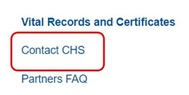
With the unveiling of the Center for Health Statistics’ revamped Home Page and new partner pages, this month we are highlighting our new partner-specific Contact CHS Page, which can be accessed on the left pane of every partner page.
This is a useful resource to know who to contact and how to best reach a CHS employee for assistance. Included is direct contact information for each unit, information needed when contacting that unit, and a list of subjects for which each unit is responsible. Let’s take a visual tour:
|
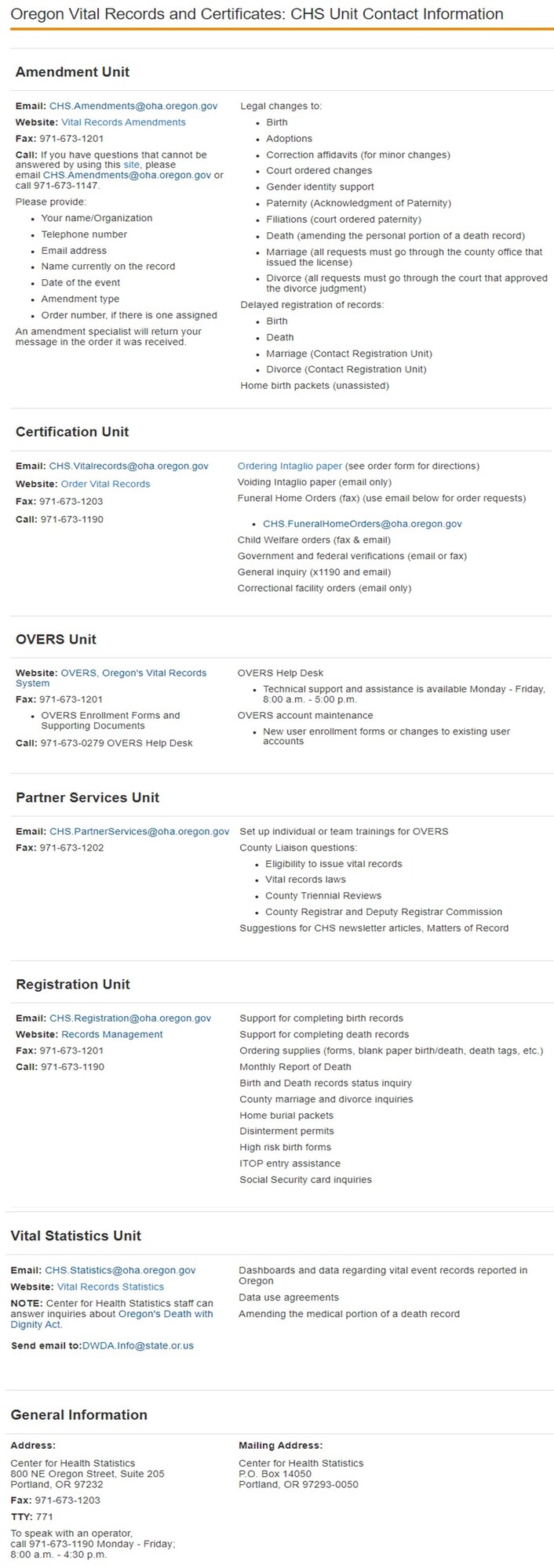 As you can see, we no longer publish a staff-level directory. Instead, shared email inboxes and phone numbers are used to minimize interruptions to serving you when staff change positions or are out of the office. We encourage you to bookmark our partner-specific Contact CHS Page or your partner page for quick reference!
When contacting the state, we ask that you leave a voicemail message or send an email if you don’t get an answer. Please do not leave voicemails or send separate emails to multiple staff, as this results in duplicated responses. If you need to escalate a request, contact Partner Services.
Changing Paternity When Mom is Married
What should a birth information specialist do when a married mother asks about listing someone other than her husband, spouse or Oregon Registered Domestic Partner (ORDP) as the Father/2nd Parent on the birth record because she doesn’t think they are the biological father?
In Oregon, only the husband, spouse or registered domestic partner can be listed on the birth record if the mother was married or in an Oregon Registered Domestic Partnership at conception, at birth or within 300 days prior to birth.
If the mother was married or in an ORDP she can leave the father information blank on the birth parent worksheet if she does not want her husband, spouse or ORDP listed as the Father/2nd Parent. The Father/2nd Parent section will remain blank when the record is registered, which also means no Father/2nd Parent will be listed on the birth certificate.
After the record has been registered, the parents can add the biological father to the birth record with an amendment. The amendment process will require that a court judgment disestablish paternity/parentage for the mother’s husband, spouse or ORDP prior to adding the biological Father/2nd Parent to the birth record. This is still required even if the Father/2nd Parent section is blank since the mother’s marital status will still show as married or in an ORDP on the birth record. The court judgment and an Acknowledgment of Paternity must be sent to the CHS Amendments unit along with the amendment fee to update the birth record.
Please direct parents that have questions about disestablishing a husband or adding a biological parent to the birth record to our Amendments unit at CHS.Amendments@oha.oregon.gov or visit our website at http://bit.ly/orpaternityinfo.
BIS Data Quality Training
The Center for Health Statistics is excited to announce that we will be offering a new training for Birth Information Specialists in March and April. This important training will cover data quality areas which include the following:
- Gathering complete information
- Accurately entering data into OVERS
- Following guidelines for amendments
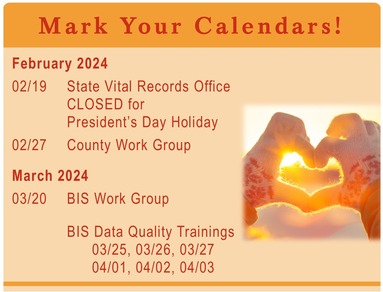
More information and links to register for the training will be in the March newsletter.
Video Series for Funeral Directors: Defining Usual Occupation and Industry
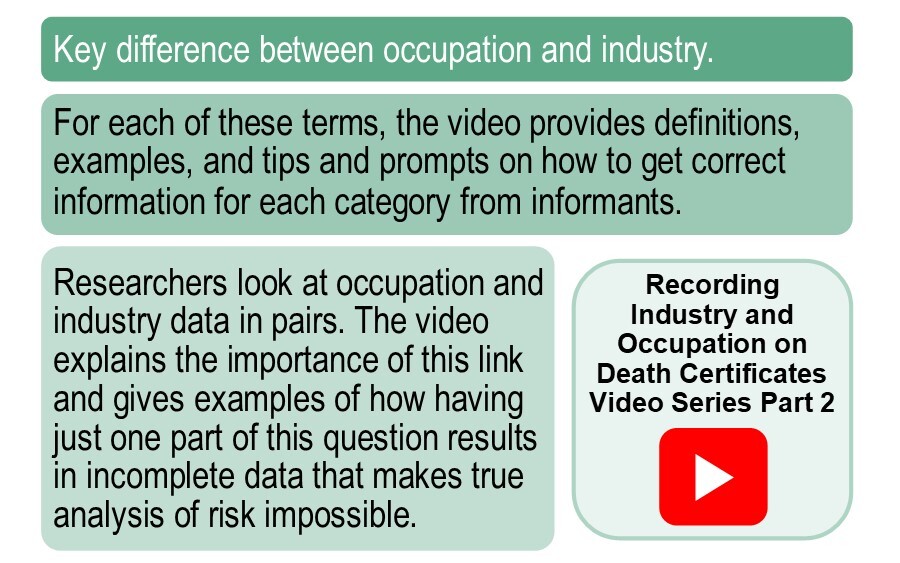
Part 2 of the video series produced by The National Occupational Mortality Surveillance (NOMS), a subset of the Center for Disease Control and Prevention (CDC), provides easy-to-understand definitions of occupation and industry.
The second video (Part 2: Defining Usual Occupation and Industry) will cover the following points:
You may access the entire series at the NOMS web page and bookmark it as a resource for future use.
If you need additional assistance with completing the occupation and industry information for the death record, contact the Registration Unit at CHS.Registration@oha.oregon.gov.
Who to Contact
When you have a question, it can be difficult to know who the correct person is to contact for guidance. Often, there is a customer waiting and it is important to receive quick, accurate information to know how to help them.
Our Contact CHS page is a useful resource for knowing who to contact for various topics. See the “Contact CHS Page Tour” article in this issue for a closer look at this page.
Generally, you will contact:
-
Registration Unit – for questions relating to whether a death record can be registered, home burials and disinterments.
-
Amendments Unit – for questions about amending death records at the county. If a customer has a question about an amendment, ask them to contact amendments directly rather than going through you.
-
Certification Unit – for questions about intaglio paper and reporting voids.
-
Statistics Unit – for questions about data use agreements.
For questions about policy, procedures, eligibility and any other topic not listed above please contact the County Liaison at 971-673-1166 or email CHS.PartnerServices@oha.oregon.gov. They are the best point of first contact if you are not sure who to contact.
We no longer publish a staff-level directory. Instead, shared email inboxes and phone numbers are used to minimize interruptions to serving you when staff change positions or are out of the office.
When contacting the state, please leave a voicemail message if your phone call is not answered or send an email. Please do not leave voicemails or send separate emails to multiple staff, as this results in duplicated responses. If you need to escalate a request, please contact CHS.PartnerServices@oha.oregon.gov. We try to respond as quickly as possible, but there are times when you will need to tell a customer that you will get back to them. Certificates cannot always be issued the same day in-office.
For questions about guidelines for contacting the state vital records office, please email CHS.PartnerServices@oha.oregon.gov.
Remember to Mark Orders Complete
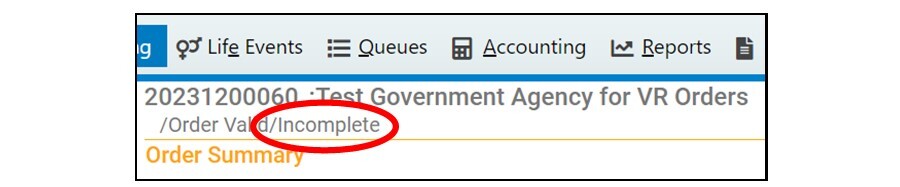
It is important to remember to mark all orders you issue as complete. Incomplete orders are not included in OVERS reports which makes it difficult to account for the status and timeliness of orders. If the status bar at the top of the order says Incomplete (shown below) then even if certificates have been issued and intaglio paper numbers entered, the order will not be counted as complete.
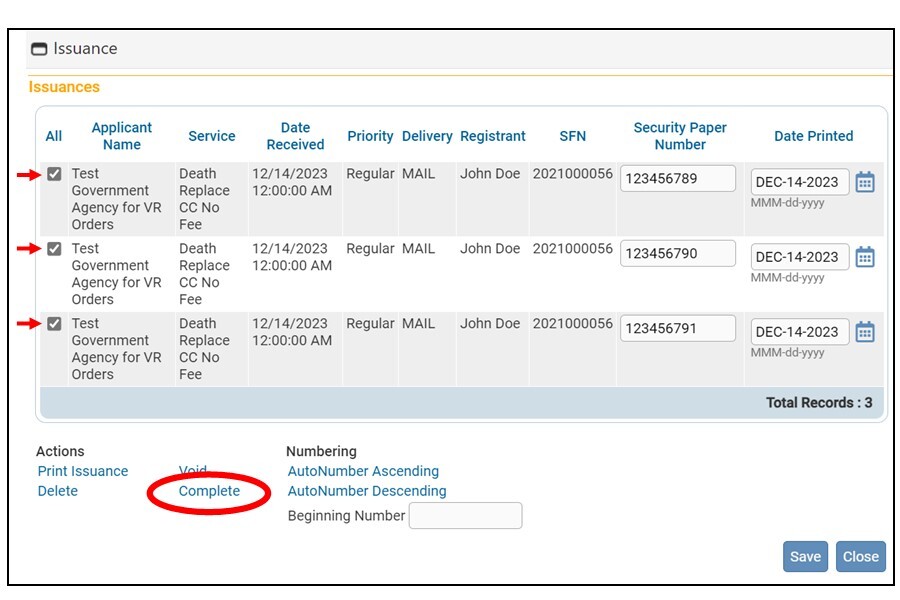
 Before marking an order as complete, first verify that certificates have correctly printed and the security paper number has been entered. Then check the box next to each issuance and click the Complete link at the bottom of the Issuance window.
 Please contact CHS.PartnerServices@oha.oregon.gov for questions about completing orders.
The County Work Group
The County Work Group is an optional meeting for county vital records staff to learn about current vital records topics, ask questions and share ideas with each other.
County Work Group
February 27, 2:00 - 3:00 p.m.
Register here!
|
|
 |
|