
Microsoft Exchange Upgrade
Oklahoma Office of Management and Enterprise Services sent this bulletin at 01/29/2014 02:16 PM CSTHaving trouble viewing this email? View it as a Web page. |  | Subscribe
29 Jan, 2014
Our Microsoft Outlook experts are adding disk space to your email system. The additional space allows for a number of improvements including improved data searches and greater retention times.
The process will not interfere with your email – but once they complete adding space to your area, you will
see a message letting you know they’ve completed the work.
The message reads “The Microsoft Exchange administrator has made a change that requires you quit and restart Outlook.”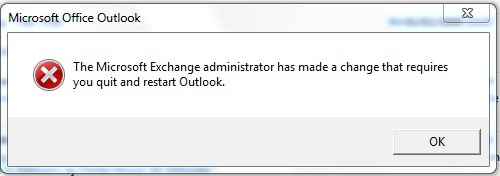
Simply close and restart Outlook and you’ll have access to the newly added storage areas.
Respectfully,
Drew Hall
Business Quality and Accountability Manager
Office of Management and Enterprise Services
Information Services Division