People with Disabilities Awareness Day 2025 set for March 11 at Oklahoma History Center
Oklahoma’s People with Disabilities Awareness Day, which brings hundreds of people with disabilities, their families and their supporters together, will be held on March 11.
PWDAD celebrates the commitment and hard work of Oklahomans with disabilities to lead independent lives and pursue work. Also, it connects vendors who can provide critical services to Oklahomans.
The 2025 event will be held from noon to 4 p.m. at the Oklahoma History Center, 800 Nazih Zuhdi Drive, Oklahoma City. PWDAD is open to the public, and people are encouraged to wear green to show support.
Volunteers are critical to the success of PWDAD, and if you are willing to help, please go ahead and register for the event.
Register to attend or volunteer at PWDAD.
If you mention the event on social media before or on the day of the event, use the hashtag #PWDAD2025 so we can build a community around this event.
If you have any questions or need help registering, please call us at (405) 951-3478 or email, cmartin@okdrs.gov.
 Update email signature to mark 2025 PWDAD
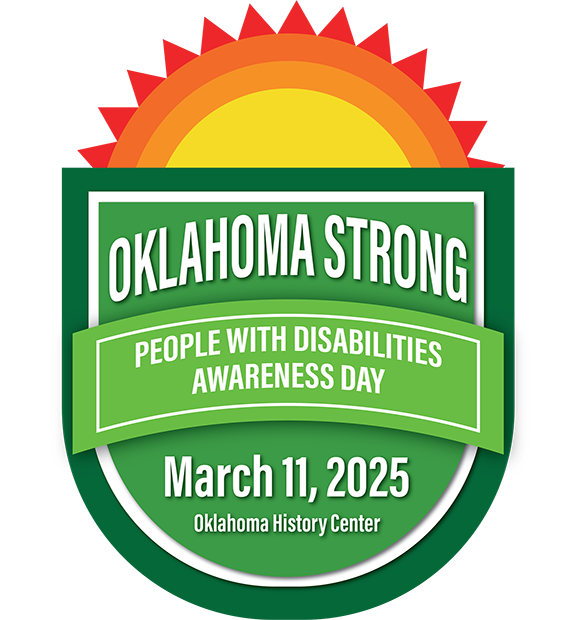
Celebrate 2025’s People with Disabilities Awareness Day by updating your email signature with the event’s new badge.
Follow these steps:
- Left click on graphic above to highlight (box will be highlighted). Then right click on the graphic and pull down to “save as picture.”
- Save image to desktop and give it a name that is easy to remember.
- Open your Signature in Outlook by clicking on the File tab and selecting Options.
- From that menu, select Mail and then click the Signatures button.
- Highlight your current work signature and copy all of it except the DRS logo using "Control" + "C" keys.
- The click on New from signature options. Name the new signature anything you would like. In the message window, hit "Control" + "V" to paste your information in the new Signature.
- Then click on the second from the right button just above the message box. This is the Get Picture button.
- Find the logo on your desktop.
- Click OK. That will take you out of the Signature menu.
- Go back into Signatures, and on the right side, make sure the new signature that you made is highlighted as the default choice for New Messages. Click OK.
- You are done and new mails should now have the PWDAD badge.
*Note: If you are using a newer version of Outlook. Click on View, then View Settings. Next, click on Accounts then click on Signatures. Click on the plus sign next to New Signatures then follow the above steps.
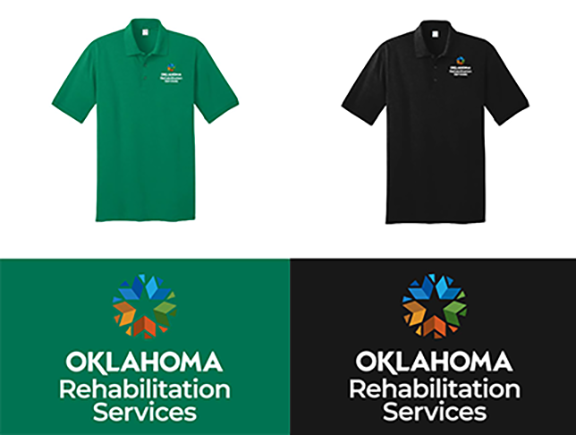 PWDAD 2025 T-shirt now available
Oklahoma’s People with Disabilities Awareness Day 2025 is just over a few months away, and shirts are available to order to wear at the event.
Two different shirt designs are available in the store. One design commemorates the 2025 People with Disabilities Awareness Day and the other is an agency branded polo.
Remember to register for this year’s event that will bring hundreds of people with disabilities, their families and supporters together. The event will be held on March 11.
Visit the online store.
Penalties may send needed message to airlines
On Oct. 23, the U.S. Department of Transportation issued a consent order against American Airlines detailing numerous violations of the rights of passengers with disabilities, both on planes and within airports. It’s important to note the cited violations are not violations of the Americans with Disabilities Act, but of the Air Carrier Access Act, which is the disability rights legislation governing air carriers’ operations in the United States.
The violations alleged to have been done by American Airlines included providing “unsafe and undignified physical assistance to passengers on a number of occasions that, at times, resulted in injuries,” the U.S. Secretary of Transportation was quoted as saying. American Airlines was fined $50 million because of these violations.
In this column, I have written several times about the difficulties travelers with disabilities face in airports and on airplanes. Sometimes these difficulties are a result of competing regulations and the confusion that might be caused. Airports are generally built and under the jurisdiction of local governmental entities and are subject to the provisions found in Title II of the Americans with Disabilities Act. Airlines and the airplanes, themselves, are specifically exempted from the ADA but are governed by the Department of Transportation’s Air Carrier Access Act. The ACAA was the law that American Airlines was accused of violating and the reason why the Secretary of DOT weighed in with his remarks.
Passengers on commercial aircraft are separated from their mobility devices and often unceremoniously dropped into the infamous “aisle chair,” a skinny seat on wheels, which many people barely fit into, for rolling down the narrow airplane aisles so passengers with mobility disabilities can be deposited into their seats. This process is usually demeaning and can sometimes result in injury.
Another persistent issue plaguing airline passengers with disabilities has resulted from airlines’ mishandling of wheelchairs, scooters, and other mobility devices. American Airline’s poor performance in safely and respectfully handling these essential accessibility tools of passengers using their services was another factor in the historically large fine levied on AA.
Hopefully, the financial consequences and bad publicity generated by this development will make other airlines sit up and take notice. It’s been a long time coming and the airlines need to shape up and adhere to the Airline Passengers with Disabilities Bill of Rights, first published by DOT in July 2022.
|