|
Electronic Visit Verification Newsletter | March 2023 |
|
|
Auto-verification is when a visit moves to “Verified” status without any manual edits or intervention. Visits should be in a verified status before the claim is submitted. If your visits are auto-verified, you spend less time making edits in the system and more time providing care. It is important to have verified visits for claims matching.
There are several issues that commonly decrease auto-verification. They are related to missing or inaccurate visit information. For example, a visit could be missing:
- The correct service,
- The individual,
- A direct care worker, or
- A time or the correct time.
The best ways to increase auto-verification include:
- Keeping the individual information updated in “Client Record;”
- If you are an agency, communicating sign in information to all direct care workers;
- Regularly checking Visit Maintenance/Visit Review for exceptions that need addressed; and
- Reaching out for assistance if you see a sudden increase in exceptions.
To check if your visits are auto-verified:
- Sign into https://evv.sandata.com/.
- In “Visit Maintenance” (or “Visit Review” if you are using the Aggregator), set a date range and change the “Filter Visits By” field to “All Visits.”
Auto-verified visits have both of the following:
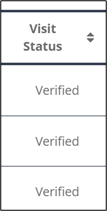
- Status of “Verified.” See first picture below.
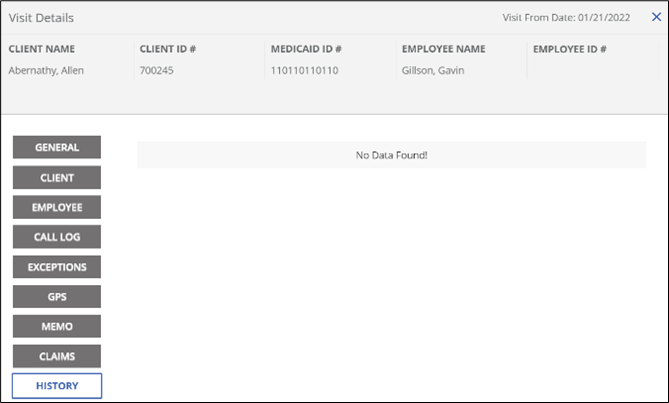
- When the visit is opened, the history tab displays “No Data Found!” See second picture below. This means that the visit did not require edits.
|
|
Unsure of ways to increase your auto-verification? Help is available!
- To review your EVV visits in a one-on-one session with a Sandata trainer, schedule here: https://go.oncehub.com/ODMEVVHelp.
- Recorded sessions and slides on the Ohio Department of Medicaid (ODM) EVV homepage related to auto-verification:
|
|

All providers using the Sandata system:
Question: Which credentials should I use when logging into the Sandata Mobile Connect (SMC) application versus logging into the EVV portal?
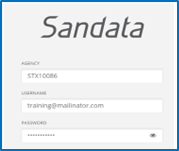
Answer: When logging into the Sandata EVV portal, you must always include the “STX” and your Sandata account number in the “Agency” field of the login screen.
|
|
 |
If you have forgotten your password, or the password you are typing in is not accepted, you can use the “Forgot Password” link below the login button to reset it. When you click “Forgot Password,” you will be taken to another screen to enter your email address. Once you have typed your email address into the box, you can click “Reset Password” to have a temporary login sent to your email address.
|
|
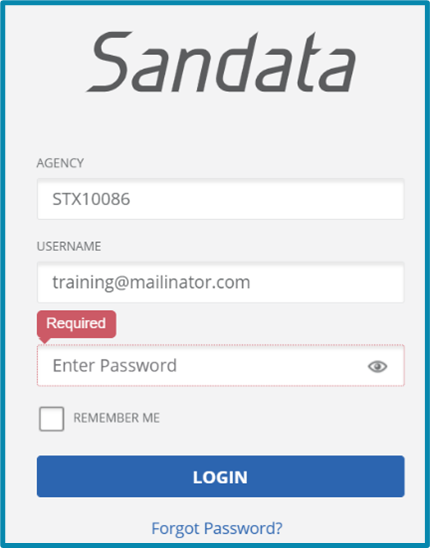 Sandata login screen showing "Forgot Password?"
|
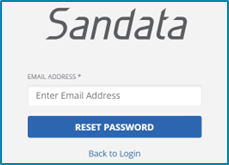 Sandata login screen showing "Reset Password"
|
|
|
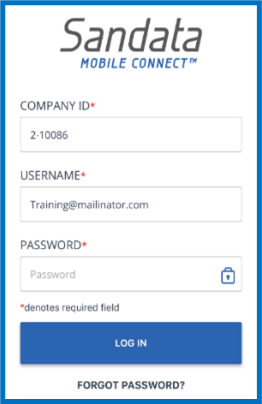
When logging into the SMC application, you must always include a “2-“, followed by your Sandata account number in the “Company ID” field.
- Caregivers can reset their password for and/or unlock their SMC account directly in the application.
- Your SMC and EVV portal passwords can be the same, but they do not have to be the same. If you would like the passwords to be the same, use the “Forgot Password” function on both the EVV portal and SMC application to go through the password reset process. Then you can choose the same password for both logins.
|
|
 |
|
|
Agency providers using the Sandata system:
Question: Are resources available for direct care workers at my agency?
Answer: Yes! The direct care worker video library shows the visit capture process in SMC and Telephony.
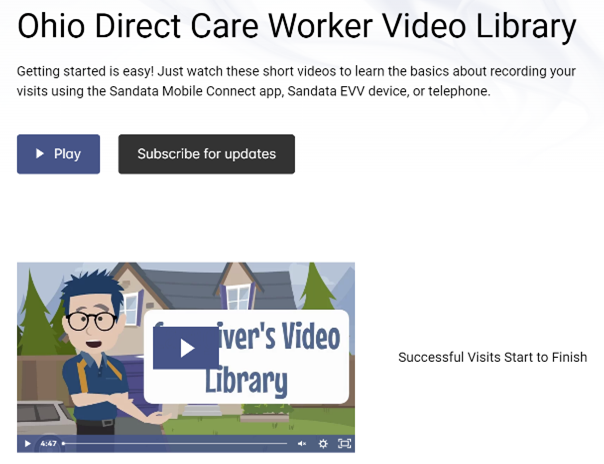 If you have any questions or suggestions for future library materials, please email ODMEVVTraining@sandata.com.
|
|
|
Next month's webinar is titled “Simplifying EVV.” This is for agency and independent providers who would like to learn how EVV can be simplified and tips to achieve claims matching. Providers who use an alternate system can benefit from this webinar as well. ODM and our Sandata EVV Trainer will be presenting. We hope to see you there!
The webinar recording will be available at the registration link after the event has ended. For past webinar slides and recordings, see our past webinar presentations webpage.
|
|
|
To schedule a one-on-one learning session with a Sandata team member via Zoom, sign up online. These appointments are private to allow the sharing of protected health information (PHI) if needed and last up to 30 minutes. You may schedule as many sessions as you need.
|
|
|
Sandata regularly updates its EVV software via releases to ensure it runs smoothly. Below are the changes you may have noticed in the Sandata system in February:
- The user interface in EVV and Aggregator was updated so the information entered in the search filters are retained when the user uses the back button from the “User” record view on the security page. The user is returned to the user record if they use the back button, and no errors should be displayed.
- The "FROM TIME" and "TO TIME" field names in the reporting module in Aggregator and in EVV Visit Maintenance are renamed to "START TIME" and "END TIME."
- When creating a manual call, the screen display was updated so users can update “Employee” on a visit after entering a date/time if needed.
You can access Sandata Release Notes here. You need to have a Zendesk EVV account to view. Please sign up at the link if you do not have an account already.
Questions about releases or the system should be directed to the Sandata EVV Provider Hotline at 855-805-3505 or ODMCustomerCareemail@sandata.com.
|
|
|
EVV provider hotline: technical assistance with a device or EVV portal
|
855-805-3505
|
ODMCustomerCareEmail@sandata.com
|
|
Alternate EVV support
|
844-289-4246
|
OHAltEVV@sandata.com
|
|
EVV inbox: general EVV questions or to report a problem
|
Leave a voicemail at 614-705-1082
|
ODMEVV@sandata.com
|
|
ODM provider assistance hotline: change contact information, claims questions, etc.
|
800-686-1516
|
|
The Sandata EVV Provider Hotline hours of operation are Monday-Friday 7 a.m.-8 p.m. and Saturday and Sunday 9 a.m.-5 p.m. You can give us a call or email anytime and we will return your call during our hours of operation.
|
|
Access, inclusion, and reasonable accommodation
ODM is committed to providing access, inclusion, and reasonable accommodation in its services, activities, programs, and employment opportunities in accordance with the Americans with Disabilities Act (ADA), Title VI of the Civil Rights Act, and other applicable laws. To request an interpreter, written information in a language other than English or in other formats (large print, audio, accessible electronic formats, other formats), or a reasonable accommodation due to a disability, please contact ODM’s Civil Rights/ADA Coordinator at 614-995-9981/TTY 711, fax 1-614-644-1434, or email: ODM_EEO_EmployeeRelations@medicaid.ohio.gov. Requests should be made at least three business days prior to the scheduled event.
If you believe ODM has failed to provide these services or discriminated in another way, you can file a grievance with ODM’s Civil Rights Coordinator and/or file a civil rights complaint with the U.S. Department of Health and Human Services (HHS) Office for Civil Rights. Further information on these processes and ODM’s compliance with civil rights and other applicable laws can be found in our Notice of Nondiscrimination.
|
|
|
|
|