If you’re a registered New York State sales tax vendor with an annual filing requirement, you must file your annual return with the Tax Department by March 20, 2026—even if you have no taxable sales or purchases to report.
When you file your annual sales tax return and pay the full amount due on time, you may be eligible to claim a vendor collection credit. This credit will reduce the amount of money you must send to New York State with your sales tax return. For more information, visit Vendor Collection Credit.
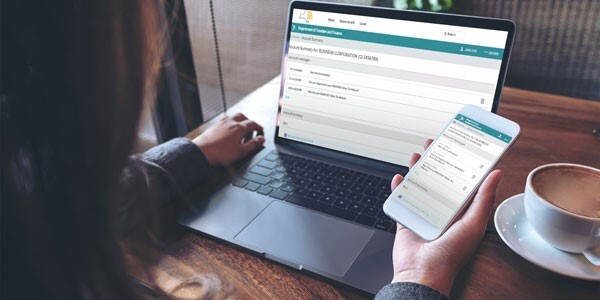
Web File your return
Most sales tax vendors are required to use Sales Tax Web File to file their sales tax returns. For more information, see Electronic filing mandate for business taxpayers.
To Web File:
-
Log in to (or create) your Business Online Services account.
- Select the ≡ Services menu in the upper-left corner of your Account Summary homepage.
- Select Sales tax - file and pay, then select Sales tax web file from the expanded menu.
- Follow the prompts to file your sales tax return and pay any tax due.
Did you know? In December, we made improvements to Online Services, including making it easier for you to find the username and password for your Business Online Services. To learn about the improvements, visit December 2025 changes to Online Services.
For instructions and step-by-step demonstrations, visit Learn to use Sales Tax Web File. For an overview of how to complete a sales tax return, watch our webinar: How to File your Sales Tax Return.
If you are experiencing issues, visit Technical support for troubleshooting tips.
No tax due?
You must file your annual sales and use tax return by the due date, even if your business did not make any taxable sales or purchases during the reporting period. Otherwise, you will be subject to a minimum $50 penalty for late filing.
For help filing a no-tax-due return, watch our demo:
Closing or ending your business?
If you are closing your New York State business, or if your out-of-state company will no longer conduct business in New York State, you must file a final sales tax return and destroy your Certificate of Authority.
To help you keep track of everything involved in closing or ending your business, review our checklist. For information on completing your final return, see Tax Bulletin Filing a Final Sales Tax Return (TB-ST-265).
Are you a marketplace seller?
A marketplace seller who is a registered New York State sales tax vendor must:
- report its sales of tangible personal property facilitated by a marketplace provider on its periodic sales tax returns as nontaxable sales (see New York State sales tax forms), and
- keep the Certificate of Collection and records about its sales facilitated by marketplace providers.
If you have any questions about your requirements as a marketplace seller, visit Sales tax requirements for marketplace providers.
Verify your personal information
It's important to keep your personal information up to date. We regularly send reminders to file using the email address associated with your Business Online Services account.
To review and update your personal information:
-
Log in to your Business Online Services account.
- Select the person icon in the upper-right corner of your Account Summary homepage.
- Select Preferences.
- Select Edit personal information.
Keep up with sales and use tax changes
If you haven’t already, subscribe to our Sales tax topic to receive emails with sales tax news and the latest guidance, or subscribe to our Tax Tips for Businesses topic for general tips. You can also browse our complete list of subscription topics after you create your subscriber account.
|