Frequently Asked Questions
1. I don’t have changes to my 2024 benefit enrollments. Do I need to take any action?
- Yes! Always review your benefit elections.
- Pre-taxing eligible insurance premiums and enrolling in Medical or Dependent Care Flexible Spending Accounts (FSA) are annual elections to be completed during annual enrollment.
TIP
If you do NOT participate in the dental or vision insurance currently, and do not want to enroll for 2024, you do not have to make any elections on MSS for these two insurances.
2. I was recently hired. How do I complete my benefit enrollments?
- FIRST enroll in your NDPERS benefit plans for 2023 as a new hire through the “NDPERS Plans” feature on MSS.
- Once you've completed your enrollments for 2023, you can proceed to the “Annual Enrollment” tile on MSS. You can then make changes to your benefit elections for 2024 including pre-taxing insurance premiums or enrolling in Medical and Dependent Care Flexible Spending Accounts for 2024.
3. I want to modify my elections, but I already completed my annual enrollment elections. What can I do?
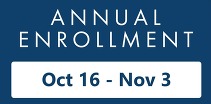
You can edit your benefits for the upcoming year until Friday, November 3.
|