NCED CONNECTION
SEPTEMBER
UPCOMING EVENTS & NEWS
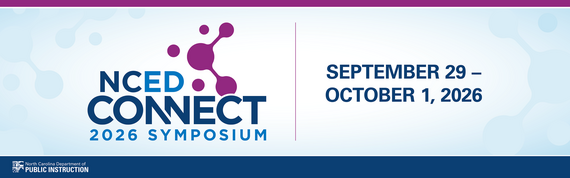 NCED Connect Symposium is next week!
September 29–October 1, 2026
Koury Convention Center | Greensboro, NC
As North Carolina's premier educational technology and digital learning conference, the NCED Connect Symposium brings together educators, technology leaders, instructional coaches, administrators, media coordinators, and support staff from across the state to learn, collaborate, and innovate.
This year, we're planning our largest symposium yet, with expanded learning opportunities in:
- Artificial Intelligence (AI) in Education
- NCSIS for All—including sessions for Data Managers, SIS Coordinators, Teachers, Coaches, Administrators, Central Office Staff, and Support Personnel
- EdTech Innovation+
- Instructional Strategies and Best Practices
- School Library Media
- NCED Connect Services—including NCEES, Instructional Improvement System (Schoolnet), Canvas, and Open Educational Resources (OER)
- Leadership Tracks designed for CTOs, Principals, Instructional Coaches, and Central Office Leaders
We invite educators and education professionals from across North Carolina to share their expertise, innovative practices, and success stories.
Register NOW!!
🔗 go.ncdpi.gov/NCEDConnectSymposiumFall2026
Ticket Categories & Pricing
Lunch and Breakfast included
General Registration (September 12-27th)
- Individual: $350
- Group: $350 each (invoiced together)
Late Registration (September 28th)
🔗 NCED CONNECT SYMPOSIUM AT A GLANCE
Budget Updates (MagicSchoolAI, Gaggle, & Learning.com)
-
Letter from Matthew Mayo explaining budget and expressing interests for 26-27
-
Full Interests Form for all Products/Services except Gaggle
- Please review deadlines and work with your Academics Department for planning purposes.
| |
Grade Span
|
Interest Form
|
Deadline for Interest Form
|
Funding Model
|
Potential PSU Costs per ADM
|
|
MagicSchool AI
|
6-12
|
MagicSchool AI
|
TBD
|
Fully Funded (6-12)
|
$0
|
|
MagicSchoolAI
|
K-5
|
Use Interest Form Above
|
TBD
|
PSU
|
TBD
|
|
Gaggle
|
K-12
|
Gaggle
|
August 14, 2026
|
|
$0 - TBD
|
|
Learning.com
|
K-8
|
Learning.com
|
October 1, 2026
|
|
$0 - TBD
|
DTL Signature Events
Be sure to check the DTL Signature Events Calendar* or Eventbrite for upcoming in-person and virtual regional meetings and training sessions. Don’t miss out on valuable opportunities to connect, learn, and stay informed!
DTL Signature Events Calendar
|
|
|
 |
Join the NC Digital Practice and Purpose Network
Join the North Carolina Digital Practice & Purpose Network!
This statewide initiative brings together a diverse cross-section of K-12 stakeholders to shift the conversation around classroom technology toward intentional, high-impact implementation. Functioning as a collaborative think tank, participants will connect research with real-world practice through virtual roundtable discussions, reflective study, and site visits to innovative learning spaces across the state. Together, this cohort will support the implementation of various state-level guidance documents, create practical resources, and advocate for balanced, purposeful digital learning experiences that directly benefit students.
Application Window: September 23rd-October 9th
Who will you share this opportunity with?
|
|
 |
SCHOOLNET
 |
|
Upcoming Schoolnet Webinars
2026-27 Schoolnet webinars have been scheduled and are available to register via Eventbrite. Registration is also available on the Schoolnet homepage.
All previous recordings are available on our Schoolnet YouTube page.
Check it out here:
Schoolnet Playlist
|
CANVAS
Accessibility Resources in Canvas
IgniteAI Announcements
-
Ignite AI Features
- Canvas will now have tiers of AI products, with some being paid features. Please see the information below on what features are included.
-
Ignite AI Tiers Website
- Reach out to your CSM if you would like to request pricing information for upgraded tiers.
Canvas Release Notes and Product Updates
- Revised CLASS Document
- Upcoming
|
 NCSIS for EDUCATORS
 |
|
Campus Learning Monthly Updates
Checkout the newest update as well as updates made available in previous versions of Campus.
Campus Learning Feature Updates
|
|
 |
|
Transitioning from Canvas to Campus Learning
Are you considering using Campus Learning as your LMS? These resources can help you prepare your teachers for the move from Canvas to Campus Learning.
Transition to Campus Learning
|
|
Supporting new teachers with NCSIS
Need training resources for new teachers? Check out this resource for links to Knowledge Base articles and videos, practice tasks to try, and professional development presentations. Link to training resource doc.
|
EMERGING TECHNOLOGIES
AI Strand at the NCED Connect Symposium
- Day 1 - Leadership Day
- Workshops to help you and your leadership teams create or revise your AI Guidelines
- Day 2 - Innovation & Implementation Day
- Student AI Design Challenge | 9:15-11:30 am: 81 students representing 10 schools compete in our first Student AI Design Challenge
- AI Implementation Expo | 1-2 pm: 10 districts and schools share their AI implementation guidelines, events, instruction, and more, and student teams share what they built in the morning’s Design Challenge
- All Days—Sessions for Leaders, Educators & Support Staff on AI as it relates to instruction, governance, cybersecurity, and more.
|
Statewide AI Goals
Statewide AI Goals (Open Link for Table)
-
Session Law 2026-41
- AI Policy
- DPI must provide a model policy by 1.15.27
- All PSUs must adopt an AI policy by 6.30.27
- AI Training
- Friday Institute must provide 10-hr training course by 6.30.27
- All NC teachers must complete training by 6.30.28
-
North Carolina Statewide AI Strategic Roadmap
- AI Guidelines
- PSUs adopt AI guidelines by March 2027
- Shifting that goal to adoption by June 2027
AI Professional Learning Opportunities
AI Wednesday Webinars | Registration: go.ncdpi.gov/AIwebinar | YouTube Channel for recordings
-
Weds 9/30/26 - One Conference, Many Schools: What NC Principals Learned at ISTE with Stacy Lovdahl and the North Carolina Principals of the Year
-
Weds 10/14/26 - What We Learned at ISTE: An NC Teacher of the Year Roundtable with Stacy Lovdahl and the North Carolina Teachers of the Year
-
Weds 10/28/26 - From Learning About AI to Learning Alongside AI: Explore NC’s K–12 Continuum for Student Use with Stacy Lovdahl
|
|
 |
SLMC
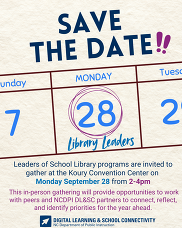
Still time to sign up for the Library Leaders Gathering
- The DL&SC Library Leaders Gathering is set for September 28 at the Koury Convention Center in Greensboro, from 2pm-4pm. Registration is open using this direct invitation link on Eventbrite.
- The intended audience for this gathering is district-level Librarians/leaders of school librarians.
- You do NOT need to be registered for the NCEd Connect Symposium to attend the Library Leaders Gathering on Monday afternoon
A quick FYI for those joining us—or still considering it! Based on the input many of you shared earlier this summer, our September 28 Library Leaders Gathering will be intentionally peer-to-peer and discussion-based, with a few spotlight voices and examples woven throughout.
We'll center our conversations around three timely areas:
-
Localizing IMPACT—moving the revised guidelines from statewide guidance into meaningful local implementation and support
-
Navigating legislation and policy—making sense of current expectations and considering how we lead and support librarians through them
-
Strengthening reading culture—considering the opportunities for school libraries amid cell phone restrictions, conversations about screen use, and renewed attention to reading through initiatives like the 10 Million Book Challenge.
More than covering three separate topics, our goal is to give library leaders some much-needed time and space to wrap our arms around all of it together: How can we positively meet this moment—and help our librarians do the same—in ways that feel purposeful, connected, and sustainable?
We hope you'll come ready to share what's working, ask questions, hear from colleagues, and leave with ideas you can take back to your own librarians and leadership teams.
If you've been waiting to see what the day would entail before registering, we hope this helps! And if you can't join us in person on September 28, we'll offer a virtual Library Leaders session on October 8 covering these same big topics and sharing takeaways that emerge from the gathering.
|
NCEES
 |

New for the 2026-2027 School Year
Site and District Admin Office Hours
NCDPI is introducing monthly NCEES Office Hours to provide informal support for District Administrators, Site Administrators, and Principals. These sessions are designed to give you direct access to the NCEES team for questions, troubleshooting, and guidance throughout the school year. There is no presentation or set agenda. Join for a few minutes to ask a quick question or stay for the full hour. Note: CEUs are not awarded for participation in these support sessions.
2026 to 2027 Meeting Dates: October 12, November 9, December 14, 2026; January 11, February 8, March 8, April 12, May 10, and June 14, 2027.
District Administrator Office Hours
When: Second Monday of each month, 8:30 to 9:30 a.m.
District Administrator Meeting Link: Click the link to join. No pre-registration is required.
Site Administrator and Principal Office Hours
When: Second Monday of each month, 10:00 to 11:00 a.m.
Site Administrator Meeting Link: Click the link to join. No pre-registration is required.
|
2026-2027 NCEES Training Opportunities
We are pleased to announce that the 2026-2027 NCEES training opportunities are now available and ready to share.
The complete list of training sessions is posted on the NCEES Home Screen and on the NCEES Resource Site
Please review the schedule and register for any sessions that meet your professional learning needs. We also encourage you to share these opportunities with educators who may benefit.
We appreciate your continued commitment to supporting educators across North Carolina and look forward to connecting with you during this year's training sessions.
|
|
 |
Fall 2026 NCEES Face-to-Face Training for New Administrators
The NCDPI NCEES Team is pleased to share an opportunity for new administrators to participate in face-to-face NCEES training sessions in their regions this October. These sessions are designed to support principals and assistant principals in strengthening their understanding and use of the evaluation system.
Session Title: NCEES Training: Educator Evaluations for School Admins
Presented by: NCDPI Regional Education Facilitators (REFs) and NCEES Team
Session Description: In this in-person session, principals, assistant principals, and NCEES site administrators will explore critical NCEES policies and best practices to streamline leadership workflows and elevate the evaluation process.
Participants will gain practical skills to:
- Provide targeted, growth-oriented feedback using rubric-based language.
- Efficiently manage user access rights and assign evaluation plans.
- Navigate the staff evaluation dashboard and generate reports.
- Identify and resolve common NCEES pain points and technical hurdles.
Click Here to Learn More and Register
|
EBSCO

Share Your Research Success Story!
Are you using Britannica or EBSCO to support a project, paper, lesson plan, or personal research? We'd love to hear about it!
Both resources provide trusted, high-quality information that helps users find accurate answers, explore new topics, and build confidence in their research. Whether you uncovered a key source through EBSCO's extensive databases or gained valuable background knowledge from Britannica's expert-reviewed content, your experience can inspire others to make the most of these powerful tools.
Tell Us:
- How did Britannica or EBSCO help with your research?
- What information did you find that made a difference?
- How did these resources save you time or improve your results?
Share your story and help us showcase the real-world impact of reliable research tools. Your feedback may encourage fellow researchers, students, educators, and lifelong learners to discover new ways to succeed.
We look forward to hearing how Britannica or EBSCO has supported your research journey!
SEND TO AUDREY.LONG@DPI.NC.GOV
EBSCO Webinars 2026-27
These sessions provide opportunities for educators and staff to learn more about EBSCO resources, explore helpful features and tools, and discover ways to support teaching and learning. Be sure to check out the 2026-27 EBSCO webinar information for upcoming sessions and details.
|
BRITANNICA
Upcoming Webinar
Britannica School: New Features, Fresh Possibilities
Description: Get ready for a successful school year with the latest updates to Britannica School and Teach Britannica. Explore new features, enhancements, and time-saving tools designated to support inquiry, instruction, and student engagement. Join us for a guided tour of what’s new and discover practical ways to maximize both resources in your library classroom.
Britannica Webinars 2026-27
These webinars are designed to help educators make the most of Britannica resources. Topics include exploring new features in Britannica School and Britannica Escolar, strengthening research and digital literacy skills, and using gamification to make research more engaging for students.
Check out BRITANNICA 26-27 for the full webinar schedule, session descriptions, and registration links.
|
|
 |
DIGITAL ACCESSIBILITY
 Digital Accessibility: Building Accessibility Into Everyday Work
This month’s update focuses on strengthening how NCDPI and Public School Units connect around digital accessibility and on making visual communications easier for everyone to see, read and understand.
NCDPI is asking each Public School Unit to complete the PSU Digital Accessibility Point of Contact Survey by October 5, 2026.
The survey takes approximately 5–10 minutes and will help NCDPI identify the right people in each school system to receive digital accessibility resources, guidance, training opportunities and important updates. It will also help us better understand where PSUs currently are in their accessibility work so future support can be more effectively targeted.
Over time, these contacts can help form a statewide community of practice, strengthen coordination across North Carolina and ensure the right people can connect quickly if an accessibility concern or complaint arises.
Please help ensure your PSU completes the survey by the October 5 deadline. This information has been shared with Technology Leadership and Public Information Officers so please work collaboratively together to complete the survey
Learn More: NCDIT A11y Community of Practice
The N.C. Department of Information Technology hosts a monthly Digital Accessibility Community of Practice, also known as the A11y CoP. The group is open to anyone interested in learning more about digital accessibility, whether they are new to the topic or already working in this area.
The next meeting will be held Tuesday, September 29, from 11 a.m. to noon. Janvi Mahajan will present How to Create Accessible Flyers, Social Posts & Infographics.
The session will include practical guidance on:
- Choosing accessible color combinations and avoiding the use of color alone to communicate meaning
- Writing alt text for photographs, charts and infographics
- Selecting readable font sizes, spacing and layouts for print and social media
- Creating charts and graphs with clear labels, accessible colors and useful alt text
Join the September 29 A11y Community of Practice meeting or learn more about the NCDIT Digital Accessibility Community of Practice.
Try This Accessibility Habit: Check Color Contrast Before You Share
Color contrast is the difference between a foreground color, such as text, and the color behind it. When that difference is too small, content can be difficult to read for people with low vision or color vision deficiencies. It can also create challenges for anyone viewing small text, looking at a screen in bright light or seeing a presentation on a dim projector.
Before sharing a document, presentation, flyer, social media graphic, webpage, or PDF, take a moment to check the contrast between the colors you used.
For WCAG Level AA, regular-sized text should have a contrast ratio of at least 4.5:1, while large text should have a ratio of at least 3:1. You do not need to calculate these ratios yourself. Free tools can check them for you:
-
WebAIM Color Contrast Checker provides a quick browser-based check and reports whether a color combination passes requirements for regular and large text.
-
Colour Contrast Analyser is a free desktop tool that includes an eyedropper for sampling colors directly from documents, presentations, PDFs, webpages and other content on your screen.
-
Adobe Color Contrast Checker allows you to test color combinations and explore how palettes may appear to people with different types of color vision deficiencies.
Remember that sufficient contrast is only one part of accessible color use. Do not use color as the only way to communicate meaning. Pair it with text, labels, patterns, icons or other visual cues.
Before sharing your next resource, ask: Can everyone clearly distinguish the text and important visual information from the background?
Resource Spotlight: Free September Learning Opportunities
Several free online opportunities remain available this month for anyone interested in strengthening their digital accessibility knowledge:
-
Making Learning Modules and Online Courses Accessible: Quick Testing Essentials — September 23 from 1–2 p.m. Eastern. Learn quick testing techniques for keyboard navigation, screen-reader compatibility, captions, quizzes and other interactive course elements.
-
Inclusive Design 24 — Beginning September 23 at 7:30 p.m. Eastern and continuing for 24 hours. This free global event offers a different session every hour on accessibility and inclusive design. No registration is required, and sessions are streamed publicly on YouTube and can be viewed afterward.
-
Accessibility Essentials — September 29 from 1–2 p.m. Eastern. Chad Chelius will provide a practical introduction to accessibility terminology, disability-related user experiences, accessible documents and the connection between WCAG and everyday design decisions.
Please consider participating and sharing these opportunities with colleagues who create, review, purchase, manage or distribute digital content.
ISTE+ASCD and CoSN ANNOUNCEMENTS
 |
|
Explore StretchAI—Included with Your ISTE+ASCD Membership
North Carolina K–12 public school educators have access to ISTE+ASCD membership at no cost through Digital Learning Initiative funding—and that membership now includes access to StretchAI.
StretchAI is an AI-powered coach designed specifically for educators. Unlike general-purpose AI tools, StretchAI uses a curated collection of trusted, research-based ISTE+ASCD resources to provide practical guidance for teaching, coaching, leadership, and educator wellness. Educators can use it to explore instructional strategies, think through classroom challenges, strengthen technology integration, and get research-informed support when they need it.
|
 |
|
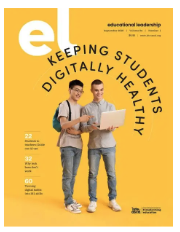
This month’s EL magazine!
From generative AI to social media use to screen time, students need guidance about using technology ethically and responsibly. The September 2026 issue of Educational Leadership explores approaches to digital wellness in K–12 schools.
https://ascd.org/el/keeping-students-digitally-healthy
|
MICRO-CREDENTIALS
State-Wide Micro-Credentialing Cohorts
The North Carolina Department of Public Instruction’s Digital Learning and School Connectivity is opening an interest application for upcoming state-wide professional learning micro-credential pathways for educators and Data Managers. These pathways support job-embedded professional learning aligned to statewide priorities in artificial intelligence, data privacy, digital citizenship,student knowledge construction, and NCSIS Basics.
Seats are limited, and this form is intended to gauge interest only; completion does not guarantee enrollment. To ensure equitable access, each Public School Unit (PSU) will be prioritized for one seat per pathway before additional participants from the same PSU are considered, based on availability. Educators will be asked to rank their pathway preferences to support placement if a first-choice pathway reaches capacity.
All cohorts will run from September 1, 2026, to April 30, 2027.
Applications will be taken on a rolling basis, and the application will be readvertised throughout the year.
Available Professional Learning Pathways include:
- Basic AI for Educators
- Basic AI for K–2 Classrooms
- Basic AI for 3–5 Classrooms
- Basic AI for 6–8 Classrooms
- Basic AI for 9–12 Classrooms
- Data Privacy for Educators
- Digital Citizenship in the Curriculum
- Student Knowledge Construction in the Curriculum
- NCSIS Basics (For Data Managers)
Please share this opportunity with educators and Data Managers in your PSU who may be interested and encourage them to complete the interest form by
Link to Interest Form
Additional details, including selection notifications and next steps, will be shared after interest submissions have been reviewed.
Thank you for your continued partnership in supporting high-quality, flexible professional learning opportunities across North Carolina
CYBERSECURITY
K-12 Cybersecurity Webinar Series
- Submit requests for cybersecurity topics to cover:
Upcoming Events
NCEdConnect Symposium
- 𝗦𝗲𝗽𝘁𝗲𝗺𝗯𝗲𝗿 𝟮𝟵th – 𝗢𝗰𝘁𝗼𝗯𝗲𝗿 𝟭st at the 𝗞𝗼𝘂𝗿𝘆 𝗖𝗼𝗻𝘃𝗲𝗻𝘁𝗶𝗼𝗻 𝗖𝗲𝗻𝘁𝗲𝗿 𝗶𝗻 𝗚𝗿𝗲𝗲𝗻𝘀𝗯𝗼𝗿𝗼, NC!
- The NCDPI K-12 Cybersecurity Program will be at NCEdConnect
- Program team members from NCDPI, Friday Institute, and MCNC will be in attendance to help address your cyber needs
- We will have a special guest presentation from Erich Kron, CISO Advisor from KnowBe4!
K-12 Cybersecurity Bootcamp
-
October 14th–16th at The Friday Institute in Raleigh, NC
- Register Here
- Full Schedule
- Team members from NCDPI, The Friday Institute, MCNC, and the NCLGISA Strike Team will all be in attendance to answer all of your questions and help however we can.
- A great learning opportunity that will help your PSU better understand and leverage the breadth and depth of the NCDPI K-12 Cybersecurity Program’s services and resources.
-
Nette Matanane, Customer Success Manager from KnowBe4, will be in attendance to directly assist you in the configuration and management of your KnowBe4 Console
Cybersecurity Awareness Month
- Cybersecurity Awareness Month (CAM) is this upcoming October!
- K-12 Cybersecurity Team have several webpages that go over what CAM is, basic cybersecurity best practices, free resources, and a schedule of events.
- Feel free to use all of the included language and resources for your PSU’s CAM campaign
-
Free Toolkits and Resources: An aggregation of free toolkits, documents, and resources that can be used within your PSU
-
Schedule of Events & Activities: Weekly calendar of CAM events. Will be updated as more October events are announced!
- Let us know if you’re having any events that you’d like us to include!
I have Cybersecurity questions..
|