September 3, 2026
WHAT'S NEW:
- NC College Connect Validation Report: Action Required by September 9*
- NCSIS Now*
- New Data Validation Rule Available*
- Driver Eligibility Eliminated Effective October 1, 2026*
- Rostering Teachers and Students in Teaching Strategies via Infinite Campus*
- Statewide Parent Portal Message*
- State Reporting Corner*
- New Attendance Codes Coming in Version. 2635*
- Enhanced PMR Reports Coming in Version .2635*
- Knowledge Owl*
- Have you registered for the 2026 NCED Connect Symposium yet?*
- CRDC Coordination Brief*
REMINDERS:
- NCDPI Student Locator Issues
- Course List Master Updates
- School Month Naming Convention Updated
- Coming in Version .2635: New Enrollment Tool Fields
- NCSIS Coordinator Collaborative Recordings
- Teacher Tips
- Upcoming Training Information
- NCSIS Resources
- Requesting Technical Support Points of Contact
*indicates new or updated information
WHAT'S NEW:

NC College Connect Validation Report: Action Required by September 9*
The NC College Connect Validation Report is now available.
Navigation: Reporting > Data Validation > (NC) NC College Connect Validation 2026-27
The report identifies students who:
- Meet eligibility requirements for direct admission to a two-year community college and participating four-year colleges and universities
- Meet eligibility requirements for a two-year community college only
- Are eligible but have incomplete address information
- Are not currently eligible, including the reason eligibility requirements were not met
PSUs should review the report and correct student records before the official data pull on September 9, 2026.
Due to the sensitive information included, this report is for internal use only. Access should be limited to staff with appropriate permissions. If validation report access is managed by user group, the appropriate groups must be added to the new report.
For additional information, refer to the NC College Connect Data Pull and Scheduling Guidance | NC Department of Public Instruction article.
|
 |
|
NCSIS Now*
Welcome to our newest feature, NCSIS Now! Each week, we’ll highlight some timely processes, helpful tips, or important reminders that you can put to use right away.
Once your school has passed Day 10, begin running the core State Enrollment Overlap Report (Student Information > Reports > State Enrollment Overlap Report). Review any overlapping enrollment records identified and work with the other PSUs involved to make the necessary corrections.
Resolving enrollment overlaps early will help ensure that your PMR data is accurate when it is time to submit.
More information on the report can be found in the Student Information | NC Department of Public Instruction article.
Before your first month PMR is due, review your day events attached to days in Day Setup that differ in length from your typical school day. For each shortened day, confirm that the day event has the standard code AD assigned in the Core Attribute/Dictionary tool, and that the correct instructional minutes are entered on the day event record.
You will also need a period schedule for each type of special day. Each period schedule should reflect the correct number of instructional minutes for which students may be scheduled. Once your special period schedules are created, use the Copy Section Placements tool to quickly assign them to sections. The special period schedule should be assigned to the appropriate day in Day Setup.
More information about NC specific Day Events can be found in the Day Events | NC Department of Public Instruction article, and more information about Day Setup can be found in the Day Setup - Start here | Infinite Campus article.
|

New Data Validation Rule Available*
A new data validation rule is available!
Navigation: Reporting > Data Validation > Data Validation Report > Data Validation Group: (NC) Student Enrollment Audit > Rule: (NC) Student First District Enrollment Dates
The validation displays all students enrolled in the selected context, along with:
- Their first enrollment in the PSU during the current school year
- Their earliest enrollment in the PSU across all school years
Use this information to quickly identify students who are enrolling in your PSU for the first time.
|
 |
|
Driver Eligibility Eliminated Effective October 1, 2026*
Effective October 1, 2026: Drivers License Applicants under age 18 are no longer required to present a Driving Eligibility Certificate (Certificate of Eligibility) when applying for a North Carolina learner permit or driver license, as provided by Session Law 2026-46.
Due to this change in legislation, the SADLS Validation Suite (found in Data Validation Reports) will be removed from Infinite Campus in the near future.
|
Rostering Teachers and Students in Teaching Strategies via Infinite Campus*
New for public school sites in 2026-2027: Lead teachers and preschool children served in public school-operated classrooms, regardless of program, are being rostered into the Teaching Strategies platform through Infinite Campus. When enrolling preschool students in Infinite Campus, please refer to the resources below.
Preschool Rostering in NCSIS
Pre-K Teaching Strategies Integration Guide
|
|
 |
State Reporting Corner*
PSUs should review the following state reporting due dates and ensure that data is accurate before each applicable deadline. Please note that not all reports require a submission; some are collected through a data pull at COB on the due date.
-
October 15: Advanced Mathematics Course Enrollment (AMC)
-
October 15: Retention/Promotion Data Collection (RP)
-
October 31: School Start-Time and End-Time Report (SET)
-
Recurring: Principal’s Monthly Reports 1–9 are due 5 days after each reporting interval.
Due dates and related information may be updated as additional details become available. Visit the State Reporting Due Dates article for the most current schedule, report resources, and data-review locations.
|
 |
|
New Attendance Codes Coming in Version .2635*
With the implementation of version .2635, new attendance codes required by recent legislation, in addition to the new 2P attendance code, will be added to each PSU.
PSUs do not need to add these codes manually. Additional guidance about using the new attendance codes will be provided as it becomes available. There is not yet a confirmed date when version .2635 will be implemented in production.
|
Enhanced PMR Reports Coming in Version .2635*
Version .2635 will introduce several new and enhanced PMR reports for PSUs:
- Student Day Detail Report
- ADA Summary Report
- ADM Summary Report
- ADM 10-Day Violation Detail Report
- Day Detail Report
- Month Summary Report
These reports will provide additional detail to help PSUs review their data and verify the accuracy of the PMR.
NCDPI is developing supporting resources and recommended data-review procedures that will be released with the new reports. Because there is not yet a confirmed date for implementing version .2635 in production, PSUs should continue running and submitting PMRs according to the current process until further notice.
|
|
 |
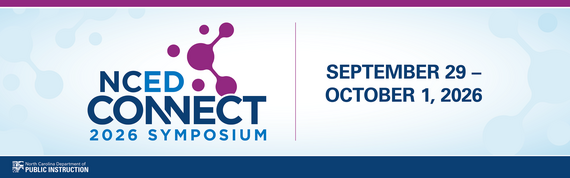 Have you registered for the 𝟮𝟬𝟮𝟲 𝗡𝗖𝗘𝗗 𝗖𝗼𝗻𝗻𝗲𝗰𝘁 𝗦𝘆𝗺𝗽𝗼𝘀𝗶𝘂𝗺 yet?*
📅 September 29–October 1, 2026
📍 Koury Convention Center | Greensboro, NC
***LATEST UPDATE*** Explore the Fall 2026 NCED Connect Highlights Booklet for an overview of the professional learning and sessions scheduled for this year’s symposium.
Whether your work centers on 𝗱𝗶𝗴𝗶𝘁𝗮𝗹 𝗹𝗲𝗮𝗿𝗻𝗶𝗻𝗴, 𝗔𝗜, 𝗶𝗻𝘀𝘁𝗿𝘂𝗰𝘁𝗶𝗼𝗻𝗮𝗹 𝘁𝗲𝗰𝗵𝗻𝗼𝗹𝗼𝗴𝘆, 𝘀𝗰𝗵𝗼𝗼𝗹 𝗹𝗶𝗯𝗿𝗮𝗿𝘆 𝗺𝗲𝗱𝗶𝗮, 𝘀𝘁𝘂𝗱𝗲𝗻𝘁 𝗶𝗻𝗳𝗼𝗿𝗺𝗮𝘁𝗶𝗼𝗻 𝘀𝘆𝘀𝘁𝗲𝗺𝘀, 𝗹𝗲𝗮𝗱𝗲𝗿𝘀𝗵𝗶𝗽, 𝗼𝗿 𝗼𝘁𝗵𝗲𝗿 𝗲𝗱𝘂𝗰𝗮𝘁𝗶𝗼𝗻𝗮𝗹 𝗶𝗻𝗶𝘁𝗶𝗮𝘁𝗶𝘃𝗲𝘀, there’s something for you at the NCED Connect Symposium.
✨ Connect with educators and leaders from across North Carolina
💡 Discover ideas and strategies you can bring back to your school or district
🤝 Grow your professional network
𝗘𝗔𝗥𝗟𝗬 𝗕𝗜𝗥𝗗 pricing has been EXTENDED THROUGH SEPTEMBER 11th! ($250)
Also, our hotel room block is still open. To receive the negotiated conference rate, please reserve your room using the link below:
CRDC Coordination Brief*
CRDC Coordination Brief: New CRDC Contact Step: Update Both Systems
As we prepare for the SY2025–26 Civil Rights Data Collection, PSUs should ensure CRDC Coordinator information is current in both the federal CRDC submission system and EDDIE.
Federal CRDC ContactsThe federal CRDC team maintains its collection contacts through the federal submission system. These contacts receive federal communications and information needed to establish system access. To add or update a CRDC Coordinator, contact the CRDC Partner Support Center using the Contact Us Form.
EDDIE ContactsReview your PSU’s CRDC contacts in EDDIE and submit needed updates by October 1. NCDPI uses EDDIE contacts for state CRDC communications, resources, and collection support. PSUs are encouraged to maintain two CRDC Coordinators. Visit the NCDPI EDDIE webpage for instructions and assistance.
Keeping both sources current helps ensure the appropriate staff receive federal and NCDPI information throughout the collection.
Contact the SEA CRDC Coordinator with any questions at NC.OCR.CRDC@dpi.nc.gov.
|
REMINDERS:
NCDPI Student Locator Issues
The NCDPI Student Locator (locator.ncsis.gov) is currently not functioning as expected. User Access Requests cannot be approved, and the Overlapping Enrollment Report is unavailable. Data shown for searched students is correct except for the PSU and school names (other data, including the PSU code and school code are correct).
NCDPI is aware of these issues and will share additional information as it becomes available. Please do not submit a ServiceNow ticket at this time.
|
|
 |
School Month Naming Convention Updated
A statewide script was run on August 21, 2026, to update each School Month Name so that it matches its corresponding Sequence Number. This change provides a consistent school month naming convention across all PSUs.
When setting up school months in future years, please continue to name each School Month using its Sequence Number.
|
|
 |
 |
|
Coming in Version .2635: New Enrollment Tool Fields
Beginning with version .2635, the Enrollment tool will include new fields to identify:
- Where a student enrolled from (i.e., from a LEA, from a Charter School, from a Homeschool, etc)
- Where a student is going after withdrawal (i.e., to a LEA, to a Charter School, to a Homeschool, etc)
These fields will not be required initially but will become required at a later date. This advance notice is intended to help PSUs review their current enrollment and withdrawal processes and plan for any necessary procedural changes.
Additional guidance will be provided before the fields become required.
|
NCSIS Coordinator Collaborative Recordings
Stay up-to-date on the latest NCDPI news, updates, and announcements by participating in the NCSIS Coordinator Collaboratives.
Missed a Session?
Recordings of previous Coordinator Collaboratives are available on the Coordinator Collaboratives | NC Department of Public Instruction Knowledge Base.
Agenda and supporting materials: https://go.ncdpi.gov/NCSISCoordinatorCollab
Upcoming Collaboratives
Coordinator Collaboratives have been scheduled through December 2026. Register for each session by selecting "Check Availability" and choosing the desired date from the calendar:
https://www.eventbrite.com/e/1992495958047
Upcoming Session Dates (July-December 2026)
- September 10
- September 24
- October 8
- October 22
- November 12
- December 3
- December 17
|

Upcoming Training Information
Be sure to review the DTL Signature Events Calendar and Eventbrite for upcoming in-person and virtual regional meetings, webinars, and training sessions. These opportunities are designed to keep staff connected, informed, and supported throughout the school year.
*In the DTL Signature Events Calendar, use the arrows at the bottom of the screen to scroll to monthly event calendars, including upcoming NCSIS webinars!
NCSIS Teacher Training Information:
Please use the link below to access teacher training resources for NCSIS. Additional details can also be found at ncsis.gov.
Infinite Campus Training Resources
If you have any questions, please contact Erin Wolfhope at erin.wolfhope@dpi.nc.gov with questions.
|

NCSIS Resources
Technology Maintenance Windows | Infinite Campus lists dates and times that Infinite Campus may not be available due to routine maintenance.
Campus Community contains the information you need to learn how to use Infinite Campus through product documentation, videos & simulations, study guides, forums, and much more. Whether you are a teacher, data manager, or Infinite Campus user, you will find the learning resources in a clearly defined pathway for a seamless transition from PowerSchool.
Campus Passport is a collection of on-demand, self-paced courses that can be assigned to new and existing staff. Accessed through the Campus Community, you will find Instructor-Led Training, specific E-Learning courses, or select a learning plan based on your district role.
NCSIS Knowledge Base | NC Department of Public Instruction contains articles, video recordings and other resources about North Carolina processes.
GitHub Vendor Integrations Repository is a website where examples of 3rd party extract formats can be found (these are crowd sourced and should be vetted fully before implementing in your PSU).
Ad Hoc Filter Sharing Community is a shared Google folder for Ad Hoc filters that PSUs have created. Please add any helpful filters/reports you have created, and use others as you need. These are not guaranteed to work in your PSU and should be vetted fully.
-
Naming Convention: Ad Hoc Name - PSU Name
- You’re welcome to include your email address within the document (optional).
-
Permissions: You have editing access—please proceed with caution!
-
PII: Do not upload any PII to the shared folder
NCSIS website (http://ncsis.gov) contains links to previous bulletins, as well as the latest information about events held throughout the year.
Click on the link below to learn how to sign up to receive this weekly NCSIS bulletin.
How to Subscribe to a NC DPI DTL Bulletin/Newsletter
|

Requesting Technical Support Points of Contact
Please review the information below on how to submit support tickets:
Contact Infinite Campus for assistance with:
NCSIS Application/Support Issues
Submit a case: https://support.infinitecampus.com
Infinite Campus Enhancement Requests—Please use the link below to share the areas of the product your PSU would most like to see improved, suggest new functionality, and indicate whether you’d like to participate in future discussions.
Infinite Campus Enhancement Requests
Contact DPI for assistance with:
- NCDPI Business Questions
- Duplicate Students
- Amplify/Missing Students
Submit a request: https://go.ncdpi.gov/help
For additional technical support contacts, please refer to the document below:
Requesting Help
|
|