August 13, 2026
WHAT'S NEW:
- Final Reminders*
- Start of School Spotlight*
- Course Code Updates*
- 26-27 Licensure Crosswalk Available*
- NC ALPS Extract—Action Required by September 1, 2026*
- NCSIS Coordinator Collaborative Recordings*
- Upcoming Training Information*
- Have you registered for the 2026 NCED Connect Symposium yet?*
REMINDERS:
- Updated Validation Report
- Changes to RTA Program Entry for 2026-27 School Year
- NC College Connect Validation Report
- Pre-EOY Discipline Edit Checks Now Available in NCSIS
- Thank you for Joining Us at NCBOLD!
- Teacher Tips
- Knowledge Owl
- NCSIS Resources
- Requesting Technical Support Points of Contact
*indicates new or updated information
WHAT'S NEW:
Final Reminders*
Last chance to complete these final steps from 2025-26:
- Do all of your students in 2025-26 have an end date (including program calendars!)?
- Select 2025-26 Calendar(s).
- Validation Report: (NC) EOY Enrollment Verification, Rule: (NC) Enrollments w/ No End Date
- Is the 26-27 School Year marked as Active?
- Scheduling & Courses > Calendar Setup > School Year Setup
- Do all students that will be continuing with you (including those enrolled in program calendars, as appropriate) have an enrollment in a 26-27 calendar?
- Note: If EC students do not have an enrollment in the current year with you, they will be inactivated in ECATS soon.
- We are working on a new rule in the validation report (NC) EOY Enrollment Verification that will display a list of students that finished the year in the PSU last year but do not have an enrollment for this year (excludes OHP students). These may not all be incorrect, just allows you to verify.
|
Start of School Spotlight*
Access Management
- Ensure staff have the correct district assignment(s)
- Ensure teachers are added to sections through Section Staff History
- Ensure all staff have the correct user group(s) assigned (and that calendar user groups have been updated appropriately)
- Ensure all accounts are activated appropriately
Access Management | NC Department of Public Instruction
Beginning of Year Lunch & Learns | NC Department of Public Instruction (Access Management Lunch & Learn)
Before Day One
- Verify that students, staff, schedules, attendance, grading, and other important information are ready for the first instructional day.
- Various staff may be responsible for these areas.
- This information in the article linked below is provided as a guide and may not include all tasks.
- Follow local procedures for additional guidance and to prepare for the start of school.
Before Day One | NC Department of Public Instruction
|
Course Code Updates*
Four CTE Course code names were corrected in the 26-27 Master Course Code List and in NCSIS-IC. PSUs using these courses should check Course Master Local Names and update the incorrect DTSC to be DTCS and push the updates to Course/Course Sections. The state code name fields were corrected by NCDPI and published to PSUs on 8/6/2026.
-
CN572X0 NAF AOIT DTCS PREQ
-
CN575X0 NAF AOIT DTCS PREQ Honors
-
CN582X0 NAF AOIT DTCS CONC
-
CN585X0 NAF AOIT DTCS CONC Honors
Course 3C445X0 BIO Research & Measurement’s “Credit Group-Type” was updated to “HS-Science” on the 26-27 Master Course Code List.
Find “SY 26.27 Master Course Code List 08.06.26 V4d PUBLISH” posted along with all master course code lists here: https://go.ncdpi.gov/NCDPIallCM.
|
 |
|
26-27 Licensure Crosswalk Available*
The School Year 2026-2027 Licensure Crosswalk is now available to Public School Units (PSUs).
The Teacher Licensure Crosswalk is designed to assist schools in determining whether teachers assigned to teach specific courses hold the appropriate qualifying license for the courses. It also supports schools in understanding how teacher placement decisions impact in-field and out-of-field reporting for their school and district.
|
NC ALPS Extract—Action Required by September 1, 2026*
Updates to the NC ALPS Extract were released with Campus.2623.13 on July 22, 2026. The updated report is now available in production, and the new submission deadline is September 1, 2026.
Please run the report against your 2025-26 calendars and verify the results before the deadline.
Required Action
- Add a Referring School to any existing ALPS Program records that do not already have one.
Reporting Changes
-
SchoolID and SchoolName are now reported from the Referring School entered on the ALPS Program Record.
- The extract now uses the Referring School value instead of determining the student's prior enrollment.
- New reporting logic has been added for:
- ReferringSchoolID
- ReferringSchoolName
- GradeCode
- The report layout has also been updated to meet state requirements with the addition of:
- EnrollmentStartDate
- EnrollmentStartStatus
- EnrollmentEndDate
NCSIS Coordinator Collaborative Recordings*
Stay up-to-date on the latest NCDPI news, updates, and announcements by participating in the NCSIS Coordinator Collaboratives.
Missed a Session?
Recordings of previous Coordinator Collaboratives are available on the Coordinator Collaboratives | NC Department of Public Instruction Knowledge Base.
Agenda and supporting materials: https://go.ncdpi.gov/NCSISCoordinatorCollab
Upcoming Collaboratives
Coordinator Collaboratives have been scheduled through December 2026. Register for each session by selecting "Check Availability" and choosing the desired date from the calendar:
https://www.eventbrite.com/e/1992495958047
Upcoming Session Dates (July-December 2026)
- August 27
- September 10
- September 24
- October 8
- October 22
- November 12
- December 3
- December 17
|
Upcoming Training Information*
Be sure to review the DTL Signature Events Calendar and Eventbrite for upcoming in-person and virtual regional meetings, webinars, and training sessions. These opportunities are designed to keep staff connected, informed, and supported throughout the school year.
*In the DTL Signature Events Calendar, use the arrows at the bottom of the screen to scroll to monthly event calendars, including upcoming NCSIS webinars!
NCSIS Teacher Training Information:
Please use the link below to access teacher training resources for NCSIS. Additional details can also be found at ncsis.gov.
Infinite Campus Training Resources
If you have any questions, please contact Erin Wolfhope at erin.wolfhope@dpi.nc.gov with questions.
|
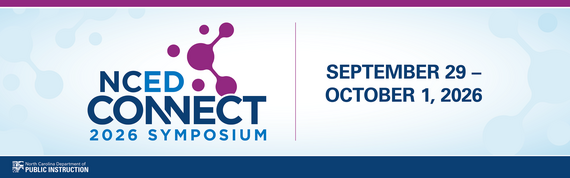 Have you registered for the 𝟮𝟬𝟮𝟲 𝗡𝗖𝗘𝗗 𝗖𝗼𝗻𝗻𝗲𝗰𝘁 𝗦𝘆𝗺𝗽𝗼𝘀𝗶𝘂𝗺 yet?*
📅 September 29–October 1, 2026
📍 Koury Convention Center | Greensboro, NC
Want a sneak peek at what’s in store? 📖 Check out our 𝟮𝟬𝟮𝟲 𝗡𝗖𝗘𝗗 𝗖𝗼𝗻𝗻𝗲𝗰𝘁 𝗙𝗮𝗹𝗹 𝗦𝘆𝗺𝗽𝗼𝘀𝗶𝘂𝗺 𝗛𝗶𝗴𝗵𝗹𝗶𝗴𝗵𝘁 𝗕𝗼𝗼𝗸𝗹𝗲𝘁 for a preview of connections and opportunities waiting for you:
🔗 go.ncdpi.gov/Fall2026NCEDConnectHighlightsBooklet
Whether your work centers on 𝗱𝗶𝗴𝗶𝘁𝗮𝗹 𝗹𝗲𝗮𝗿𝗻𝗶𝗻𝗴, 𝗔𝗜, 𝗶𝗻𝘀𝘁𝗿𝘂𝗰𝘁𝗶𝗼𝗻𝗮𝗹 𝘁𝗲𝗰𝗵𝗻𝗼𝗹𝗼𝗴𝘆, 𝘀𝗰𝗵𝗼𝗼𝗹 𝗹𝗶𝗯𝗿𝗮𝗿𝘆 𝗺𝗲𝗱𝗶𝗮, 𝘀𝘁𝘂𝗱𝗲𝗻𝘁 𝗶𝗻𝗳𝗼𝗿𝗺𝗮𝘁𝗶𝗼𝗻 𝘀𝘆𝘀𝘁𝗲𝗺𝘀, 𝗹𝗲𝗮𝗱𝗲𝗿𝘀𝗵𝗶𝗽, 𝗼𝗿 𝗼𝘁𝗵𝗲𝗿 𝗲𝗱𝘂𝗰𝗮𝘁𝗶𝗼𝗻𝗮𝗹 𝗶𝗻𝗶𝘁𝗶𝗮𝘁𝗶𝘃𝗲𝘀, there’s something for you at the NCED Connect Symposium.
✨ Connect with educators and leaders from across North Carolina
💡 Discover ideas and strategies you can bring back to your school or district
🤝 Grow your professional network
𝗥𝗲𝗴𝗶𝘀𝘁𝗲𝗿 𝘁𝗼𝗱𝗮𝘆 and take advantage of our 𝗘𝗔𝗥𝗟𝗬 𝗕𝗜𝗥𝗗 pricing while it lasts! ($250 - through August 28th)
Also, we are pleased to announce that our official hotel room block is now open. To receive the negotiated conference rate, please reserve your room using the link below:
REMINDERS:
Updated Validation Report
The validation report named (NC) Transcript Verification Report includes a new rule: (NC) Credits Earned Invalid. Please run the report and correct any transcript records with inaccurate credits earned. Accurate transcript data is essential, so please review and resolve all identified errors promptly.
|
|
 |

Changes to RTA Program Entry for 2026-27 School Year
Message from the Office of Early Learning:
As part of a continuous improvement process, we have considered stakeholder feedback and the operability of the RtA Program within Infinite Campus during the first full year of statewide implementation. To reduce data entry for schools and districts in the 2026-2027 school year with the addition of the IRP requirement for 4th and 5th grade students, we will no longer require that IRP data be entered for individual students in the Infinite Campus RtA Program. Instead, beginning in the 2026-2027 school year, we will revert to the previous process of collecting that data once using the RtA Supplemental Data Reporting for JLEOC survey that is sent in July/August each year.
The main Read to Achieve Program (RtA) | NC Department of Public Instruction article has been updated to reflect those changes, and other articles and resources are currently being updated.
|
NC College Connect Validation Report
The NC College Connect Validation Report is now available.
Navigation: Reporting > Data Validation > (NC) NC College Connect Validation 2026-27
The report identifies students who:
- Meet eligibility requirements for direct admission to a two-year community college and participating four-year colleges and universities
- Meet eligibility requirements for a two-year community college only
- Are eligible but have incomplete address information
- Are not currently eligible, including the reason eligibility requirements were not met
PSUs should review the report and correct student records before the official data pull on September 9, 2026.
Due to the sensitive information included, this report is for internal use only. Access should be limited to staff with appropriate permissions. If validation report access is managed by user group, the appropriate groups must be added to the new report.
For additional information, refer to the NC College Connect Data Pull and Scheduling Guidance | NC Department of Public Instruction article.
|
Pre-EOY Discipline Checks Now Available in NCSIS
To increase access to the Pre-EOY Discipline Edit Checks, this process has moved from eMFTS to NCSIS and is now known as the NCSIS Incident Reporting Data Validations.
NCDPI has developed a process to compile and load incident data into custom tables, allowing schools and PSUs to monitor, review, and validate discipline data throughout the school year.
Two validation reports will provide PSUs with a copy of behavior data entered in NCSIS:
- (NC) Incident Actions and Responses
- (NC) Incident Behavior Events
The reports will refresh each morning before the start of the business day. Changes entered in NCSIS after the daily refresh will appear in the reports the following day.
PSUs should use this process to review their 2025–2026 discipline data in preparation for approval by September 1, 2026. When running your reports, ensure that your context is set to the 2025-26 school year. Instructions for the approval process will be provided to discipline coordinators before that date.
For additional information, review the NCSIS Incident Reporting Data Validations guide:
https://go.ncdpi.gov/NCSIS_Incident_Validation
Incident/Discipline Data Coordinator Contact Information
Incident/Discipline Data Coordinator Contact Information is Collected in the EDDIE System.
Each PSU can designate up to two Incident/Discipline Data Coordinators in the EDDIE system.
If any changes need to be made, work with your PSU’s EDDIE coordinator to have your contact information entered or updated.
Email EDDIE@dpi.nc.gov if you are unsure of the EDDIE coordinator for your PSU.
|
 Thank you for Joining Us at NCBOLD!
It was a pleasure connecting with SIS personnel from across the state and seeing so much learning, collaboration, and idea-sharing in action!
Couldn’t attend—or want to revisit something you learned? You’ll find all the NCBOLD presentations conveniently available in the Digital Backpack.

NCSIS Resources
PSUs have access to the Campus Community, where they can acquire product knowledge, glean tips and tricks, and engage in networking opportunities with other districts. The Campus Community offers convenient single sign-on access from the Campus system to a wealth of resources, including the knowledge base, forum discussions, learning tools, support site, upcoming events, and more.
Campus Community contains the information you need to learn how to use Infinite Campus through product documentation, videos & simulations, study guides, forums, and much more. Whether you are a teacher, data manager, or Infinite Campus user, you will find the learning resources in a clearly defined pathway for a seamless transition from PowerSchool.
Campus Passport is a collection of on-demand, self-paced courses that can be assigned to new and existing staff. Accessed through the Campus Community, you will find Instructor-Led Training, specific E-Learning courses, or select a learning plan based on your district role.
NCSIS Knowledge Base | NC Department of Public Instruction contains articles, video recordings and other resources about North Carolina processes.
GitHub Vendor Integrations Repository is a website where examples of 3rd party extract formats can be found (these are crowd sourced and should be vetted fully before implementing in your PSU).
Ad Hoc Filter Sharing Community is a shared Google folder for Ad Hoc filters that PSUs have created. Please add any helpful filters/reports you have created, and use others as you need. These are not guaranteed to work in your PSU and should be vetted fully.
-
Naming Convention: Ad Hoc Name - PSU Name
- You’re welcome to include your email address within the document (optional).
-
Permissions: You have editing access—please proceed with caution!
-
PII: Do not upload any PII to the shared folder
NCSIS website (http://ncsis.gov) contains links to previous bulletins, as well as the latest information about events held throughout the year.
Click on the link below to learn how to sign up to receive this weekly NCSIS bulletin.
How to Subscribe to a NC DPI DTL Bulletin/Newsletter
|

Requesting Technical Support Points of Contact
Please review the information below on how to submit support tickets:
Contact Infinite Campus for assistance with:
NCSIS Application/Support Issues
Submit a case: https://support.infinitecampus.com
Infinite Campus Enhancement Requests—Please use the link below to share the areas of the product your PSU would most like to see improved, suggest new functionality, and indicate whether you’d like to participate in future discussions.
Infinite Campus Enhancement Requests
Contact DPI for assistance with:
- NCDPI Business Questions
- Duplicate Students
- Amplify/Missing Students
Submit a request: https://go.ncdpi.gov/help
For additional technical support contacts, please refer to the document below:
Requesting Help
|
|