WHAT'S NEW:
- Remove TK Grade Level from 2026-27 Calendars*
- Errors in Section Data*
- KnowledgeOwl*
- April Digital Leaders Exchange (DLE)
- NCBOLD 2026 Survey
REMINDERS:
- Student Flags Reminder
- Release .2611.6
- NEW AIG Validation Report Available
- Spring Legislative Class Size (LCS) Now Available
- CRDC Coordinators Brief
- Teacher Tips
- Upcoming Training Information
- NCSIS Resources
- Requesting Technical Support Points of Contact
- Want to Stay in the Loop?
*indicates new or updated information
Remove TK Grade Level from 2026-27 Calendars*
If the TK grade level exists in any 2026–27 calendars, including program calendars, it should be removed. Before removing the grade level, districts must update any students enrolled in TK within a 2026–27 calendar to the appropriate grade level. Any TK grade levels that are not removed will be mapped to the state grade level of KG.
Sequence numbers can be adjusted for the remaining grade levels, as long as they are consistent across all schools in the PSU.
|
|
 |
 |
|
Errors in Section Data*
Some PSUs currently have course sections in NCSIS with data issues, including missing term types, missing teacher assignments, or term types that do not align with the actual course dates.
For example, a course may be scheduled to run from January through June but is assigned a Semester 1/Fall term type.
At this time, the NCSIS course section validation report that will identify these issues is still under development. Until that report is fully available, PSUs can access a discrepancy report identifying these course section issues through PSU Test Coordinator access to the Accountability and Testing Collection Status Viewer and Secure Shell.
All corrections to data issues must be made directly in NCSIS. Updates should be completed no later than May 1, 2026, to ensure accurate and complete reporting.
|
April 9, 2026
 April Digital Leaders Exchange (DLE)
Our April DLE will be VIRTUAL—April 21st from 8:30am to 12pm.
These sessions will offer valuable updates, resources, and opportunities to connect—all from the convenience of your workspace.
View the agenda and register here:
 |
|
NCBOLD 2026 Survey
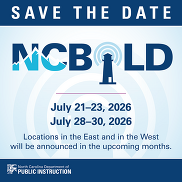
NCBOLD 2026 will be coming your way again this summer! We would like your input on what sessions you would like to have presented. Please also take a few minutes to complete the NCBOLD survey so we ensure we bring you learning opportunities that meet your needs and wants. The link to the survey is available HERE or by going to go.ncdpi.gov/ncbold26survey.
|
REMINDERS:
Student Flags Reminder
EC, AIG, 504, EL, Migrant, and Military flags are automatically applied based on active programs associated with a student (or a relative, for Military).
Do not add these flags manually.
Once a program is added, the appropriate flag will appear shortly thereafter. If this functionality does not work, please place a support ticket with Infinite Campus.
|
|
 |
 |
|
Release .2611.6
Infinite Campus Version .2611.6 was installed in production on 4/1/2026. Highlights of this version include:
- Updated Student Attendance tool now shows start time, end time and duration for each period, along with a lunch indicator for any period that includes lunchtime.
- Present minutes accurately transfer for cross-enrolled students based on the value recorded at the school taking attendance, and home school staff can now edit if necessary
- Scheduling Board now contains the option to load alternates
- Enrollment End Action now imports through Records Transfer
- Student Gap Scheduler will now automatically navigate to Walk-In Scheduler when a student is selected from the Search results
- Legislative Class Size Report fixes
For a full list of release notes see Release Pack Campus.2611 - March 2026 | Infinite Campus and Rx Pack - Campus.2611 | Infinite Campus.
|

NEW AIG Validation Report Available
Beginning on Thursday, April 2, 2026, NC SIS users will be able to access the new (NC) AIG Transfers data validation report. This new report will generate a list of all students within a PSU who have prior Gifted Program history and do not have a current gifted record within the PSU. Running the NC AIG Transfers data validation provides a list of these students who had data transferred into the PSU before the email notifications process was working to alert users of AIG student transfers.
To support effective use of this new resource:
- SIS Coordinators, please ensure that the correct personnel have access to this data validation report to run at the school and/or district level.
- AIG Coordinators are encouraged to run the report and review the Gifted program records for each student to determine how each student will be identified and served in the PSU.
For additional information, please review the "Events & Action” guidance document. To assist with questions related to the AIG Transfer functionality, the new data validation report, and general AIG headcount questions, the Office of Advanced Learning and Gifted Education team will be hosting a series of Office Hours throughout the month of April.
Feel free to drop in on any of the following dates or reach out via email to Stephanie Cyrus (stephanie.cyrus@dpi.nc.gov).
|

Spring Legislative Class Size (LCS) Now Available
The Spring Legislative Class Size (LCS) Report submission window opens April 1, 2026, and closes April 20, 2026.
Who: All LEAs, Charter Schools, Lab Schools, and the Regional Schools, regardless of class size exemption status. Even if a PSU/school is exempt, every PSU must submit the required reports for all schools to meet federal reporting requirements.
What’s new: Use the “Spring” snapshot to generate, review and submit reports. LCS reports will include all schools and appropriate grade levels in the PSU. Exempt schools and courses will be removed after submission and before compiling class size averages.
Required Reports:
-
K-13 Class Size (Required; informational) Displays data for each class in each grade in each school, such as the lead teacher and number of students. This report may include college/university classes, NCVPS classes, and community/technical school courses.
-
K-3 Class Size Average (Required; LCS Compliance) Average class size of standard ELA in each grade and school, K-3.
-
Program Enhancement Teachers (Required; informational) Displays data for each program enhancement class and associated teacher(s) in the school (Arts disciplines, including dance, music, theater, and the visual arts; Physical education and health programs; World languages)
Resources:
School Attendance and Student Accounting Manual (SASA), Chapter 6
Legislative Class Size (LCS) | NC Department of Public Instruction
NC Legislative Class Size Collection | Infinite Campus
Note: To request a deletion of a Spring LCS snapshot, use the Snapshot Deletion Tool in NCSIS:
State Report Deletion Requests | NC Department of Public Instruction
Thank you for your timely submission of the LCS report. Please contact your Professional Learning Consultant with questions about reports in Infinite Campus, or Catherine Mau for policy-related questions.
|
CRDC Coordinators Brief
Begin Local Data Collection Planning
As preparation continues for the SY2025–26 Civil Rights Data Collection, PSUs should begin identifying data elements that are not collected by NCDPI and must be tracked locally during the current school year.
The NC CRDC Canvas course includes a Collection by Entity document from the most recent submission cycle, which can be used as a starting point for local planning. This resource reflects prior requirements and may not include future updates.
PSUs should use current processes and available documentation to begin tracking applicable data and monitor future communications for updates as federal guidance becomes available.
Ensure CRDC contact information in EDDIE remains current to support ongoing communication.
Contact the SEA CRDC Coordinator with any questions at NC.OCR.CRDC@dpi.nc.gov
|
Upcoming Training Information
Upcoming Training: End-of-Year (EOY) Resources and Support:
To support PSUs with End-of-Year (EOY) processes, the SIS Professional Learning team will be providing a series of recorded EOY training sessions that PSUs can view at their convenience.
Along with the recordings, a shared Q&A document will be available for PSUs to submit questions related to the EOY processes. The SIS PL team will review submitted questions and post responses so that all PSUs can view the questions and answers.
In addition, the SIS PL team will host EOY Office Hours to review commonly asked questions and provide additional clarification. PSUs will have the opportunity to attend these sessions and receive further guidance.
EOY recordings and related resources are expected to be available by mid-April. Additional details and links will be shared in upcoming NCSIS Weekly Bulletins.
Be sure to review the DTL Signature Events Calendar and Eventbrite for upcoming in-person and virtual regional meetings, webinars, and training sessions. These opportunities are designed to keep staff connected, informed, and supported throughout the school year.
*In the DTL Signature Events Calendar, use the arrows at the bottom of the screen to scroll to monthly event calendars, including upcoming NCSIS webinars!
NCSIS Teacher Training Information:
Please use the link below to access teacher training resources for NCSIS. Additional details can also be found at ncsis.gov.
Infinite Campus Training Resources
If you have any questions, please contact Erin Wolfhope at erin.wolfhope@dpi.nc.gov.
|

NCSIS Resources
PSUs have access to the Campus Community, where they can acquire product knowledge, glean tips and tricks, and engage in networking opportunities with other districts. The Campus Community offers convenient single sign-on access from the Campus system to a wealth of resources, including the knowledge base, forum discussions, learning tools, support site, upcoming events, and more.
Campus Community—contains the information you need to learn how to use Infinite Campus through product documentation, videos & simulations, study guides, forums, and much more. Whether you are a teacher, data manager, or Infinite Campus user, you will find the learning resources in a clearly defined pathway for a seamless transition from PowerSchool.
Campus Passport—are on-demand, self-paced courses that can be assigned to new and existing staff. Accessed through the Campus Community, you will find Instructor-Led Training, specific E-Learning courses, or select a learning plan based on your district role.
KnowledgeOwl—KnowledgeOwl will include articles (QRDs) that are created and updated by the SIS Professional Learning team.
NCSIS Knowledge Base | NC Department of Public Instruction
GitHub Vendor Integrations Repository: 3rd-party extract formats can be found below.
GitHub Vendor Integrations Repository
Ad Hoc Filter Sharing Community: Shared Google folder for Ad Hoc filters PSUs have created. Ad Hoc Community
-
Naming Convention: Ad Hoc Name - PSU Name
- You’re welcome to include your email address within the document (optional).
-
Permissions: You have editing access—please proceed with caution!
-
PII: Do not upload any PII to the shared folder
NCSIS Crosswalk Document—will contain Infinite Campus and PowerSchool terms with their meanings to assist users with learning the new NCSIS terminology. This is a working document and will be updated regularly. NCSIS Crosswalk Document
IC Role Specific Resources—can be viewed by clicking on http://ncsis.gov, going to the Phase I PSU’s tab, and scrolling to the IC Role Specific Resources section. It includes information for specific staff roles, as well as a guide for parents & students.
Webinar Recording Links and FAQs—can be found at http://ncsis.gov under the Professional Learning tab. Please check for recently added webinars.
|

Requesting Technical Support Points of Contact
Please review the information below on how to submit support tickets:
Contact Infinite Campus for assistance with:
NCSIS Application/Support Issues
Submit a case: https://support.infinitecampus.com
Infinite Campus Enhancement Requests—Please use the link below to share the areas of the product your PSU would most like to see improved, suggest new functionality, and indicate whether you’d like to participate in future discussions.
Infinite Campus Enhancement Requests
Contact DPI for assistance with:
- NCDPI Business Questions
- Duplicate Students
- Amplify/Missing Students
Submit a request: https://go.ncdpi.gov/help
For additional technical support contacts, please refer to the document below:
Requesting Help
|
|