WHAT'S NEW!
- Season's Greetings from the SIS Professional Learning Team*
- NCSIS Bulletin Holiday Pause*
- PMR Fatal Error 26*
- SY 26.27 Master Course Code List Available*
- Student Locator Maintenance*
- Inclement Weather Day Setup*
- SADLS Validation Suite—Report Temporarily Unavailable for PSU Use*
- Upcoming Training Information*
- OLR Application Processing*
- Premium Product Training Requests Due February 11*
REMINDERS:
- Join us for the NCED CONNECT Symposium 2026!
- January DLE Content Moving to Webinars & NCED Connect Symposium
- Campus Digital Repository (CDR)—Review for Budget Plan
- Knowledge Owl
- Tips to Improve PMR Performance
- Teacher Tips
- Charter School Corner
- CTE Updates
- NCSIS Resources
- Requesting Technical Support Points of Contact
- Want to Stay in the Loop?
|
*indicates new or updated information
|
|
WHAT'S NEW!

Season's Greetings from the SIS Professional Learning Team*
As the year comes to a close, we want to thank you for your continued partnership, collaboration, and dedication. Your hard work and commitment truly make a difference, and we are grateful for all you do to support your students and schools.
We hope this holiday season brings you time to rest, recharge, and enjoy meaningful moments with those who matter most. We look forward to continuing our work together in the coming year and building on the successes ahead.
Wishing you a joyful holiday season and a happy, healthy New Year!
Warm regards,Your SIS PL Team- Amy, Chris, Erin, Jennifer, Jill, Karen, Nicole, Suzanne, Wanda & Rory
|
NCSIS Bulletin Holiday Pause*
The NCSIS bulletin will be suspended for the next two weeks. The next issue will be delivered on January 8th. We extend our best wishes for a happy and restful holiday season.
|
|
 |
 |
|
PMR FATAL Error 26*
As part of NCDPI’s ongoing work with Infinite Campus to address PMR Fatal Error 26, the PMR validation FATAL-26 has been reclassified from a fatal error to a warning. Although it will no longer halt processing, it still requires careful review. Please monitor all warnings regularly to maintain strong data quality.
|
SY 26.27 Master Course Code List Available*
The SY 2026-2027 Master Course Code List V1 is now available to Public School Units (PSUs).
On Thursday, Dec. 18, 2025, NCDPI will be
- Enabling 2026-2027 new courses that have Start Year 2026
- PSUs will need to create Course Masters
- Disabling 2025-2026 courses with an End Year 2026
- This does not affect current year storing of grades or posting to transcripts.
Note: Reminder to all PSUs that all courses in the NC-SIS, Infinite Campus, must be linked to a Course Master using an official NC State Course Code.
This applies to all courses, including local electives, advisory periods, remediation, enrichment, and responsive scheduling. Using State Course Codes ensures accurate data reporting, compliance with state accountability standards, and interoperability across systems.
Other course updates will be processed on July 1, 2026 after SY 25.26 End of Year completes on June 30, 2026. Those updates are listed on separate tabs in the Master Course list:
- Name Changes Post EOY 25-26
- Credit Changes Post EOY 25-26
There are resource links on the master list notes tab that will be updated at a later date and a new version of the course master list will be posted. Please bookmark the course master list link and check back often.
Resources:
Student Locator Maintenance*
The Student Locator will be down for maintenance and patching this Saturday night, December 20th, 2025, between 10 PM and midnight.
|
|
 |
SADLS Validation Suite - Report Temporarily Unavailable for PSU Use*
This information was shared in last week’s bulletin; however, while the State-Automated Driver’s License System (SADLS) Validation Suite report is currently available in the system, it is not ready for PSU use at this time. The functionality is currently undergoing review and improvement.
We will send an update in the bulletin as soon as the report is approved and ready for PSU use.

Upcoming Training Information*
Upcoming Training Sessions & Webinars:
Scheduling Lunch and Learn Series! All webinars start at 12 pm. Get your tickets now!
Additional Training Session Opportunities
Be sure to review the DTL Signature Events Calendar and Eventbrite for upcoming in-person and virtual regional meetings, webinars, and training sessions. These opportunities are designed to keep staff connected, informed, and supported throughout the school year.
*In the DTL Signature Events Calendar, use the arrows at the bottom of the screen to scroll to monthly event calendars, including upcoming NCSIS webinars!
Charter School Virtual Office Hours are offered twice a month to provide ongoing support and answer your questions.
📅 When: 2nd & 4th Thursday of each month (Date change started in August)
⏰ Time: 9:00 AM – 10:00 AM
🔗 Join us for Bi-Monthly Charter School Support Virtual Office Hours!
NCSIS Teacher Training Information:
Please use the link below to access teacher training resources for NCSIS. Additional details can also be found at ncsis.gov.
Infinite Campus Training Resources
If you have any questions, please contact Erin Wolfhope at erin.wolfhope@dpi.nc.gov with questions!
|
 |
|
OLR Application Processing*
Updates that will come with the Infinite Campus release .2551, scheduled for December 2025, includes important updates to Online Registration (OLR). The Staff Processing Tool will be discontinued, and the new Application Processing Tool will be the only tool available to process student applications. Please plan for staff training to ensure a smooth transition and understanding of the new process.
To assist with this change, we will be hosting a Lunch & Learn focused on the new OLR Application Processing process.Please use the link below to register.
NCSIS Lunch & Learn: New OLR Application Processing - Wednesday, January 7, 12 pm
|
Premium Product Training—Requests Due February 11th*
Premium Product training is available for both Phase I and Phase II PSUs. If you have not yet done so, please submit your training requests for all Premium Products as soon as possible.
Important Deadline:
- All training requests must be submitted by February 11th.
- This deadline applies only to submitting the requests—the actual training does not need to be completed by February 11th.
Additional reminders:
- All Premium Product training must be completed by June 30, 2026.
- We encourage PSUs to request training even if you are not implementing the product immediately, as all recordings can be downloaded for future use.
- If your PSU has already completed a training, please ensure you download and save all training recordings for ongoing reference.
|
|
 |
REMINDERS:
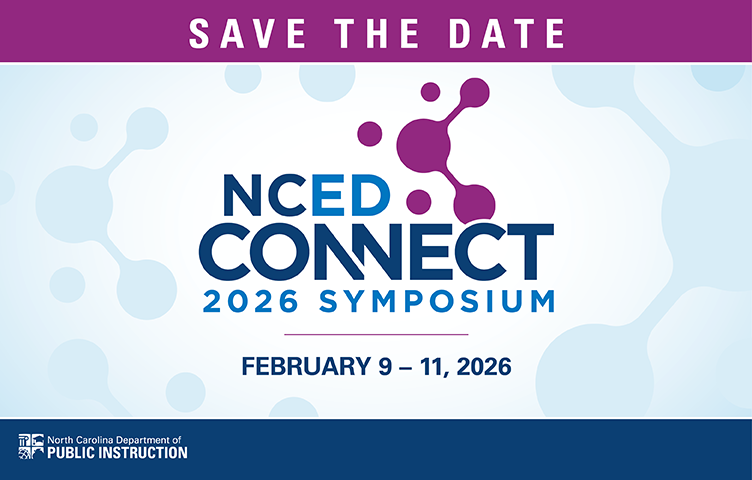 Join Us for the NCED CONNECT Symposium 2026!
We invite you to join us in Greensboro as we connect, learn, and lead together—now with an even stronger focus on keeping our systems and communities secure.
Event Details
See Where You Fit in Our Leadership Pathway
Discover how your current role—and your future goals—align with our Leadership Pathway.
Take a sneak peek at featured sessions, speakers, and experiences in our NCED Connect Symposium Highlights Flipbook.
We look forward to seeing you at the NCED Connect Symposium 2026!
Ticket Categories & Pricing **New!**
Early Bird Registration (extended through Dec. 22)
-
Individual Registration: $250 – Save before the early bird deadline!
-
SOLD OUT: Team Builder 5-Pack: Buy 4, get 1 free ($250 each) – perfect for small teams.
-
SOLD OUT: Buy 8, Get 2 Free + 1 Hotel Room: Register 8, get 2 free registrations plus one complimentary hotel room for three nights – ideal for larger district teams.
General Registration (Dec. 23–Jan. 13)
- Individual: $350
- Group: $350 each (invoiced together)
Late Registration (Jan. 14–Feb. 9): $450 each
Presenter Registration: Please see separate email.
**Invoices are automatically emailed upon registration and should be paid within two weeks.
Hotel Information
The event will be held at the Koury Convention Center in Greensboro. Discounted room rates and booking links will be shared upon registration. Teams purchasing the Buy 8, Get 2 Free + 1 Hotel Room package will receive details for their complimentary stay via email for the first attendee registered. Hotel information and registration is located HERE.
Learn More & Register
Registration is still OPEN! Full details Here.
We can’t wait to connect with you in Greensboro, where innovation meets collaboration!
January DLE Content Moving to Webinars & NCED Connect Symposium
The Virtual January DLE is being consolidated into our scheduled webinars and the NCED Connect Symposium to streamline content and reduce overlap.
Campus Digital Repository (CDR)—Review for Budget Planning
Digital Repository Preferences
Use this page to manage document upload settings, cache options, and file-size limits. It also provides a detailed cost overview of your district’s Digital Repository usage, including a helpful pie chart showing usage by location.
Pathway: System Settings > Digital Repository > Digital Repository Preferences
Digital Repository Data Usage Reports
These reports display both current and historical storage trends, helping you monitor file counts and storage growth across your district.
Pathway: System Settings > Digital Repository > Digital Repository Data Usage
As you prepare next year’s budget, please review these tools to understand storage needs—especially if usage is increasing or you expect additional upload demands.
Budget Reminder:
Per Infinite Campus procedures, each PSU receives 1 MB of free storage per student. Any usage beyond that allotment is billed at $2.50 per GB per year.
- PSUs using Campus Learning (LMS) in the 2025–26 school year will have CDR costs capped at $1,000 for that year (applies to all premium products using CDR).
- PSUs not using Campus Learning will be charged the standard $2.50 per GB/year above the free allotment.
Please review your current usage to ensure you are staying within—or planning for—your district’s expected storage needs and costs for next year.
|
 |
|
Tips to Improve PMR Performance
To help improve PMR performance across all PSUs, please keep the following best practices in mind:
-
Avoid duplicate submissions. PMR runs sequentially, so multiple submissions create delays. Check Batch Queue Admin before resubmitting.
-
Use priority settings consistently. Either mark all PMRs as high priority or none to maintain fairness and predictability.
-
Limit excessive queuing. Allow jobs to fully complete before submitting again; consider internal expectations or monitoring if needed.
-
Run large jobs during off-peak hours. PMRs and other heavy batch processes (such as graduation validations) perform best when traffic is low.
Following these steps helps keep PMR processing efficient for everyone.
|

Teacher Tips
New Bulletin Category: Teacher Toolbox
Campus Learning Updates: Check this space for ongoing updates about Campus Learning feature updates and improvements. Check it out here: Campus Learning Updates
Spotlight This Week: Transition to Campus Learning—Resources and information comparing Canvas and Campus Learning, exporting Canvas cartridges, and importing into Campus Learning.
|

Charter School Corner
Important Notes for Charter Schools Using Third-Party Lottery Vendors
As charter schools prepare for the upcoming school year and utilize third-party vendors for their lottery and registration processes, please keep the following in mind:
- If your vendor collects student registration data, do not import household or census data directly into Infinite Campus. This can lead to data integrity issues. Importing data into Infinite Campus should only be done with direct assistance from Infinite Campus support or an Infinite Campus channel partner.
- Due to North Carolina’s Student UID system, students cannot be imported into Infinite Campus using external files.
- Instead, each student who has accepted a seat must be enrolled using the Student Locator Wizard within Infinite Campus to ensure proper identity matching and compliance.
Please feel free to reach out to your NCSIS Professional Learning Consultant with any questions.
Charter School Virtual Office Hours
- Held the 2nd and 4th Thursday of each month at 9am, please register in Eventbrite
Charter schools now have a dedicated SIS professional contact!
Jennifer Fogleman is your dedicated NCSIS Professional Learning Consultant for Charter Schools. Jennifer brings a wealth of experience in the Student Information System (SIS) and is committed to providing you with the same high level of service you've come to expect from our team.
To reach Jennifer: jennifer.fogleman@dpi.nc.gov
The NCSIS Professional Learning Consultant team is here to support you. Please don't hesitate to contact Jennifer if you have any questions or concerns.
|

CTE Updates
Important:
At this time, schools should not complete any steps related to concentrator calculation or run CTE reports.
Please do not:
- Assign CTE Academic Programs (last year’s programs remain and have not been updated for 25–26)
- Update Student Status
- Run or use the NC CTE Extract Report
Further guidance will be shared once the updates are in place. Until then, no action should be taken on concentrator status in Infinite Campus.
|

NCSIS Resources
PSUs have access to the Campus Community, where they can acquire product knowledge, glean tips and tricks, and engage in networking opportunities with other districts. The Campus Community offers convenient single sign-on access from the Campus system to a wealth of resources, including the knowledge base, forum discussions, learning tools, support site, upcoming events, and more.
Campus Community—contains the information you need to learn how to use Infinite Campus through product documentation, videos & simulations, study guides, forums, and much more. Whether you are a teacher, data manager, or Infinite Campus user, you will find the learning resources in a clearly defined pathway for a seamless transition from PowerSchool.
Campus Passport—is on-demand, self-paced courses that can be assigned to new and existing staff. Accessed through the Campus Community, you will find Instructor-Led Training, specific E-Learning courses, or select a learning plan based on your district role.
KnowledgeOwl—KnowledgeOwl will include articles (QRDs) that are created and updated by the SIS Professional Learning team.
NCSIS Knowledge Base | NC Department of Public Instruction
GitHub Vendor Integrations Repository: 3rd party extract formats can be found below.
GitHub Vendor Integrations Repository
Ad Hoc Filter Sharing Community: Shared Google folder for Ad Hoc filters PSUs have created. Ad Hoc Community
-
Naming Convention: Ad Hoc Name - PSU Name
- You’re welcome to include your email address within the document (optional).
-
Permissions: You have editing access—please proceed with caution!
-
PII: Do not upload any PII to the shared folder
NCSIS Crosswalk Document—will contain Infinite Campus and PowerSchool terms with their meanings to assist users with learning the new NCSIS terminology. This is a working document and will be updated regularly. NCSIS Crosswalk Document
IC Role Specific Resources—can be viewed by clicking on http://ncsis.gov, go to the Phase I PSU’s tab and scroll to the IC Role Specific Resources section. It Includes information for specific staff roles, as well as a guide for parents & students.
Webinar Recording Links and FAQs—can be found at http://ncsis.gov under the Professional Learning tab. Please check for recently added webinars.
|

Requesting Technical Support Points of Contact
Please review the information below on how to submit support tickets:
Contact Infinite Campus for assistance with:
NCSIS Application/Support Issues
Submit a case: https://support.infinitecampus.com
Infinite Campus Enhancement Requests- Please use the link below to share the areas of the product your PSU would most like to see improved, suggest new functionality, and indicate whether you’d like to participate in future discussions. Infinite Campus Enhancement Requests
Contact DPI for assistance with:
- NCDPI Business Questions
- Duplicate Students
- Amplify/Missing Students
- PMR Deletes in Infinite Campus
Submit a request: https://go.ncdpi.gov/help
For additional technical support contacts, please refer to the document below: Requesting Help
|
|