Delete unwanted columns or tabs in Infoview 4.3
Do you make changes to an Infoview report every time you export it to Excel? Become a more efficient and effective Infoview user by editing your report output once in Infoview and then saving your modified version of the report for future use.
You can make simple changes to report outputs once you’ve saved them to your Personal Folders in Infoview 4.3. Two of the changes you can easily make are deleting unwanted columns or tabs.
You can only make these edits while in Design mode.
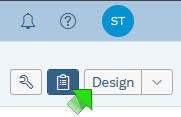
The Design button toggles between Reading mode, which reports automatically open in, and Design mode. Click the Reading button to change the mode to Design.
Once in Design mode, you can right-click on an unwanted column and select Delete from the menu. There isn’t a confirmation message, but you can click the Undo icon to add the deleted column back to the output.
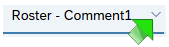
To get rid of an unwanted tab, click the down arrow to the right of the tab name, select Delete from the menu, then click the Delete button on the confirmation message.
|
There are many other edits you can make to your reports, including changing column headers and report names, changing the column and sort orders, changing fonts and column widths, and even adding your own input controls to help filter your output. Look for the Infoview Training 5: Advanced Concepts module, which will review how to make these kinds of changes to your reports, available in early February 2026 on the Other Information System Training page of the MDH WIC website.
|
2026 WIC advisory group openings – applications due Friday, Dec. 12
If you’re looking for an opportunity to be more involved on WIC policy issues, priorities and activities, consider being a member of our WIC advisory group. As an advisory group member, you represent a group of agencies and will be asked to share the unique perspective, challenges, and concerns of your group with the WIC management team and your colleagues.
Openings for 2026 include:
-
Regional representatives - Southeast and Metro.
-
Caseload representatives – Groups 2 and 6, CHB administrators, LPHA, and Tribal agency.
Call to action: WIC coordinators please share with your administrator/public health directors as we are looking for a representative for both a community health board administrator and local public health administrator.
How to apply: If interested, fill out the WIC Advisory Group Application. If more than one person applies to represent the group, the WIC coordinators in that group will vote. More information such as terms, member definitions, roles and responsibilities can be found on our WIC Advisory Group webpage.
Questions? Tina Breitenbach
Applications are due Friday, Dec. 12.
Peer breastfeeding program
Welcoming a new peer breastfeeding counselor? The next live orientation for peer counselors is scheduled for Thursday, Dec. 18.
Please contact Kristen Bricko with the name and email address of your new peer to be added to the list! A Teams meeting invite will be sent to the peer directly, a few days prior to the orientation date.
If you have any questions, please contact Kristen Bricko.
Error: Paid leave for new and expecting parents webinar date
There was an error on the Local Agency WIC Calendar. The webinar for paid leave for new and expecting parents was held on Dec. 4, not Dec. 12. The recording and materials for the webinar will be posted on the Minnesota Paid Leave Public engagement events webpage.
Holiday schedule for the weekly update
Week of Christmas – no weekly update
Week of New Year’s Day – will be sent Tuesday, Dec. 30
Local agency staff should talk to their supervisor for approval before registering for training.
Refer to WIC Annual Required Trainings for staff training requirements.
The week ahead
Check out upcoming trainings and meetings: Local Agency WIC Calendar
Find new job opportunities on the WIC Job Postings webpage. This week includes:
- Olmsted County Public Health WIC Program Nutrition Educator
Submit job postings using the WIC Job Postings survey.
Vaccination education resources
Vaccinations have been in the news, and you may be getting questions from participants. Below are a few training resources to educate staff as they support families in understanding the facts.
Call to action:
Any staff who discuss, recommend, and or administer vaccines are encouraged to complete the MDH Immunization Resources Survey to help with understanding staff experience and usage of immunization webpages and resources.
Survey will close on Friday, Jan. 9, 2026.
Training resources:
Hepatitis B vaccine
The Minnesota Department of Health (MDH) continues to support vaccination against hepatitis B at birth for all babies. This is in alignment with the American Academy of Pediatrics (AAP) and the American Academy of Family Physicians (AAFP) who also recommend vaccinating all infants at birth against hepatis B. Giving the hepatitis B vaccine within 24 hours of birth has been shown to significantly reduce infections. In other words – the vaccine works.
If a mother is infected with hepatitis B, it can be transmitted to a newborn baby during or after birth. If infected, up to 90% of babies will develop lifelong hepatitis B infections. Additionally, a child could become infected just by living with or being cared for by someone who has hepatitis B. Around one in four babies with hepatitis B will die prematurely from liver damage, liver failure, or liver cancer. Vaccination helps provide long-term protection.
Thursday, Dec. 25 - Christmas (state offices closed)
Thursday, Jan. 1 - New Year's Day (state offices closed)
|