 Watch for the New Text to Subscribe Code
If you have subscribed to an Office of Accessibility newsletter, you may soon see a notification on your mobile device that tells you about a change to the new text to subscribe short code for the State of Minnesota - MNGOV (66468). When you receive the notification, you may want to add MNGOV (66468) to your Favorites.
What is a short code?
When you receive information on your cell phone from us, it is the phone number that shares the information.
What do you have to do?
Nothing! The change is on our side. We are sharing this so you will recognize that this new number is for all content from the state of Minnesota. This includes the Office of Accessibility newsletter.
Didn’t know you could receive the link to the newsletter by text message?
You can!
Text to #MNGOV (66468): MNIT A11y
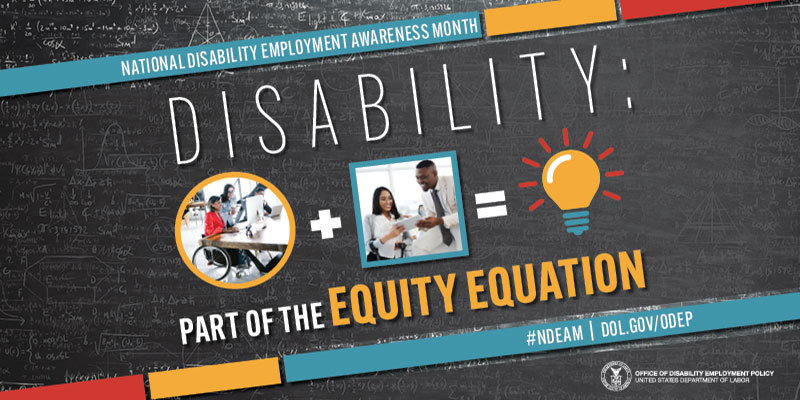
Office of Disability Employment Policy's National Disability Employment Awareness Month campaign poster. #NDEAM on social media. For more information visit DOL.GOV/ODEP
You Need to Know: What's YOUR Role in NDEAM?
By: Jennie Delisi, Office of Accessibility
October is National Disability Employment Awareness Month (NDEAM). This year’s theme is Disability: Part of the Equity Equation. Disability inclusion that is part of a multifaceted community, and that is truly inclusive, is a key part of the equation for building a strong workforce.
Do you wonder about the part YOU play in recognizing NDEAM? This article shares information for everyone, including people who are:
- Employers.
- Employees.
- Co-workers.
- Job applicants.
Take some time in October to become more aware of the intersection of disability employment, equity, and your role. Benefit from the events, resources, and conversations. You may find yourself surprised by how much of a stakeholder you really are!
This article has information for people who want to:
- Read to learn, or watch a video.
- Attend events and activities.
- Host their own events and activities.
Ready? Check out You Need to Know: What's YOUR Role in NDEAM?
 Find Grids Vs Tables Accessibility Scary?
Relief = 2 Simple Questions
Simple definitions to help business analysts, developers, and you!
By: Kim Wee, Minnesota IT Services Partnering with the Department of Education
When displaying data for web, the code you write builds the Document Object Model (DOM) structure and accessibility tree. It is crucial to verify we are presenting the relationship between the cell contents, and the row and column headers in a programmatic way. Remember the POUR principles: Perceivable, Operable, Understandable and Robust. If we forget about semantics, roles, and relationships, all kinds of things can go wrong.
This article will not cover a lot of details about fixing the accessibility tree. But, as a developer, sometimes you get into problems if you pick a framework that automatically creates the code. And sometimes, you can go in and fix it. Sarah Higley does a great job describing some possibilities for fixing the accessibility tree in her Roles and relationships article. However, fixing is something done after you begin to build. If you consider accessibility first when you choose whether to use a table or a grid, it will improve the accessibility of your solution and reduce the number of issues you will find when testing.
But how do you know which to use? Visually, tables and grids may look similar. Where they often differ is in the level of interactivity.
Kim shares what you need to know, and a simple set of questions to help you decide which to use, so you will no longer Find Grids Vs Tables Accessibility Scary.
Tech Tip: Use Lists Like A Pro
Lists are important because they communicate:
- The list items belong together – they are members of a group.
- The relationship of the items to each other.
- The number of items that belong together in that group.
When a person using a screen reader gets to a list (both bulleted and numbered), they hear "list with x (number) items." When they enter the list, they hear whatever type of bullet or numbering system is present. Note: this only happens if you use a true bulleted or ordered list. At the end, they hear an announcement like "end of list." This acts like what you may do with your eyes. You might visually scan the list to see how long it is, what types of things it includes, etc.
Some people with cognitive disabilities also need well-structured lists. They make it easier to identify a group of items. They improve readability. For instructions, it may reduce the effort needed to resume reading after completing part of the task. For some with cognitive disabilities this type of structure may be essential.
Examples
With your grocery list, you most likely choose an "unordered" or bulleted list:
- Apples.
- Bread.
- Ground beef.
If you want the person grocery shopping to pick them up in a specific order in the grocery store, use an “ordered” list:
- Apples.
- Bread.
- Ground beef.
Practice Activity
Today's challenge: in the tools you use, find the method for using a list.
Specific Success Criteria Referencing Structures
Lists are one of the structures mentioned in both the 2.0 and 2.1 versions of the Web Content Accessibility Guidelines (WCAG). Criteria you may want to review include:
|