Webinars our Coordinators Recommend
By Lea Dooley, MNIT Partnering with Human Services and MNsure
Some of our coordinators created this list of accessibility webinars to share with you. Just getting started in your accessibility journey? Maybe you don’t have a budget? Looking for topics? You will find there are plenty of opportunities to select from or enjoy them all.
Lea's article has so many options! She has suggestions for webinars on:
- Project Management
- Accessible SVGs
- WCAG 3
- User Experience
- PowerPoint
- and many others.
Bonus: each suggestion includes information about why the accessibility coordinator found the information helpful.
Quiet moment at the office? Use those precious moments to review one of the Webinars our Coordinators Recommend.
Collaborate with Your Entire Community
By: Jennie Delisi, Office of Accessibility
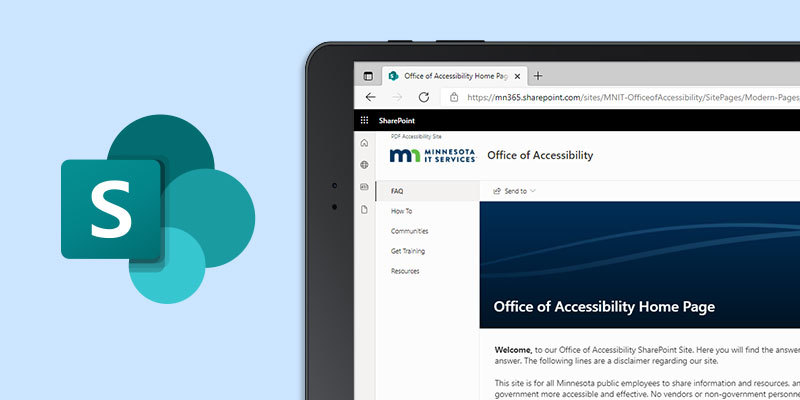
You may be using a SharePoint site to help your team:
- Track project status.
- Organize shared content.
- Provide a roadmap for your team about where to find project assets and websites.
A great goal for your SharePoint site is to help your site visitors:
Can you do this and be digitally inclusive?
Answer questions, then plan
It may surprise you to find out that achieving your site goals can also create a more digitally inclusive space.
You begin by answering some questions about the site:
- Who will use it?
- What will they want to do there?
- Do you want this to be accessible to all your visitors?
- How will you know it is achieving the goals?
And then...create with accessibility in mind. We have what you need to use color, plan your layout, choose and use graphics, test the accessibility of your SharePoint site in Collaborate with Your Entire Community.
Tech Tip: Gamifying Accessibility
Love playing games? Find them motivating for learning? Here are some game ideas for you, your team, and your organization. Remember that some games will be better matched to the abilities and interests of your coworkers than others. It is best to provide a range of games to try when sharing.
Keyboard only access
For those wanting to learn how to access using keyboard only, or to improve their digital accessibility testing skills, try the No Mouse Challenge.
Choose a period of time, an application, or a web page. Navigate only using your keyboard (no mouse). Need some hints?
Visible focus
Hocus :focus is an online game, in-browser, using Fall and Halloween images. The first level demonstrates visible focus. Players use their tab key to navigate, visible focus is appropriate. The next level demonstrates the absence of visible focus, and its impact on users with vision.
General accessibility games
Accessibility Maze: “The purpose of the game is to introduce those new to web accessibility to potential barriers on the Web that may prevent some people from accessing content.”
Find the accessibility problems: just like hidden object games, or “what’s missing?” you can use the W3C’s Before and After Demonstration to challenge yourself and others to:
- find the accessibility issues in the before examples
- discover the fix made for the after examples.
|