 Glad for GAAD Goodies!
By: Jay Wyant, Chief Information Accessibility Officer
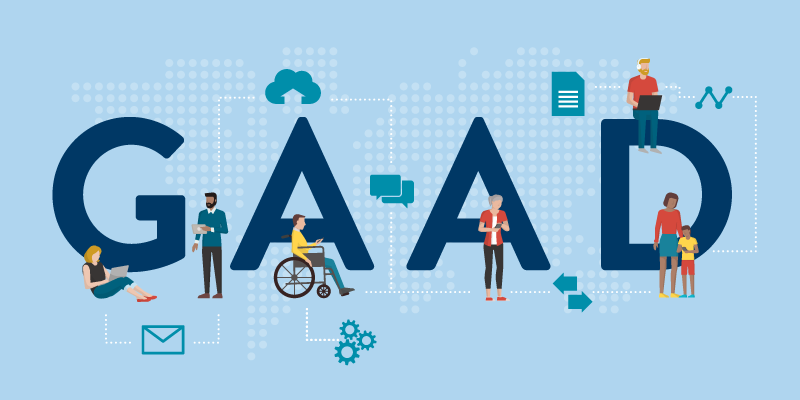
The third Thursday of May is Global Accessibility Awareness Day (GAAD). This is the 10th anniversary.
To celebrate, the Office of Accessibility is hosting a training event for accessible virtual meetings. The “Accessible Meetings for All” event shares best practices for organizing and running meetings that are inclusive for all. The live event is open to state of Minnesota employees.
Stay tuned to Minnesota IT Services’ Facebook and Twitter, where we will post recordings from this event in the coming weeks!
Experts from across state government are covering how to:
- Plan and assign roles.
- Establish norms about meeting conduct and behavior.
- Use readily available tools and resources to ensure accessibility.
No-Mouse Challenge
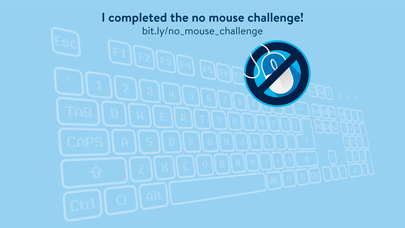
To promote the event, the Office of Accessibility asked state employees to take the “No-Mouse challenge.” They spent at least 15 minutes doing their job without using their mouse. To help them through this challenge, the Office gave some hints in the form of handy keyboard shortcuts (PDF).
People who took on the challenge could share their thoughts through a quick survey (look for our next newsletter to learn what they said). They also got access to an image they could use for their meeting background. It proclaims they “completed the challenge!”
Other State of Minnesota Celebrations
Here’s a sampling of what other state agencies did to celebrate GAAD.
The Department of Human Services (DHS) held two virtual sessions for DHS employees:
- Audio description and captioning: what are they and how to meet the standard.
- Integrating accessibility into workflows and processes.
The Department of Revenue posted “Business Notices” on their intranet throughout the day that:
The Minnesota Department of Education (MDE) held a weeklong series of activities for their staff. These included:
More Resources
Keep the learning going all year long! Be sure to visit - Free Digital Accessibility Resources from the state of Minnesota.
Don’t bury the headline
Plain language tips and tricks for technical writing
By Kendall Johnson, Minnesota IT Communications, and Jennie Delisi, Office of Accessibility
Plain language helps readers understand communication the first time they read it and know what they need to do next. Quick tips to help you in writing plain language:
- Use language commonly understood by the public.
- Write in short and complete sentences.
- Present information in a format that is easy-to-find and easy-to-understand.
- Clearly state directions and deadlines to the audience.
This month, find out:
- Why is plain language important?
- When should it be used?
- How can I test my content?
and get tips to be sure you Don't bury the headline.
Tech Tip: Favorite Keyboard Shortcuts for Microsoft Teams
Happy Global Accessibility Awareness Day!
Some state of Minnesota teams started the No Mouse Challenge early this year! There was a discussion in a Microsoft Teams channel with individuals sharing their favorite keyboard shortcuts for Microsoft Teams. Which is your favorite?
- Ctrl + equals sign (=) magnifies your Teams window. Ctrl + zero returns to 100%; or Ctrl + minus to reduce magnification a bit at a time.
- Ctrl + K to add a hyperlink
- Start by typing an asterisk (*) or minus sign followed by your text to automatically create a bullet for a list
- Ctrl + Shift + K will raise or lower your hand in a meeting
Thanks to all that shared!
|