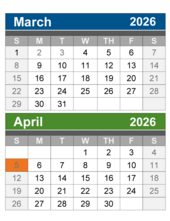
Your 2026-27 payroll calendar is now available for review on the Employer Reporting website. The dates on your calendar were created following the schedule used in your fiscal year (FY) 2025-26 payroll calendars. Please review your online payroll calendar dates to ensure they correspond to the pay period begin and end dates that you will use for your retirement detail reports in FY 2026-27.
You can view your calendar by clicking the View Payroll Calendar link. Under Existing Calendars, locate the FY 2026-27 calendar link(s). This will open the Create/Edit Payroll Calendar Details screen. Verify the pay period start and end dates listed under Option 2 – View Payroll Period Dates.
Only the Michigan Office of Retirement Services (ORS) can make changes to your payroll calendar. ORS cannot make retroactive changes, only future changes. If your 2026-27 calendar needs to be changed, you must contact ORS no later than May 22, 2026. Please submit changes by completing the Payroll Calendar Submission and Change Request (R1073C) form, located on the Employer Information website under Reporting Resources, Forms.
Important: Adjustments to your payroll calendar will result in changes to your pay cycle report and payment due dates.
ORS will not accept calendar changes in the event a pay period end date falls on a holiday or a weekend. Changes in a payroll calendar are allowed only in the instance of changing the frequency of pay (biweekly, semimonthly, or monthly) or in the case of a fiscal year with 27 pay periods.
For more information on payroll calendars, please see the Reporting Instruction Manual (RIM) section 7.00.01 Payroll calendars and due dates.
Retroactive payments of wage and benefit increases are reportable. This is the result of the passage of Public Act (PA) 115 of 2023, which repealed PA 54 of 2011. We updated the RIM to show this change. We removed the section called Retroactive wages (contract settlement) from 4.03: Nonreportable compensation and added a new section with the same name to 4.02: Reportable compensation.
Report these payments in the pay period in which wages were paid to the employee (on both Detail 2 and Detail 4 records). Our system no longer uses retroactive wage codes on Detail 2 records. Instead, use Wage Code 09 (Wages Without Hours), or if you’re making a positive adjustment to a record on a previous pay period, use Wage Code 15 (Wages Without Hours Positive Adjustment).

Tracking the working hours of coaches and other part-time or seasonal employees is important for accurate reporting and retirement benefits. Service credit is based on hours worked. For employees in seasonal or part-time roles, such as coaching, those hours matter.
- Report all hours: For any employee performing reportable service, you must report both the wages and the hours. This includes seasonal staff and coaches.
- Reporting coaches: Use Class Code 1560 for coaching duties. If a coach is paid via a lump sum, you must still determine and report the actual hours worked during that period. Ensure the begin and end dates of the record represent the entire season so the coach receives full service credit.
For more information, review RIM Chapter 5: Reporting Hours for Service Credit and 7.03.02: Reporting coaches wages on a DTL2 record.
|


You and your employees can plan for the retirement you want using a one-on-one account review for participants in the Plans. Great timing for those sticking around during spring break, participants in the Plans can register online or call 517-284-4422.
|
|