Digital Experience
September 5, 2025
Learn more about the latest enhancements and bug fixes from the past two weeks, along with the latest news and how-to articles and videos.
Thank you for your continued dedication and contributions. Let’s keep striving for excellence together!
Discover more about updates to the DX platform and access training materials on the DX Training website.
NEWS
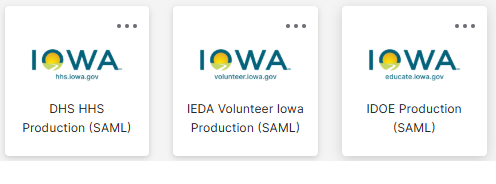
Your New OKTA Tiles
New OKTA tiles for all agencies have been added, making it easier to find your agency's tile. This update will not affect your website login process. You can drag and drop tiles within your layout to put your agency's tile or your most used tiles at the top for ease of use. Instructions for 'How Do I Log in Using Okta?' have been revised on the DX Training website.
Reminder to Update Your ServiceDesk Plus Links
Be sure to update any links on your website going to ServiceNow or Service Desk with the new ServiceDesk Plus links and change the name as well. You can find the new links on the DX Training website.
TRAINING CORNER
Stay up to date with the latest training resources designed specifically for content managers. Whether you are looking to enhance your skills or streamline your website updates, this section will keep you informed and ready to tackle any new challenges. Visit the DX Training site to brush up.
|
|
 |
HOW TO: What type of Microcontent can I add to a Basic page?
Basic pages can contain a featured image, media (images and videos), block quotes, tables, accordions, automatic lists, contacts, link collection lists, callouts, promos, related files, and statistics. You can also embed documents, calendars, Qualtrics surveys, and other embeddable items. Basic pages are the most versatile type of page as they allow most types of Microcontent.
. . . . . . . . . . . . . . . . . .
HOW TO: Create a Link Collection List
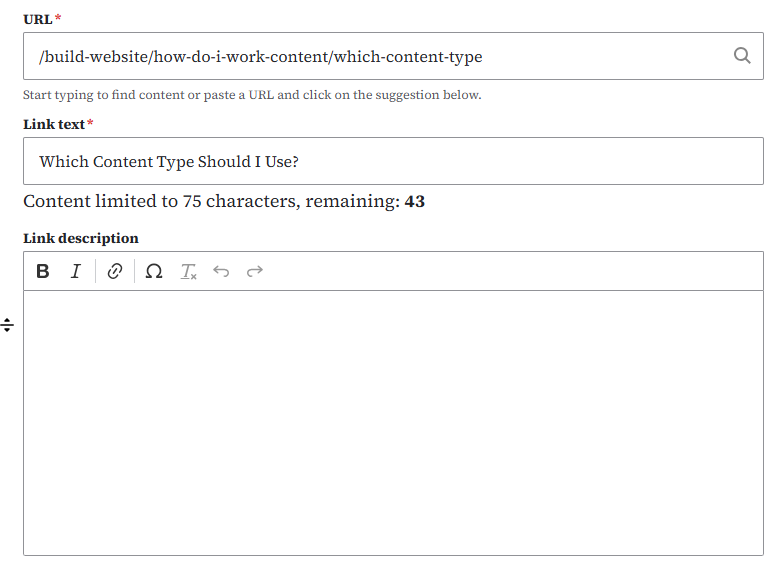
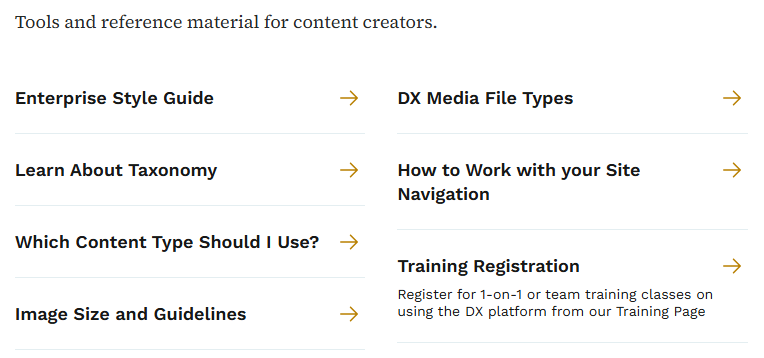
When you have several links to content on external websites, you can create a tidy list of links by creating a Microcontent Link Collection List. First you create the Microcontent by adding a URL, link text, and optional link description. You can add two or more links to your list, up to 20 links that can be manually sorted. After you've created and saved your Link Collection List, you can embed that list on your page. Link Collection Lists can be added to Landing pages or Basic pages. Learn more about working with Link Collection Lists on the DX Training website.
Creating your Link Collection List:
Example of a Link Collection List:
 . . . . . . . . . . . . . . . . . .
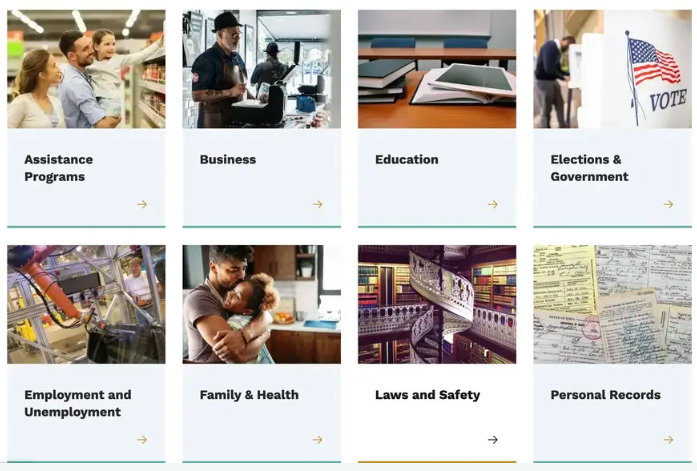
HOW TO: Create a Visual Link Collection List
Visual Link Collection Lists can be placed on Landing pages. These lists need to have at least two links and no more than 12 links. They always include a visual component (an image). Links automatically break into 4 across. Learn how to create Visual Link Collection Lists on the DX Training website.
YouTube Channel
New and updated training videos are being added monthly to the DOM DoIT Digital Experience YouTube Channel and linked within DX Training site pages. You can subscribe to the channel to be notified when new videos are added.
|
|
 |
Weekly DX Training Classes
The weekly DX course is designed for new users and those looking for a refresher on the platform basics. You can register directly on the DX Training site: Weekly DX Training Classes.
Weekly Office Hours
Need help or have website questions? Join our live office hours every Thursday from 1-2 p.m. CDT. No registration is needed - simply click the live meeting link available on the DX Training page during the scheduled time. Sharean Morishita will be there to assist with troubleshooting, platform refreshers, or any other questions you have.
|
|
 |
Application Accessibility Assessment Weekly Office Hours
Application Assessment Office Hours are open each Monday from 11 a.m.-12 p.m. CDT with Todd Peterson. Feel free to drop in to ask your questions or if you would like assistance in determining if an application's accessibility should be assessed.
Bulk Document Remediation Weekly Office Hours
Bulk Document Remediation Office Hours are open each Tuesday from 9-10 a.m. CDT with Todd Peterson. Feel free to drop in if you have questions about whether a doc(s) needs to be remediated, removed, or archived, or questions about having Allyant and the IowAccess Doc Remediation project assist with document remediation.
MSF&W Accessibility Weekly Office Hours
Every Wednesday at 9 a.m. you can ask MSF&W's accessibility experts your questions. If you are having trouble figuring out how to fix a table or form or need help understanding appropriate alternate text, just pop into the meeting. No reservation is required. Visit Accessibility Training on the DX Training site for the Teams meeting link.
MSF&W Accessibility Live Training - PowerPoint
The next MSF&W Accessibility Training session is scheduled for September 9 at 9 a.m. CDT. This live training session will focus on Microsoft PowerPoint accessibility. Register for this training session.
|