 Most people are concerned about what they download on a PC, but throw caution to the wind when it comes to their phone or tablet. Clicking links and downloading apps on a mobile device may not feel as threatening as doing it on your PC, but in many cases it’s actually far worse.
People have major portions of their lives stored on their cellphone – from pictures, to contacts, to banking information – and much of it isn’t well-protected. In addition to stored data, your mobile device also has access to other personal information, allowing an attacker to:
- Pinpoint your exact location via GPS
- Listen in on anything you say via the microphone
- Record images of what you’re doing via the camera
To make things even worse, HP claims that 9 out of 10 smartphone apps have significant security flaws in them, meaning even well intentioned apps may not be as safe as we think.
However all is not lost, as there are some simple steps you can take to help protect yourself.
-
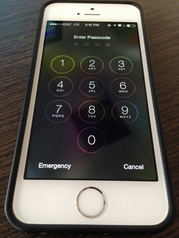
Lock Your Device: It’s simple to setup an unlock pattern or PIN number to protect your phone from prying eyes. It also makes it more difficult for someone to install a malicious app on your device. You wouldn’t leave your laptop unlocked, so don’t leave your mobile device unlocked either.
-
Install From Trusted Sources: If you see a link to download a cool new app from somewhere other than an official app store, think twice before following it.
-
Pay Attention to App Permissions: Before installing or updating an app, take a look at what permissions it requires and decide if it makes sense. For example, does your calorie-counting app really need to know your GPS location?
-
Don’t Jail-Break Your Device: Although jail-breaking (or “rooting”) your device gives you more flexibility on what you can do, it also bypasses many of the device’s built-in security features, making a malicious app even more dangerous.
-
Avoid Suspicious Links and Attachments: In the same way that you take precautions before opening and clicking on an email from an unrecognizable or suspicious sender on your PC, you should always exercise the same caution on your mobile device.
-
Don’t Use Public Wi-Fi: It can be nice to reduce your data usage by using free public Wi-Fi but it’s much easier for intruders to get data from you this way, especially considering the significant flaws in apps we mentioned earlier.
As you can see, there aren’t many differences between a mobile device and your PC when it comes to keeping you secure, but we often take care of these devices differently. The truth is, they are both computers that still need our care and protection as much as possible.
Sources:
HP:
9 out of 10 smartphone apps have significant security flaws in them
Spyware
Matching FinFisher Can Take Over iPhones
Mobile
Threat Report, Q1 2014
|