Sign-in Changes to CorpOnline
Greater Access with Increased Security
As a registrant of a corporate entity and user of CorpOnline, DCRA's online corporate registration platform where you can register new corporations, file your biennial report, and order documents like good standing certificates and certified copy requests, we are writing to notify you of an important security update that requires you to take action and will affect how you sign in.
As of Monday, March 22 at 8 AM, CorpOnline customers will be required to:
1. Create a single sign-on Access DC account if you have not already done so, and
2. Link your single sign-on Access DC account with your CorpOnline account.
3. After signing up and linking your account, you can sign in to CorpOnline to conduct your transaction, and also access every DCRA online system quicker and with enhanced security.
Creating a Single Sign-On Account is Easy
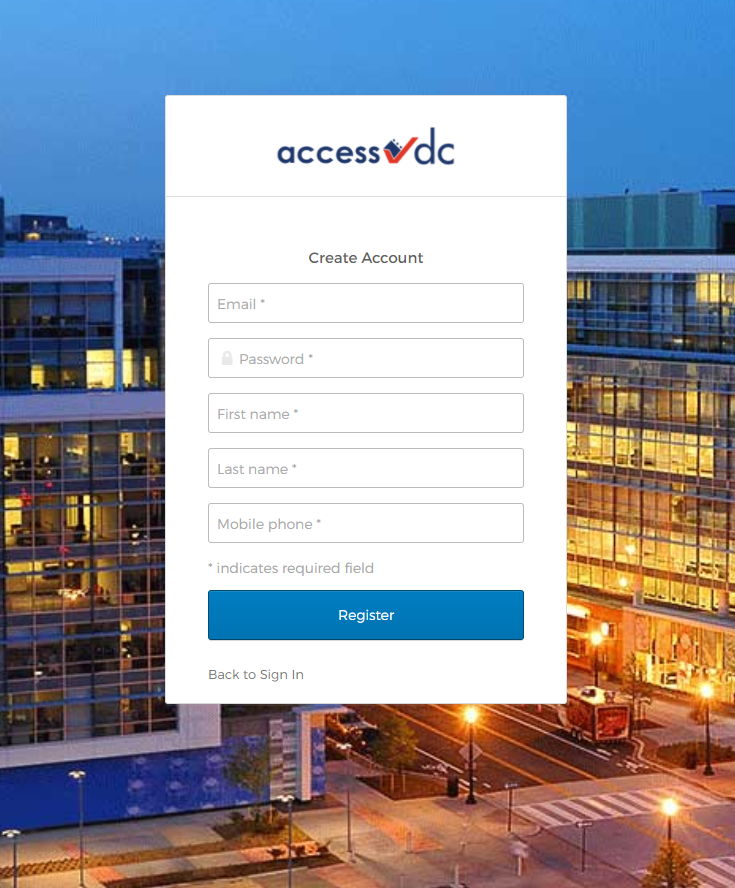
Visit Access DC, enter the information requested as shown below, and select "Register"
Then when you log in to CorpOnline, select "Sign-in with Access DC" to use the platform.
If You Already Have a Single Sign-On "Access DC" Account
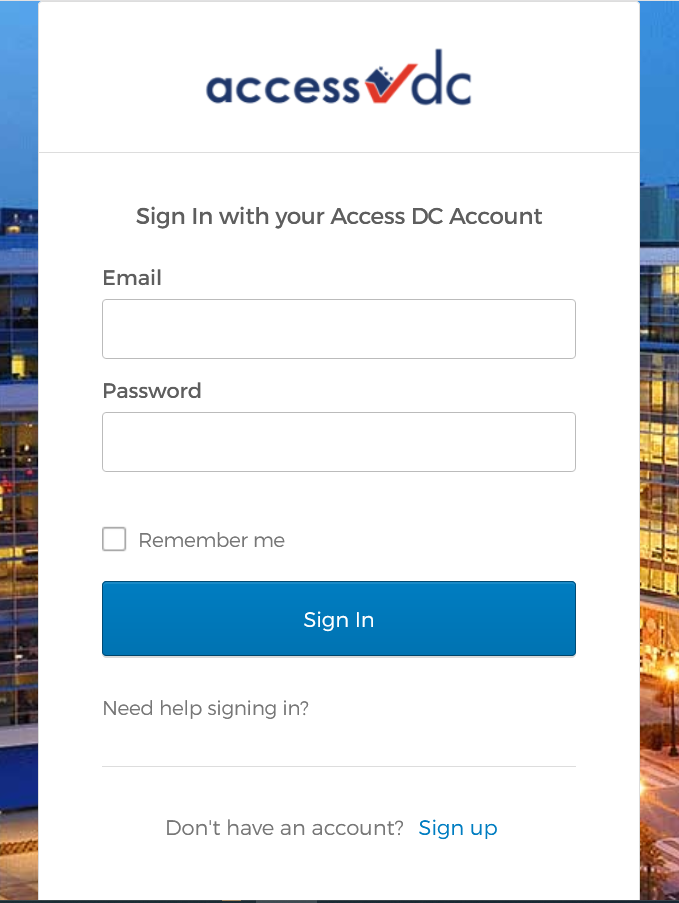
Linking your accounts is easy. On your first log in, when redirected to the Access DC sign-in page, enter your email and password to sign-in.
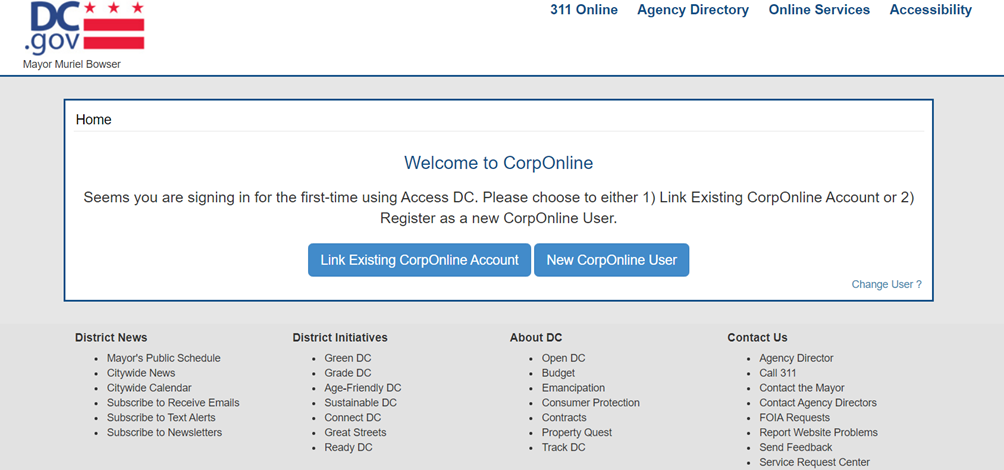
ON THE FIRST SIGN IN ONLY, you will have an opportunity to link your CorpOnline account with an Access DC account.
1. To link your accounts, select “Link Existing CorpOnline Account."
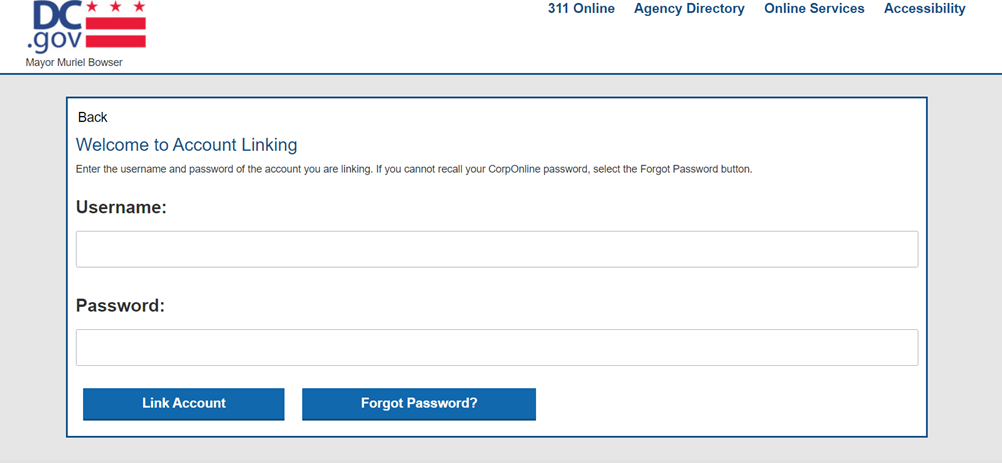
2. Enter your CorpOnline username and password then select “Link Account.” If you cannot remember your password to your CorpOnline account, select the “Forgot password” button and follow the prompts to reset your password. After resetting your password, enter your CorpOnline username and password then select “Link Account.”
3. After linking your account you will be able to conduct your transaction. On your next visit, select "Sign-in with Access DC" to conduct your next transaction.
For Users Who Have Multiple Entities Registered
You can do filings for multiple registered entities through one CorpOnline account.
Only one CorpOnline account can be linked to an Access DC account. If you have multiple CorpOnline accounts, please download your filing history for each CorpOnline account that you will not be linking NO LATER THAN FRIDAY, MARCH 19 at 4 PM.
On Friday, March 19 at 7 PM through Monday, March 22 at 8 AM, CorpOnline will be unavailable due to scheduled maintenance. Once the maintenance work is complete, your CorpOnline account will not be accessible without first linking it to an Access DC account.
Please contact us at accessdc.dcra@dc.gov if you have any issues.
|