|
From the desk of Jason Balderama, CISO, County of Marin
Have you ever received an email from someone claiming to be royalty? In their email they tell you that they will inherit millions of dollars but need your money and bank details to get access to that inheritance. You know this email is fake, so you delete it.
There are many more scams being perpetrated by criminals, especially during the holiday season, that sound more believable and are not as easy to spot. Learning to identify and avoid these scams is the first step in protecting yourself.
|
|
|
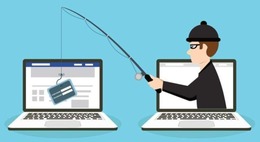
Phishing emails can be convincing and trick many people into providing personal data. Some common indicators of phishing emails are:
-
A sense of urgency. Scammers will stress a sense of urgency to trick you into doing what they want. Don’t take the bait. Take time to think about what you are being asked to do and why before you take any actions.
-
Suspicious sender address. The sender's address may imitate a legitimate business. Scammers often use an email address that closely resembles one from a reputable company by altering or omitting a few characters.
-
Generic greeting and signature. Both a generic greeting such as “Dear Valued Customer” or “Sir/Ma’am” and a lack of contact information in the signature block are strong indicators of a phishing email. A trusted organization will normally address you by name and provide their contact information.
-
Spoofed hyperlinks and websites. If you hover your cursor over any links in the body of the email, and the links do not match the text that appears when hovering over them, the link may be spoofed. Malicious websites may look identical to a legitimate site, but the URL may use a variation in spelling or a different domain (e.g., .com vs. .net). Additionally, scammers may use a URL shortening service such as Bit.ly to hide the true destination of the link.
-
Poor spelling, grammar, and formatting. Poor grammar and sentence structure, misspellings, and inconsistent formatting are other indicators of a possible phishing attempt. Reputable organizations have dedicated personnel that produce, verify, and proofread customer correspondence.
-
Suspicious attachments. An unsolicited email requesting you to download and open an attachment is a common delivery mechanism for malware. A scammer may use a false sense of urgency to persuade you to download or open an attachment without examining it first.
One of the scariest methods used by scammers is Business E-mail Compromise (BEC). In a BEC, the scammer compromises an employee in a legitimate organization and takes control of their e-mail account for their own use. This is especially dangerous, as any e-mail sent from this account appears to come from the employee. E-mail security solutions may not be able to detect these e-mails, as they are sent from real e-mail accounts and using the organization's real e-mail servers.
Once in control, the scammer may attempt any number of actions such as:
- Contacting the organization's finance or human resources department to redirect an employee's direct deposit.
- Posing as a vendor and requesting updates to the vendor's payment account.
- Launching phishing attacks to contacts in the employee's address book.
If you are unsure about an email you received, here are some easy steps you can take to protect yourself:
- Use strong and unique passwords on all your accounts and enable Multi-Factor Authentication (MFA) as an added layer of protection.
- Do not click links or open attachments in emails you were not expecting.
- Do not enter any personal, login, or financial information when prompted by an unsolicited email.
- Do not respond to or forward emails you suspect to be a scam.
- If in doubt, pick up the phone and contact the person or organization the email claims to have been sent by using contact information you find for yourself on their official website.
- Immediately change any passwords you might have revealed. If you used the same password for multiple accounts, make sure to change it for each account, and do not use that password in the future.
- Report it to the appropriate people within your organization. They can be alert for any suspicious or unusual activity.
- If you believe your financial accounts may have been compromised, contact your financial institution immediately and close those accounts. Watch for any unexplainable charges to your accounts.
- Watch for signs of identity theft. If you believe you have become a victim of Identity Theft, visit IdentityTheft.gov to report it and create a recovery plan.
|
|
Copyright © 2024 County of Marin, All rights reserved. |
|
Disclaimer
The information provided by Marin CyberSafe News is intended to increase people’s awareness of cybersecurity and to help them behave in a more secure manner. Links are provided because they have information that may be useful. The County of Marin does not warrant the accuracy of any information contained in the links and neither endorses nor intends to promote the advertising of the resources listed herein. The opinions and statements contained in such resources are those of the author(s) and do not necessarily represent the opinions of County of Marin.
|
|
|
|