|
From the desk of Jason Balderama, CISO, County of Marin
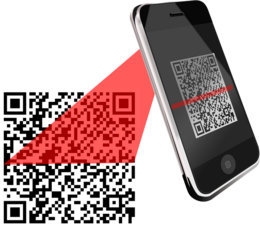
QR codes have become a popular way to access digital information and services. You can use QR codes to access the menu at a local restaurant, clip a digital coupon at the grocery store, enter a theater using a digital ticket, or even login to your online accounts. Cybercriminals are aware of the convenience of QR codes, and they may use them to trick you into falling for their scams.
Let’s review some common QR code attacks and ways that you can protect yourself.
|
|
|
In some ways, QR code attacks are similar to phishing e-mail attacks. With phishing e-mails, the scammers attempt to trick you into clicking a link to access a web site under their control. They may pretend to be someone that you know, tell you that you need to act right away, or lure you with a special offer that seems too good to be true. With QR code attacks, they try to trick you into scanning a malicious QR code.
Because QR codes initially hide where you are being directed, you need to be aware of attacks that may exploit this.
-
Social engineering or phishing. Clicking on a malicious link is not much different to scanning a malicious QR code leading to the same link. Scammers use social engineering tactics like pairing QR codes with well contrived messages to trick people into scanning. They can also exploit people’s curiosity by placing QR codes in public places without any text.
-
QR code phishing attacks within email. QR codes might be included in phishing emails rather than links. E-mail security systems may not be able to detect if QR codes are malicious or safe.
-
Replacing genuine QR codes in public places with malicious codes. A simple QR code trick cybercriminals use is to replace original codes placed by a company at a specific touchpoint with counterfeit ones. When people scan malicious codes, they may be directed to a phishing or malware site.
-
Clickjacking using QR codes. Another tactic is to direct people to a legitimate-looking website that contains actionable content in invisible frames, such as buttons that encourage visitors to click through. In most cases, they usually result in downloading malware or stealing account information.
-
Check the QR code for potential red flags. Does the text or message around the code seem appropriate? Does the logo match the company’s logo? Does the QR code design match the company’s branding?
-
Avoid using third-party applications to scan the QR code. Most smartphones and tablets today come with a native QR code scanning capability within the camera app itself. Use the built-in functionality, do not install a QR code scanning app that may be malicious.
-
Verify the URL. Whenever you scan a QR code, you will get a notification pop-up on the screen immediately. The pop-up shows the web site URL you are being directed to. Think before your click, inspect the URL closely for any signs that it may not be legitimate before you open the web site.
-
When in Doubt, Don’t Scan. If you are not certain if a QR code is safe, you do have a choice. Rather than scanning the code, open your web browser and visit the known legitimate web site of the organization you are trying to access.
|
|
Copyright © 2023 County of Marin, All rights reserved. |
|
Disclaimer
The information provided in Marin CyberSafe News is intended to increase people’s awareness of cybersecurity and to help them behave in a more secure manner. Links in this newsletter are provided because they have information that may be useful. The County of Marin does not warrant the accuracy of any information contained in the links and neither endorses nor intends to promote the advertising of the resources listed herein. The opinions and statements contained in such resources are those of the author(s) and do not necessarily represent the opinions of County of Marin.
|
|
|
|