
How and where you can access Kingsweb
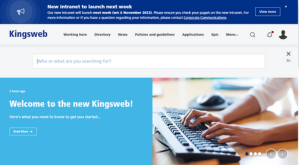 You can access the intranet in a number of ways, including via an app!
Detailed below are a number of ways you can access Kingsweb.
When at work and on a Trust PC
If you’re on a Trust networked PC, you should be able to access the intranet automatically without logging in. Upon opening your browser, the homepage should appear instantly.
If you’re being prompted with a login screen, please contact the Webmaster who can investigate sorting your access so you are logged in automatically.
When at home and on VPN (either on a personal or work device)
If you’re working from home and using a VPN connection, you should be able to access the intranet automatically without logging in. Upon opening your browser, the homepage should appear instantly, and you will stay logged in for the duration.
If you are disconnected from the VPN, your connection might be timed out and you may be prompted to login to the intranet using your desktop credentials (this is what you use to login to your Trust PC). Your username will need to be entered with the prefix ‘Kings\’ (i.e. Kings\John Smith).
If you’re being prompted with a login screen, please contact the Webmaster who can investigate sorting your access.
When at home on a desktop/laptop and not on VPN
If you’re working from home on a desktop/laptop and not connected to the VPN, you can still access the intranet.
You can navigate to the homepage: https://kingscollegenhs.interactgo.com/ and you’ll be prompted to sign-in using your desktop credentials (this is what you use to login to your Trust PC). Your username will need to be entered with the prefix ‘Kings\’ (i.e. Kings\John Smith). You should not need to ensure your username and password again during your session.
If you experience issues with logging in, please contact the Webmaster who can investigate sorting your access.
Accessing the intranet on a mobile device (without the app)
If you do not have the Kingsweb app installed on your mobile device, you can still access the intranet by clicking the appropriate link, which will redirect you to a login screen.
You’ll be prompted to sign-in using your desktop credentials (this is what you use to login to your Trust PC). Your username will need to be entered with the prefix ‘Kings\’ (i.e. Kings\John Smith). Once entered, you will be able to browse the intranet. However, please be mindful that some of the functionality on the mobile app may differ from the desktop version.
If you experience issues with logging in or any errors, please contact the Webmaster who can investigate sorting your access.
Accessing the intranet on a mobile device via the app
If you click on an intranet link (i.e., in The Bulletin) and you have the app installed, your device will automatically redirect you to the Kingsweb app.
If you haven’t accessed the app in a while, you will be prompted to sign-in using your computer login credentials (this is what you use to login to your Trust PC). Your username will need to be entered with the prefix ‘Kings\’ (i.e. Kings\John Smith). Two-factor authentication will be in place, so you will also need to use your fingerprint/face ID or security code to access.
To access Kingsweb via an app, please follow the instructions below:
- Open the app store on your phone or tablet device – it’s called ‘App store’ on Apple devices and ‘Play store’ on Android.
- Search for ‘my Intranet’ in the applications store.
- Select ‘download’ on the app (make sure you have enough storage space on your device).
- You can access the app by typing in a unique four digit code. On the first screen, type ‘2749’. This unique code lets Interact (the intranet provider) know you want to access the King’s intranet.
- Upon accessing the app for the first time, you will be asked to enter your Active Directory (AD) details - which are the details you use to login into your PC or desktop in the morning. Please remember to put Kings\ in front of your username, i.e. Kings\John Smith and use your Windows password.
- Once you’ve logged in for the first time, you can use your fingerprint (if enabled, otherwise it'll be your passcode) as authentication thereafter to access (two step authentication (i.e. fingerprint or face ID) helps to verify that it is you).
Notice something different? To aid functionality and user experience, some functionality (including the rewards function) is not available on the app.
If you are experiencing access issues or if pages are not appearing correctly in the app, please report this using this form.
A helpful step-by-step video on downloading and accessing Kingsweb via the app can be found here.
If you experience issues with logging in or if pages are not showing correctly, please contact the Webmaster who can investigate sorting your access. You can also report any issues using this form.
Accessing the intranet via The Bulletin
A lot of information in The Bulletin will be available and housed for wider reading on the new intranet.
Depending on how you’re connected, you can access the intranet in several ways:
- On a Trust PC or VPN: if you’re on a Trust PC and click on a link in the bulletin (which is linked to the intranet), you will be automatically taken to Kingsweb in your default browser.
- Working remotely (i.e., not connected to VPN): if you click on an intranet link and are not connected to the Trust, you will be redirected to a login page where you will need to enter your desktop credentials (remembering to put ‘Kings\’ in front of your username).
- On a mobile device with the Kingsweb app installed: if you’re viewing The Bulletin on a mobile device (with the Kingsweb app installed) and click on an article, you will be automatically redirected to the app, which will display a login screen initially. From here, you will need to enter your desktop credentials (remembering to put ‘Kings\’ in front of your username) and also use your fingerprint/face ID or security code to access. More details about downloading and accessing the app can be found above.
- On a mobile device without the app installed: if you’re viewing The Bulletin on a mobile device (without the Kingsweb app installed) and click on an article, you will be redirected to the intranet in your default browser. From here, you will need to enter your desktop credentials (remembering to put ‘Kings\’ in front of your username).
Accessing KingsDocs
If you are looking to access or view a document – including a clinical procedure or policy – you will need to be connected to the Trust network (either via a Trust PC or on VPN).
Both KingsDocs (inc. KCH forms) and KCGS operate on a different platform to the new intranet and can not be accessed off or outside of the Trust network.
For more information on accessing KingsDocs, visit this page.
Why am I being asked to sign-in?
As part of the Trust's authentication process and so we know a member of staff is trying to access Kingsweb, it is customary to be prompted to sign-in when not connected to the Trust network.
Please note that all links to KingsDocs are internal links and are only accessible from a networked PC.
 |
